Free original lessons
Dog Grid Drawing
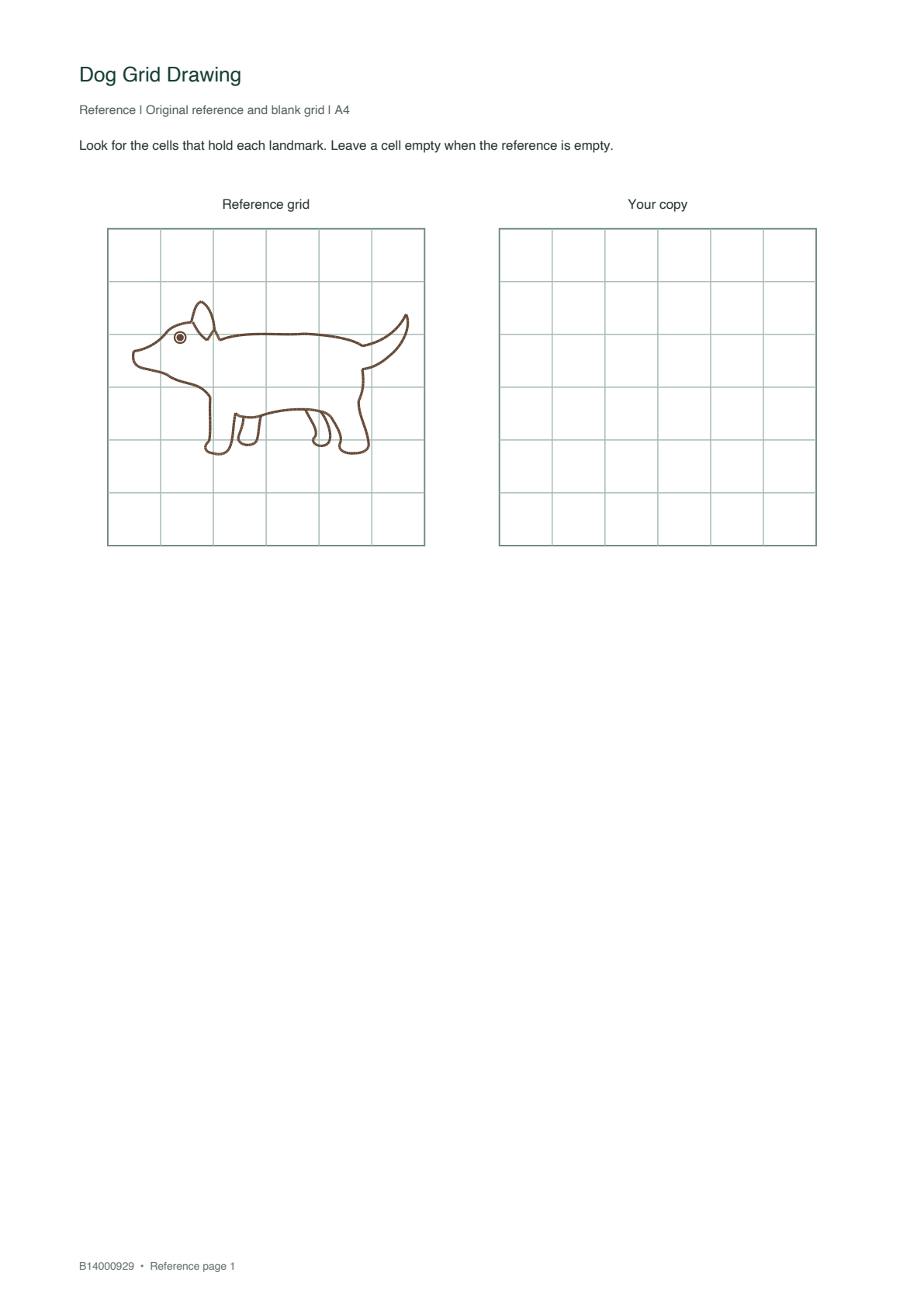
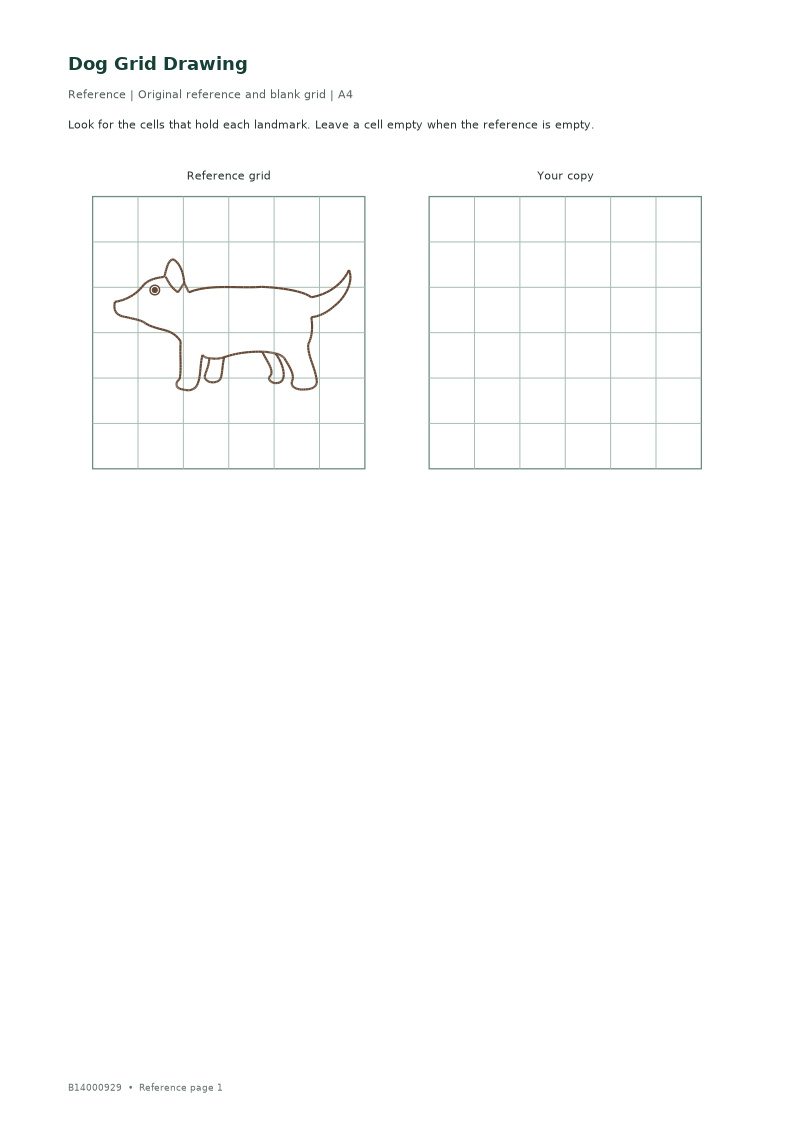
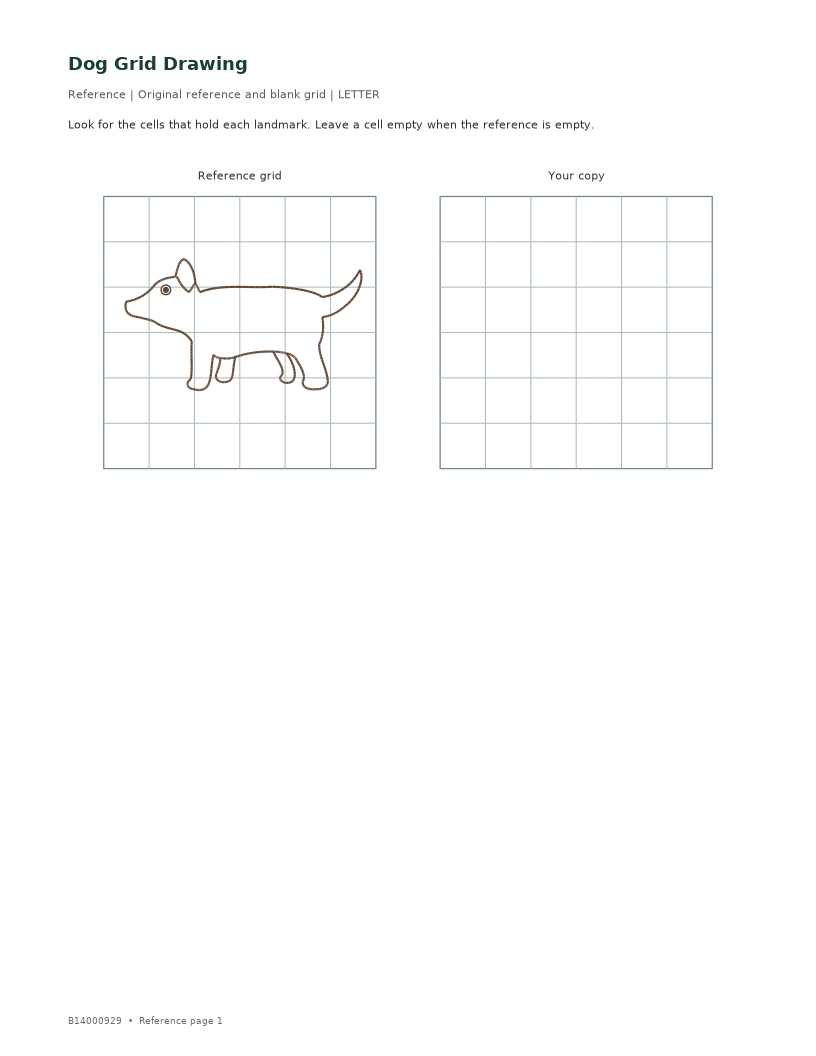
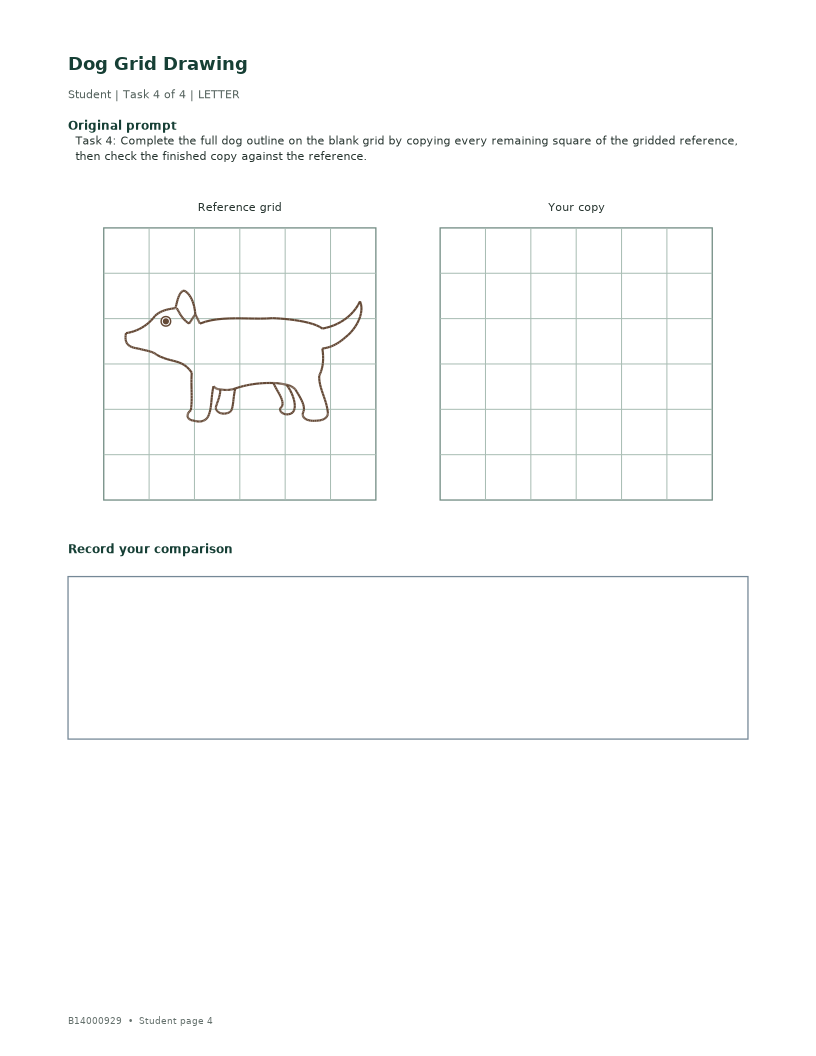
Grid drawing divides a reference into equal squares. This pack places one original side-view dog on a six-by-six grid beside an empty matching grid. Copy the visible outline in the corresponding cells, keeping empty reference cells empty. The picture is a teaching example.
Letter & A4
PDF & SVG
How grid transfer works
A gridded reference is a picture with a grid laid over it. Each square holds a small piece of the drawing: part of an ear, a curve of the back, a leg line, the tail. The blank grid has the same number of squares in the same arrangement, so each square on the blank grid corresponds to exactly one square on the reference.
Look at where the outline enters and leaves each occupied reference square, and draw those same segments in the matching copy square. Use the edges and corners as landmarks. An empty reference square stays empty.
Reading the reference before you draw
Before copying, spend a moment observing the reference. Note which squares contain the head and muzzle, which contain the back and body, where the legs begin and end, and where the tail sits. Notice the direction each outline segment travels through its square: a line may cross a corner, run along an edge, or curve through the middle.
This observation step is the part that makes grid drawing accurate. Copying square by square without first seeing the whole dog tends to produce segments that do not join. The reference figure shows the complete gridded dog; the blank grid figure shows the same grid with no drawing, ready for your copy.
Worked example: copying one region
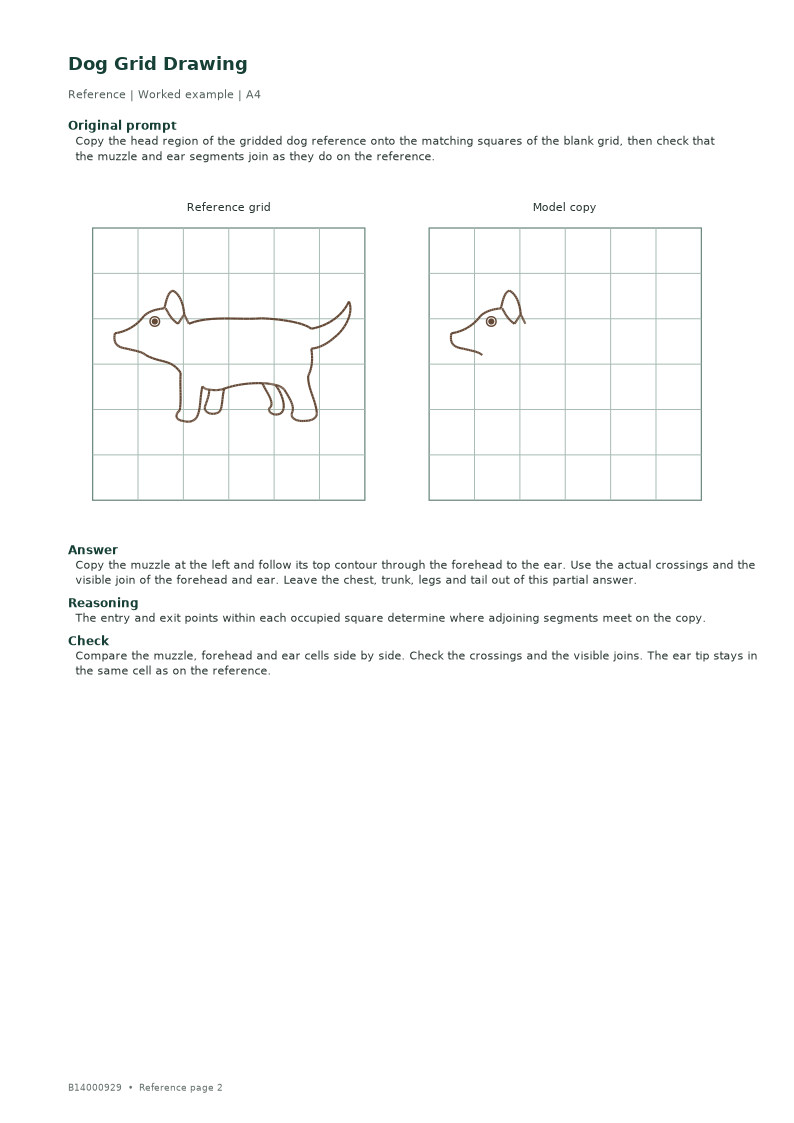
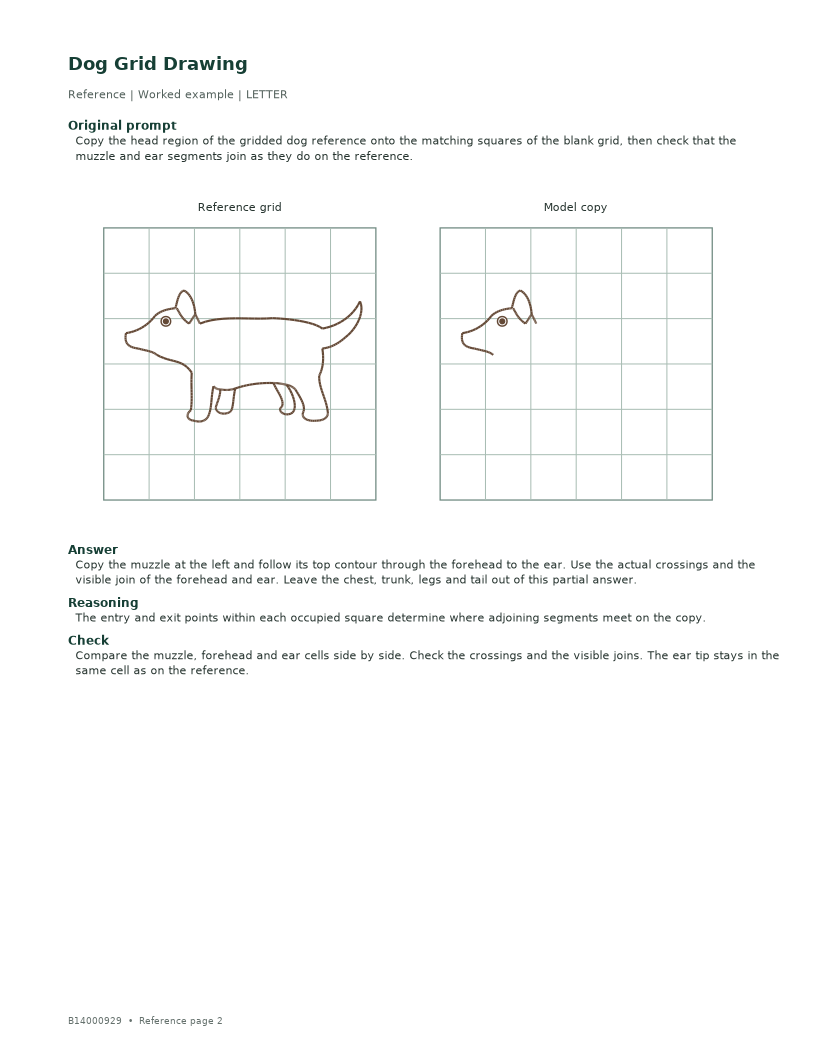
Look at the muzzle in the left part of the grid. Follow its outer contour from the nose through the forehead to the visible ear. The ear tip is inside a square, so observe the printed shape before choosing a crossing.
Copy the muzzle, forehead and ear into their matching squares. Where the forehead and ear outlines meet, keep the same visible join. The partial key shows that region while leaving the chest, trunk, legs and tail to later tasks.
Checking your copy
When your outline is complete, compare it with the reference square by square. Ask: does each segment enter and leave its square at the same place as on the reference? Do neighbouring segments join without gaps or overlaps? Does the overall dog read as the same shape, with the head, body, legs and tail in the same relative positions?
A useful check is to look at your copy from a short distance so the grid fades and only the dog shape remains. If the shape matches the reference's shape, the transfer is sound. Small differences in line smoothness are normal; differences in where a segment sits within its square are what to correct.
Download the complete resource pack
All individual SVG pages (20)
- A4 reference page 1
- A4 reference page 2
- A4 student page 1
- A4 student page 2
- A4 student page 3
- A4 student page 4
- A4 answer page 1
- A4 answer page 2
- A4 answer page 3
- A4 answer page 4
- LETTER reference page 1
- LETTER reference page 2
- LETTER student page 1
- LETTER student page 2
- LETTER student page 3
- LETTER student page 4
- LETTER answer page 1
- LETTER answer page 2
- LETTER answer page 3
- LETTER answer page 4
Print at 100% / actual size. Use the stated scale on any schematic diagram; physical cutting templates are identified separately. A4 and US Letter are separate files. Free access, no signup; CC BY 4.0.
How to use these pages
- How grid transfer works
- Reading the reference before you draw
- Worked example: copying one region
- Checking your copy
Worked example
Example: Copy the head region of the gridded dog reference onto the matching squares of the blank grid, then check that the muzzle and ear segments join as they do on the reference.
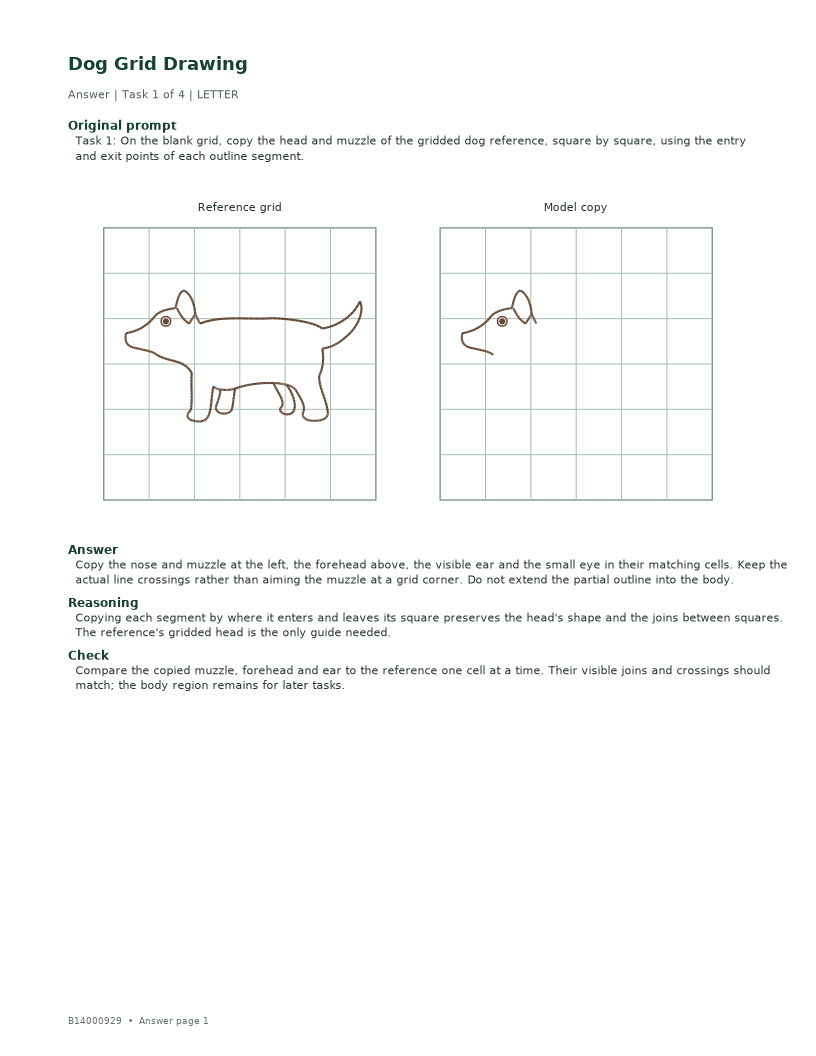
Answer: Copy the muzzle at the left and follow its top contour through the forehead to the ear. Use the actual crossings and the visible join of the forehead and ear. Leave the chest, trunk, legs and tail out of this partial answer.
Reasoning: The entry and exit points within each occupied square determine where adjoining segments meet on the copy.
Check: Compare the muzzle, forehead and ear cells side by side. Check the crossings and the visible joins. The ear tip stays in the same cell as on the reference.
Four practice tasks and complete answers
Task 1
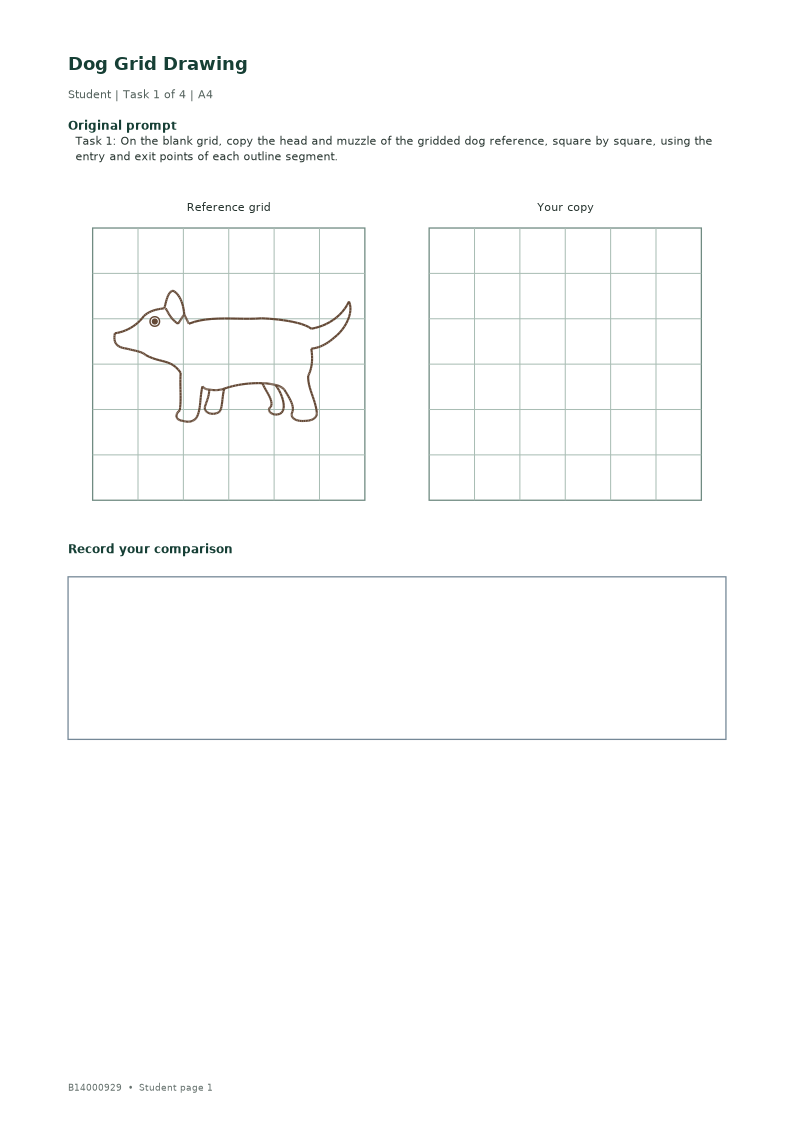
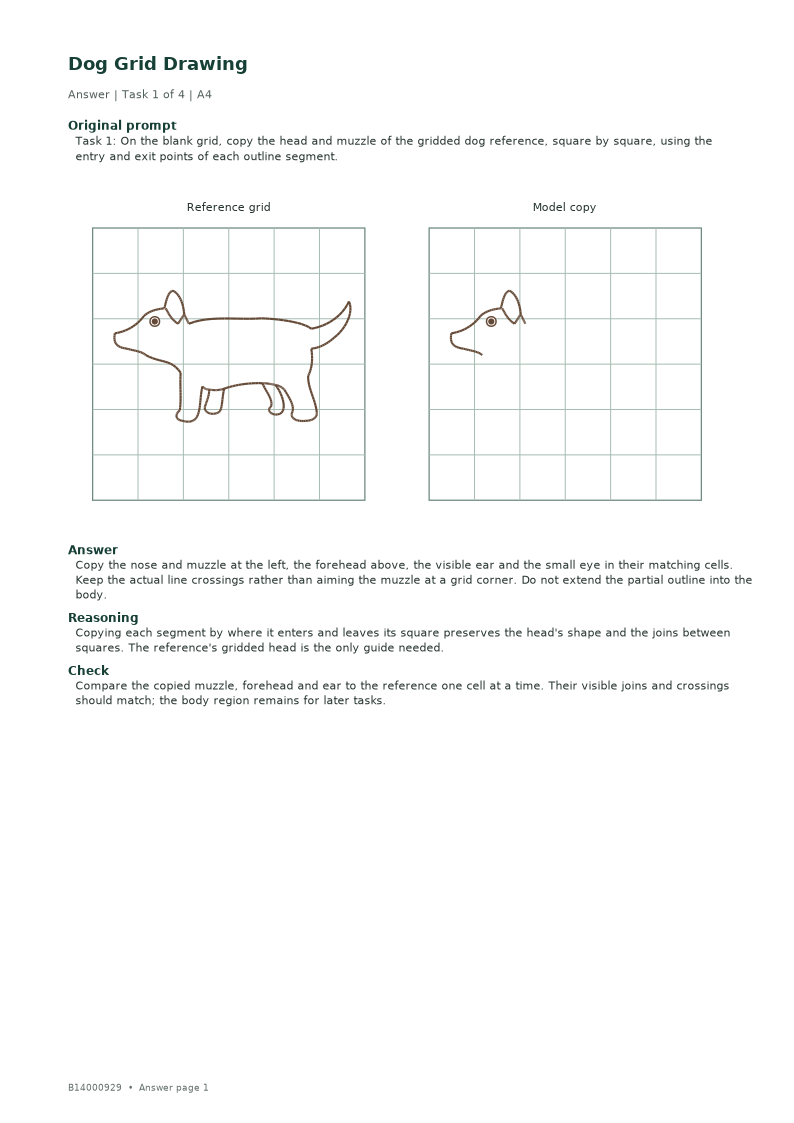
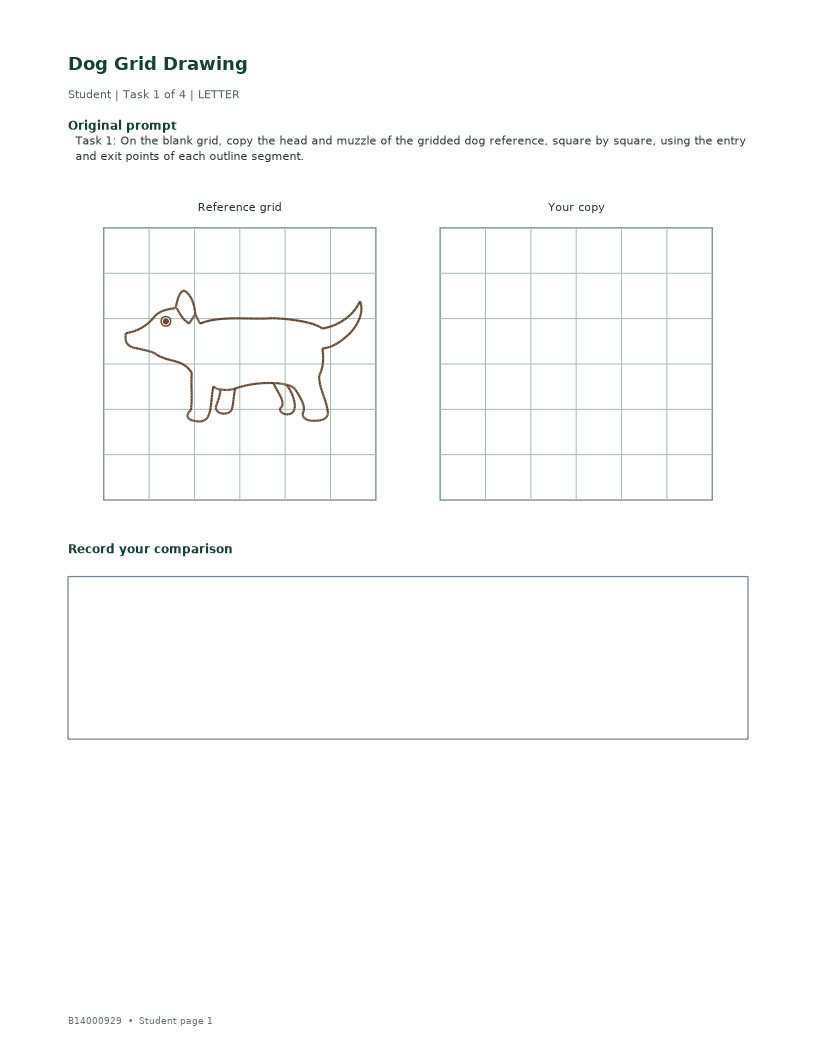
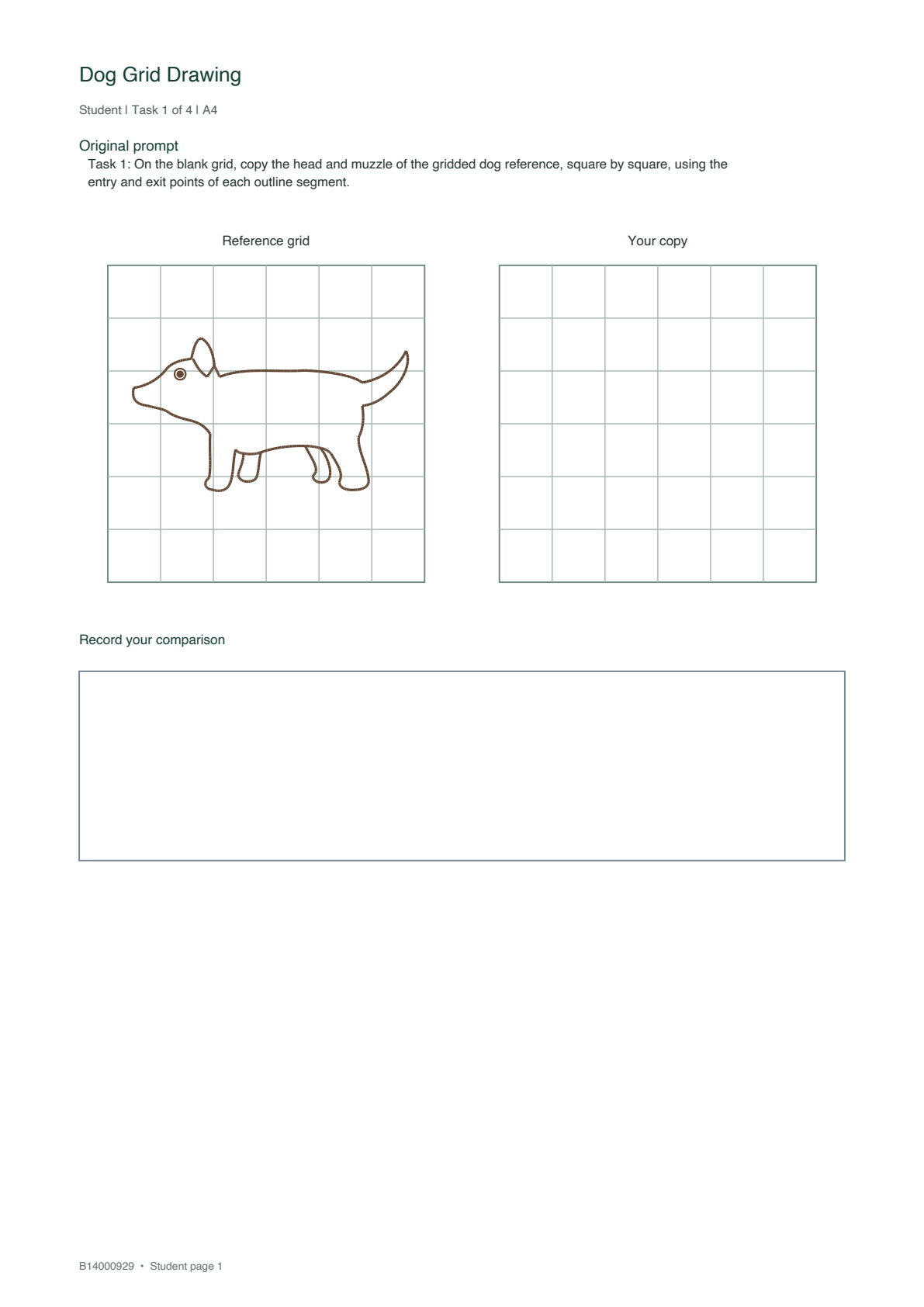
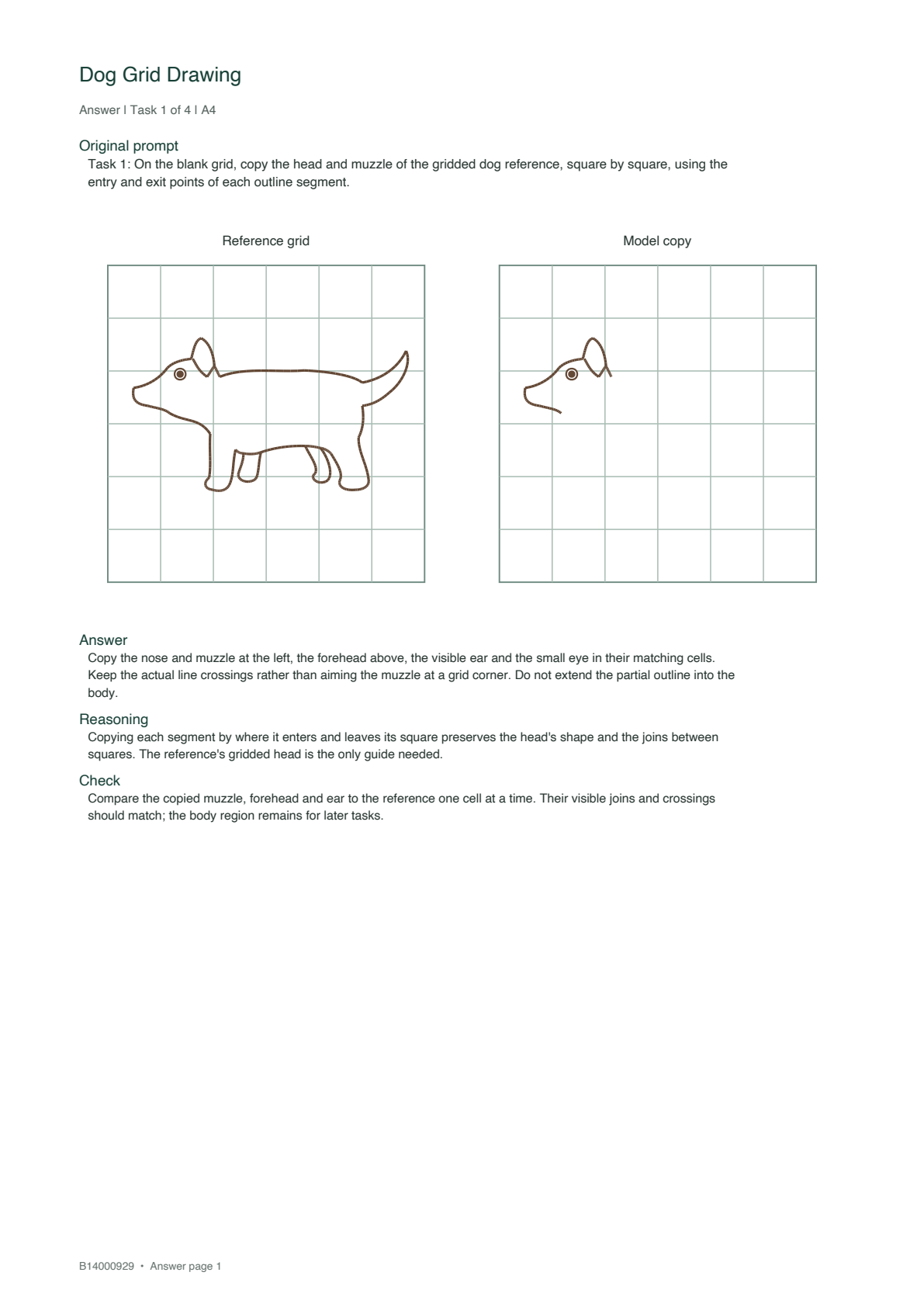
Task 1: On the blank grid, copy the head and muzzle of the gridded dog reference, square by square, using the entry and exit points of each outline segment.
Show answer 1
Copy the nose and muzzle at the left, the forehead above, the visible ear and the small eye in their matching cells. Keep the actual line crossings rather than aiming the muzzle at a grid corner. Do not extend the partial outline into the body.
Copying each segment by where it enters and leaves its square preserves the head's shape and the joins between squares. The reference's gridded head is the only guide needed.
Check: Compare the copied muzzle, forehead and ear to the reference one cell at a time. Their visible joins and crossings should match; the body region remains for later tasks.
Task 2
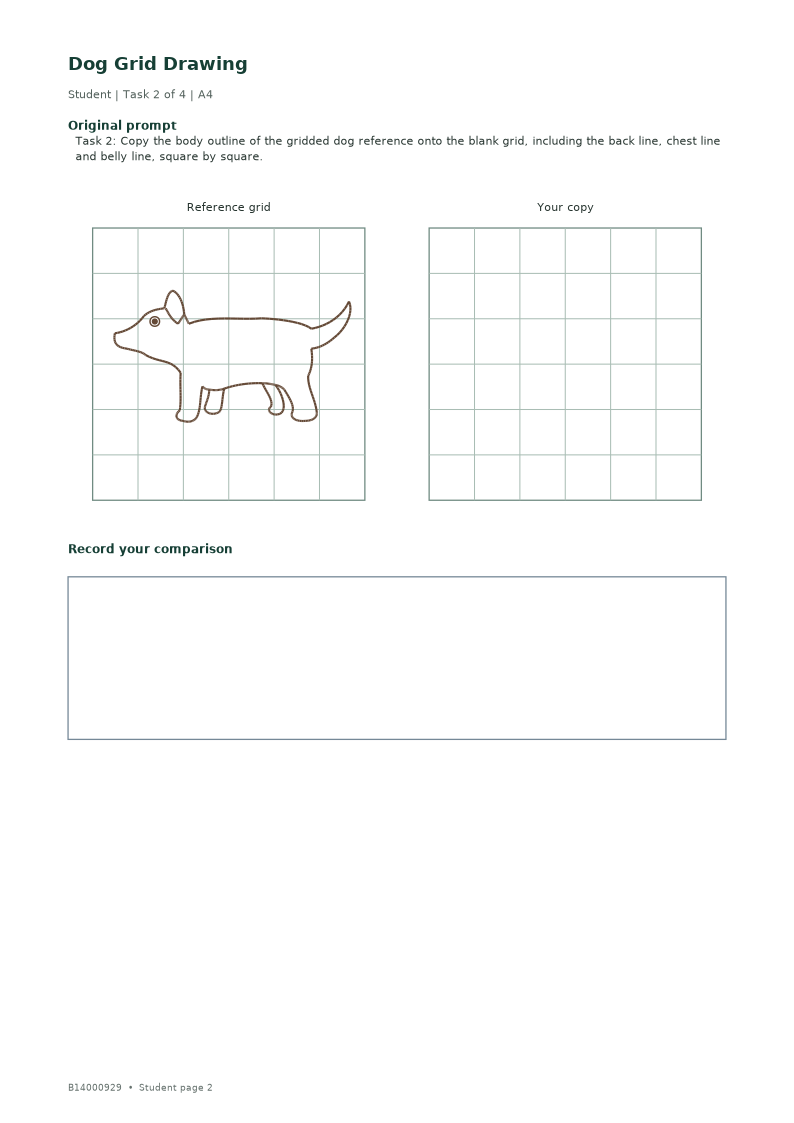
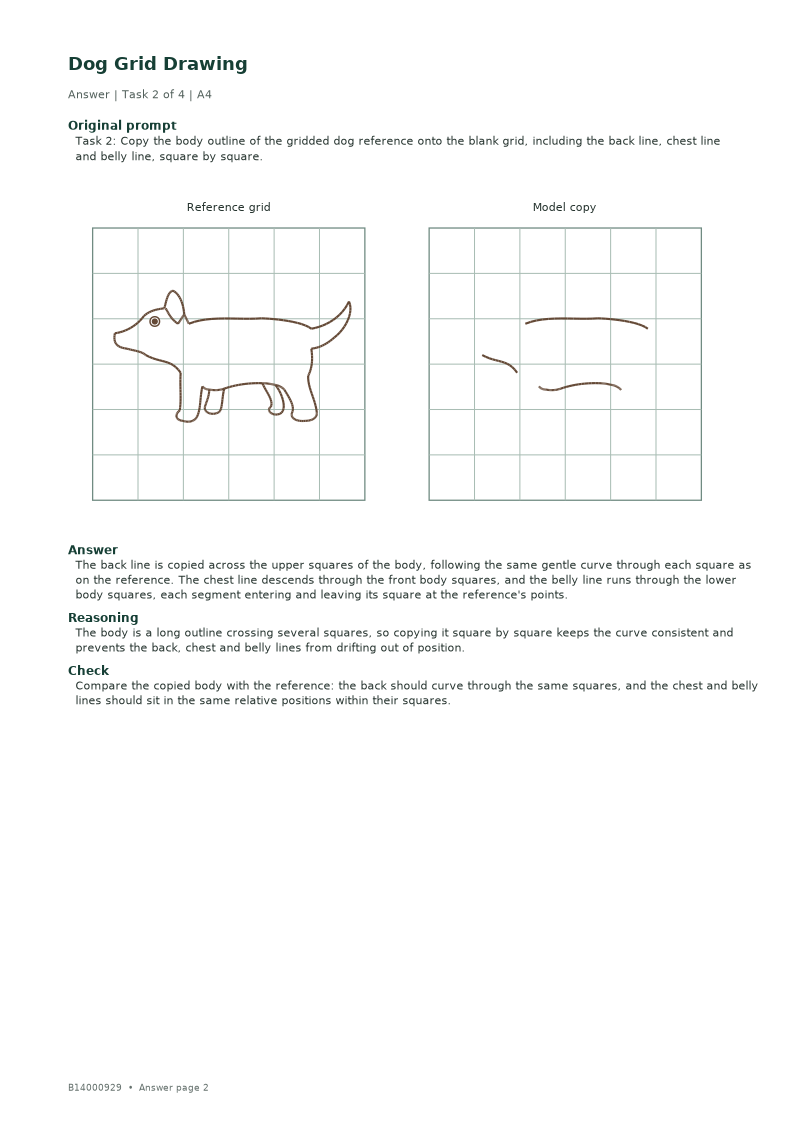
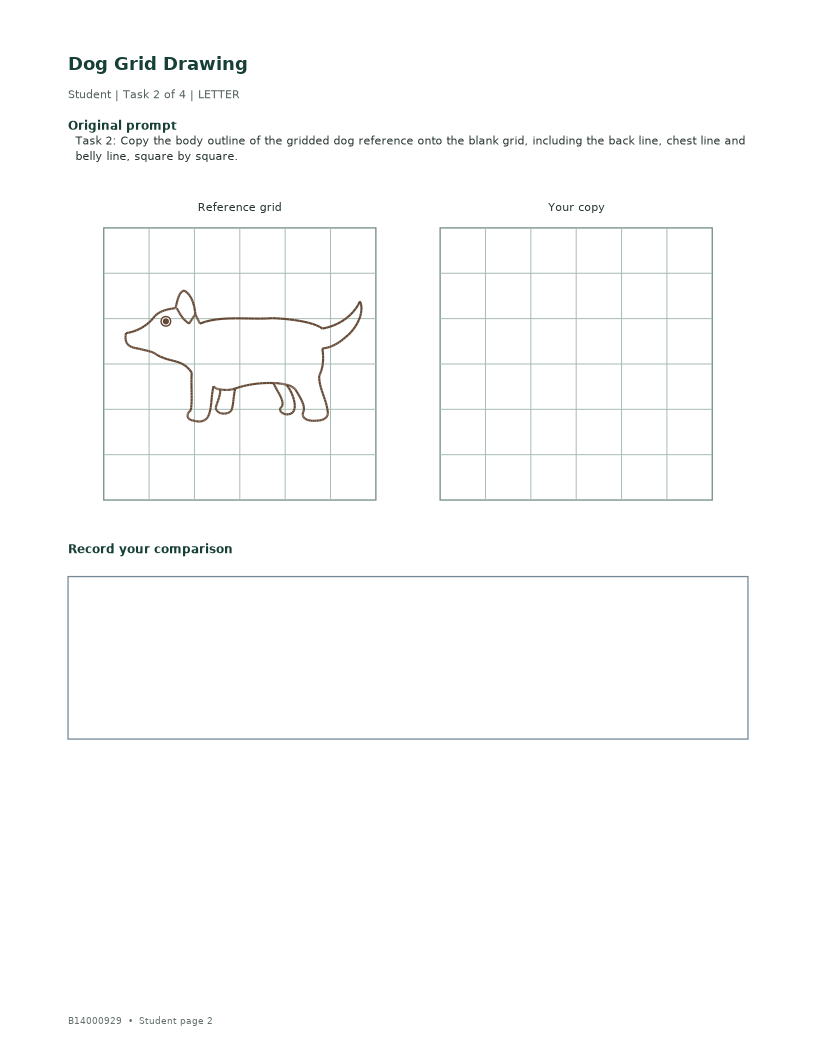
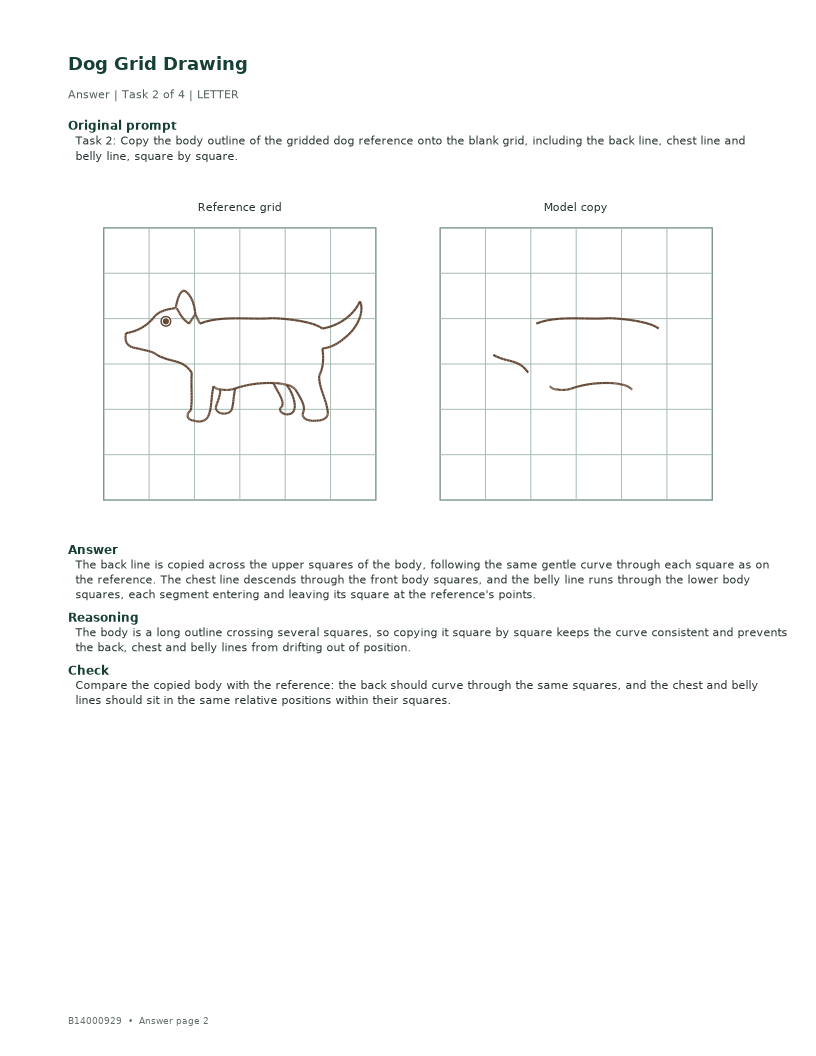
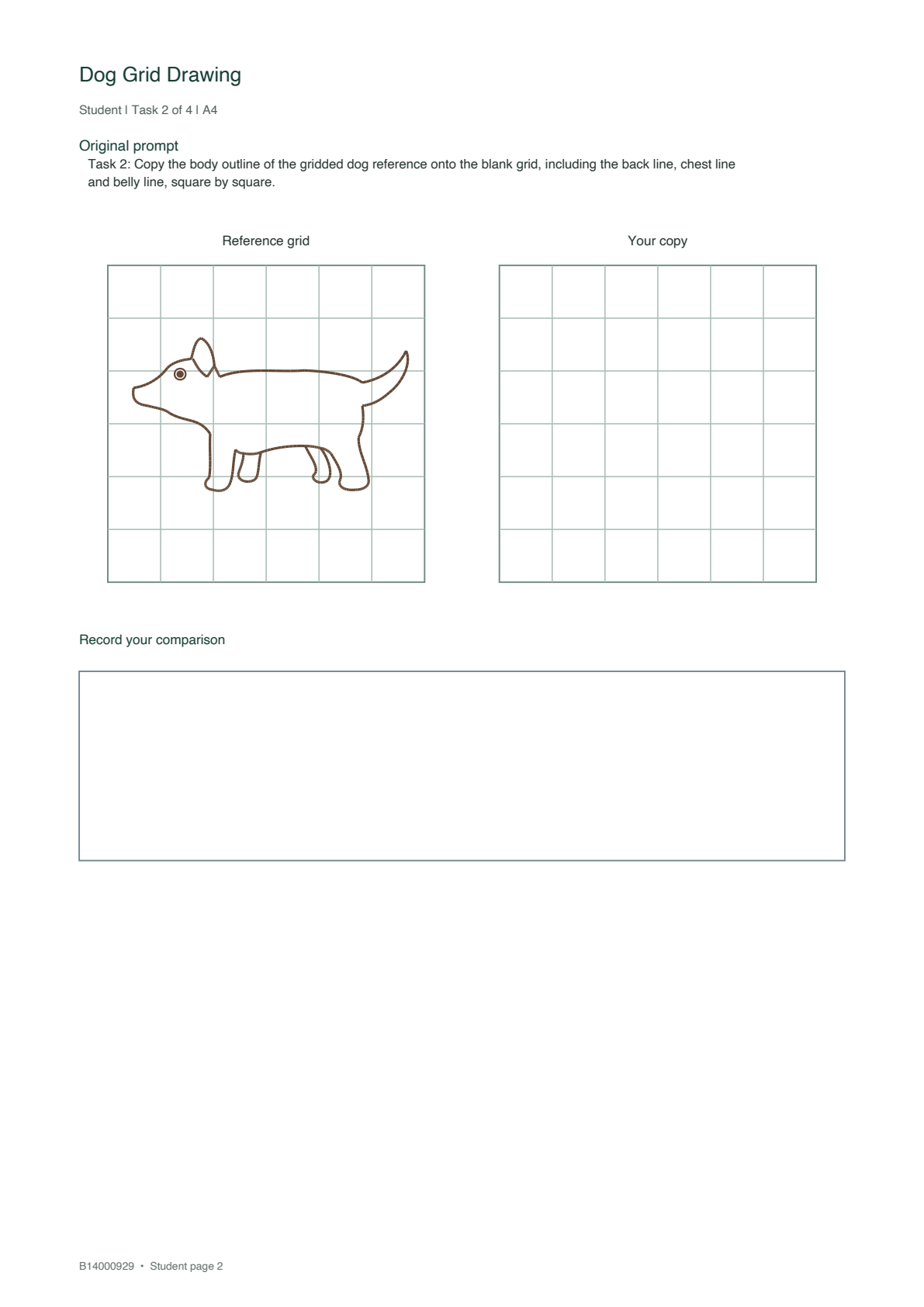
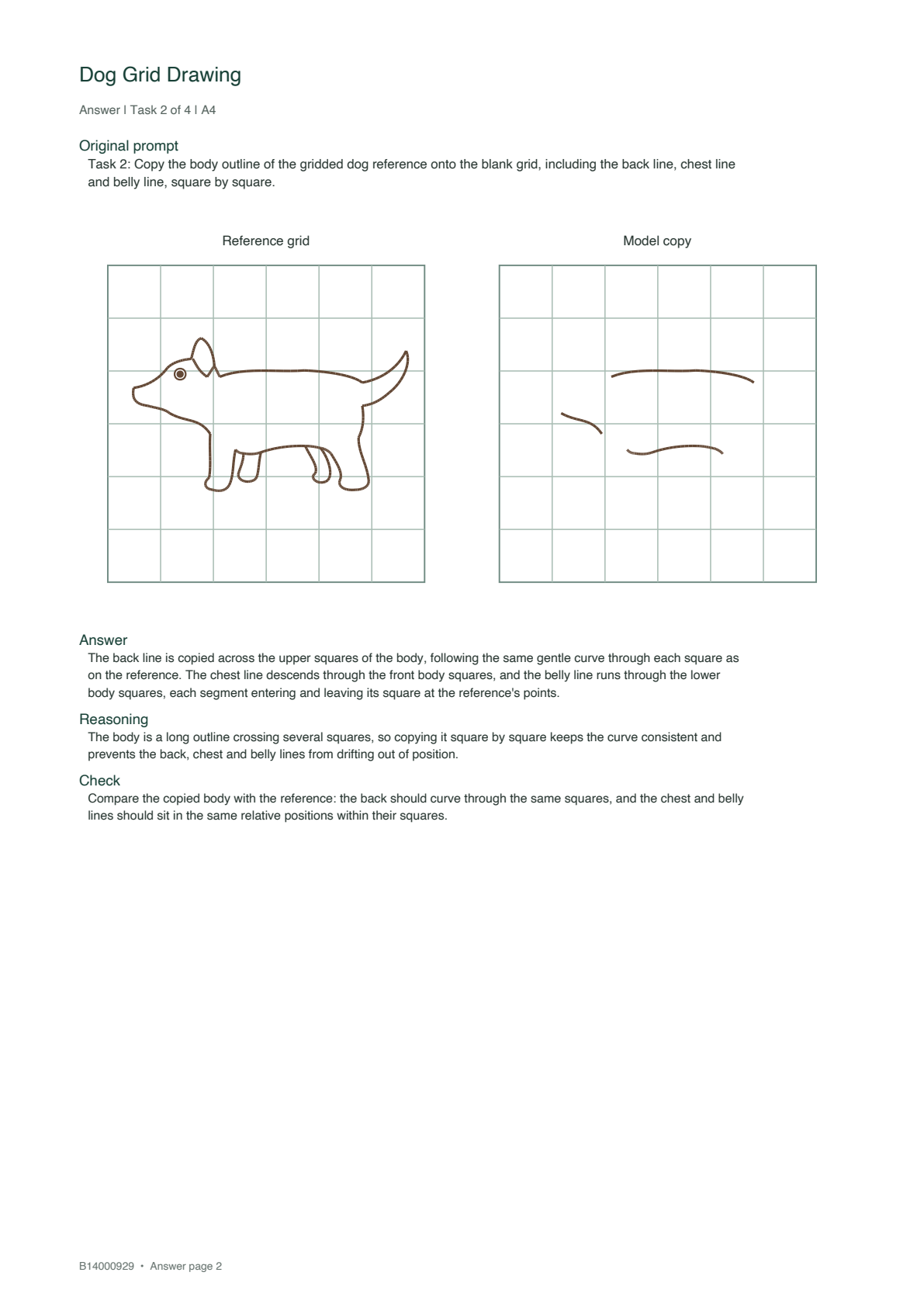
Task 2: Copy the body outline of the gridded dog reference onto the blank grid, including the back line, chest line and belly line, square by square.
Show answer 2
The back line is copied across the upper squares of the body, following the same gentle curve through each square as on the reference. The chest line descends through the front body squares, and the belly line runs through the lower body squares, each segment entering and leaving its square at the reference's points.
The body is a long outline crossing several squares, so copying it square by square keeps the curve consistent and prevents the back, chest and belly lines from drifting out of position.
Check: Compare the copied body with the reference: the back should curve through the same squares, and the chest and belly lines should sit in the same relative positions within their squares.
Task 3
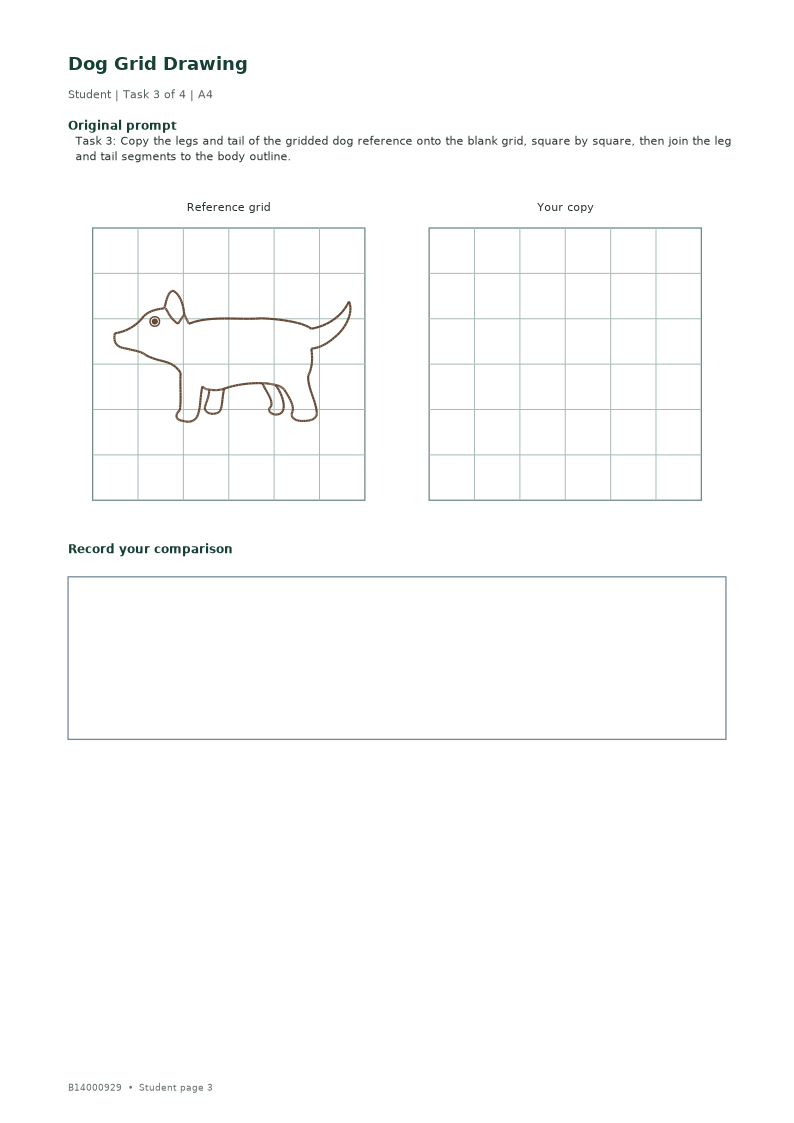
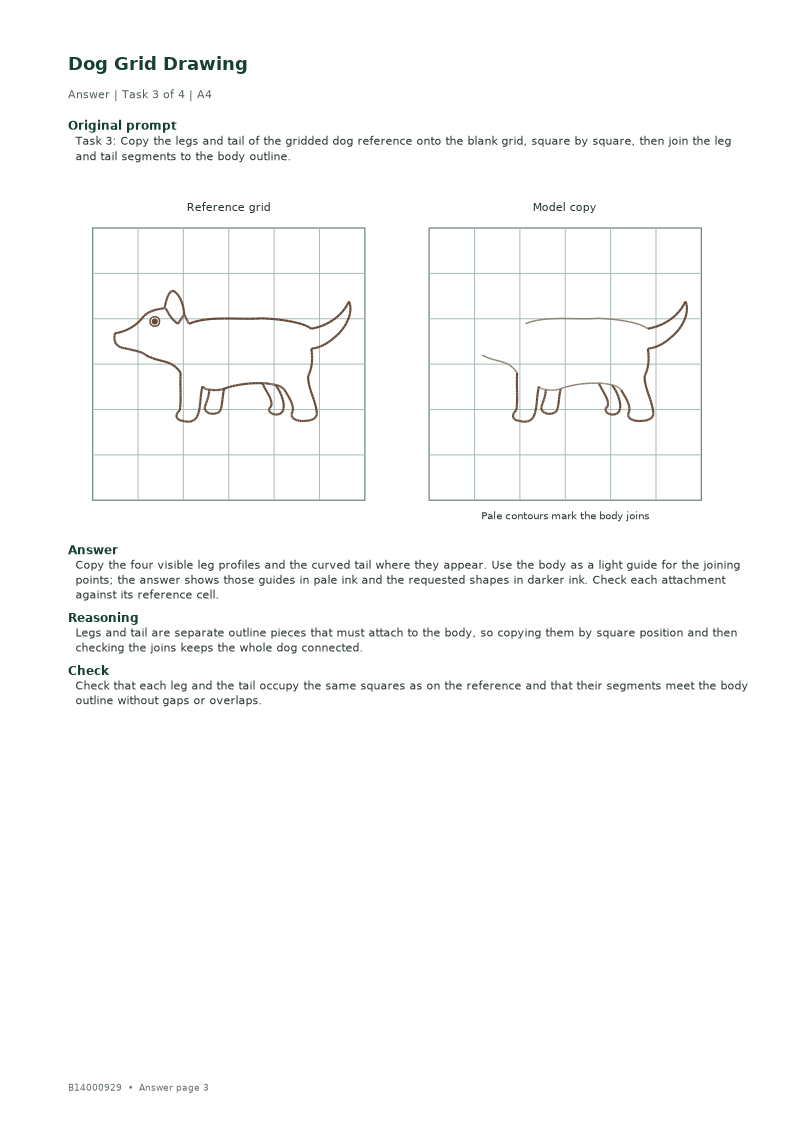
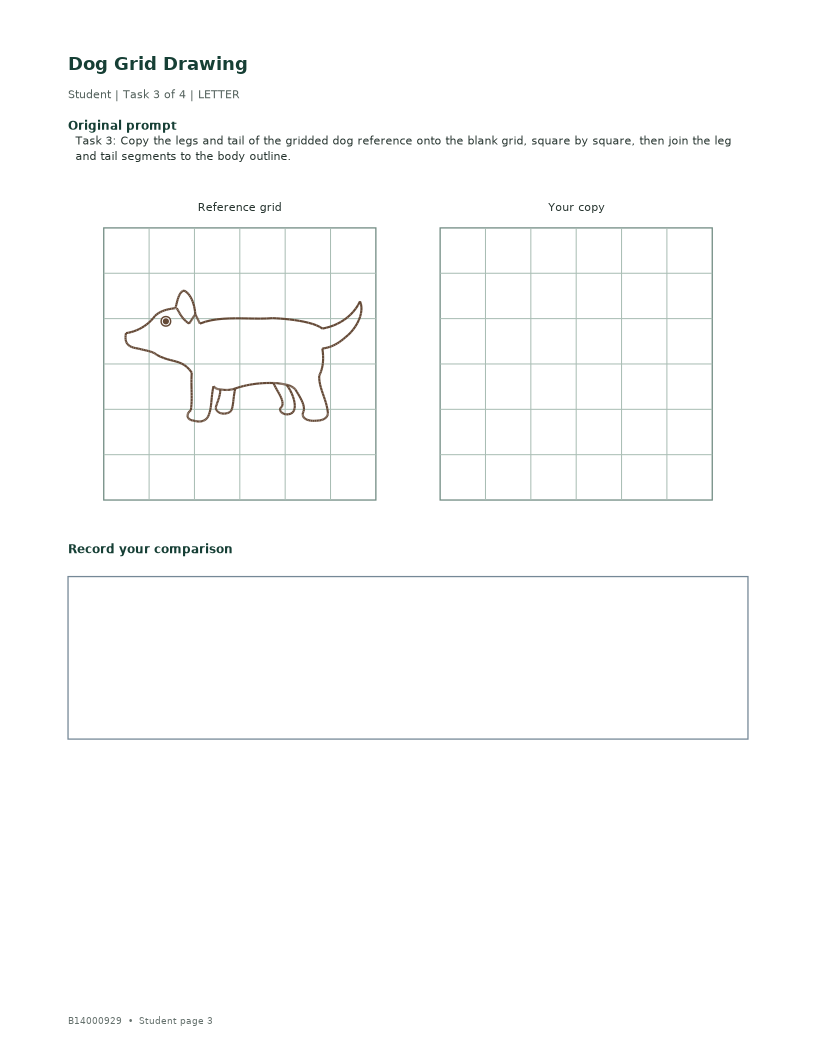
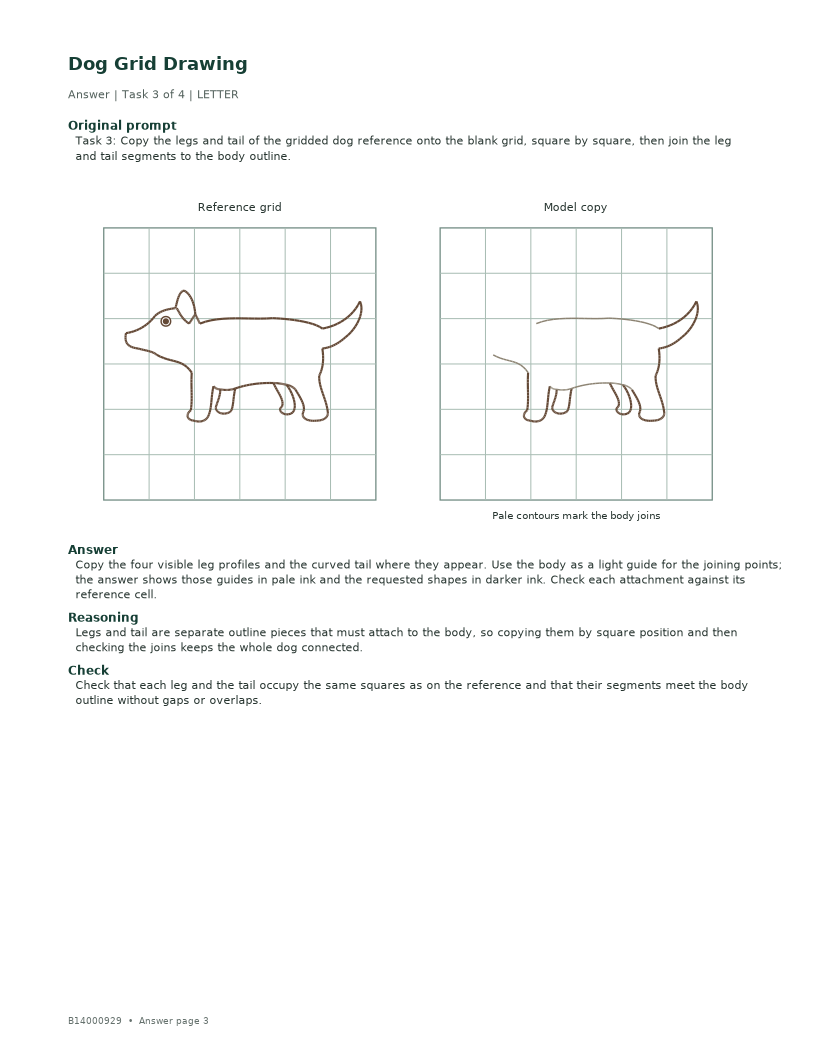
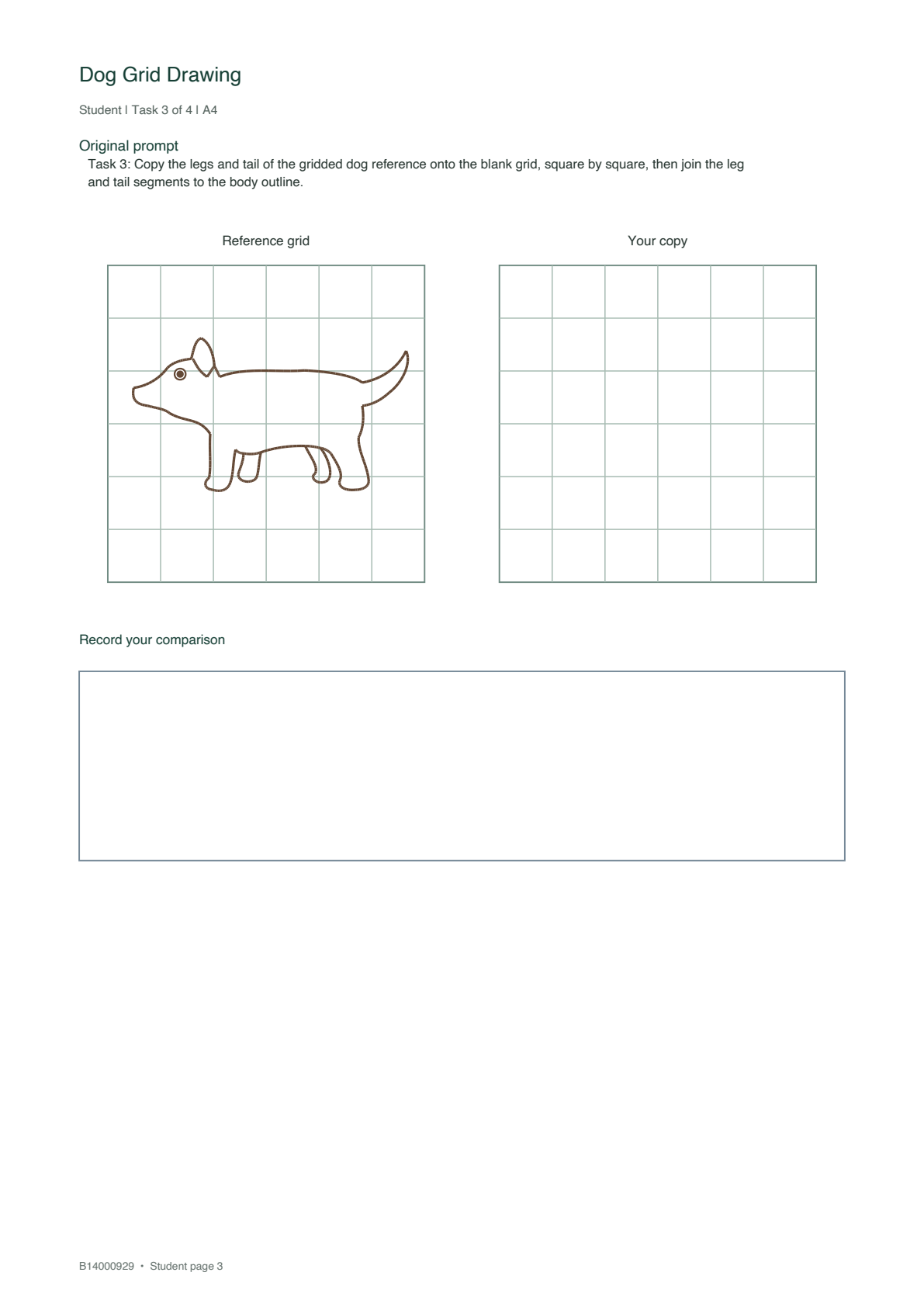
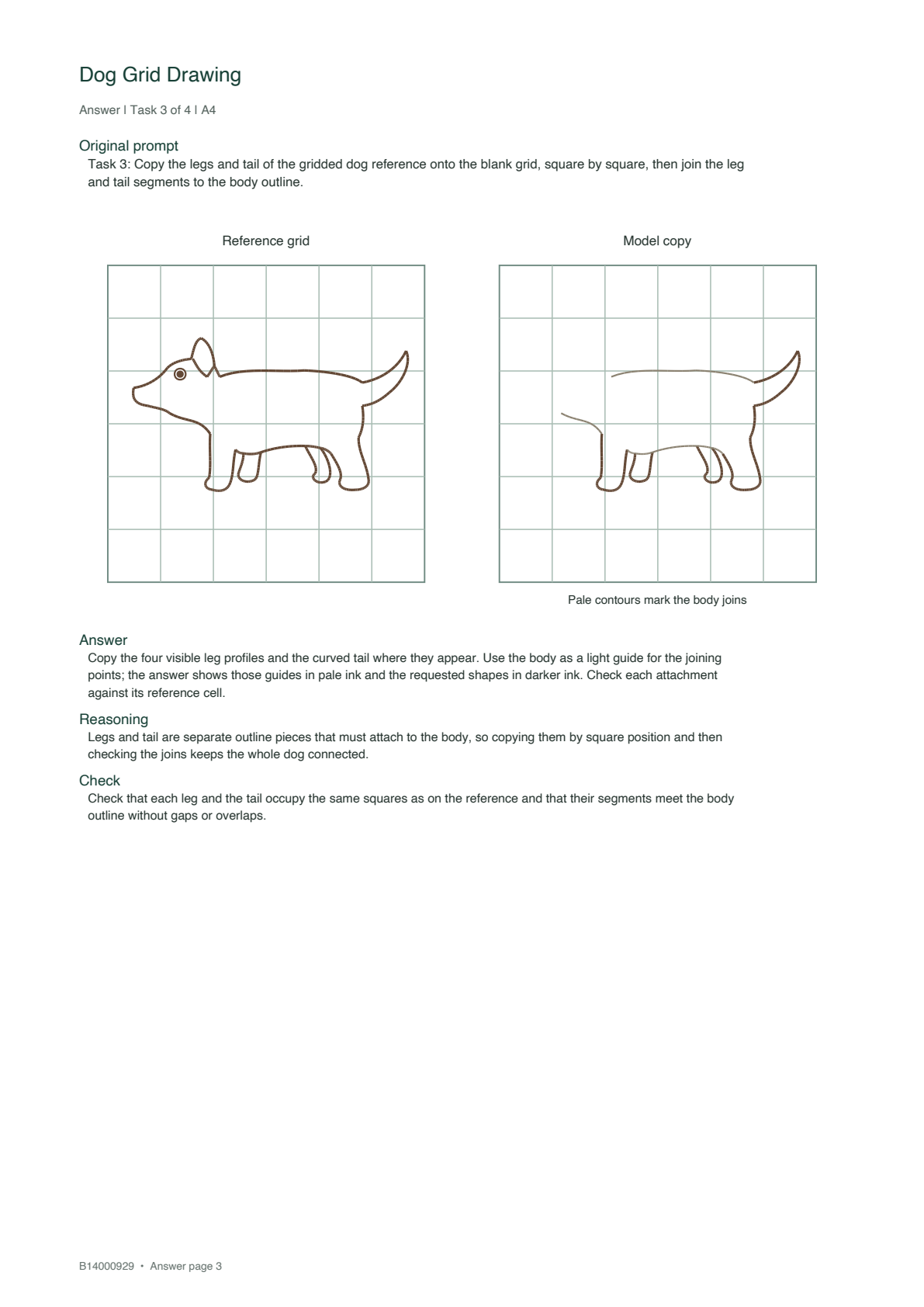
Task 3: Copy the legs and tail of the gridded dog reference onto the blank grid, square by square, then join the leg and tail segments to the body outline.
Show answer 3
Copy the four visible leg profiles and the curved tail where they appear. Use the body as a light guide for the joining points; the answer shows those guides in pale ink and the requested shapes in darker ink. Check each attachment against its reference cell.
Legs and tail are separate outline pieces that must attach to the body, so copying them by square position and then checking the joins keeps the whole dog connected.
Check: Check that each leg and the tail occupy the same squares as on the reference and that their segments meet the body outline without gaps or overlaps.
Task 4
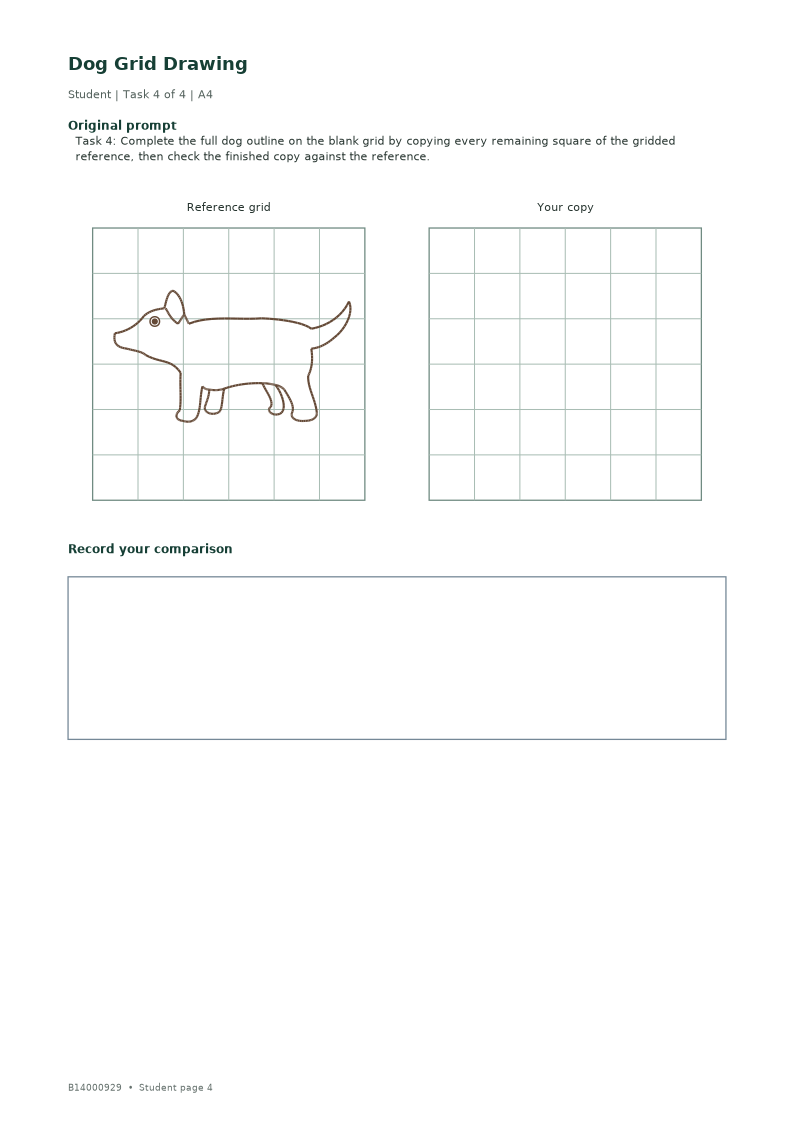
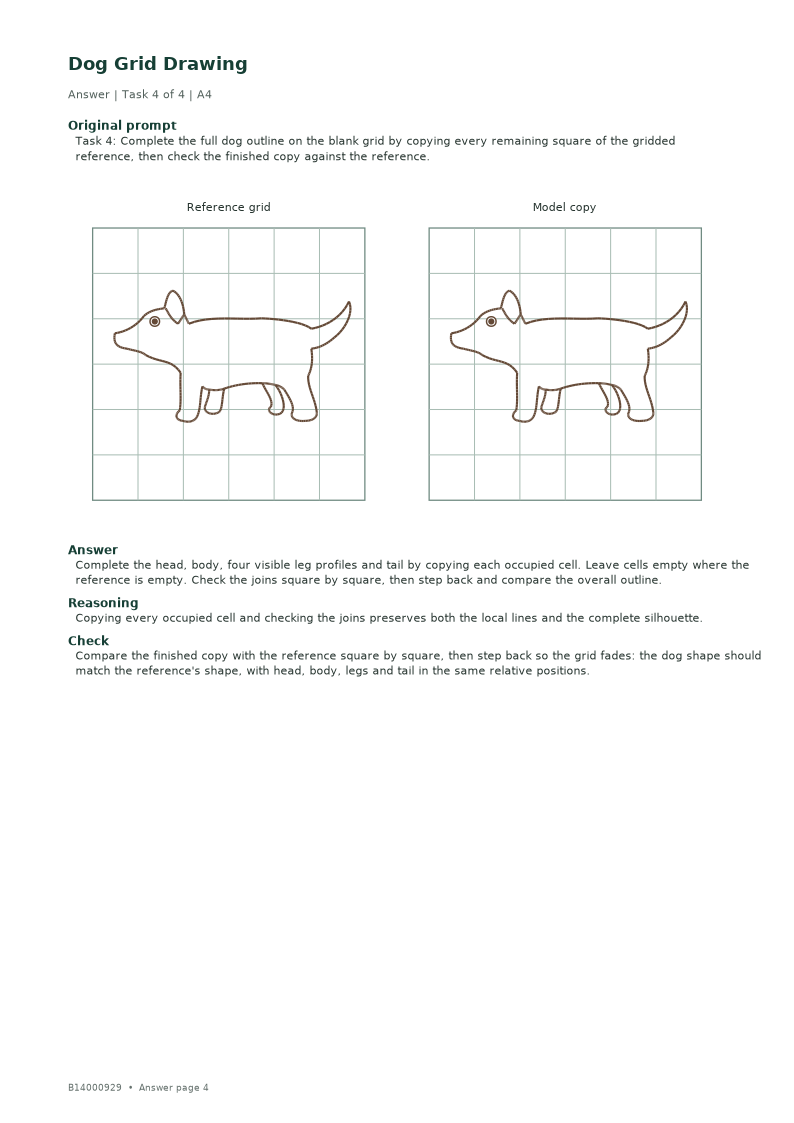
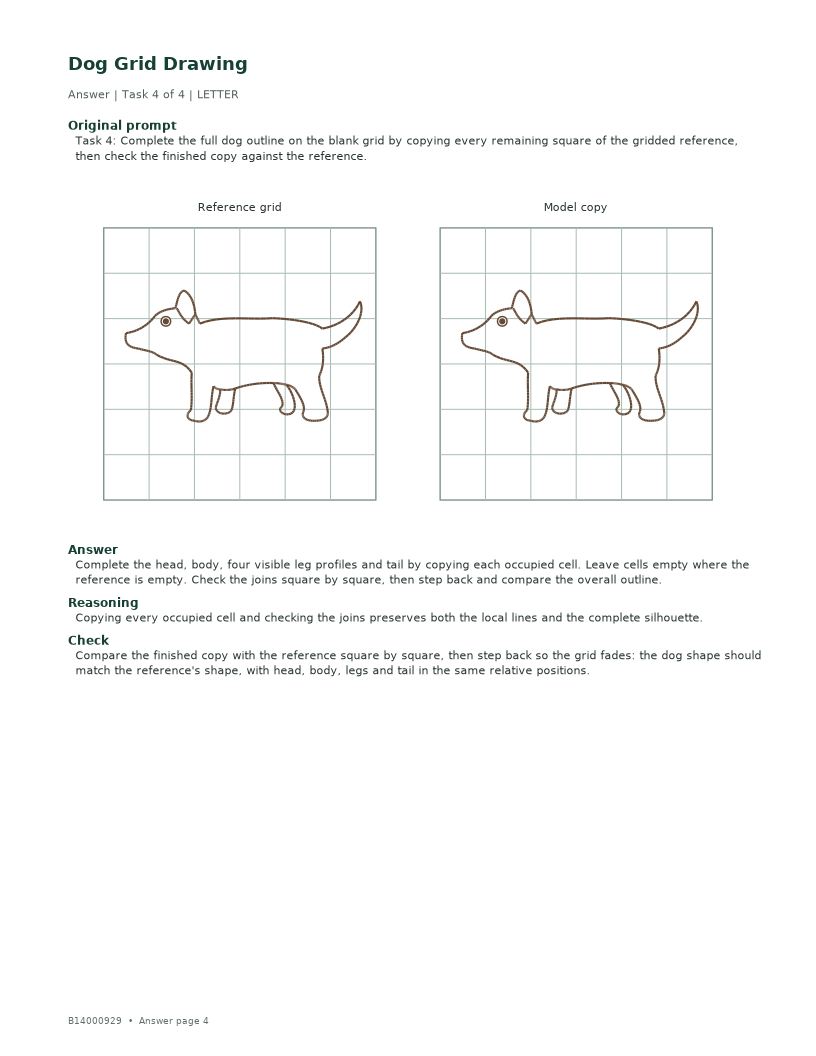
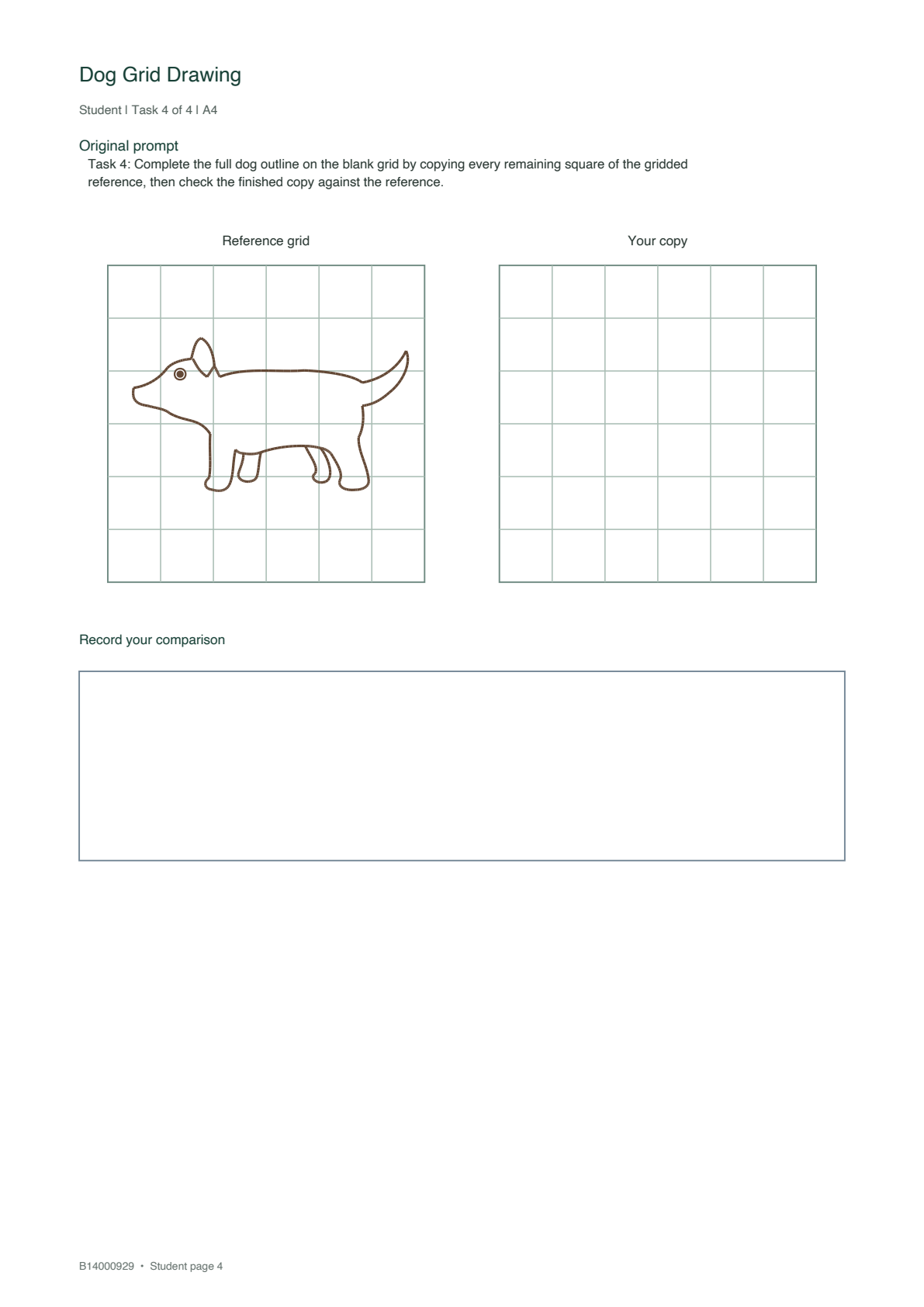
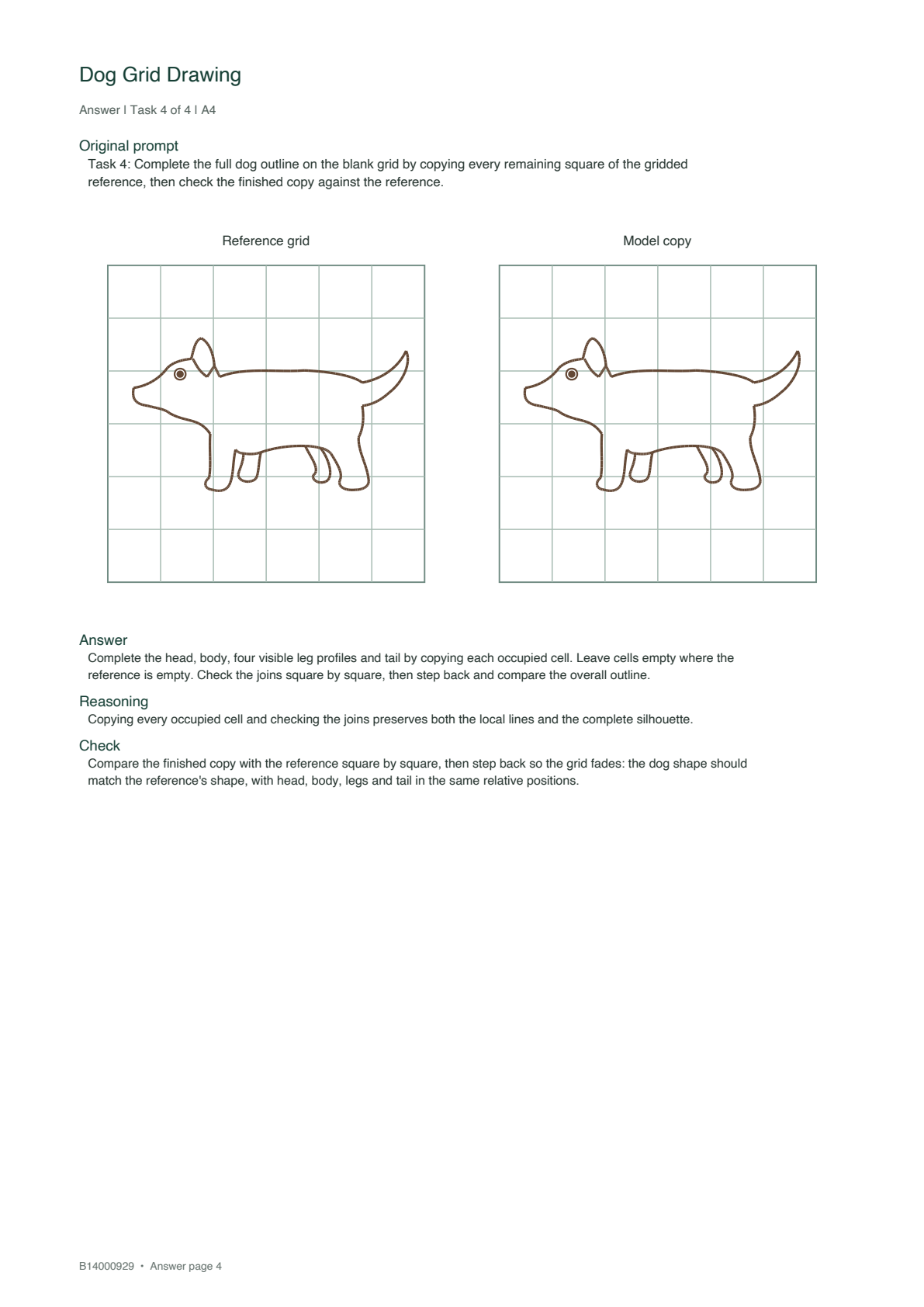
Task 4: Complete the full dog outline on the blank grid by copying every remaining square of the gridded reference, then check the finished copy against the reference.
Show answer 4
Complete the head, body, four visible leg profiles and tail by copying each occupied cell. Leave cells empty where the reference is empty. Check the joins square by square, then step back and compare the overall outline.
Copying every occupied cell and checking the joins preserves both the local lines and the complete silhouette.
Check: Compare the finished copy with the reference square by square, then step back so the grid fades: the dog shape should match the reference's shape, with head, body, legs and tail in the same relative positions.
Useful checks
- Copying a segment into the wrong square, so the outline breaks at a square boundary. Before drawing, count to the correct square from a fixed corner of the grid, and check that the segment enters and leaves at the reference's points.
- Drawing a segment in the right square but at the wrong position within it, so the dog's proportions shift. Judge the segment's position relative to the square's edges and corners, not just the square itself, and compare with the reference before moving on.
- Copying squares in a scattered order and losing track of which squares are done. Work in a consistent order, such as region by region (head, body, legs, tail), and tick off each square as it is copied.
Questions about this resource
Do I need to measure anything to use the grid?
No. The grid is a position guide: you judge where each segment sits within its square by eye. The pack does not require measurements or a particular grid size.
What if my copy does not look exactly like the reference?
Small differences in line smoothness are normal. Correct differences in where a segment sits within its square, since those are what change the dog's shape.