Free original lessons
Note Pages Template
This pack teaches how to lay out a graph-paper note page template with a heading zone and margin zones. You will read a reference layout, construct the zones on a grid, and check that each zone is clearly separated and usable for notes.
Letter & A4
PDF & SVG
What the template is
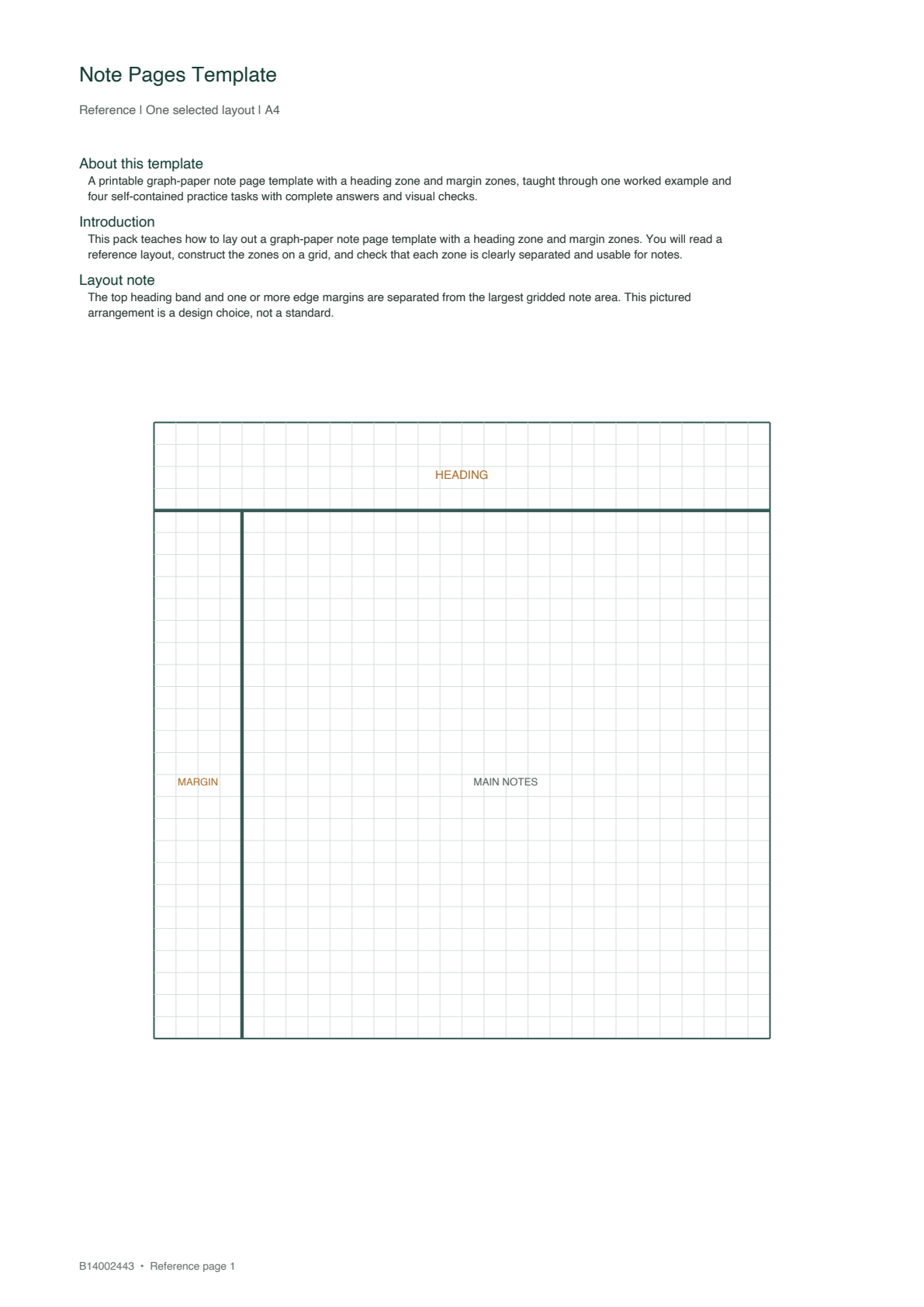
A graph-paper note page template is a page whose background is a square grid, with a heading zone across the top and margin zones along one or more edges. The grid supports aligned notes, small sketches, and quick diagrams.
The heading zone holds the page title and date. The margin zones hold labels, cues, or reference marks kept separate from the main note area. The main note area is the remaining grid space.
Reference layout
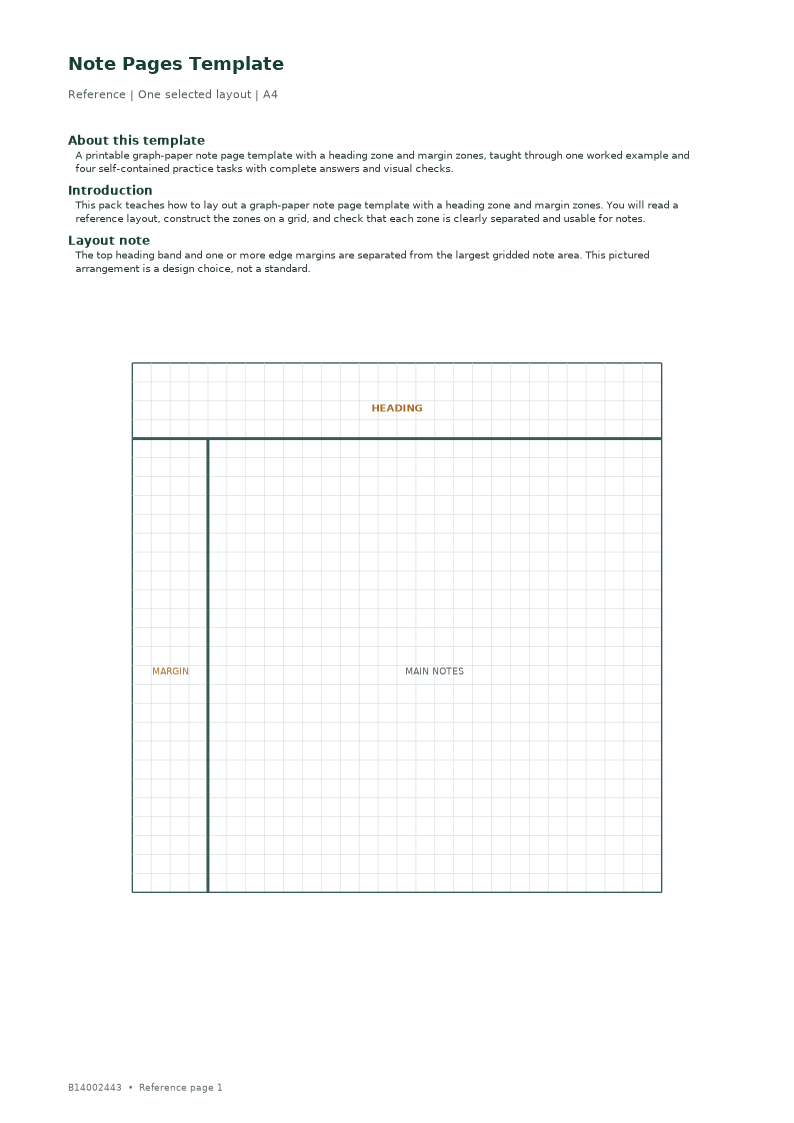
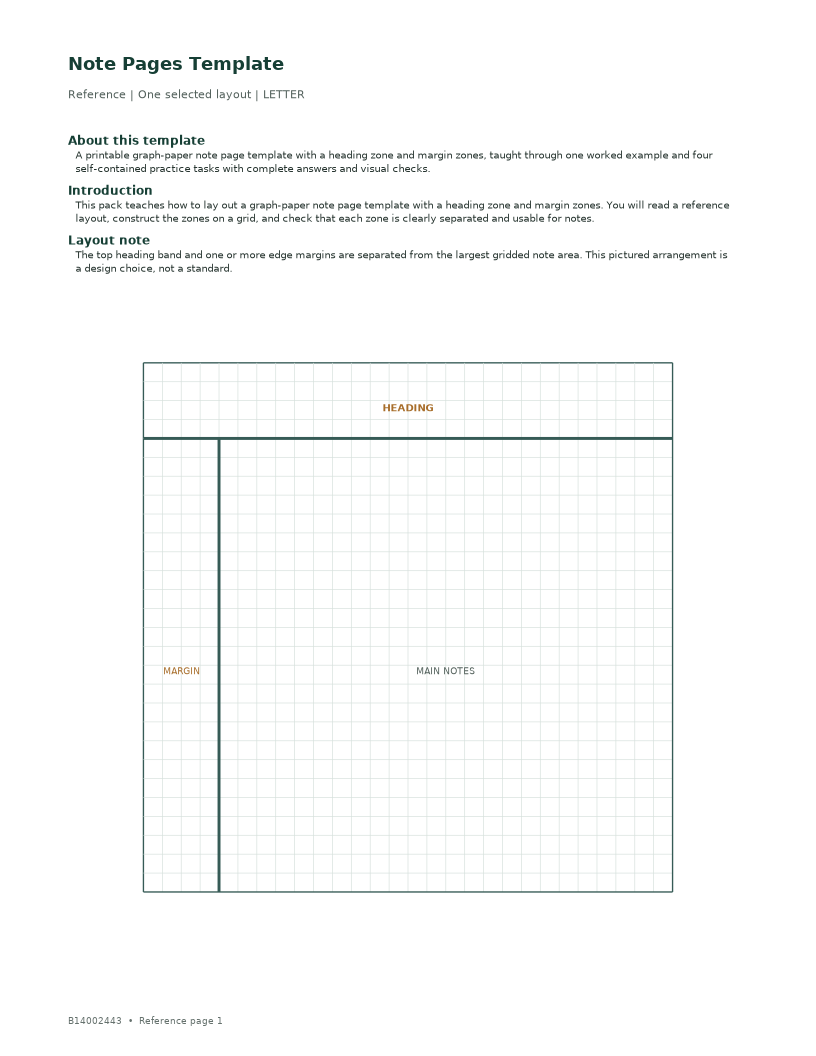
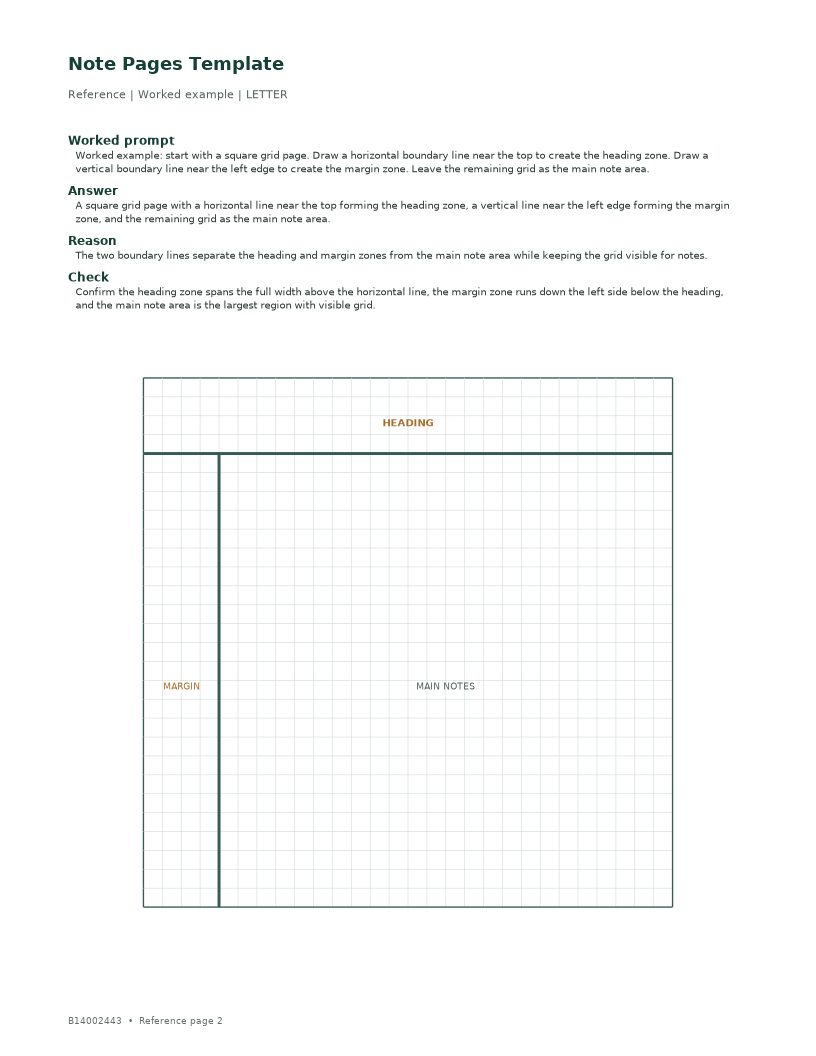
The reference layout shows one chosen arrangement: a heading band across the top, a narrow left margin zone, and a wider main note area on the grid. This is a design choice, not a standard.
Use the reference to see how the zones are separated by clear boundary lines and how the grid continues through the main note area.
Worked example
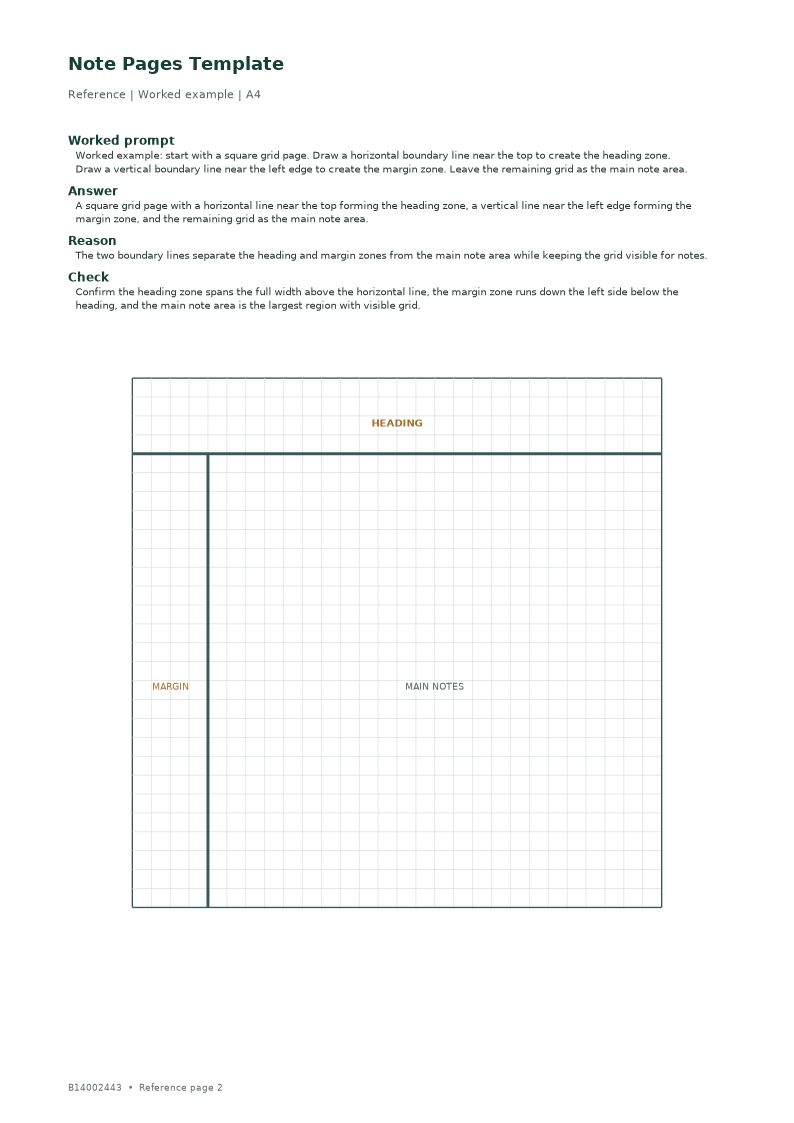
Worked example: start with a square grid page. Draw a horizontal boundary line near the top to create the heading zone. Draw a vertical boundary line near the left edge to create the margin zone. Leave the remaining grid as the main note area.
Check: the heading zone spans the full width above the horizontal line; the margin zone runs down the left side below the heading; the main note area is the largest region and keeps its grid visible.
Practice tasks
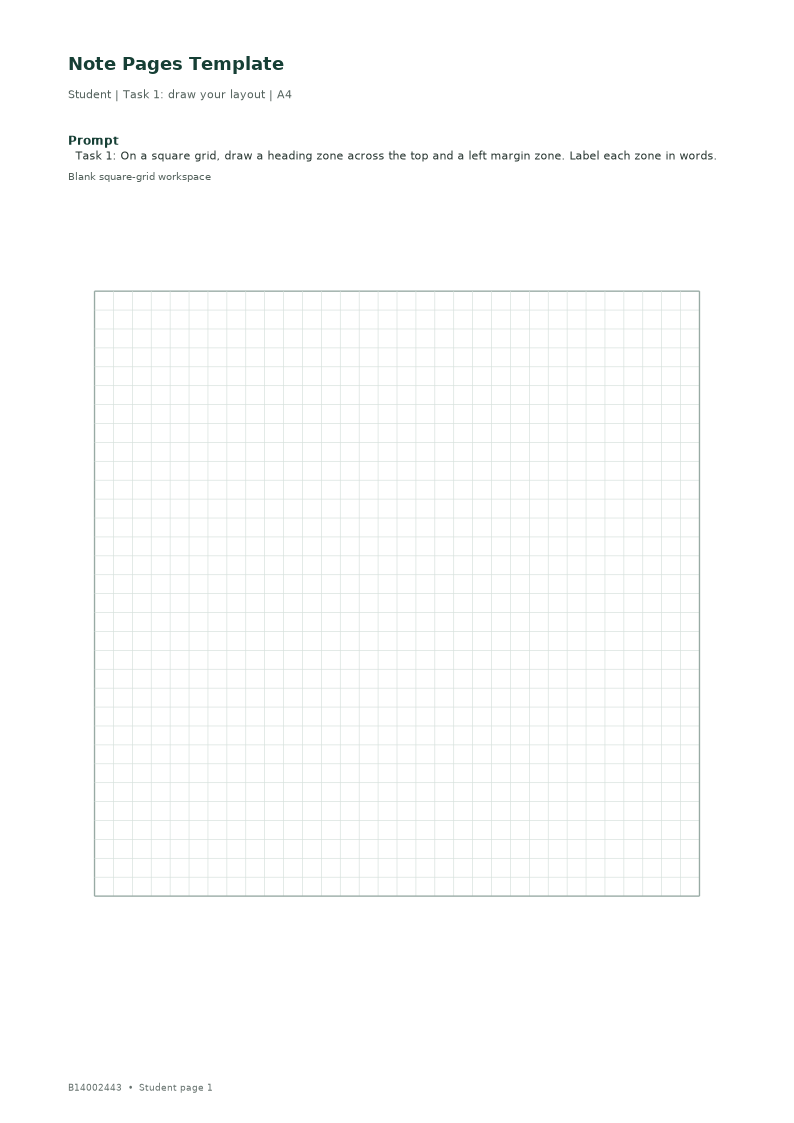
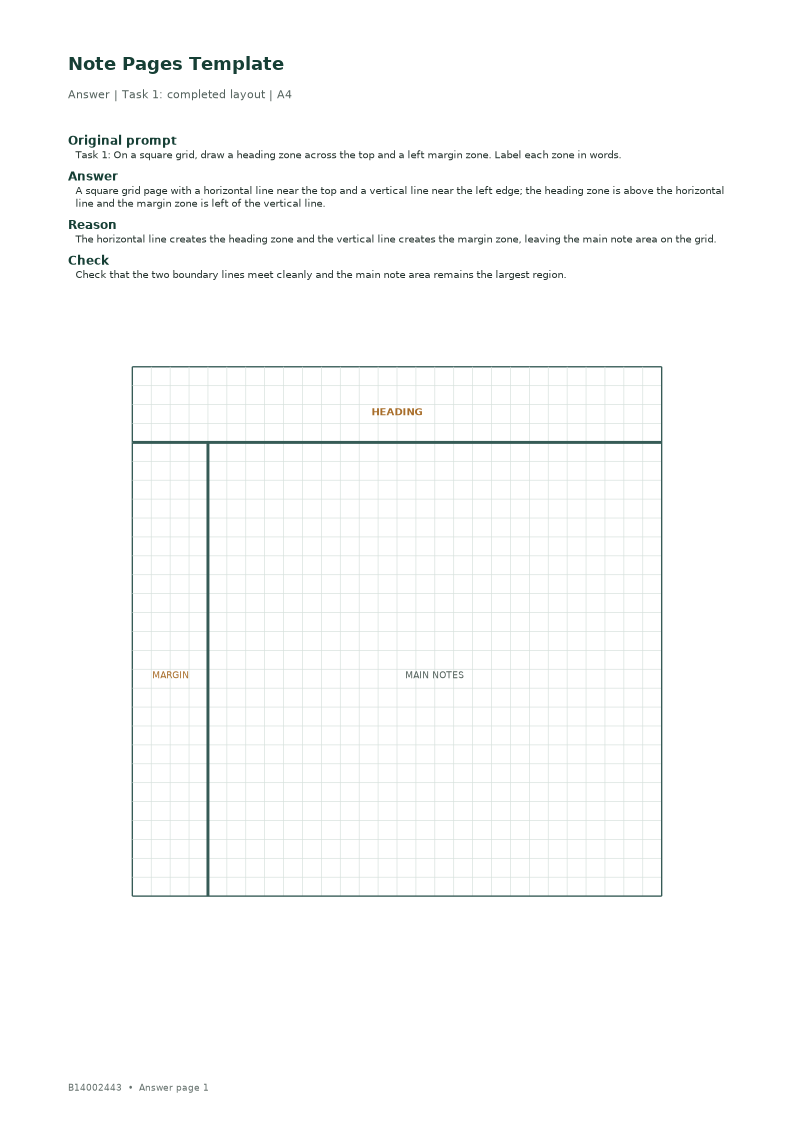
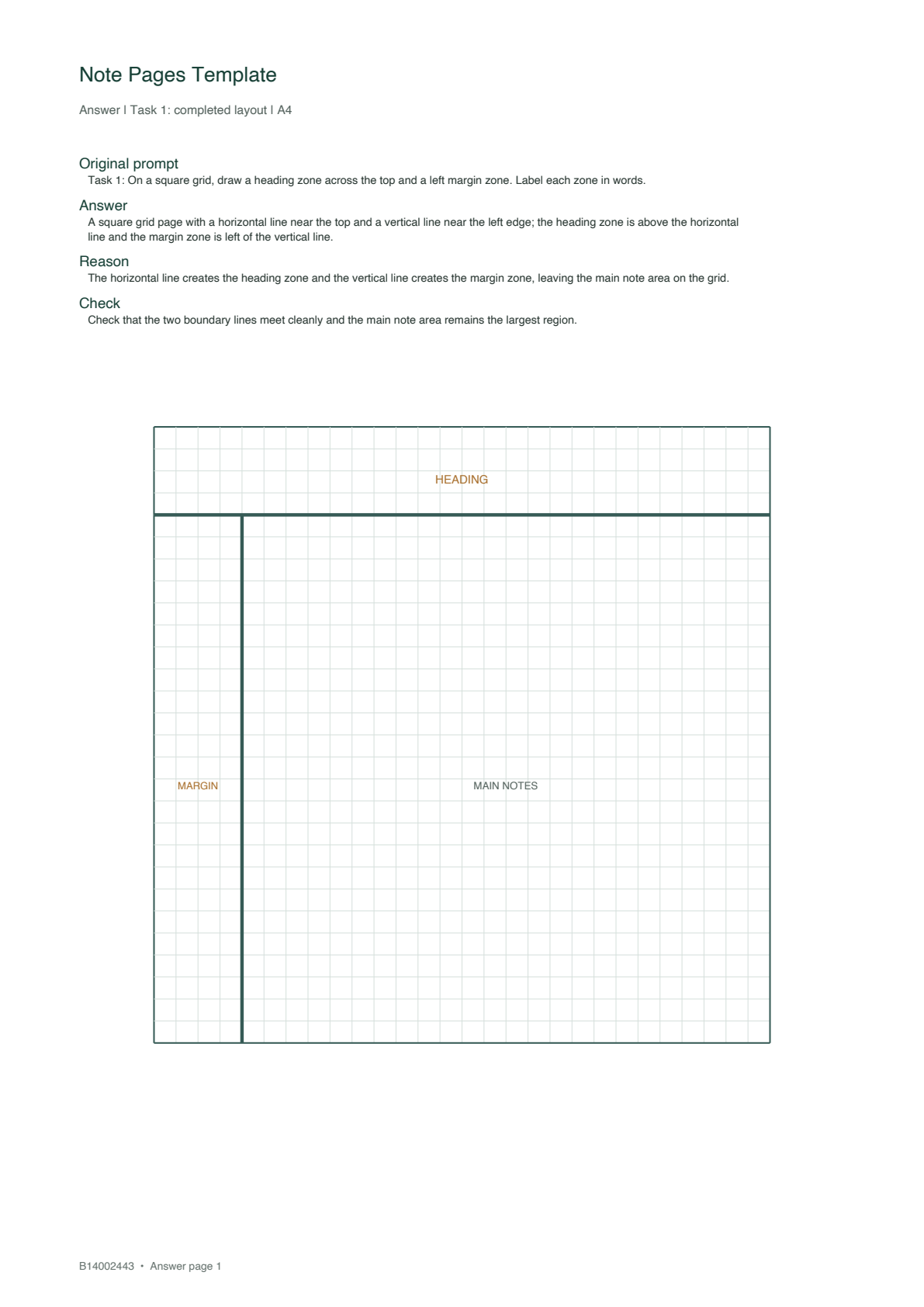
Task 1: On a square grid, draw a heading zone across the top and a left margin zone. Label each zone in words. Answer: a horizontal line near the top and a vertical line near the left edge, with the heading above the horizontal line and the margin left of the vertical line. Check: the two boundary lines meet cleanly and the main note area remains the largest region.
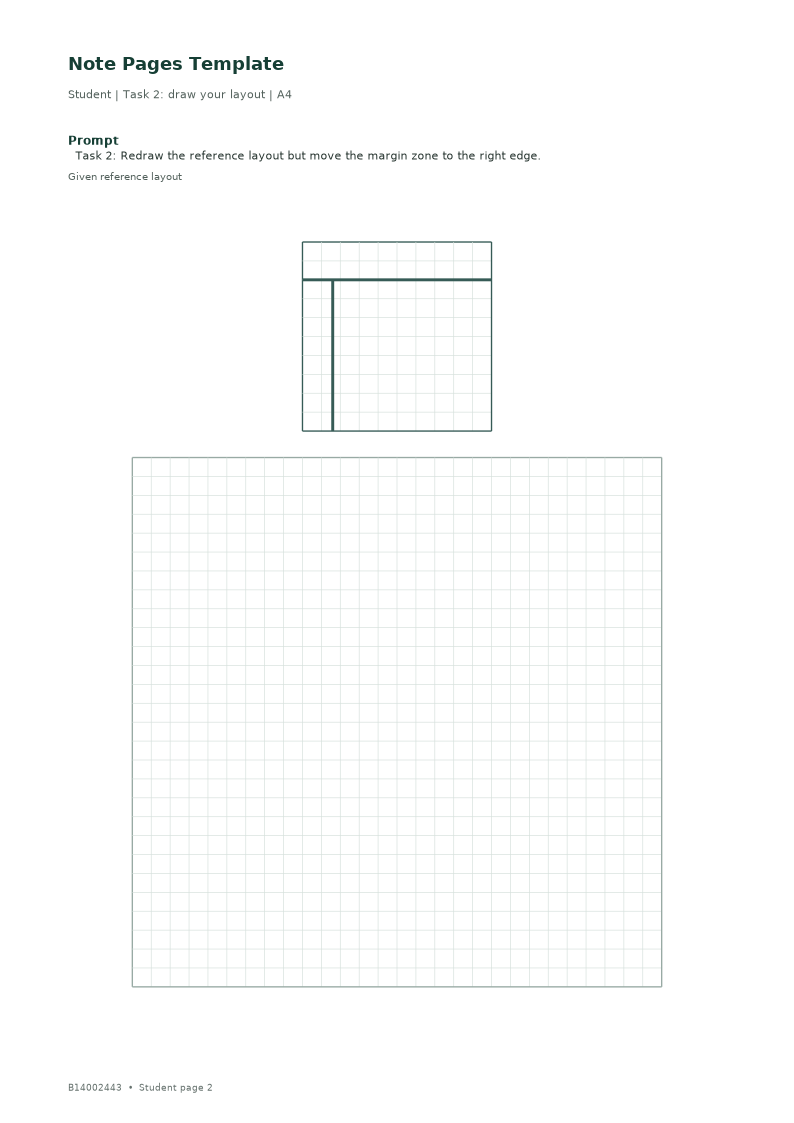
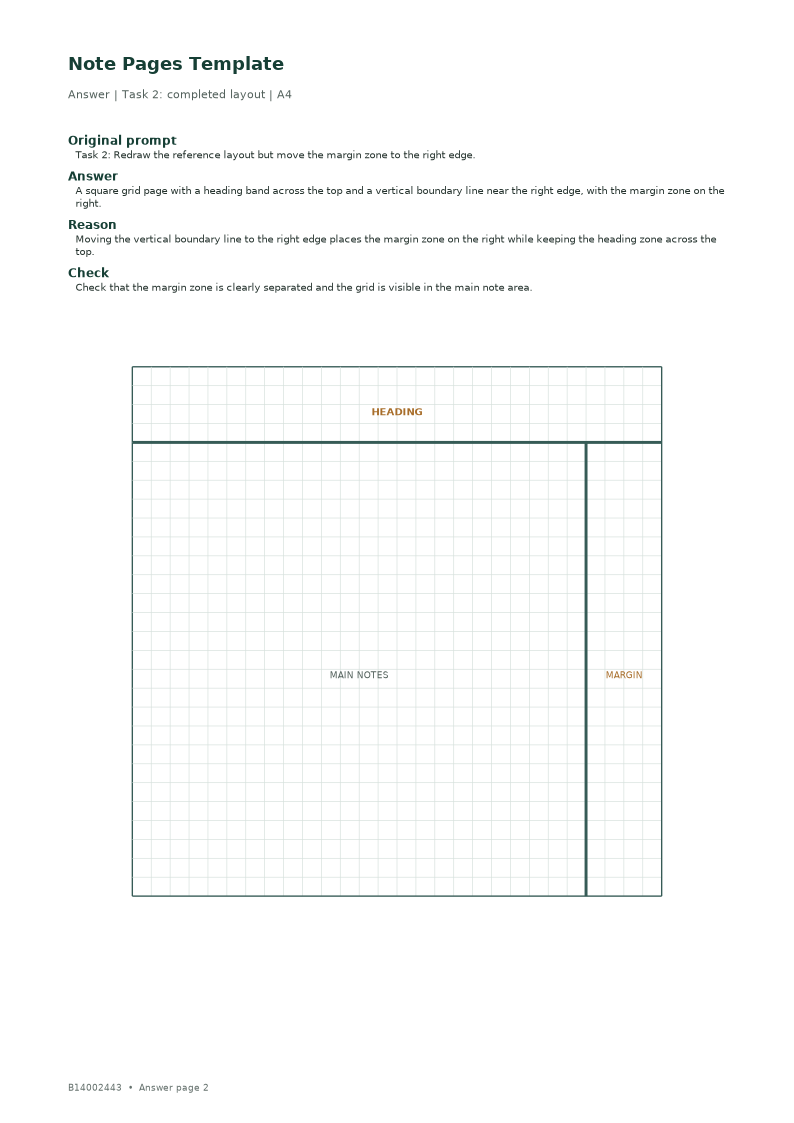
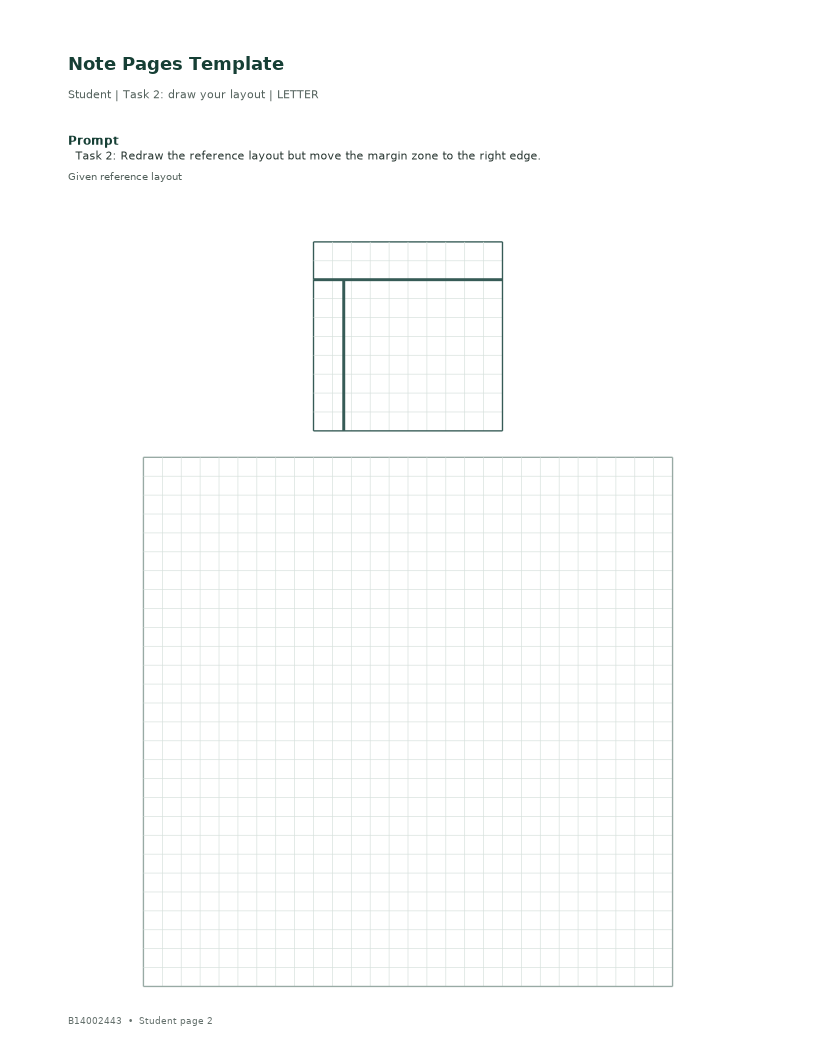
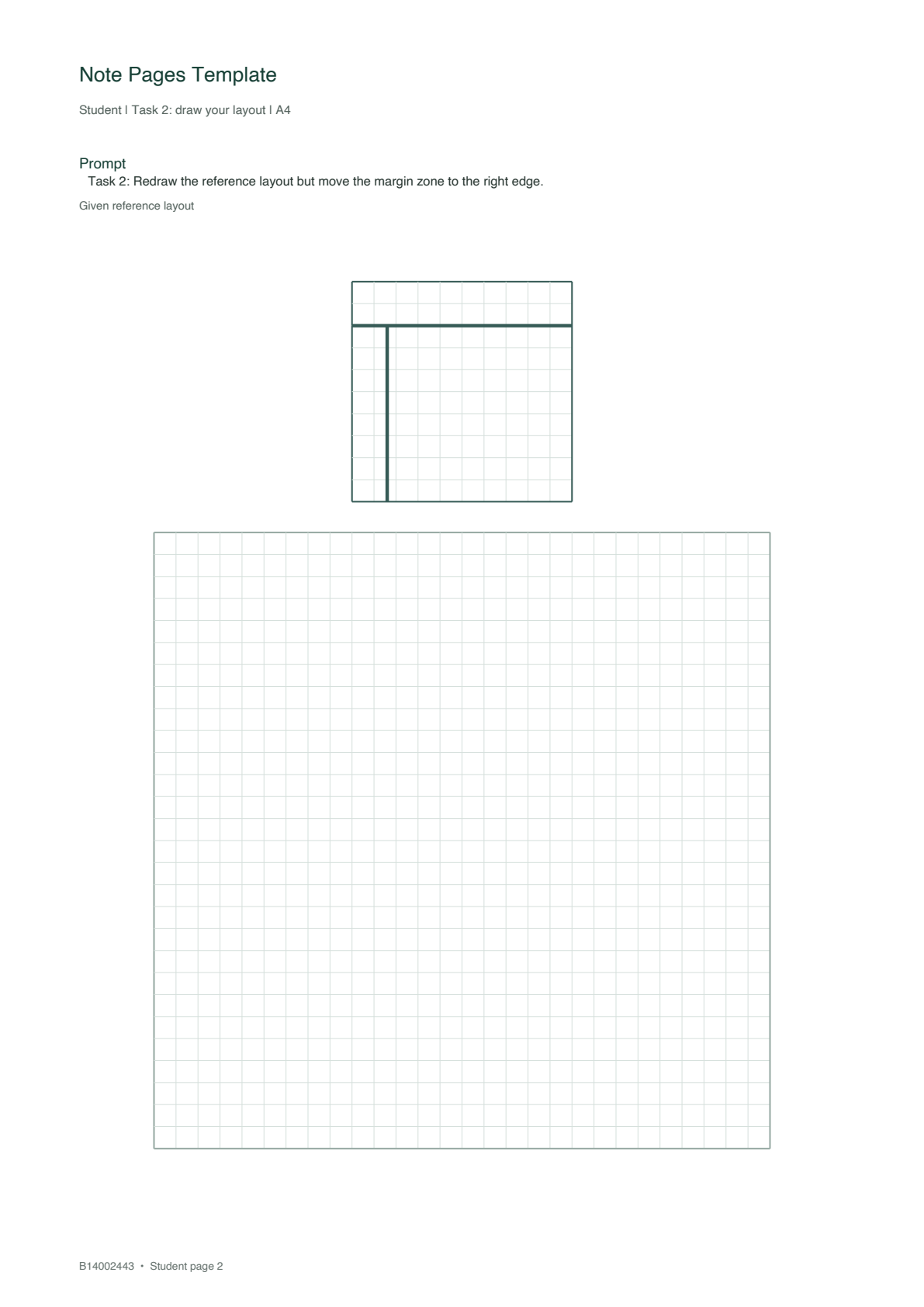
Task 2: Redraw the reference layout with the margin moved to the right edge. Answer: keep the heading band across the top and put a clearly separated margin at the right; leave the largest gridded area for notes. Check: the right boundary creates its own margin without crossing into the main note area.
Download the complete resource pack
All individual SVG pages (20)
- A4 reference page 1
- A4 reference page 2
- A4 student page 1
- A4 student page 2
- A4 student page 3
- A4 student page 4
- A4 answer page 1
- A4 answer page 2
- A4 answer page 3
- A4 answer page 4
- LETTER reference page 1
- LETTER reference page 2
- LETTER student page 1
- LETTER student page 2
- LETTER student page 3
- LETTER student page 4
- LETTER answer page 1
- LETTER answer page 2
- LETTER answer page 3
- LETTER answer page 4
Print at 100% / actual size. Use the stated scale on any schematic diagram; physical cutting templates are identified separately. A4 and US Letter are separate files. Free access, no signup; CC BY 4.0.
How to use these pages
- What the template is
- Reference layout
- Worked example
- Practice tasks
Worked example
Example: Worked example: start with a square grid page. Draw a horizontal boundary line near the top to create the heading zone. Draw a vertical boundary line near the left edge to create the margin zone. Leave the remaining grid as the main note area.
Answer: A square grid page with a horizontal line near the top forming the heading zone, a vertical line near the left edge forming the margin zone, and the remaining grid as the main note area.
Reasoning: The two boundary lines separate the heading and margin zones from the main note area while keeping the grid visible for notes.
Check: Confirm the heading zone spans the full width above the horizontal line, the margin zone runs down the left side below the heading, and the main note area is the largest region with visible grid.
Four practice tasks and complete answers
Task 1
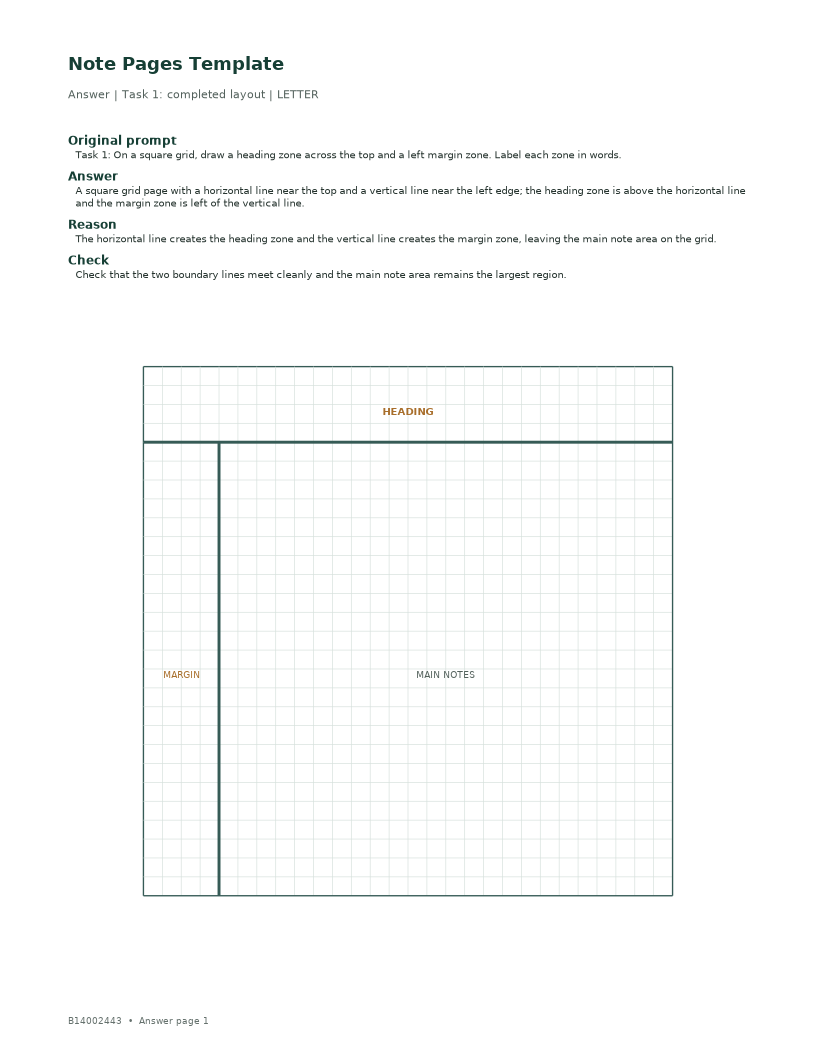
Task 1: On a square grid, draw a heading zone across the top and a left margin zone. Label each zone in words.
Show answer 1
A square grid page with a horizontal line near the top and a vertical line near the left edge; the heading zone is above the horizontal line and the margin zone is left of the vertical line.
The horizontal line creates the heading zone and the vertical line creates the margin zone, leaving the main note area on the grid.
Check: Check that the two boundary lines meet cleanly and the main note area remains the largest region.
Task 2
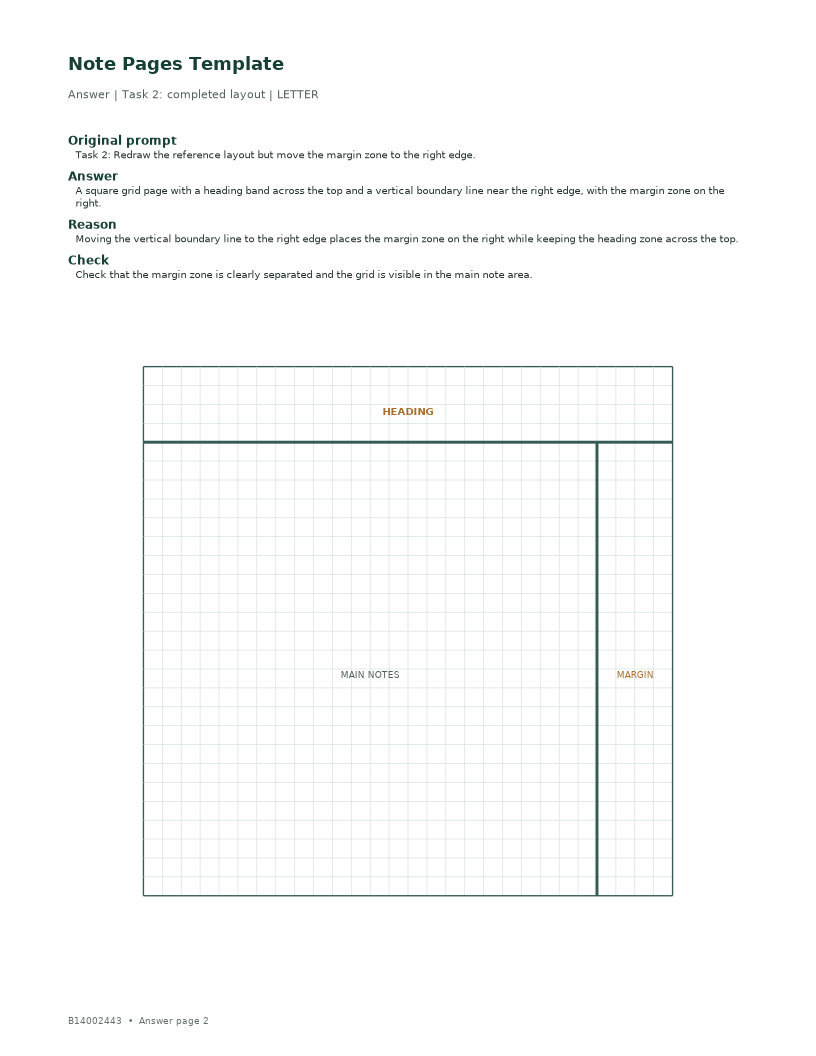
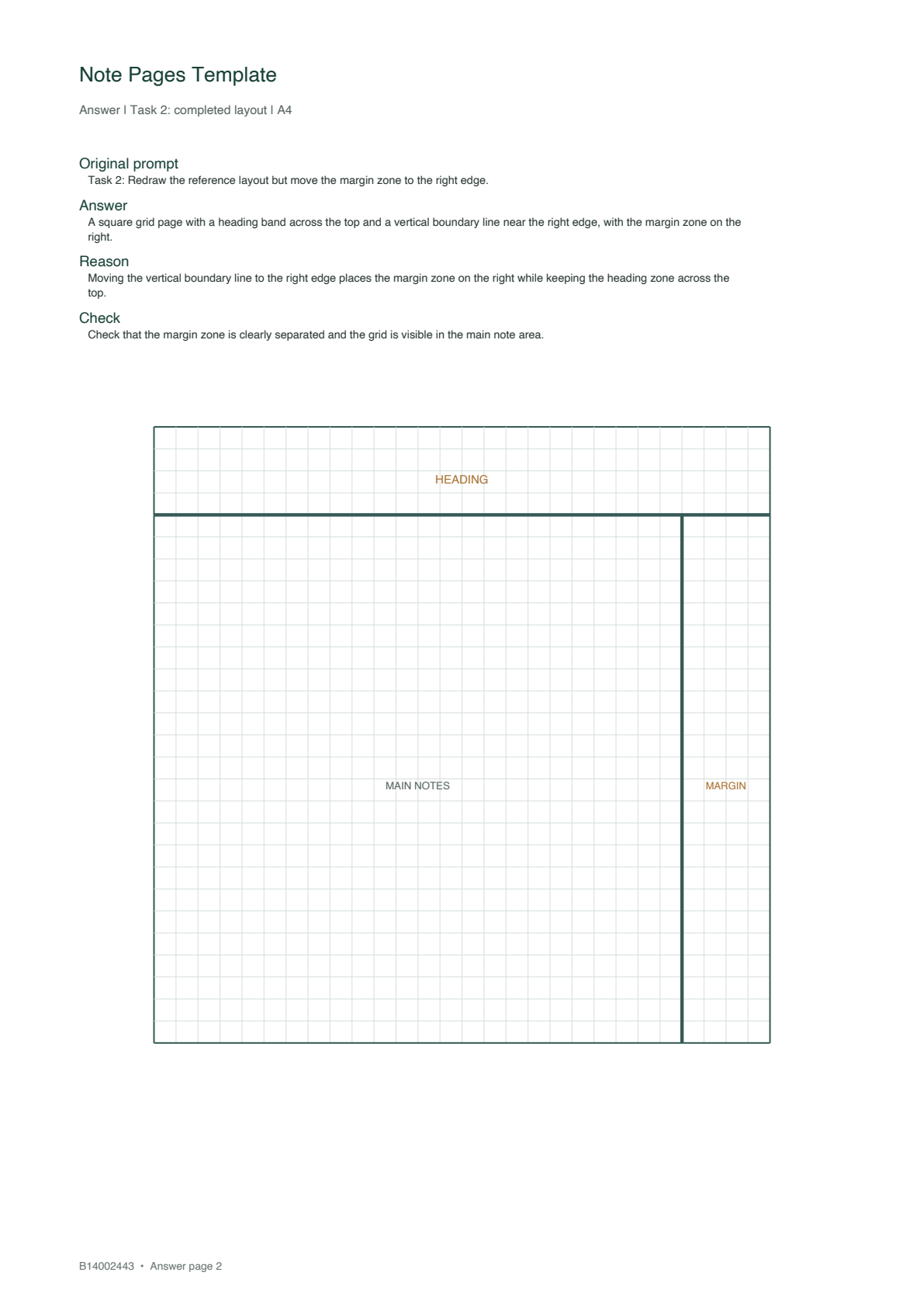
Task 2: Redraw the reference layout but move the margin zone to the right edge.
Show answer 2
A square grid page with a heading band across the top and a vertical boundary line near the right edge, with the margin zone on the right.
Moving the vertical boundary line to the right edge places the margin zone on the right while keeping the heading zone across the top.
Check: Check that the margin zone is clearly separated and the grid is visible in the main note area.
Task 3
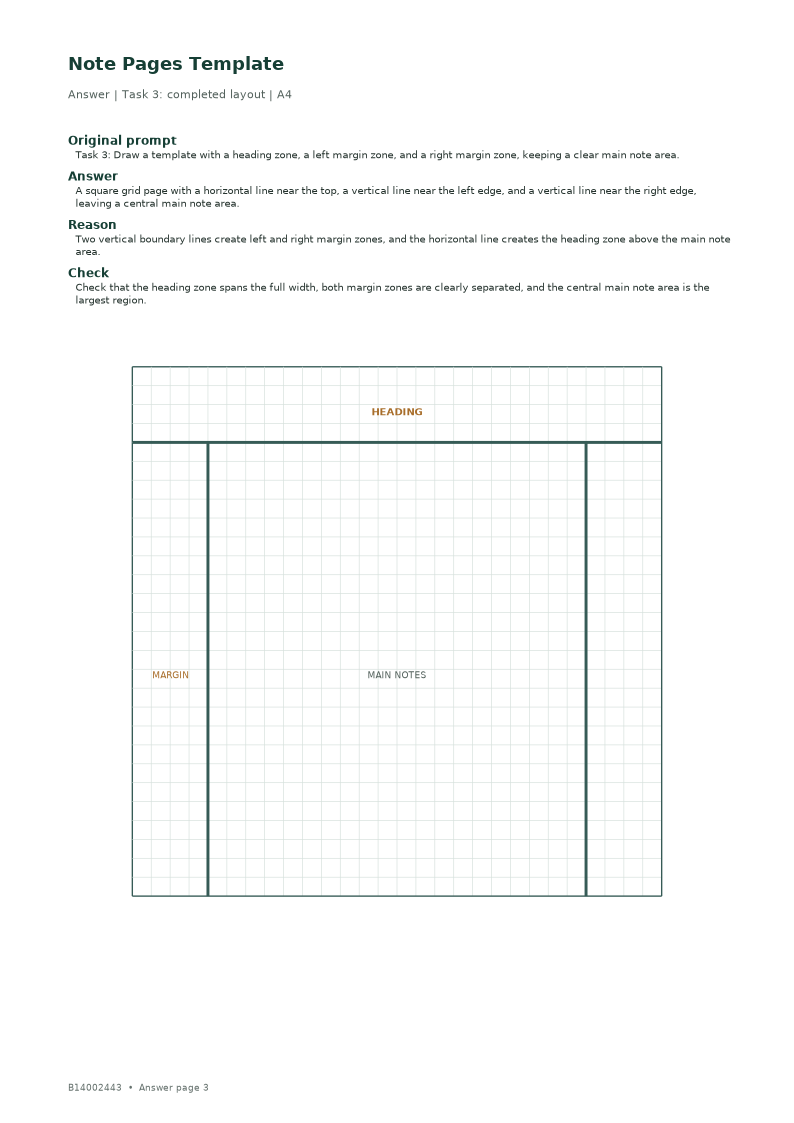
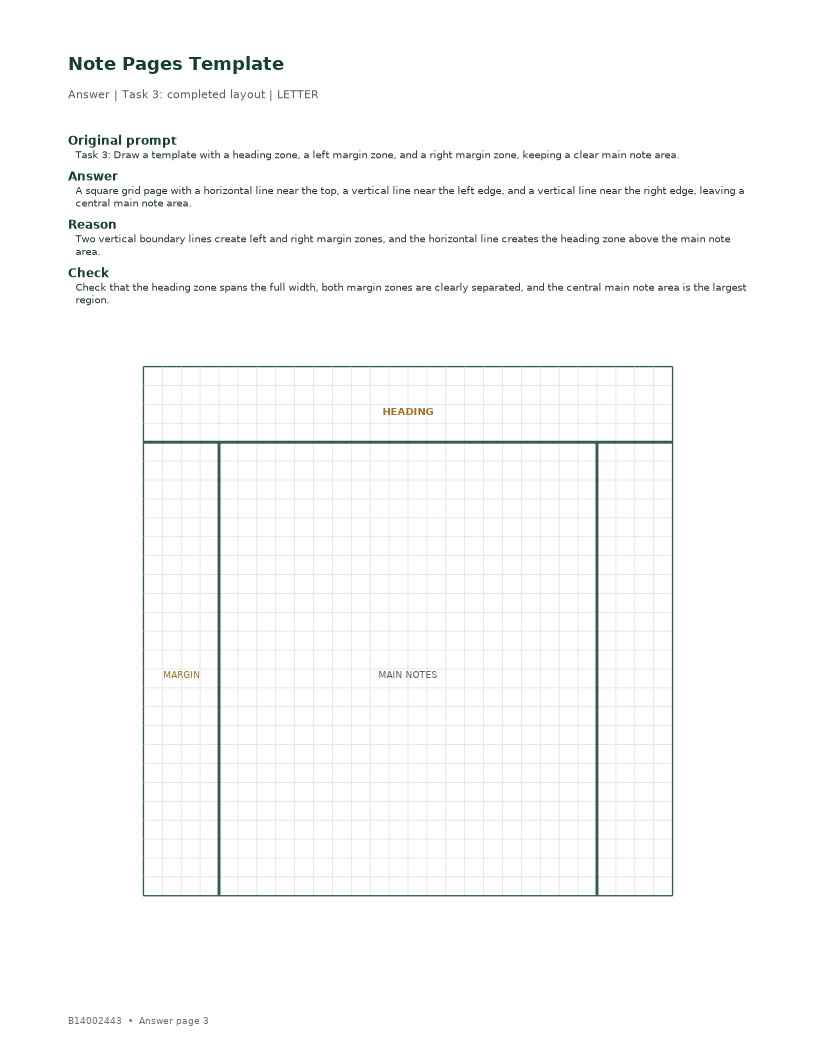
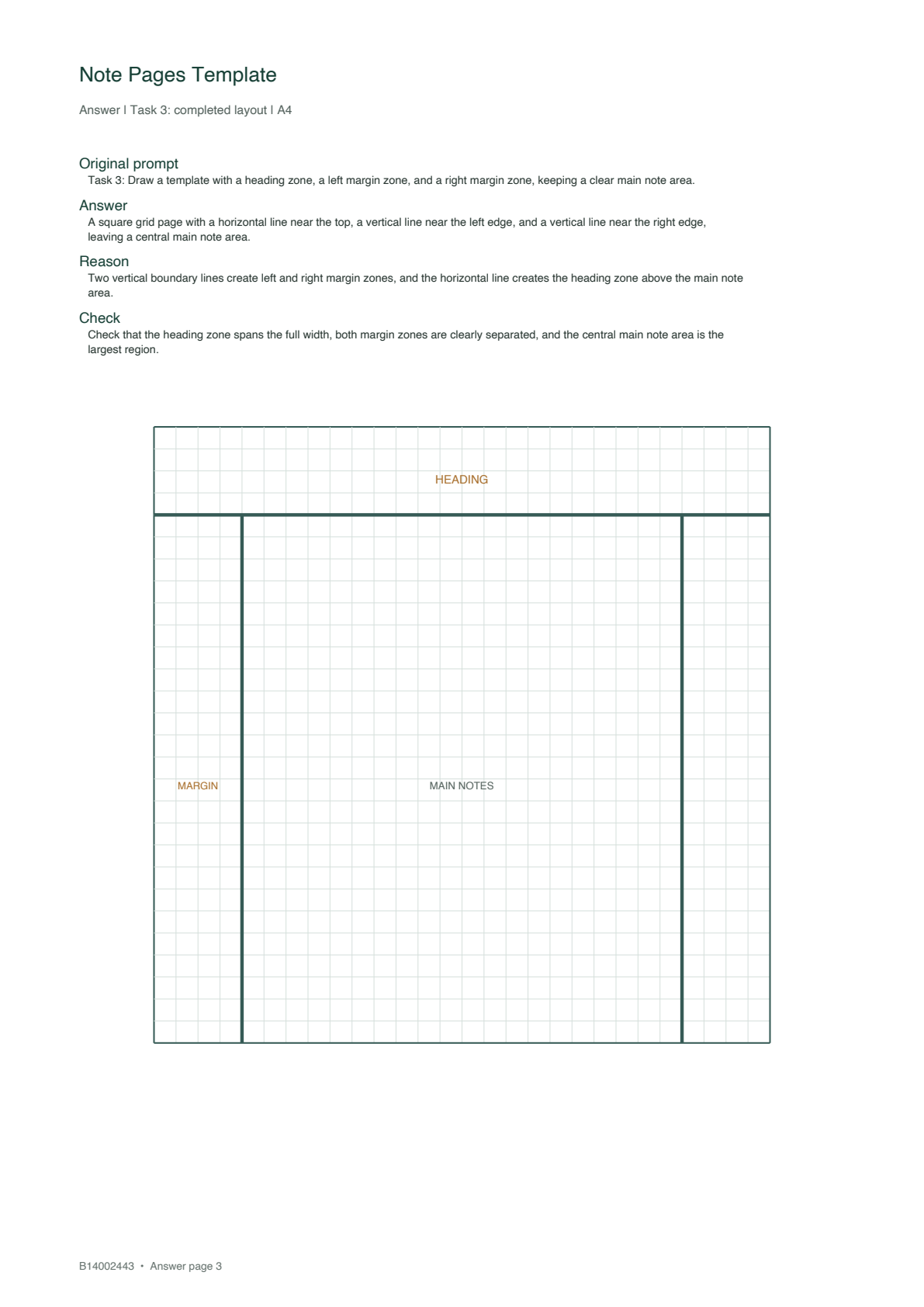
Task 3: Draw a template with a heading zone, a left margin zone, and a right margin zone, keeping a clear main note area.
Show answer 3
A square grid page with a horizontal line near the top, a vertical line near the left edge, and a vertical line near the right edge, leaving a central main note area.
Two vertical boundary lines create left and right margin zones, and the horizontal line creates the heading zone above the main note area.
Check: Check that the heading zone spans the full width, both margin zones are clearly separated, and the central main note area is the largest region.
Task 4
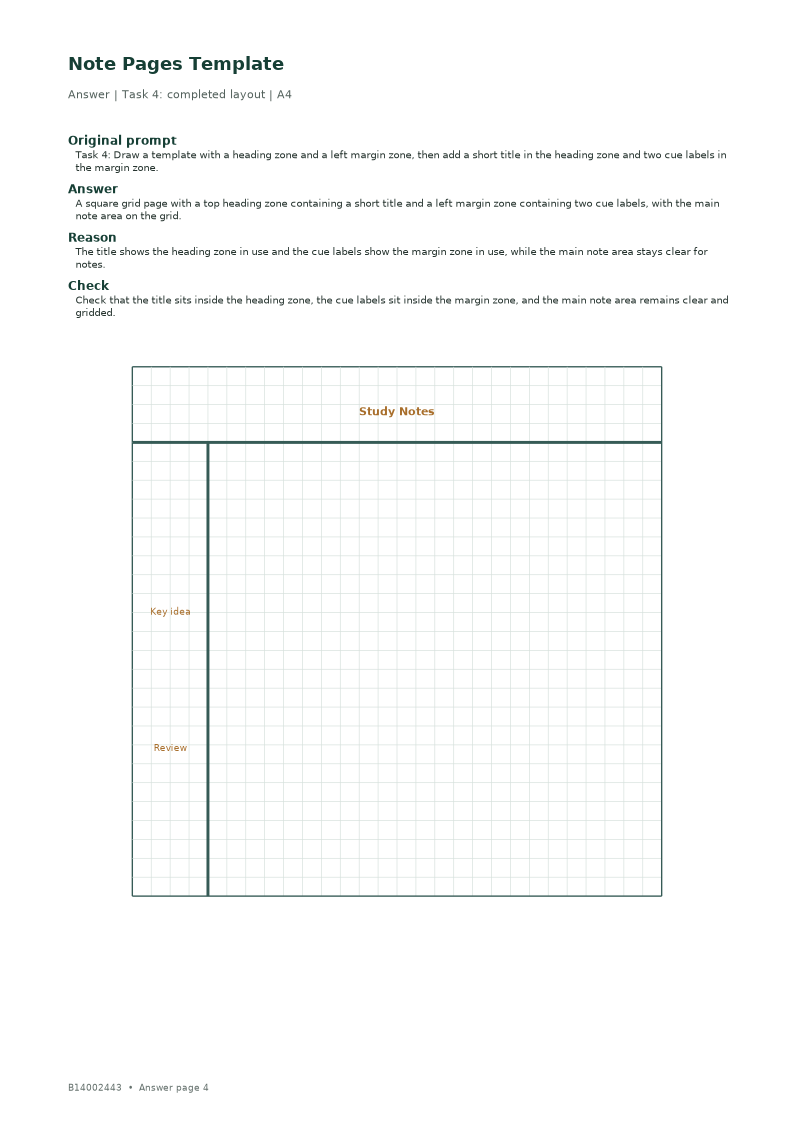
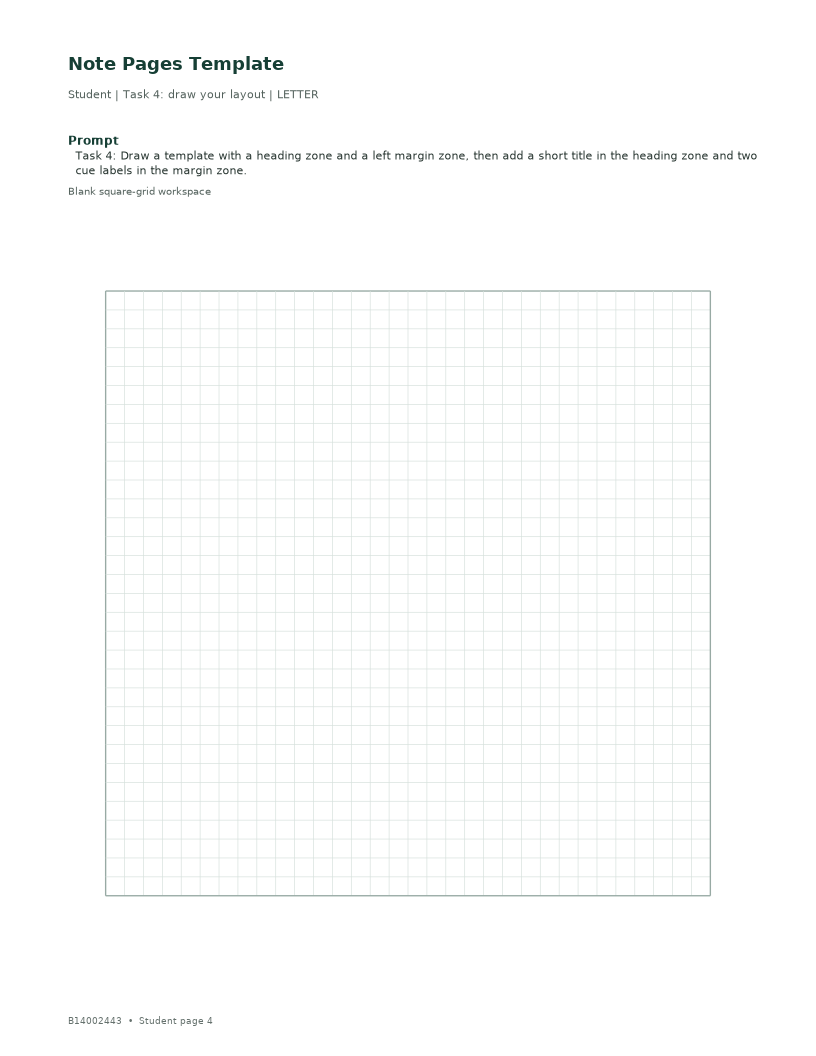
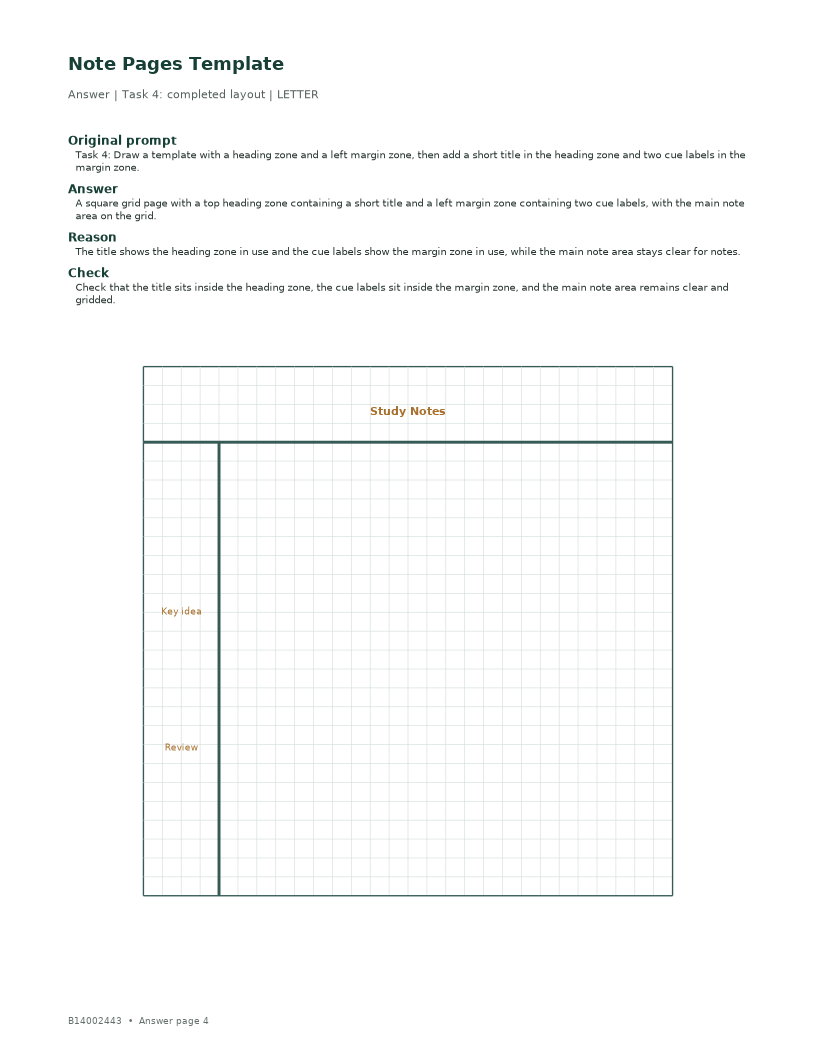
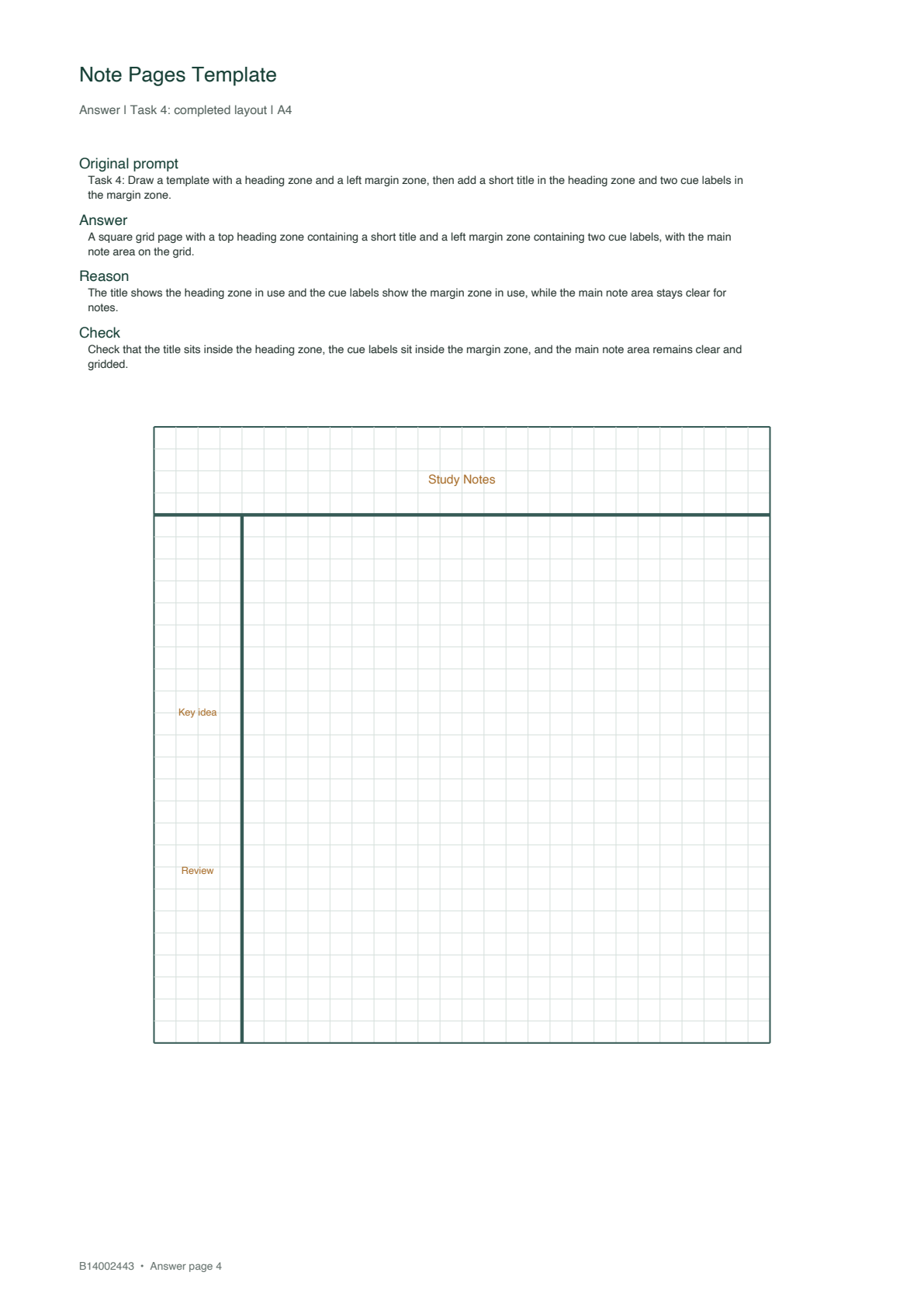
Task 4: Draw a template with a heading zone and a left margin zone, then add a short title in the heading zone and two cue labels in the margin zone.
Show answer 4
A square grid page with a top heading zone containing a short title and a left margin zone containing two cue labels, with the main note area on the grid.
The title shows the heading zone in use and the cue labels show the margin zone in use, while the main note area stays clear for notes.
Check: Check that the title sits inside the heading zone, the cue labels sit inside the margin zone, and the main note area remains clear and gridded.
Useful checks
- Drawing the heading zone as a small box instead of a full-width band. Extend the horizontal boundary line across the full page width so the heading zone spans the top.
- Letting the margin zone overlap the main note area. Keep the vertical boundary line clear and place margin labels only inside the margin zone.
Questions about this resource
Is the margin zone always on the left?
No. The left placement is a design choice; the margin zone can be placed on the right or on both sides.
Does the grid need to continue through the main note area?
Yes. Keeping the grid visible in the main note area is what makes the page a graph-paper note page.