Free original lessons
Flag Address Labels
This pack teaches how to build a printable flag address-label sheet. You will choose flag motifs, place address text fields, add cut guides, fill one worked example, and check the finished sheet for alignment and legibility.
Letter & A4
PDF & SVG
What a flag address-label sheet is
A flag address-label sheet is a page of repeated address labels, each carrying a small flag motif plus a text field for a name and address. The sheet is meant to be printed, cut along guides, and attached to envelopes or parcels.
The core parts are: flag variants (the small flag drawings), text fields (where the address is written or typed), cut guides (lines or marks showing where to cut), a filled example (one label completed as a model), and an exact layout (where each label sits on the page).
Choosing flag variants
Pick a small set of flag motifs that are simple to draw and clearly different from one another. Each variant should be recognizable at label size, so keep shapes bold and avoid fine detail.
In this pack the flag variants are choices you make, not fixed standards. A simple horizontal-stripe flag, a vertical-stripe flag, and a flag with a single central emblem are enough to show variety without clutter.
Laying out the sheet
Decide how many labels fit on the page and where each one sits. Keep equal margins and equal spacing so the sheet looks orderly and cuts cleanly.
Each label needs a flag area and a text area. Put the flag at the top or left of the label and the text field beside or below it, so the address stays readable after cutting.
Adding cut guides and text fields
Cut guides are light lines or corner marks that show where to cut. They should sit just outside the label edge so the printed label is not trimmed away.
Text fields are the blank areas for the address. Leave enough room for a name line and two or three address lines, and keep the writing area clear of the flag motif.
Worked example
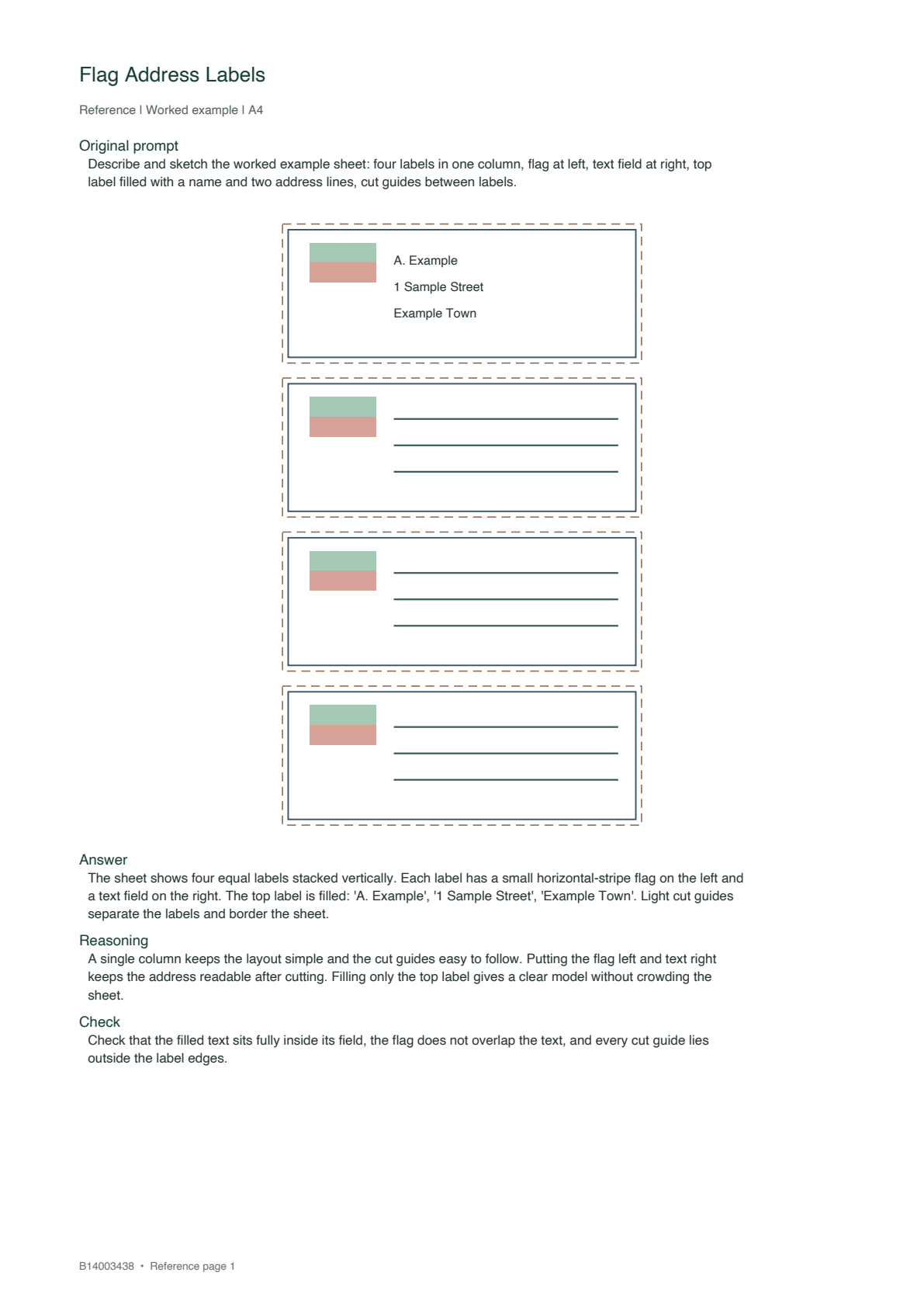
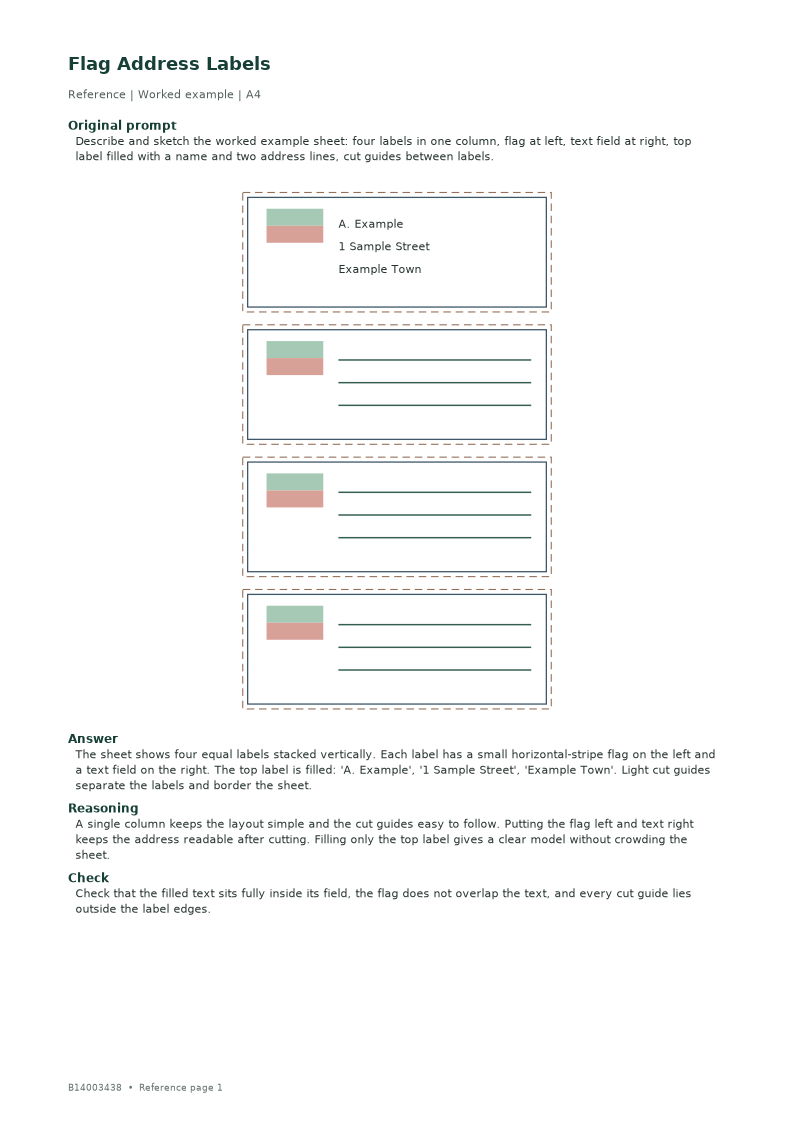
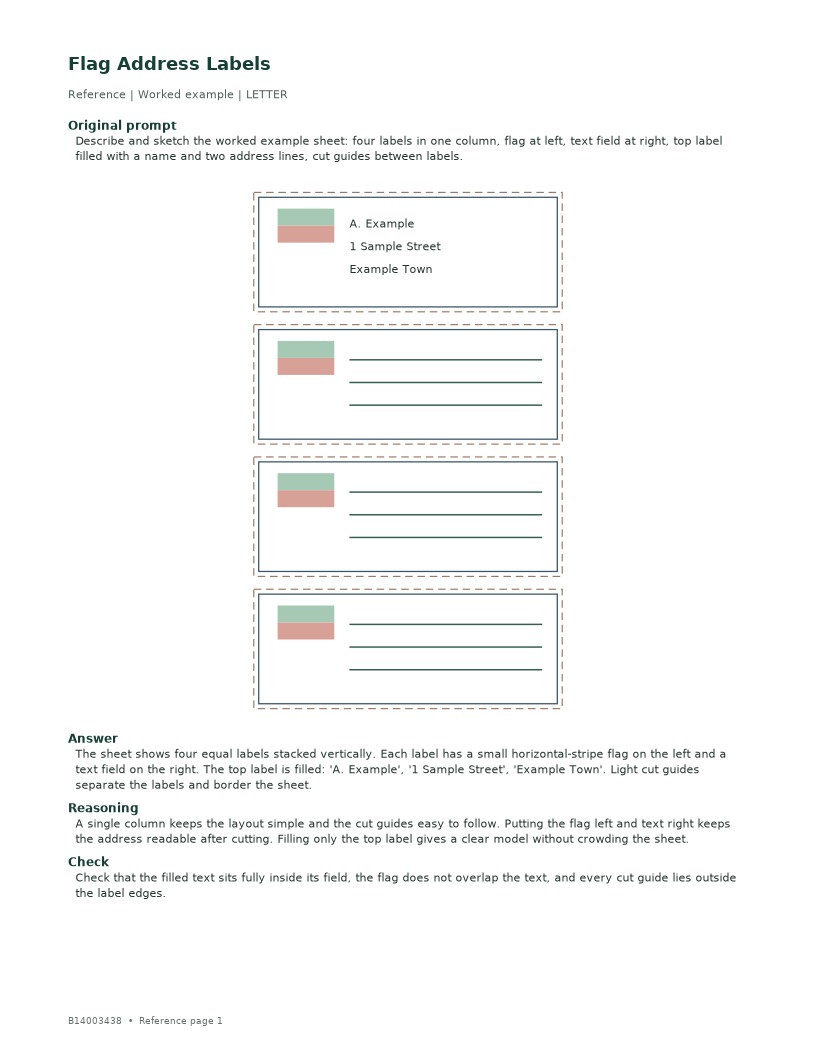
Worked example: a sheet with four labels in a single column. Each label has a flag at the left and a text field at the right. The top label is filled in as the model: flag variant is the horizontal-stripe flag, name line reads 'A. Example', and address lines read '1 Sample Street' and 'Example Town'.
Cut guides run as light lines between labels and around the sheet edge. The check is that the filled label's text stays inside its field and the cut guides do not cross any text.
Download the complete resource pack
All individual SVG pages (20)
- A4 reference page 1
- A4 reference page 2
- A4 student page 1
- A4 student page 2
- A4 student page 3
- A4 student page 4
- A4 answer page 1
- A4 answer page 2
- A4 answer page 3
- A4 answer page 4
- LETTER reference page 1
- LETTER reference page 2
- LETTER student page 1
- LETTER student page 2
- LETTER student page 3
- LETTER student page 4
- LETTER answer page 1
- LETTER answer page 2
- LETTER answer page 3
- LETTER answer page 4
Print at 100% / actual size. Use the stated scale on any schematic diagram; physical cutting templates are identified separately. A4 and US Letter are separate files. Free access, no signup; CC BY 4.0.
How to use these pages
- What a flag address-label sheet is
- Choosing flag variants
- Laying out the sheet
- Adding cut guides and text fields
- Worked example
Worked example
Example: Describe and sketch the worked example sheet: four labels in one column, flag at left, text field at right, top label filled with a name and two address lines, cut guides between labels.
Answer: The sheet shows four equal labels stacked vertically. Each label has a small horizontal-stripe flag on the left and a text field on the right. The top label is filled: 'A. Example', '1 Sample Street', 'Example Town'. Light cut guides separate the labels and border the sheet.
Reasoning: A single column keeps the layout simple and the cut guides easy to follow. Putting the flag left and text right keeps the address readable after cutting. Filling only the top label gives a clear model without crowding the sheet.
Check: Check that the filled text sits fully inside its field, the flag does not overlap the text, and every cut guide lies outside the label edges.
Four practice tasks and complete answers
Task 1
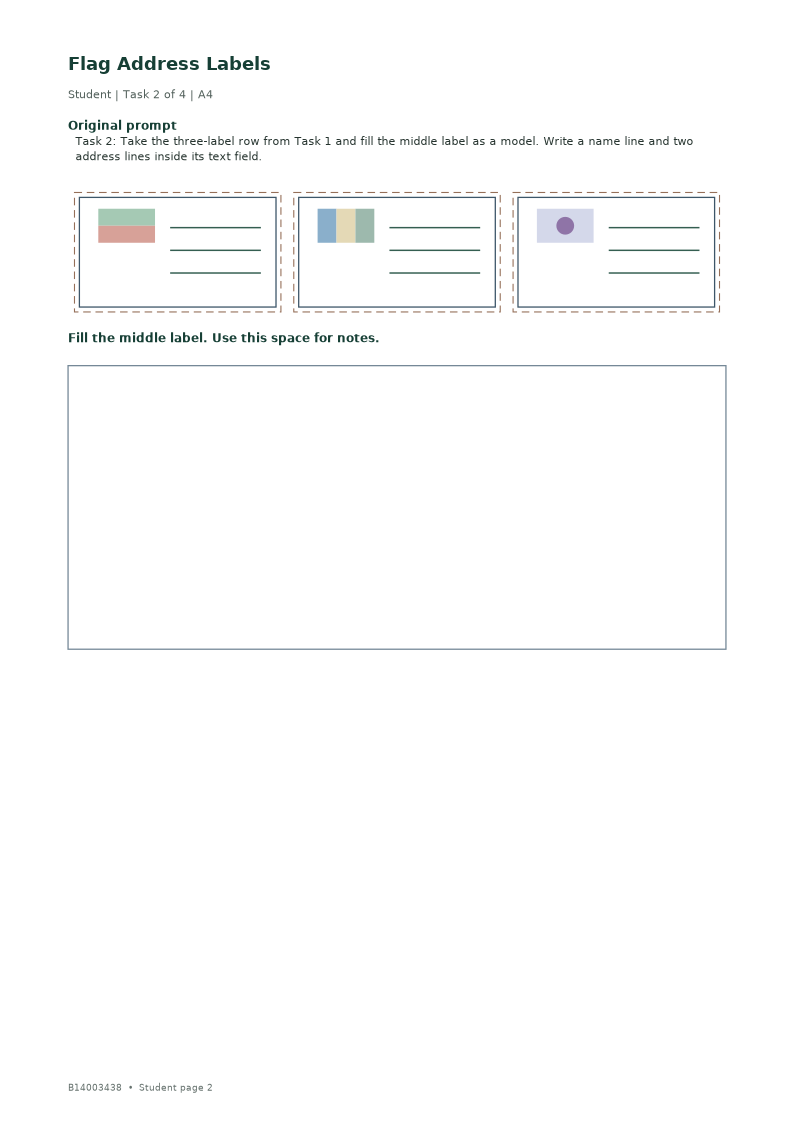
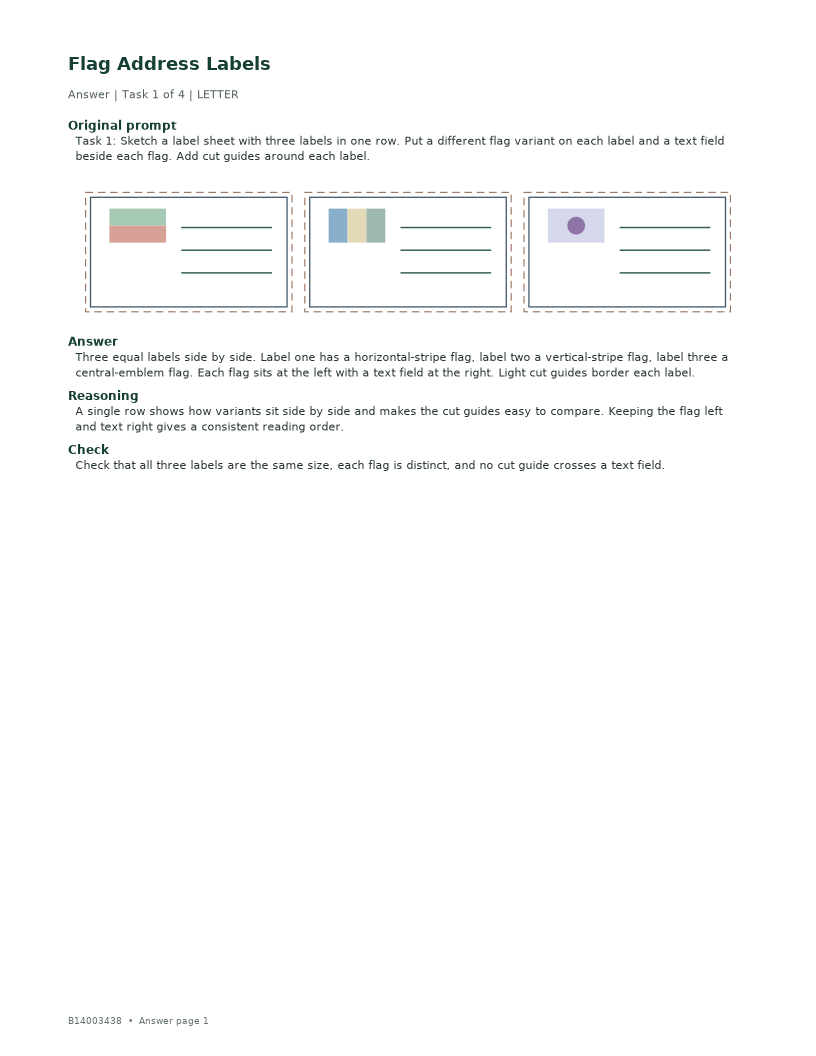
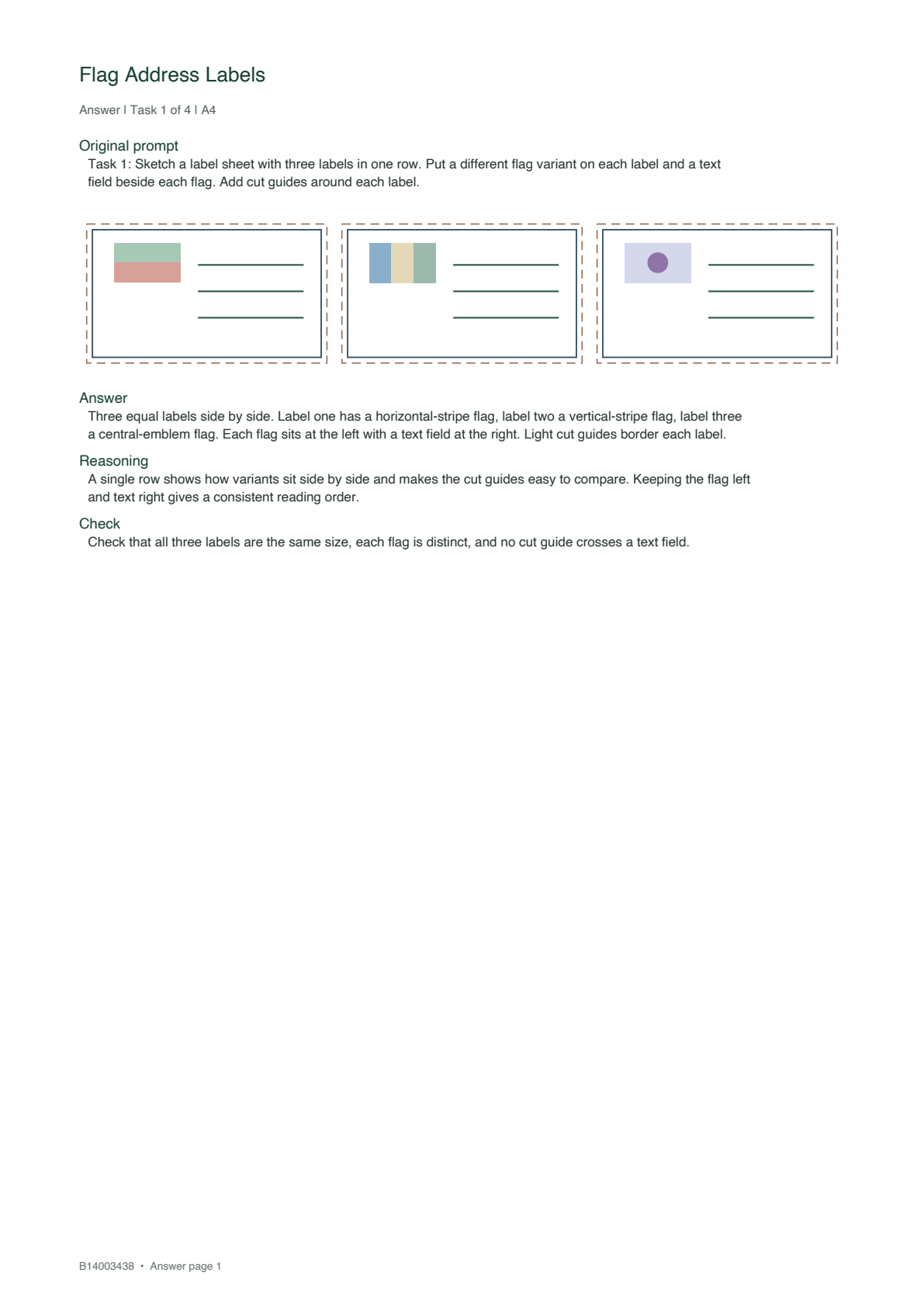
Task 1: Sketch a label sheet with three labels in one row. Put a different flag variant on each label and a text field beside each flag. Add cut guides around each label.
Show answer 1
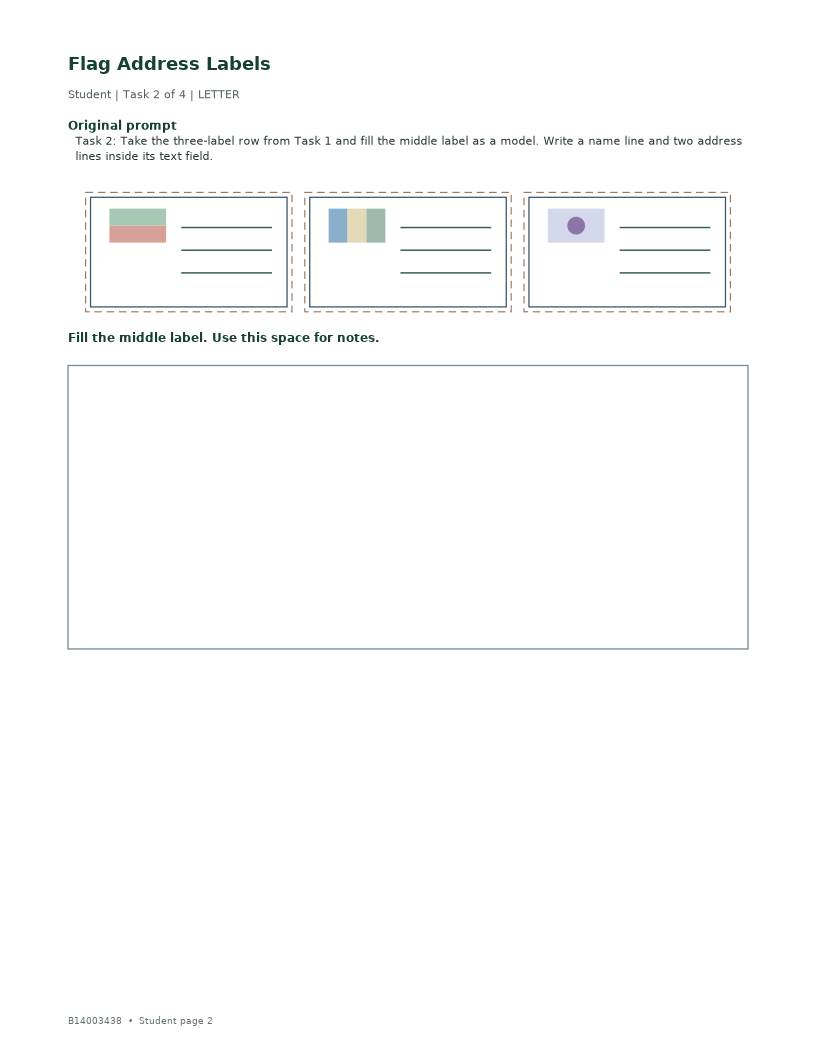
Three equal labels side by side. Label one has a horizontal-stripe flag, label two a vertical-stripe flag, label three a central-emblem flag. Each flag sits at the left with a text field at the right. Light cut guides border each label.
A single row shows how variants sit side by side and makes the cut guides easy to compare. Keeping the flag left and text right gives a consistent reading order.
Check: Check that all three labels are the same size, each flag is distinct, and no cut guide crosses a text field.
Task 2
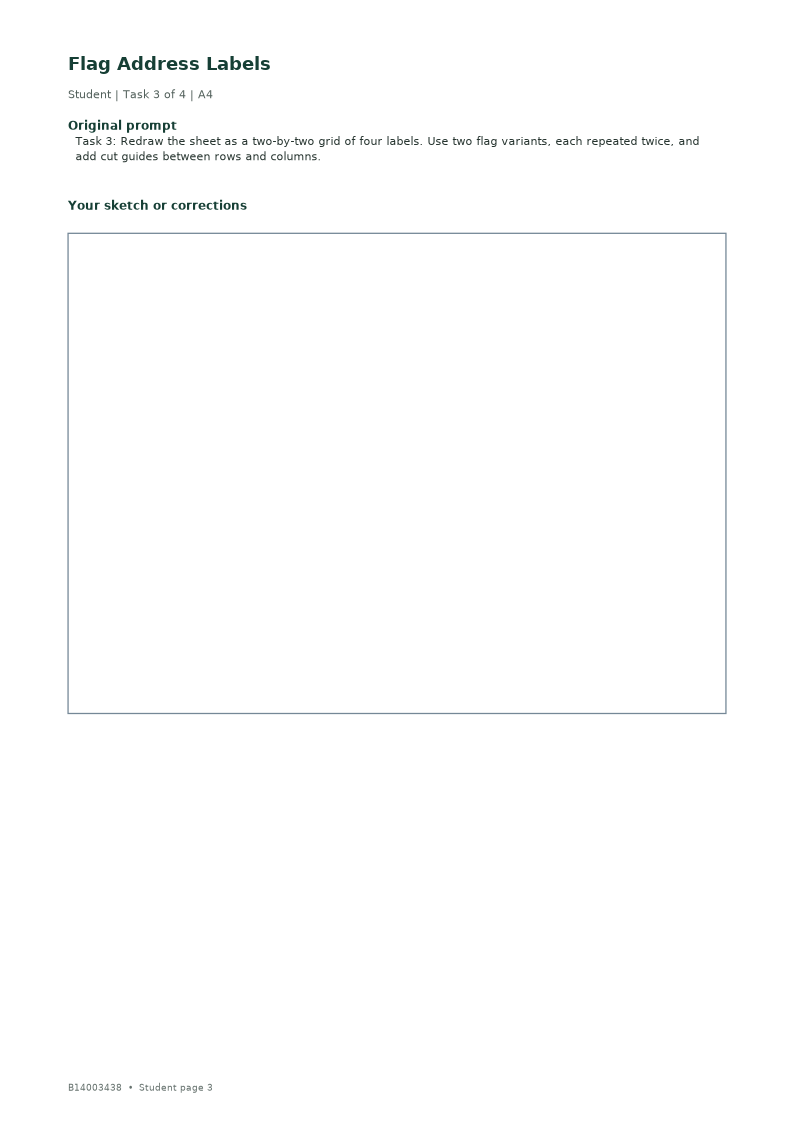
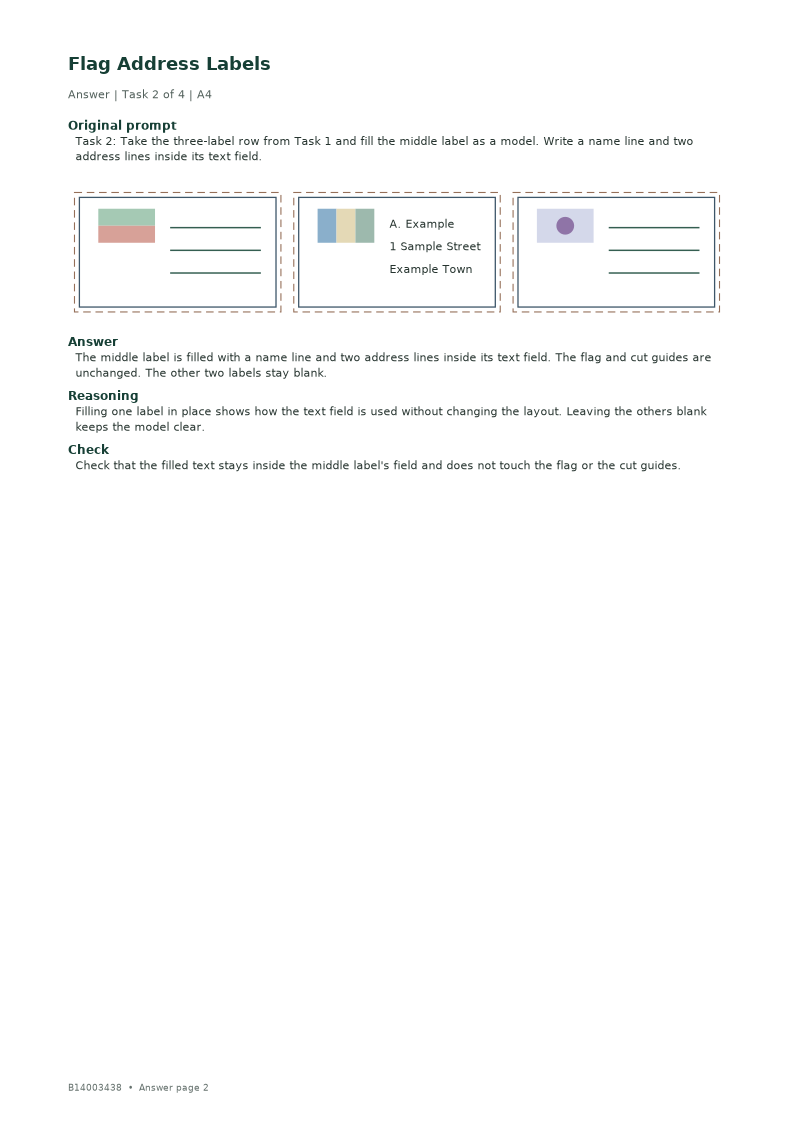
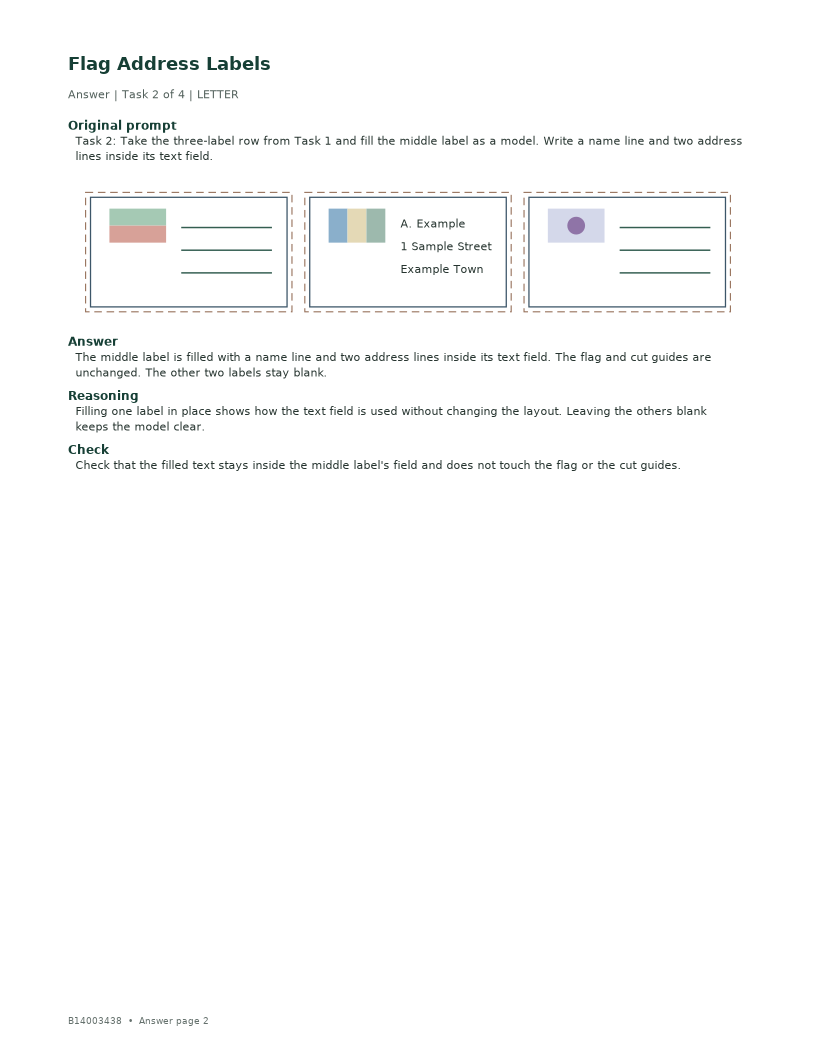
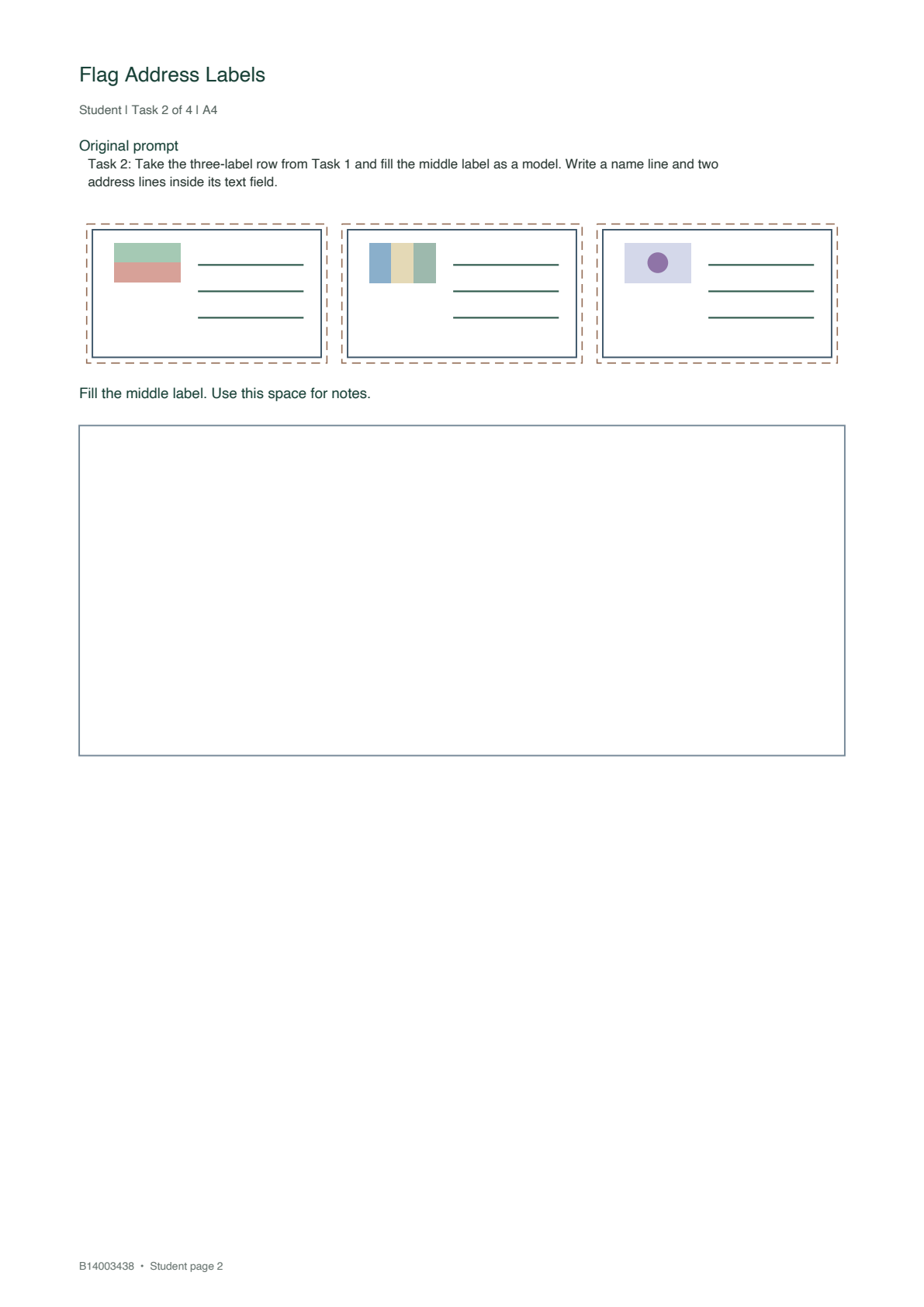
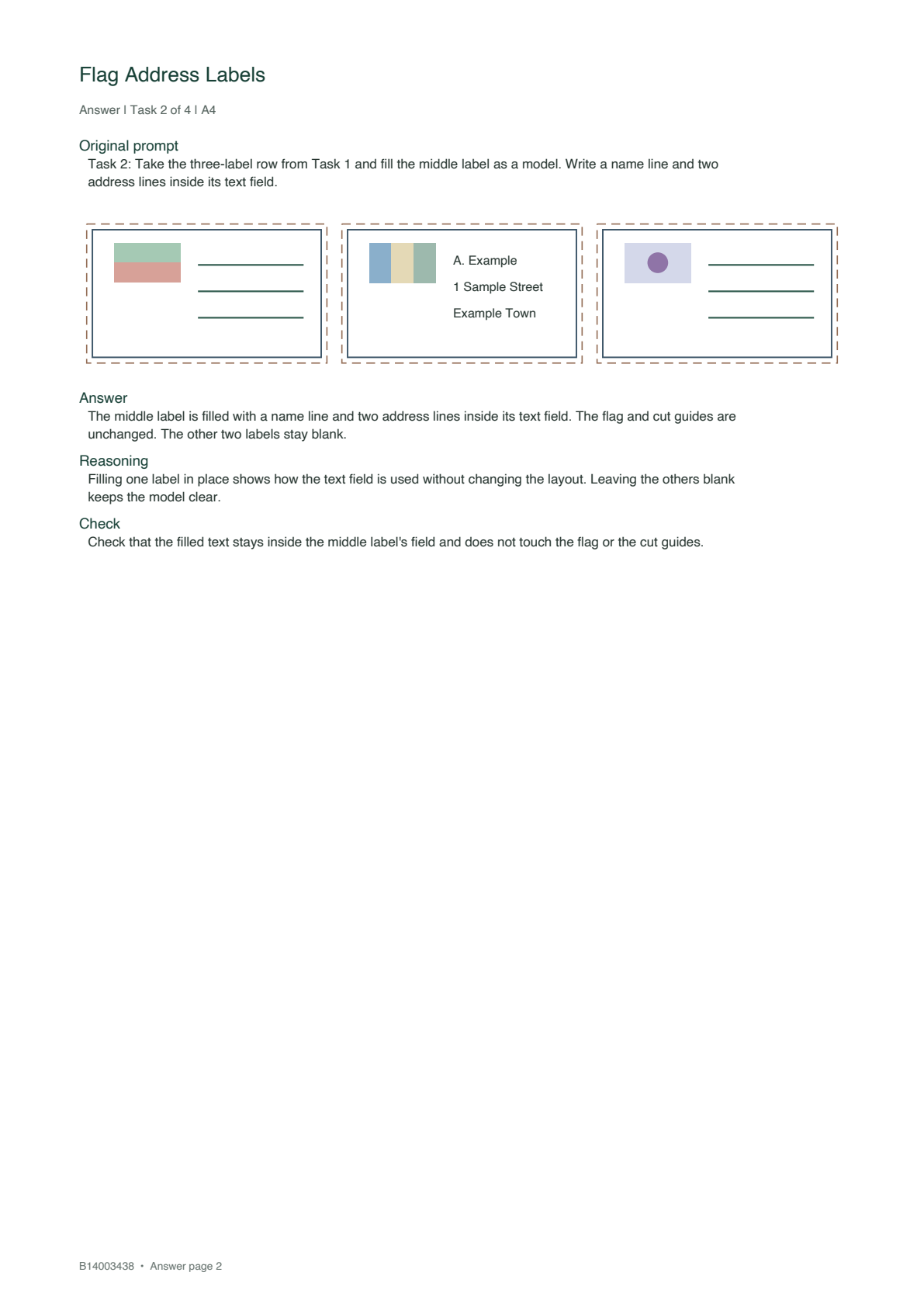
Task 2: Take the three-label row from Task 1 and fill the middle label as a model. Write a name line and two address lines inside its text field.
Show answer 2
The middle label is filled with a name line and two address lines inside its text field. The flag and cut guides are unchanged. The other two labels stay blank.
Filling one label in place shows how the text field is used without changing the layout. Leaving the others blank keeps the model clear.
Check: Check that the filled text stays inside the middle label's field and does not touch the flag or the cut guides.
Task 3
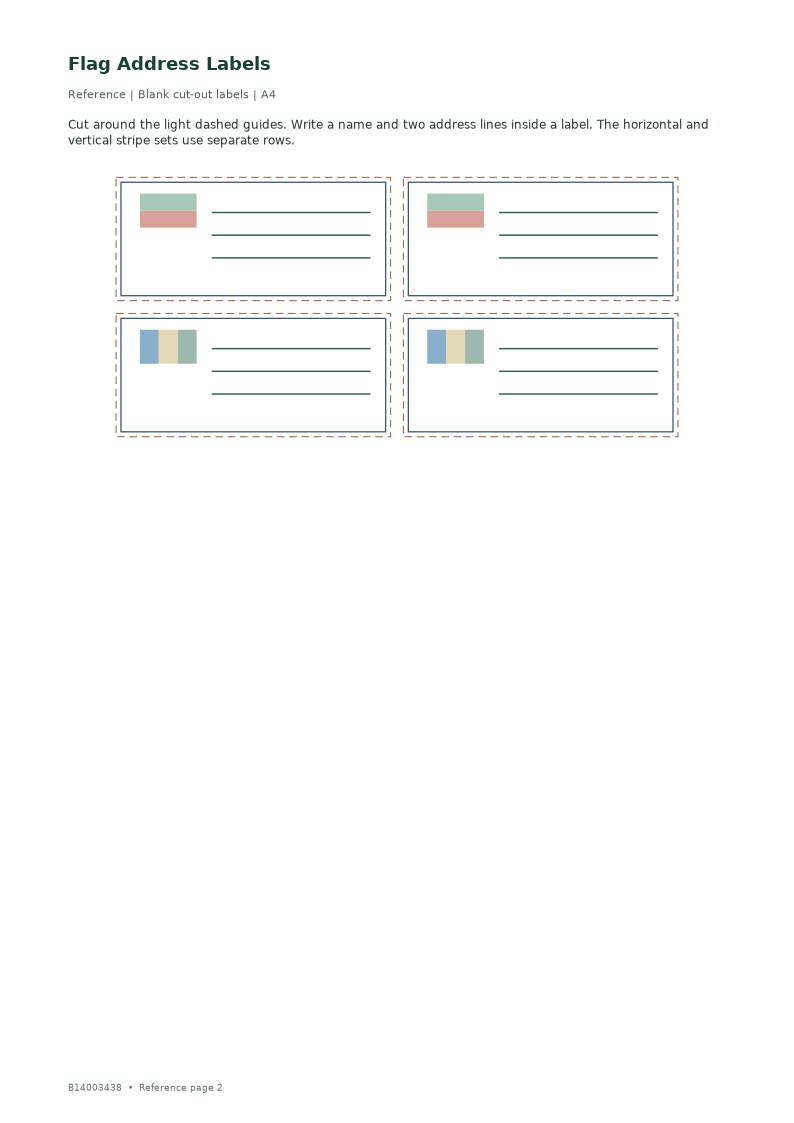
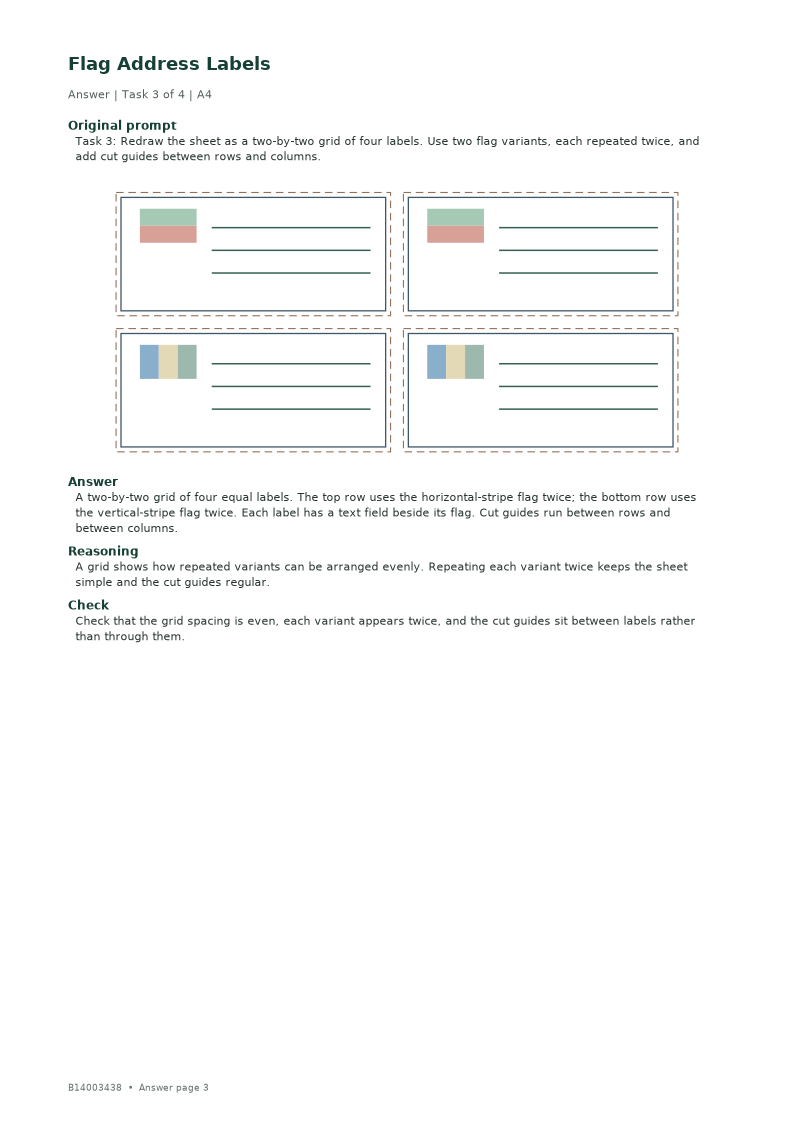
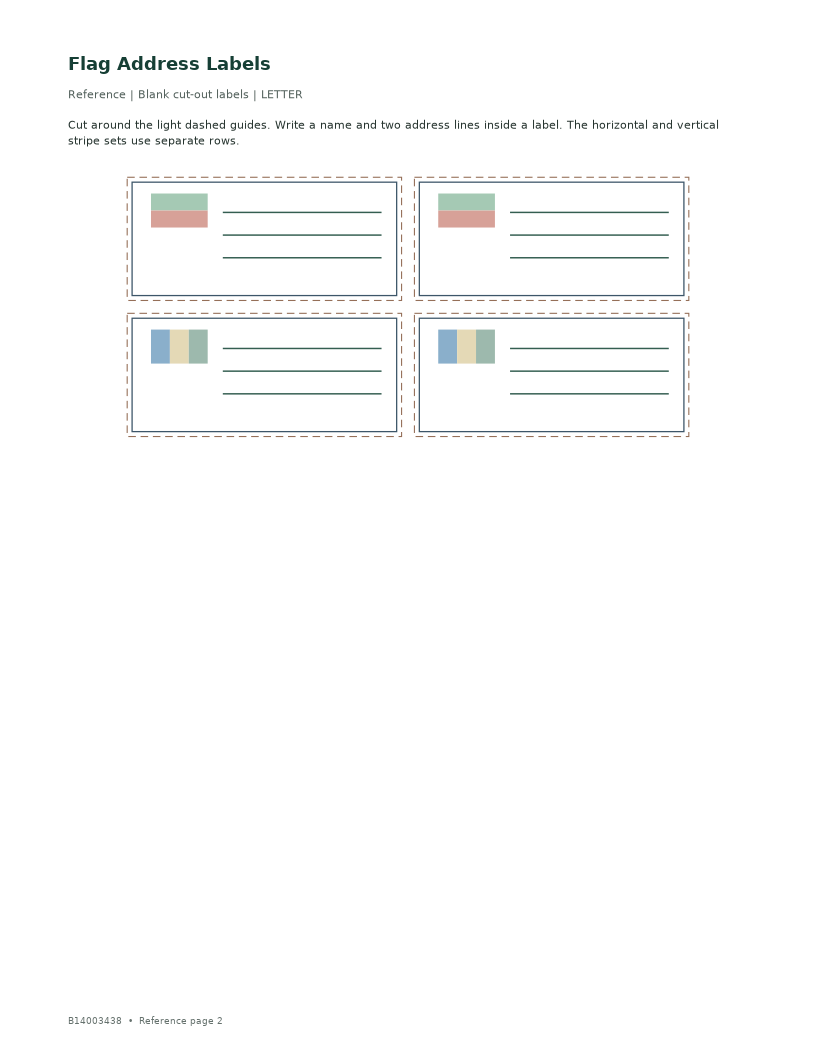
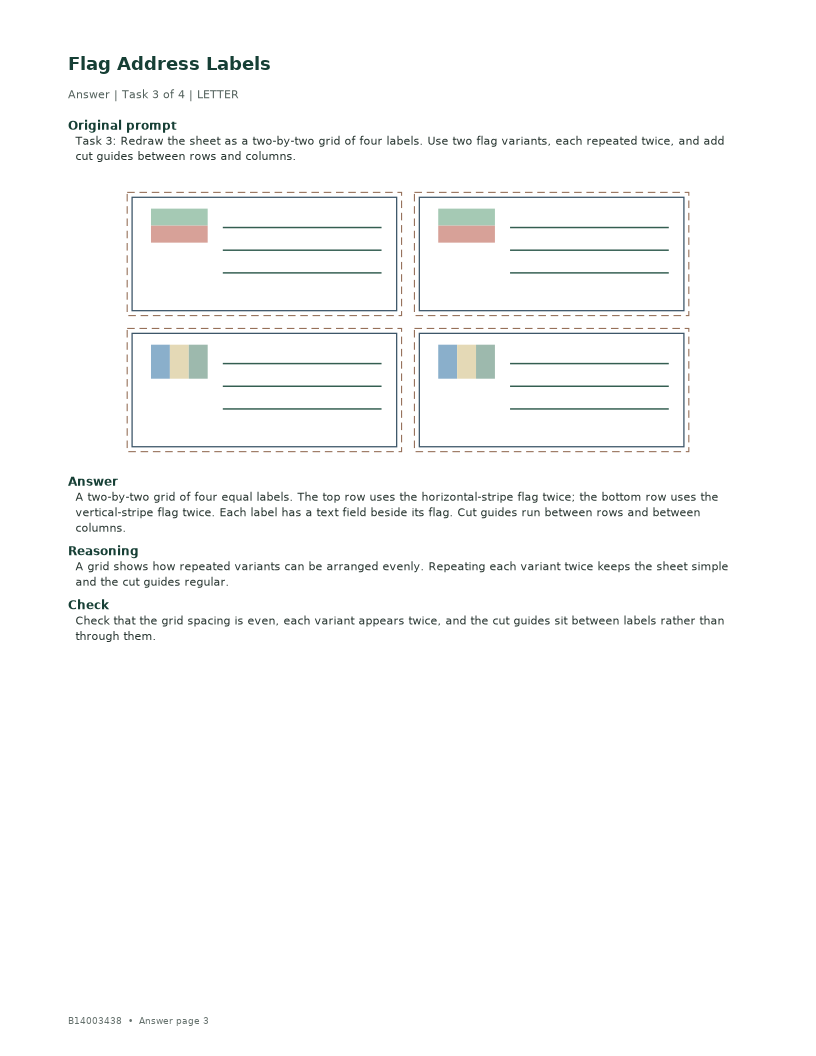
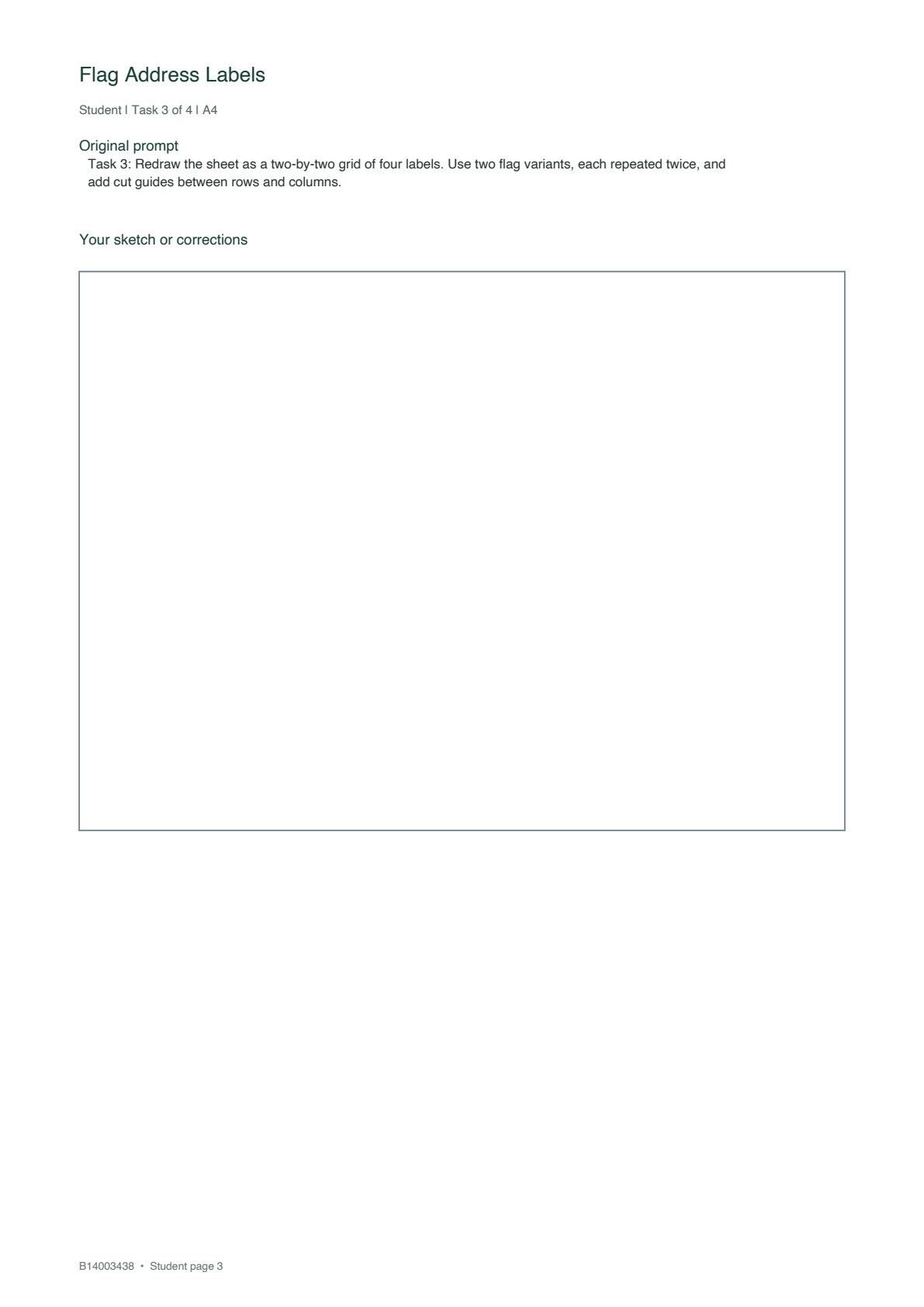
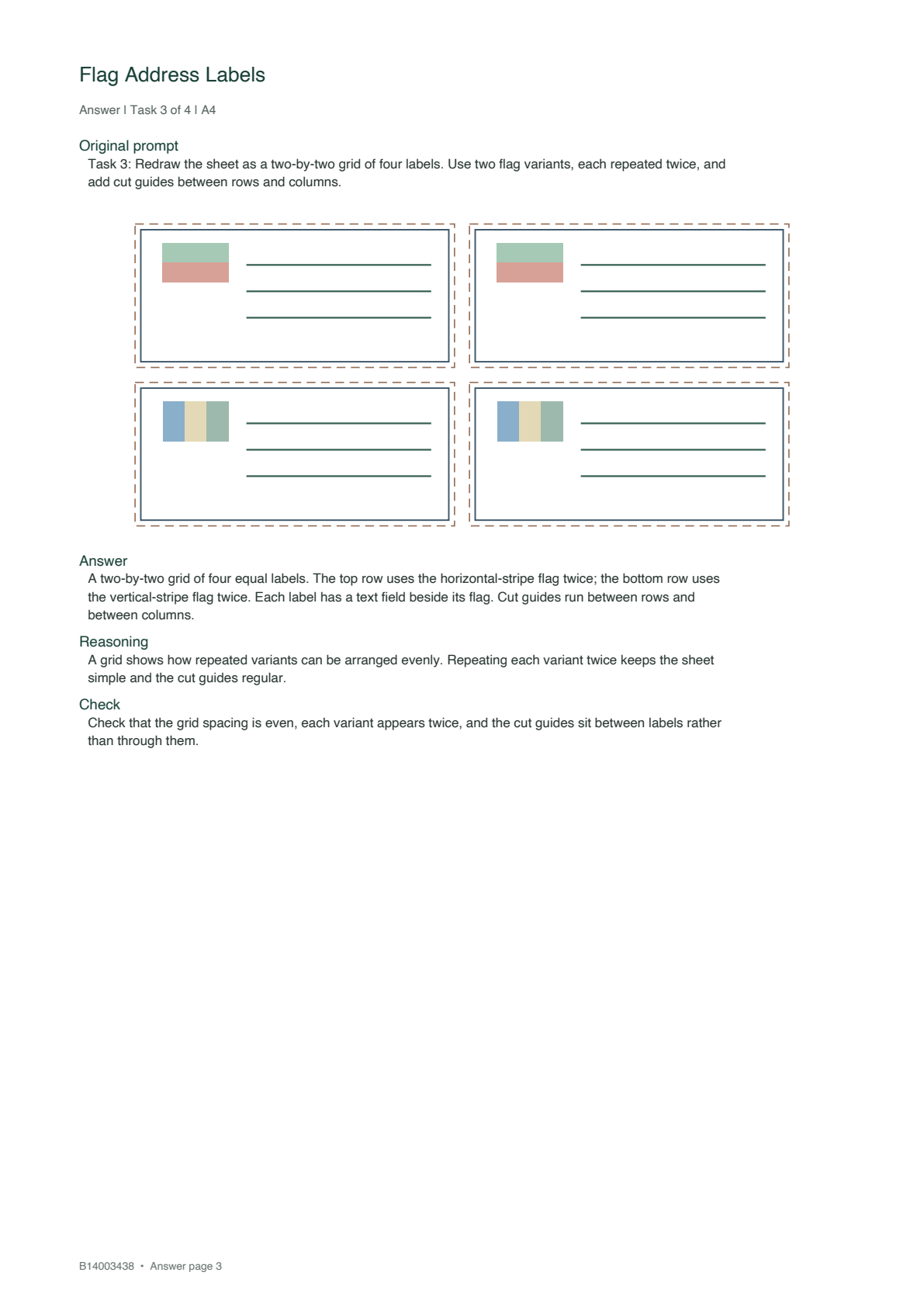
Task 3: Redraw the sheet as a two-by-two grid of four labels. Use two flag variants, each repeated twice, and add cut guides between rows and columns.
Show answer 3
A two-by-two grid of four equal labels. The top row uses the horizontal-stripe flag twice; the bottom row uses the vertical-stripe flag twice. Each label has a text field beside its flag. Cut guides run between rows and between columns.
A grid shows how repeated variants can be arranged evenly. Repeating each variant twice keeps the sheet simple and the cut guides regular.
Check: Check that the grid spacing is even, each variant appears twice, and the cut guides sit between labels rather than through them.
Task 4
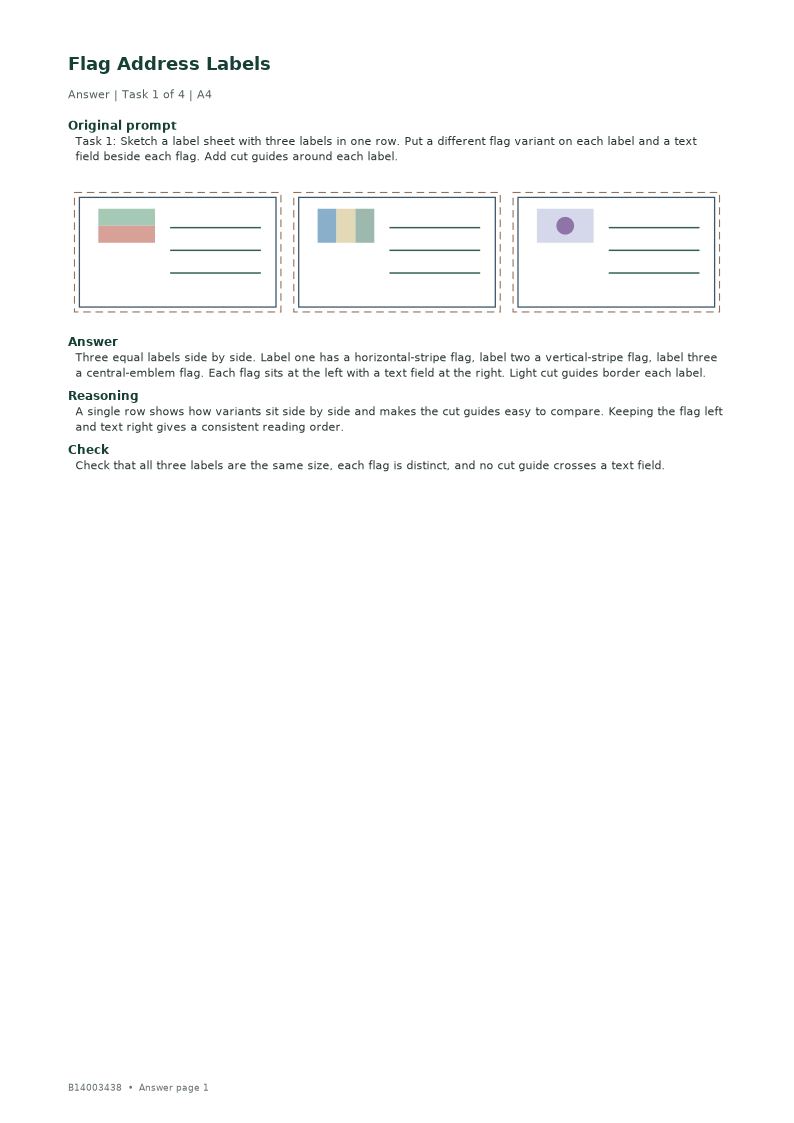
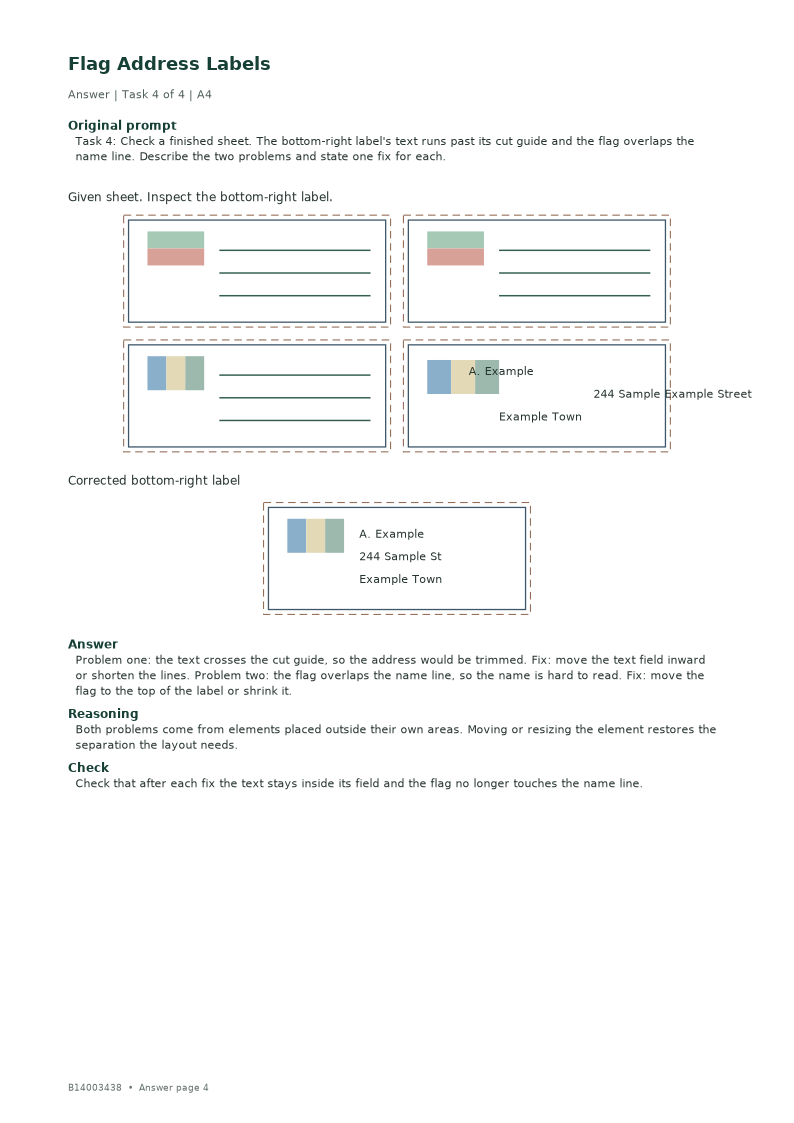
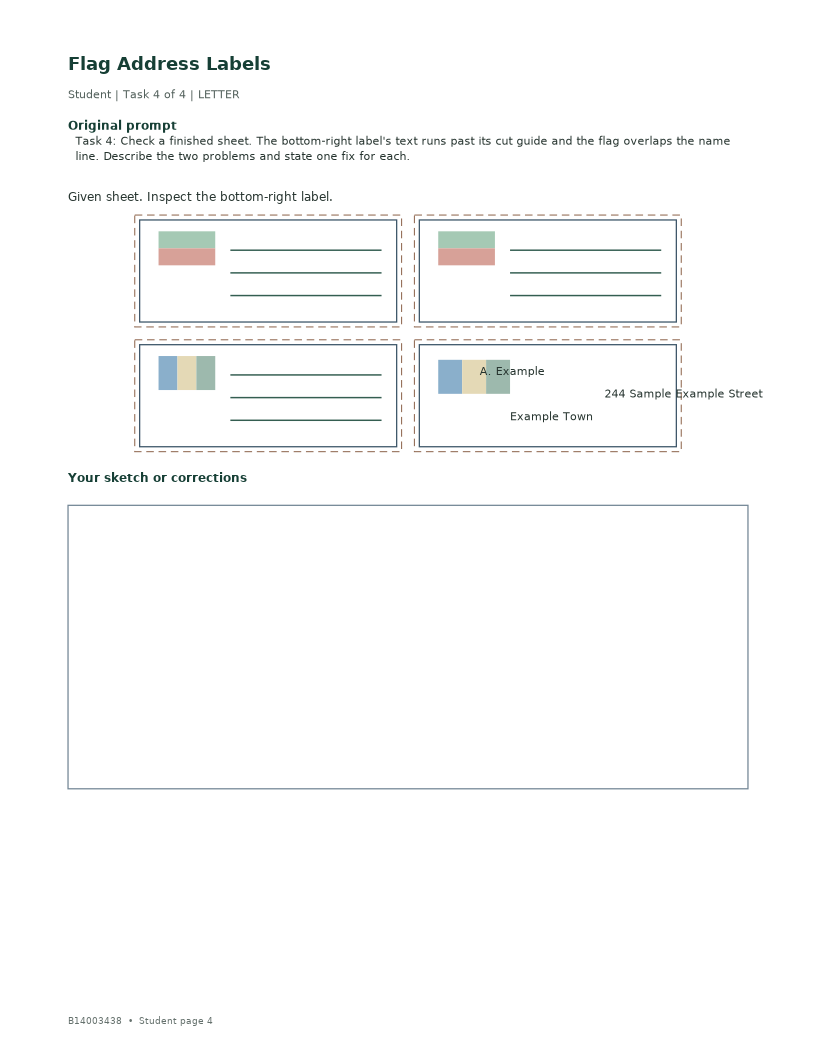
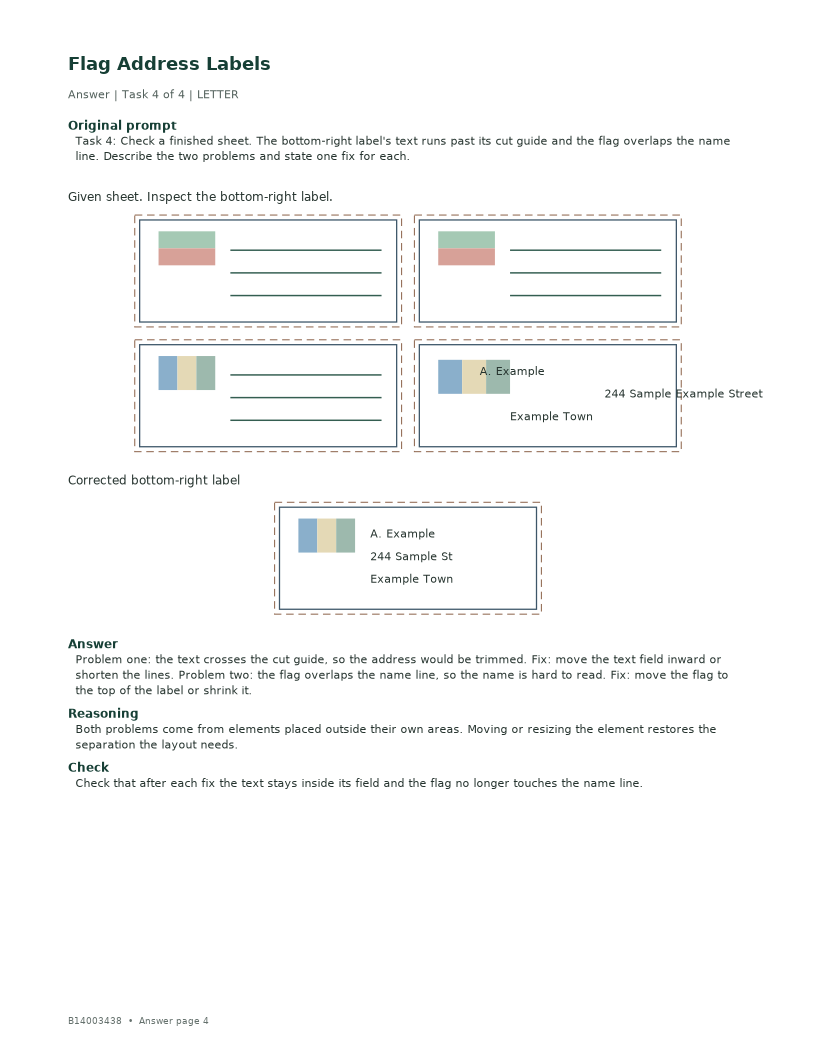
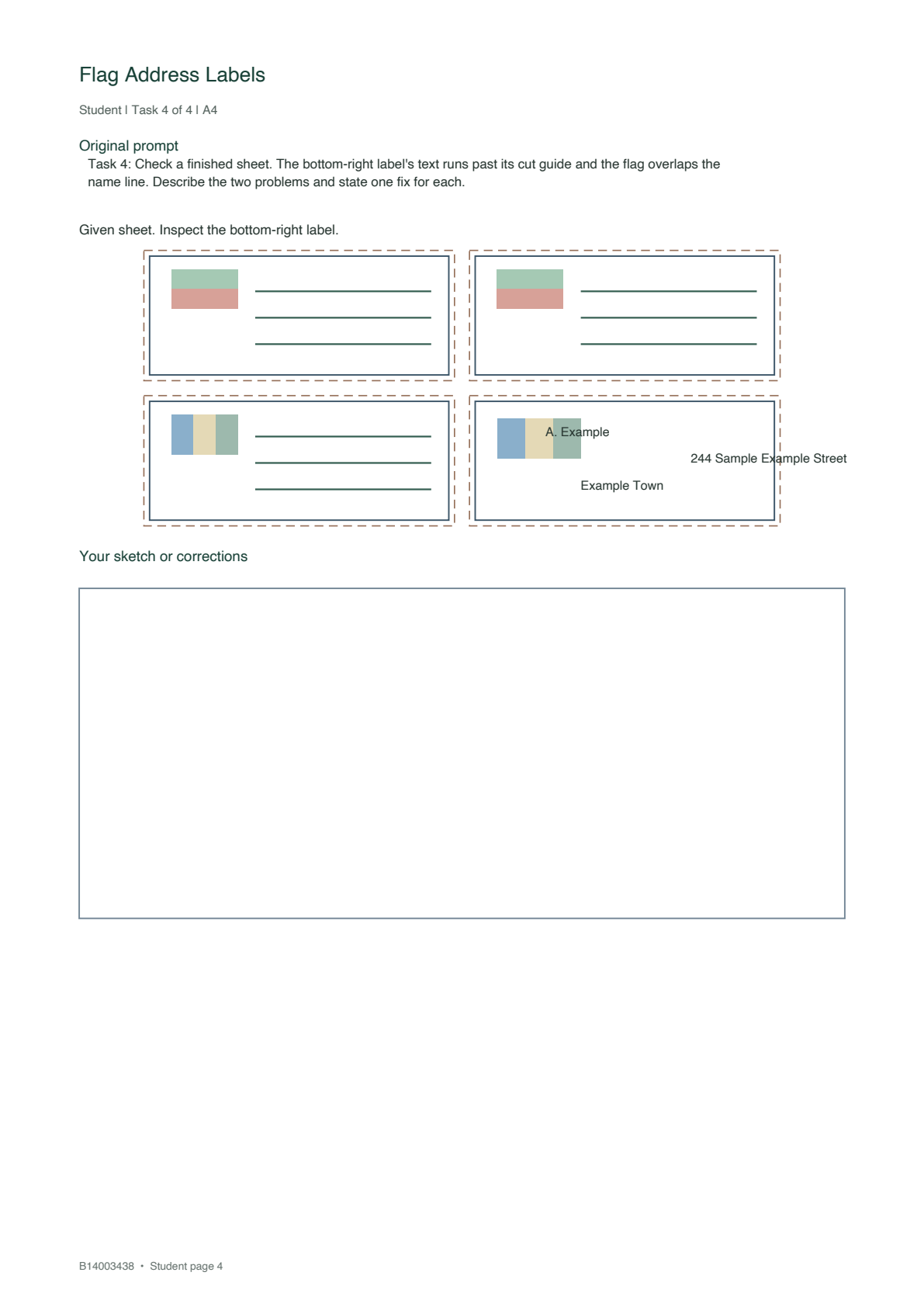
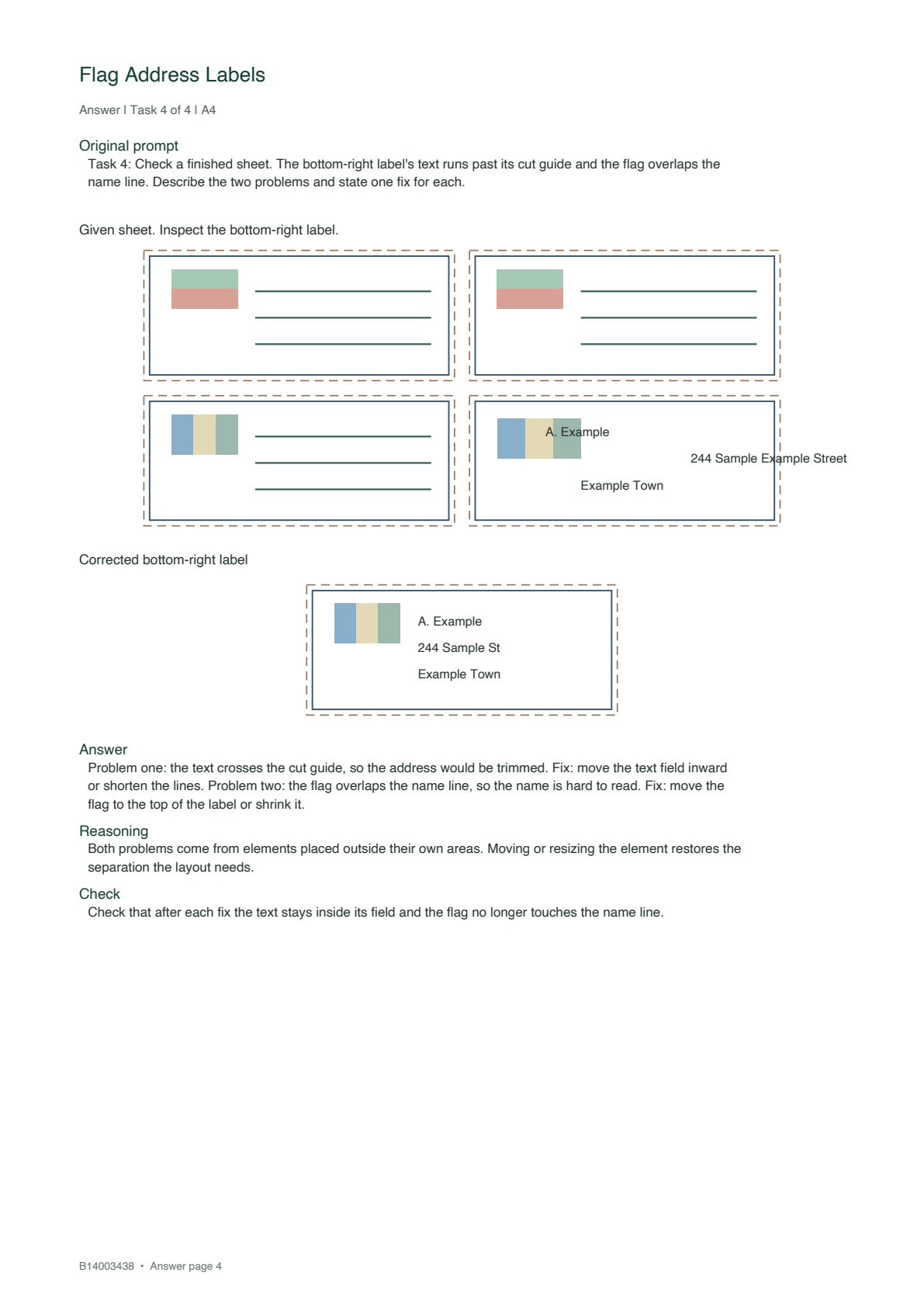
Task 4: Check a finished sheet. The bottom-right label's text runs past its cut guide and the flag overlaps the name line. Describe the two problems and state one fix for each.
Show answer 4
Problem one: the text crosses the cut guide, so the address would be trimmed. Fix: move the text field inward or shorten the lines. Problem two: the flag overlaps the name line, so the name is hard to read. Fix: move the flag to the top of the label or shrink it.
Both problems come from elements placed outside their own areas. Moving or resizing the element restores the separation the layout needs.
Check: Check that after each fix the text stays inside its field and the flag no longer touches the name line.
Useful checks
- Placing cut guides through the label instead of outside it. Move each cut guide just outside the label edge so the printed label is not trimmed.
- Letting the flag overlap the text field. Keep the flag in its own area and leave the text field clear.
- Using flag variants that are too detailed to read at label size. Choose bold, simple flag shapes with few elements.
Questions about this resource
Do I need exact measurements?
No. This pack teaches layout and checking by observation; label sizes and spacing are your own choices, not fixed standards.
How many flag variants should I use?
A small set of two or three simple variants is enough to show variety without clutter.