Free original lessons
Draw a Horse on Graph Paper
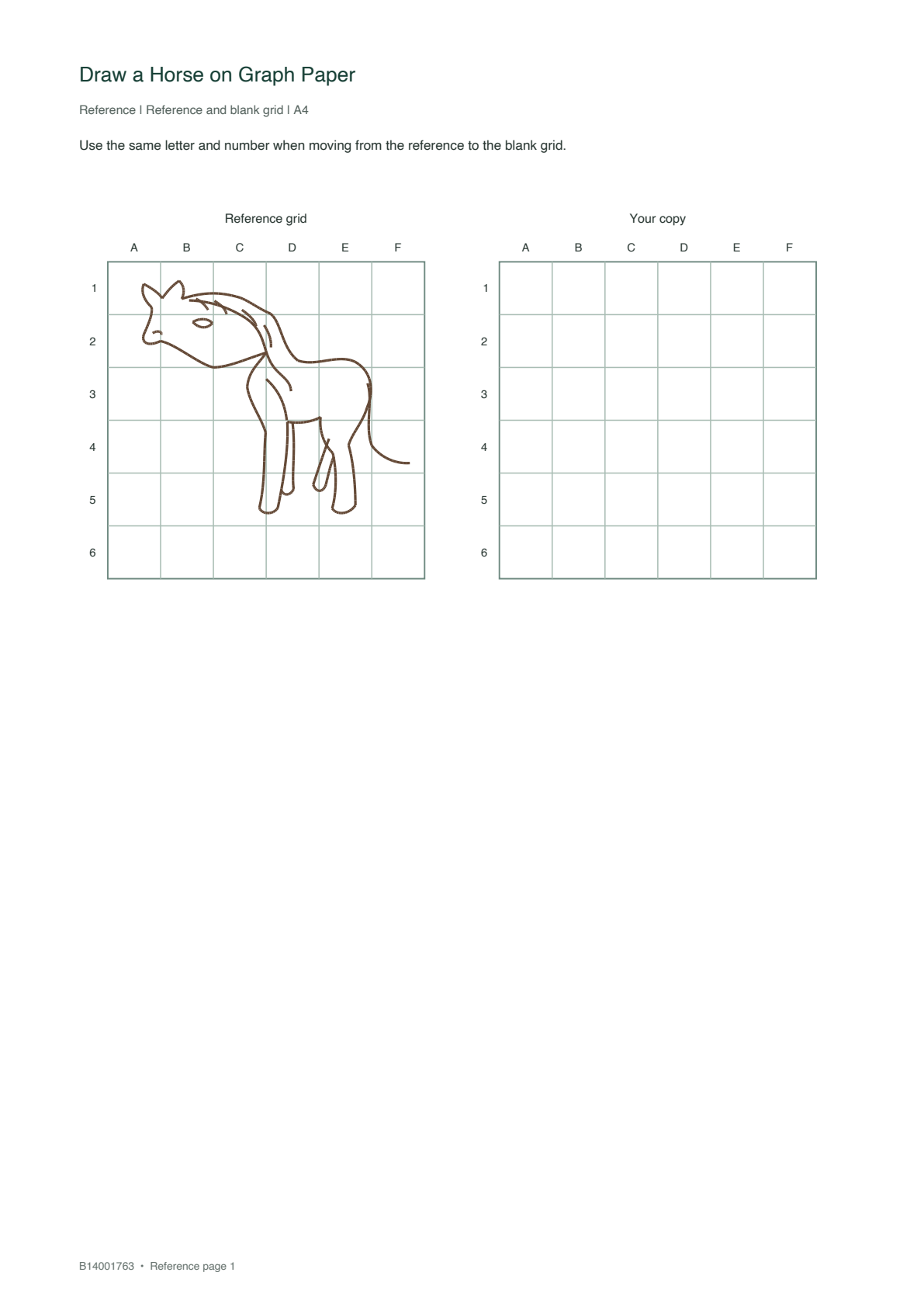
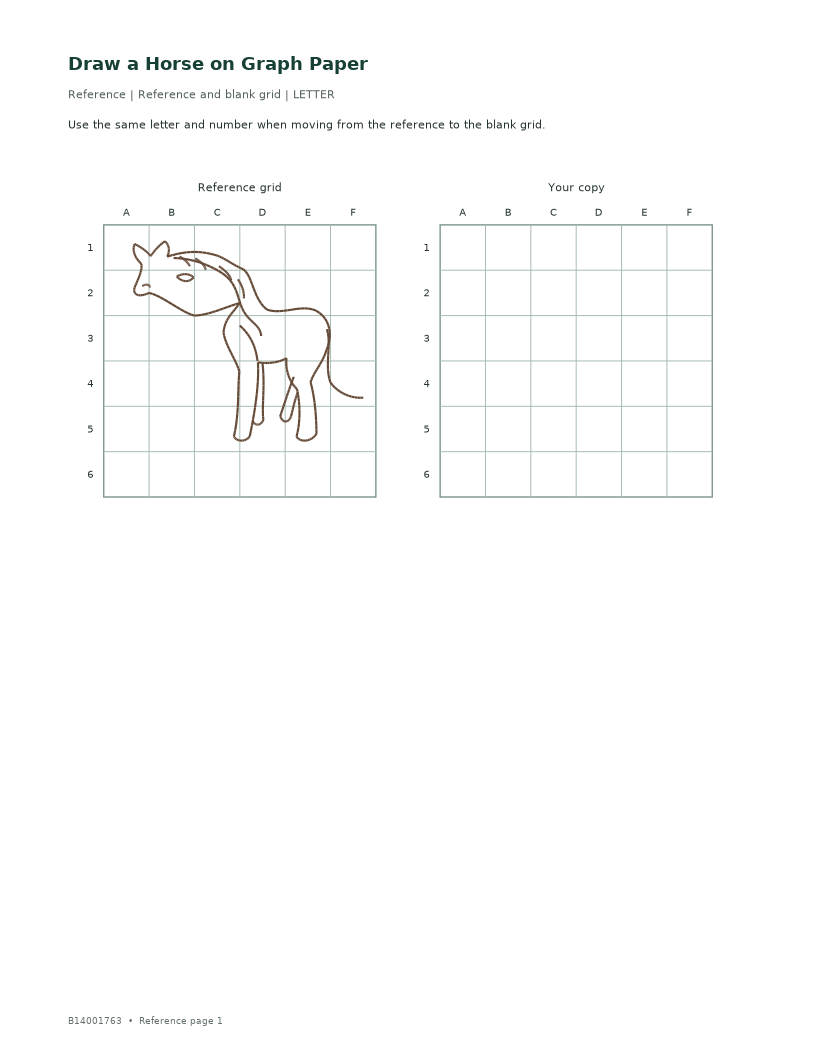
Grid-square transfer means copying a picture one square at a time. You look at what the horse does inside a numbered cell on the reference, then draw the same thing inside the matching cell on your blank grid. Because each square is small, the horse's shape stays accurate even when you draw it larger or on a different sheet.
Letter & A4
PDF & SVG
What you need and how the grid works
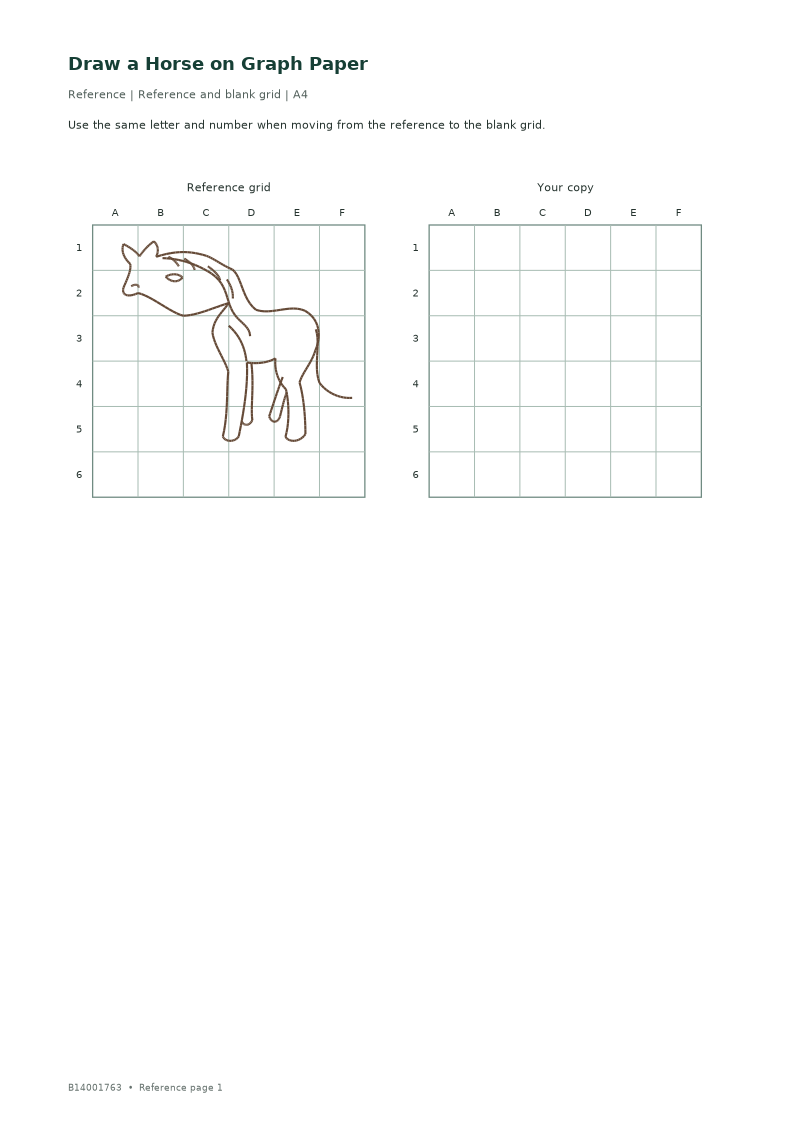
You need a reference picture of a horse printed with a grid over it, a blank sheet of graph paper with the same number of squares, and a pencil. The reference grid and your blank grid must have the same row and column count so every cell has one matching partner.
Label columns with letters across the top (A, B, C...) and rows with numbers down the side (1, 2, 3...). A cell is named by its column letter and row number, such as C4. The same name points to the same cell on both sheets.
The four transfer steps
Step 1 — Read the cell: look at one reference cell and note where the horse's lines enter and leave it and what curve or edge passes through. Step 2 — Find the partner cell: locate the cell with the same letter and number on your blank grid.
Step 3 — Draw inside that cell only: copy the line's position and direction, not the whole horse. Step 4 — Check: compare your cell with the reference cell, then compare neighbouring cells so lines join smoothly across square borders.
Worked example
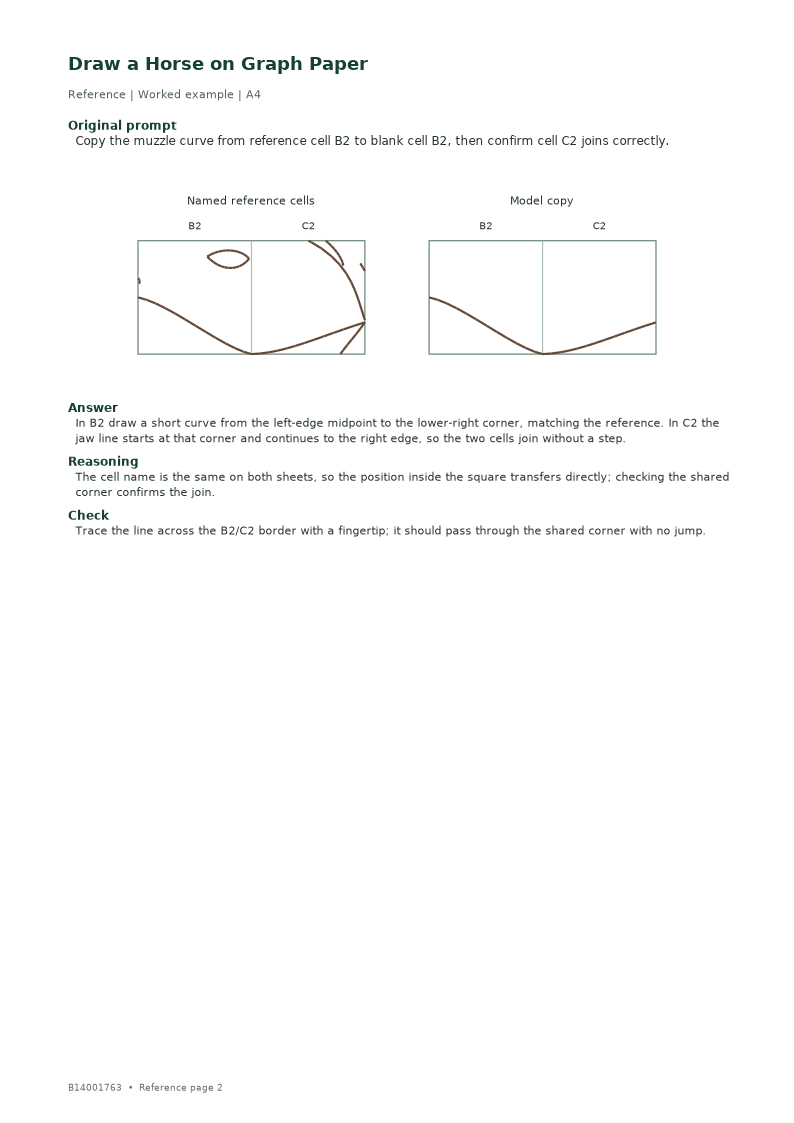
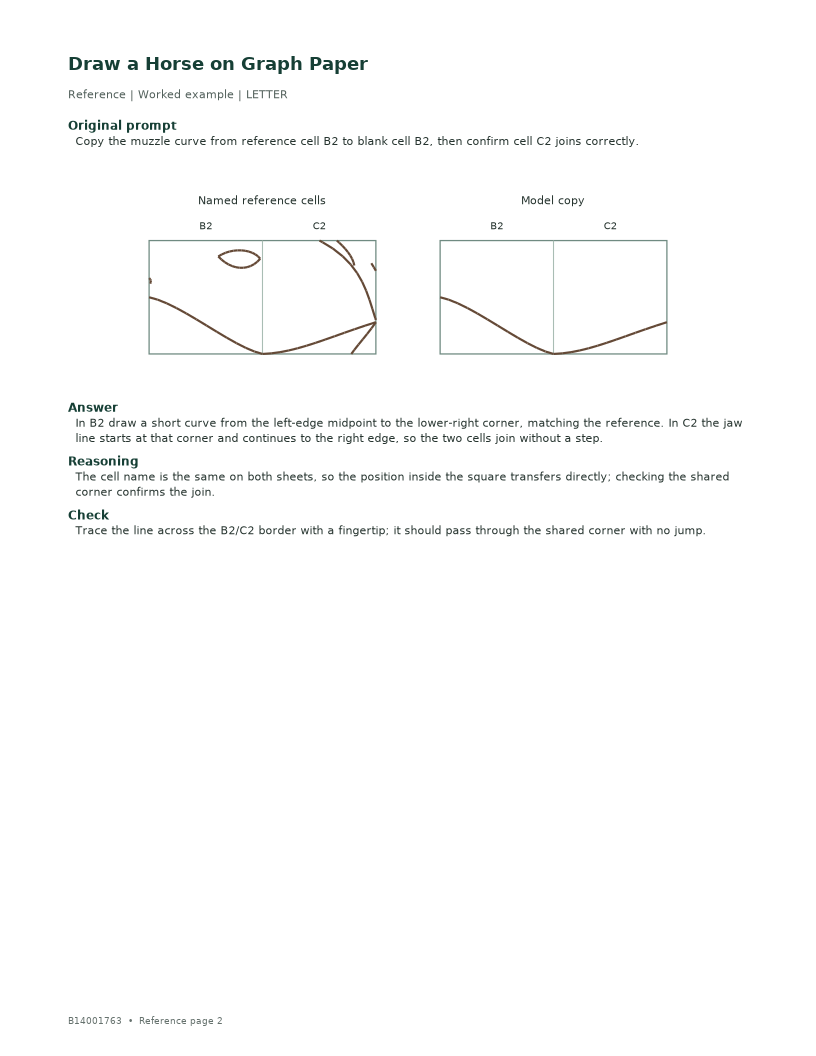
Suppose the reference shows the horse's muzzle tip in cell B2, entering at the left edge about halfway down and curving to the lower-right corner. On the blank grid, find B2 and draw the same short curve from the left edge midpoint to the lower-right corner.
Then check cell C2: the reference shows the jaw line continuing from B2's right edge into C2. If your B2 curve ends at the correct corner, the C2 line will start there and join cleanly. This edge-matching check is how you catch a misplaced cell before the error spreads.
Practice tasks
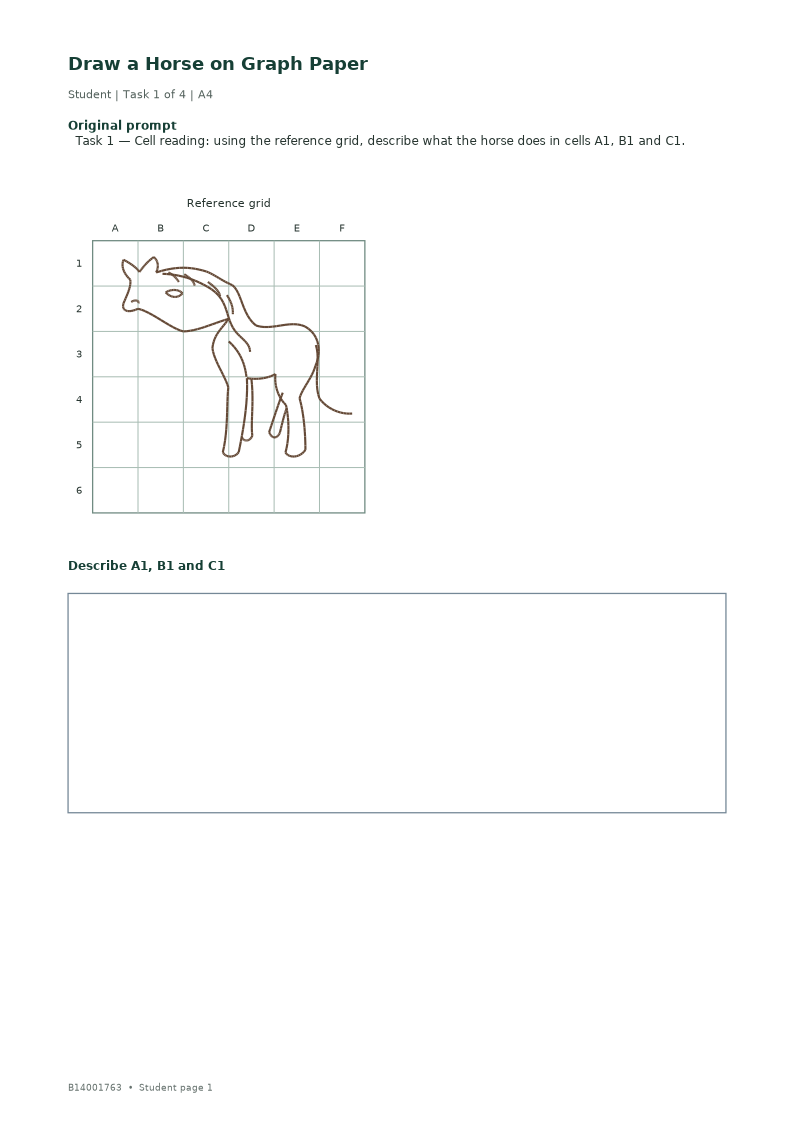
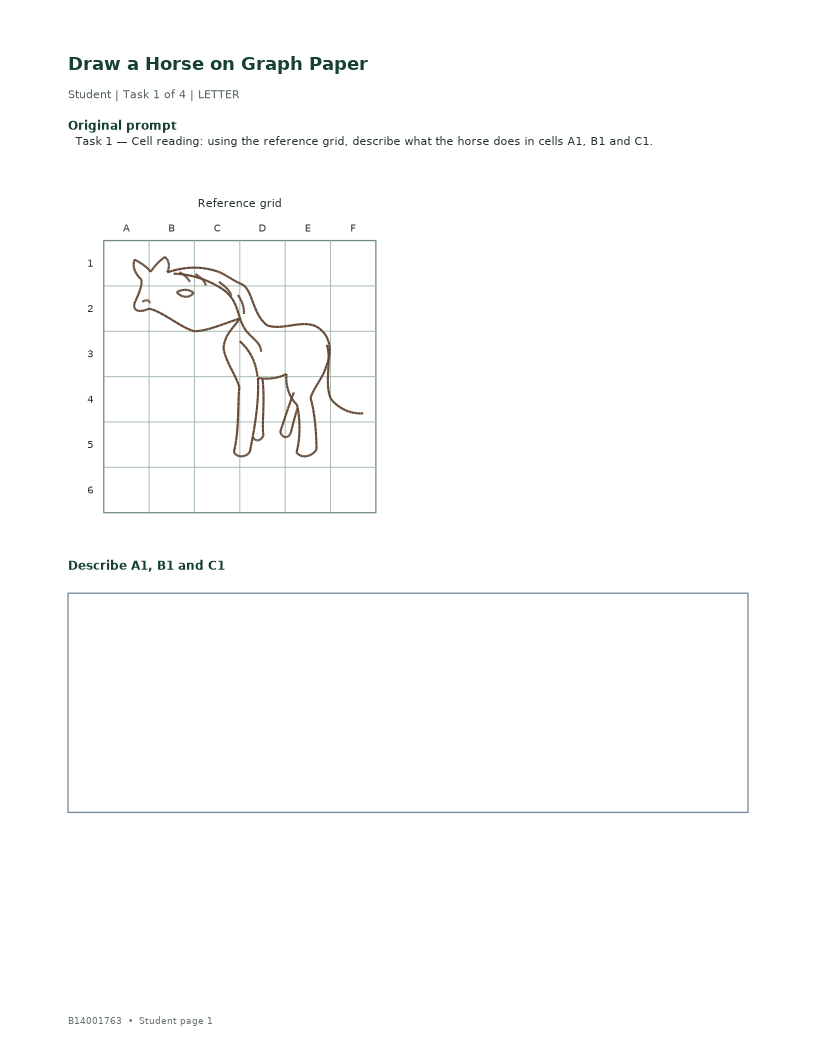
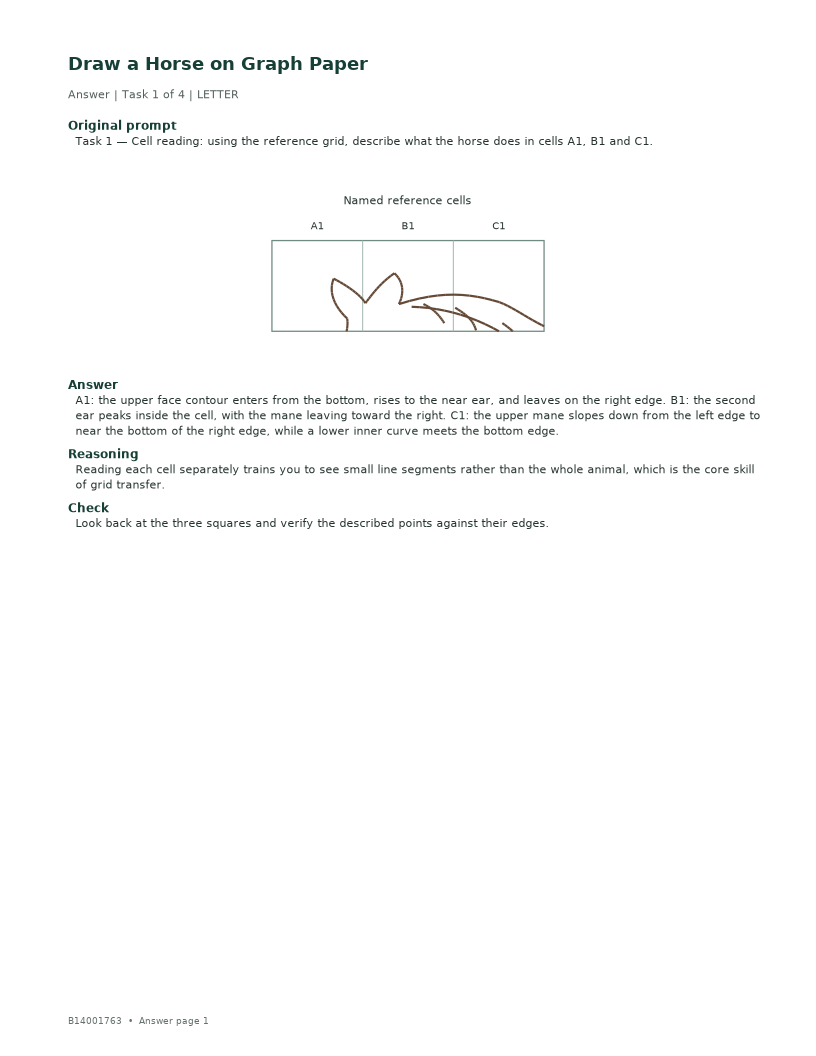
Task 1 — Cell reading: using the reference grid, describe the horse in cells A1, B1 and C1. A1: the upper face contour enters from the bottom, rises to the near ear, and leaves on the right edge. B1: the second ear peaks inside the cell, with the mane leaving toward the right. C1: the upper mane slopes down from the left edge to near the bottom of the right edge, while a lower inner curve meets the bottom edge.
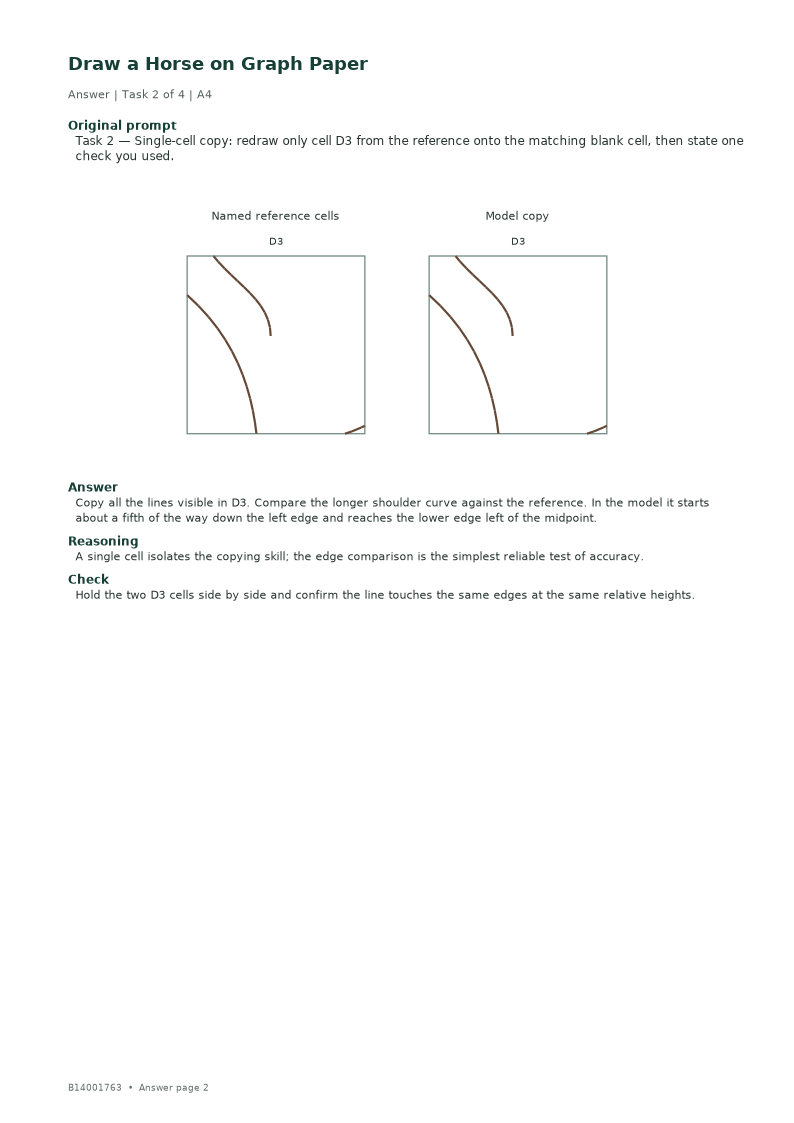
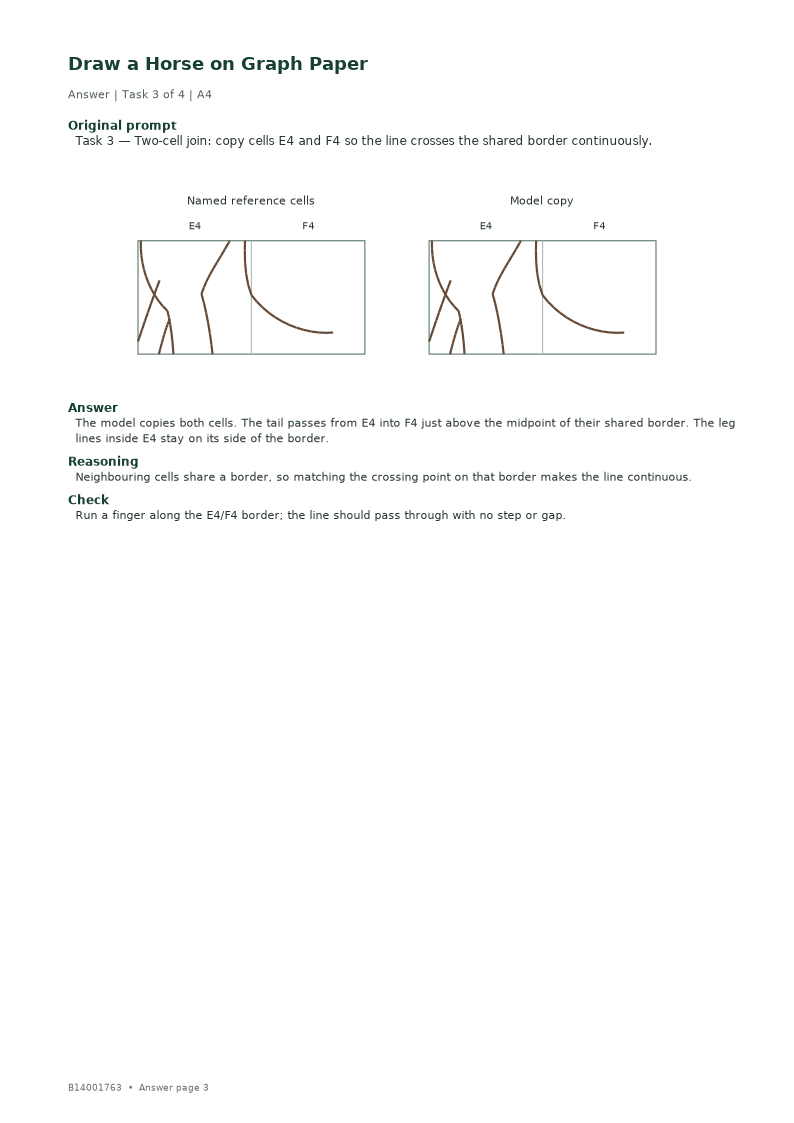
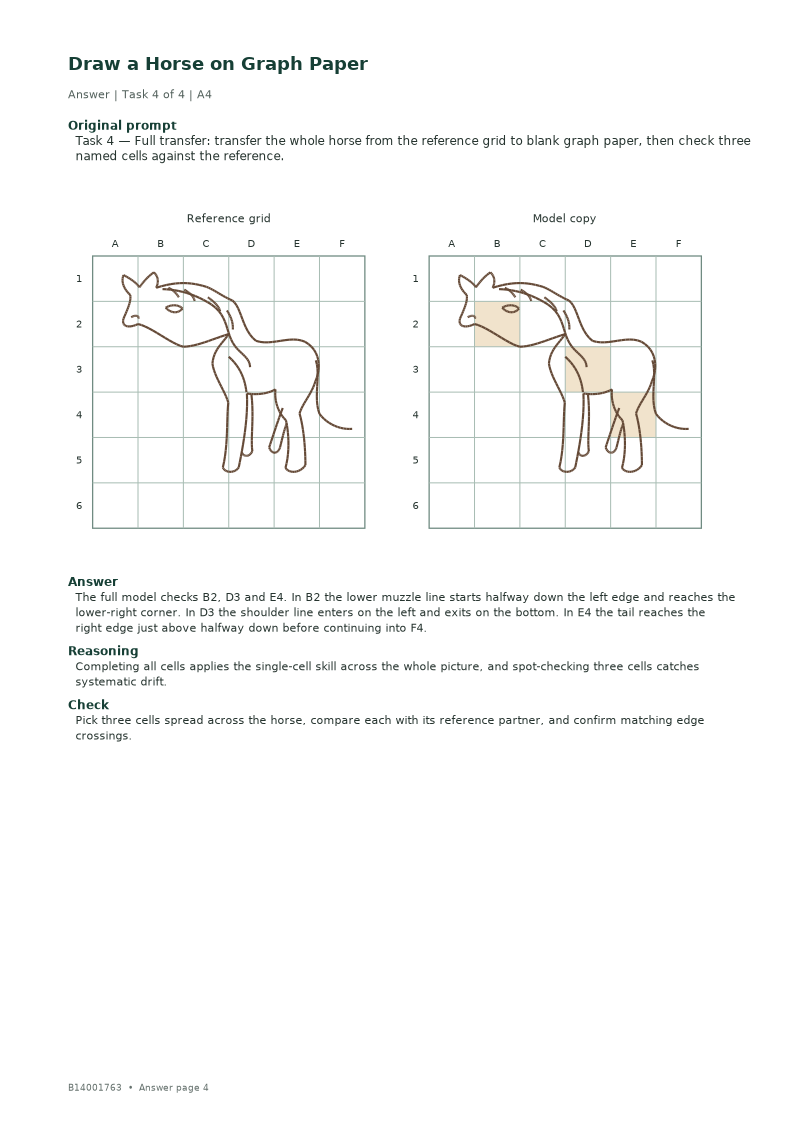
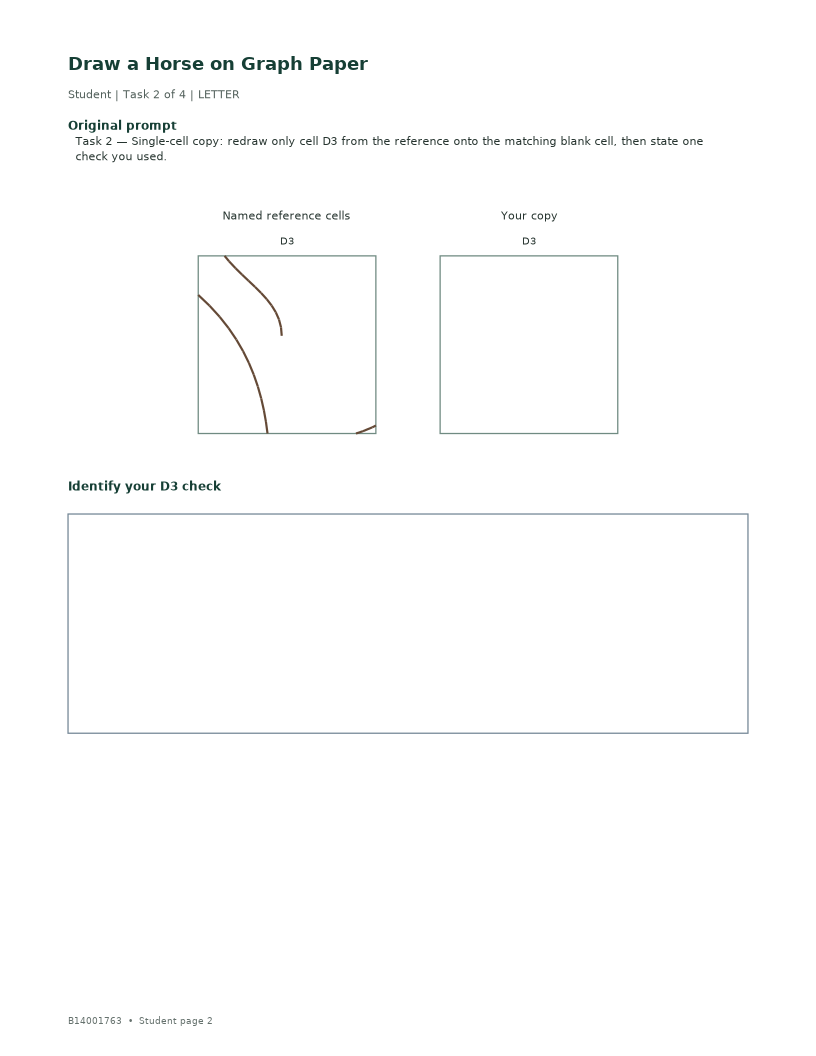
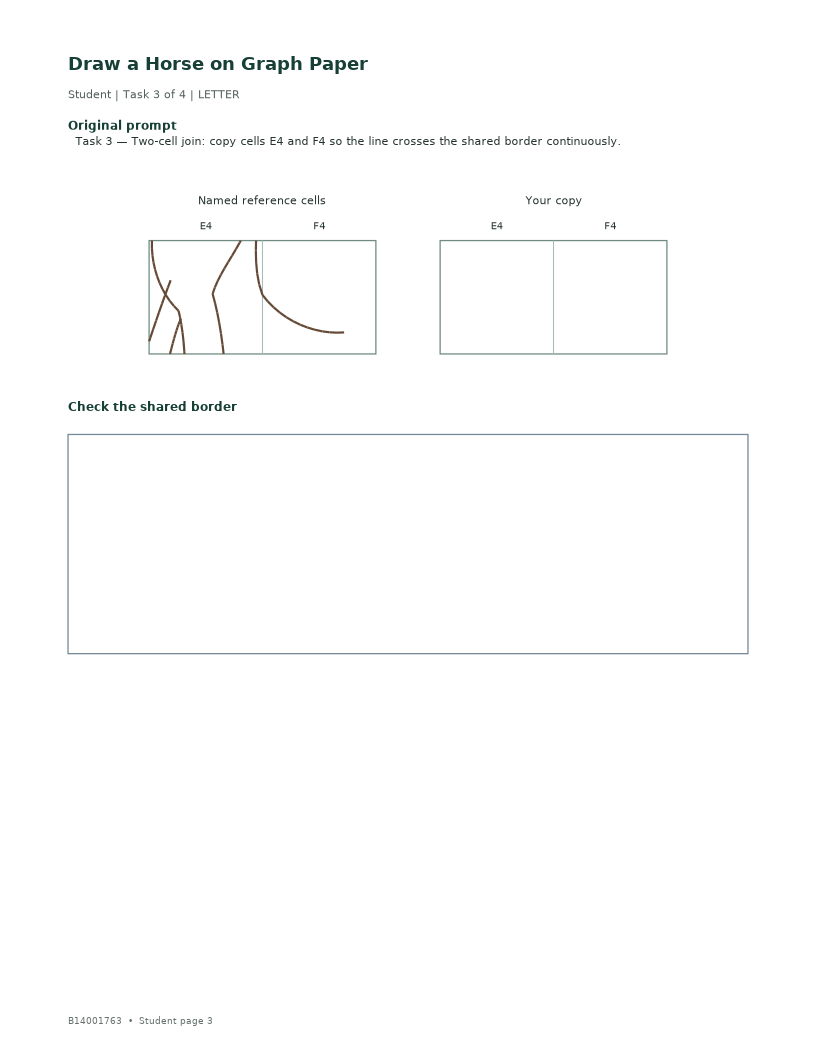
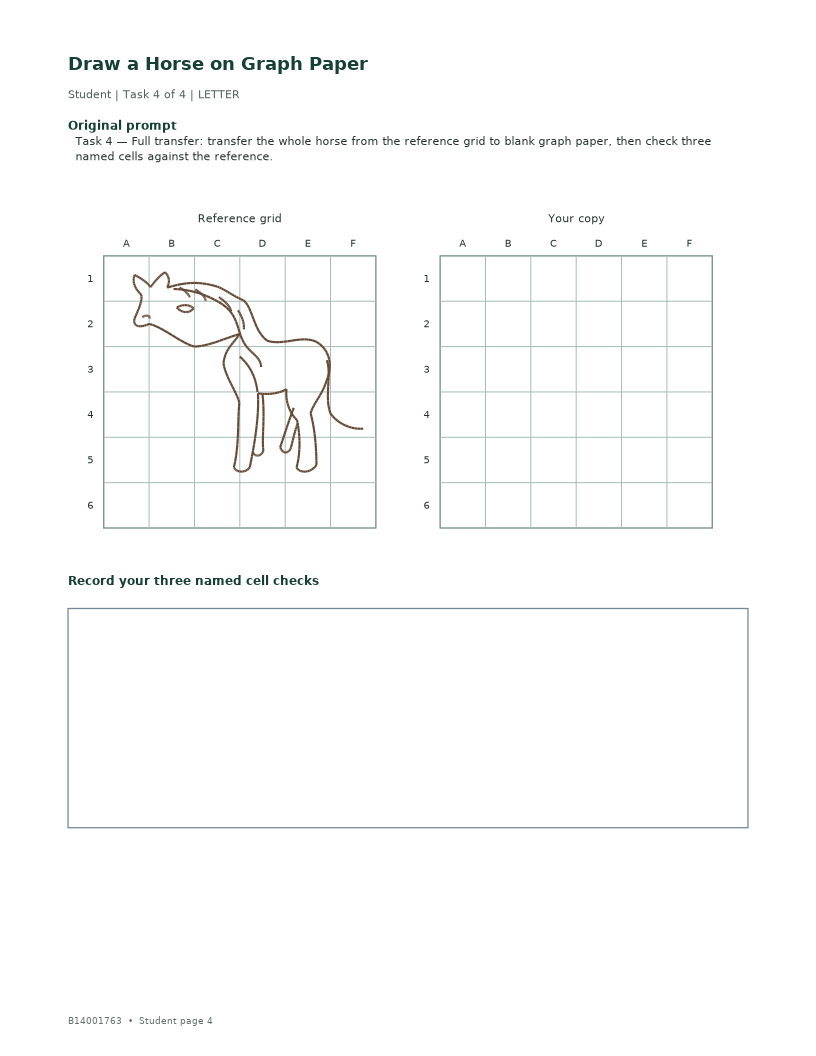
Task 2 — Single-cell copy: redraw only cell D3 from the reference onto the matching blank cell, then state one check you used. Answer key: the drawn cell shows the same line position and direction as the reference D3, and the check is comparing entry and exit points on the cell edges with the reference cell's edges. Task 3 — Two-cell join: copy cells E4 and F4 so the line crosses the shared border continuously. Answer key: the line leaves E4's right edge at the same height it enters F4's left edge, so the join is unbroken; the check is running a finger along the border to confirm no step or gap. Task 4 — Full transfer: transfer the whole horse from the reference grid to blank graph paper, then check three named cells against the reference. Answer key: every cell contains the same line content as its reference partner, and the three checked cells match in line position and edge crossings.
Checking your finished transfer
Compare the same cells side by side, then check the whole drawing. If a line crosses a cell edge at a different place, correct the local segment so it can meet the neighboring line cleanly.
Download the complete resource pack
All individual SVG pages (20)
- A4 reference page 1
- A4 reference page 2
- A4 student page 1
- A4 student page 2
- A4 student page 3
- A4 student page 4
- A4 answer page 1
- A4 answer page 2
- A4 answer page 3
- A4 answer page 4
- LETTER reference page 1
- LETTER reference page 2
- LETTER student page 1
- LETTER student page 2
- LETTER student page 3
- LETTER student page 4
- LETTER answer page 1
- LETTER answer page 2
- LETTER answer page 3
- LETTER answer page 4
Print at 100% / actual size. Use the stated scale on any schematic diagram; physical cutting templates are identified separately. A4 and US Letter are separate files. Free access, no signup; CC BY 4.0.
How to use these pages
- What you need and how the grid works
- The four transfer steps
- Worked example
- Practice tasks
- Checking your finished transfer
Worked example
Example: Copy the muzzle curve from reference cell B2 to blank cell B2, then confirm cell C2 joins correctly.
Answer: In B2 draw a short curve from the left-edge midpoint to the lower-right corner, matching the reference. In C2 the jaw line starts at that corner and continues to the right edge, so the two cells join without a step.
Reasoning: The cell name is the same on both sheets, so the position inside the square transfers directly; checking the shared corner confirms the join.
Check: Trace the line across the B2/C2 border with a fingertip; it should pass through the shared corner with no jump.
Four practice tasks and complete answers
Task 1
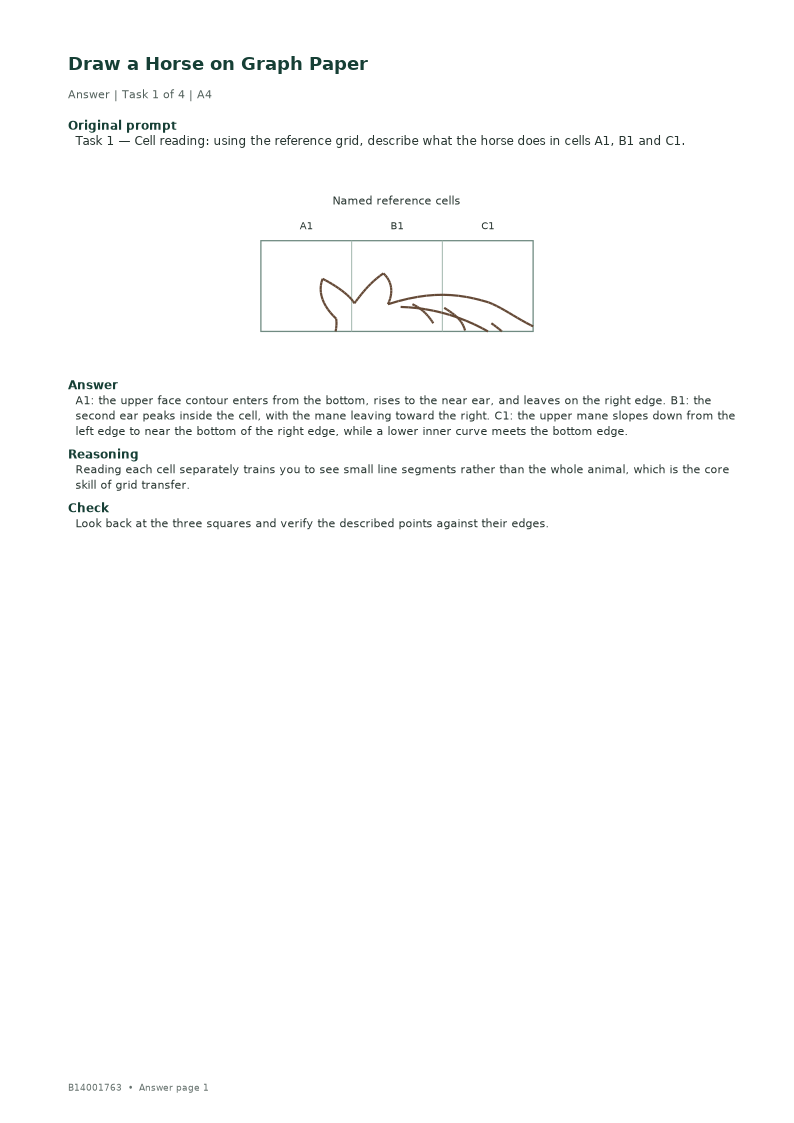
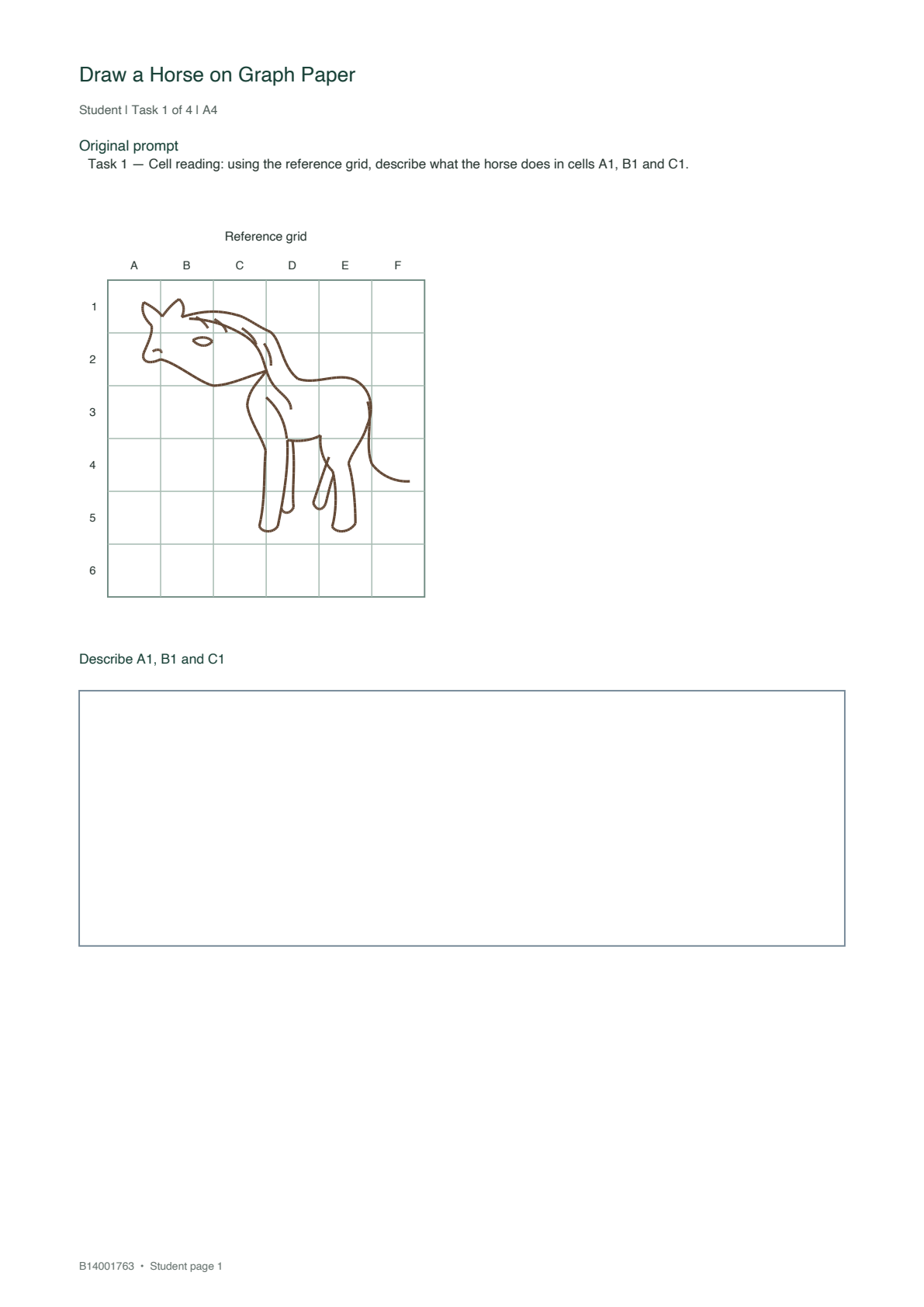
Task 1 — Cell reading: using the reference grid, describe what the horse does in cells A1, B1 and C1.
Show answer 1
A1: the upper face contour enters from the bottom, rises to the near ear, and leaves on the right edge. B1: the second ear peaks inside the cell, with the mane leaving toward the right. C1: the upper mane slopes down from the left edge to near the bottom of the right edge, while a lower inner curve meets the bottom edge.
Reading each cell separately trains you to see small line segments rather than the whole animal, which is the core skill of grid transfer.
Check: Look back at the three squares and verify the described points against their edges.
Task 2
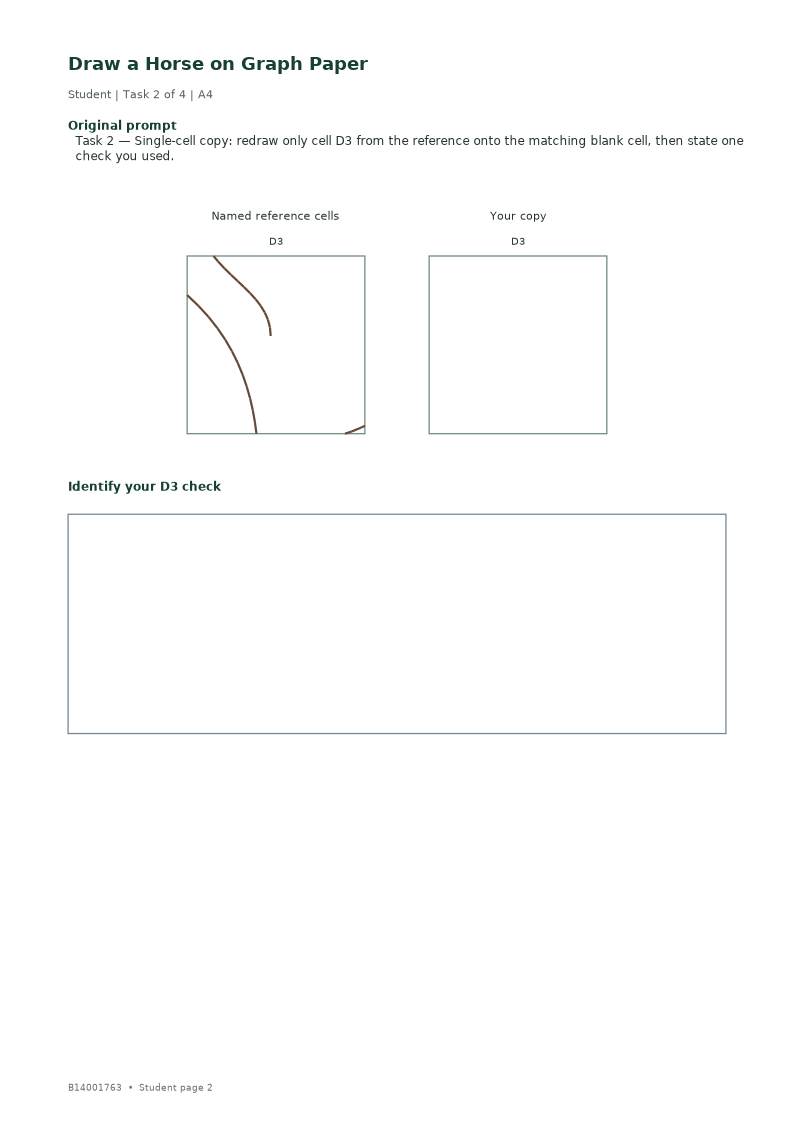
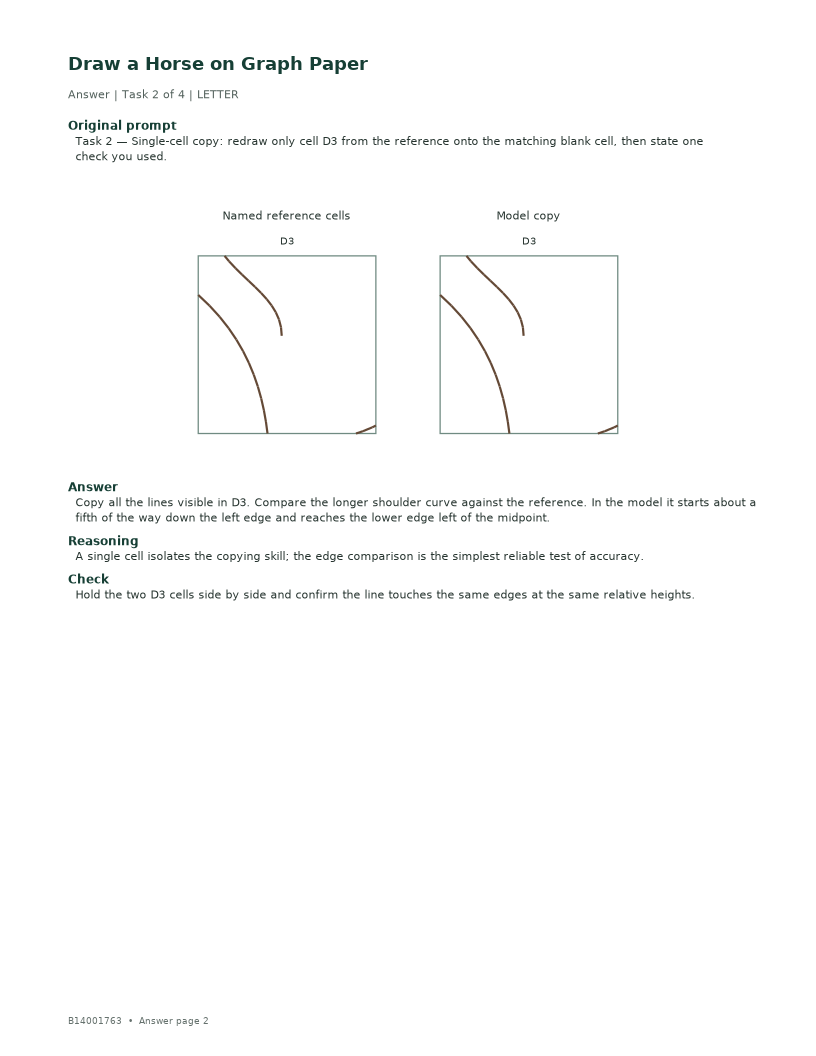
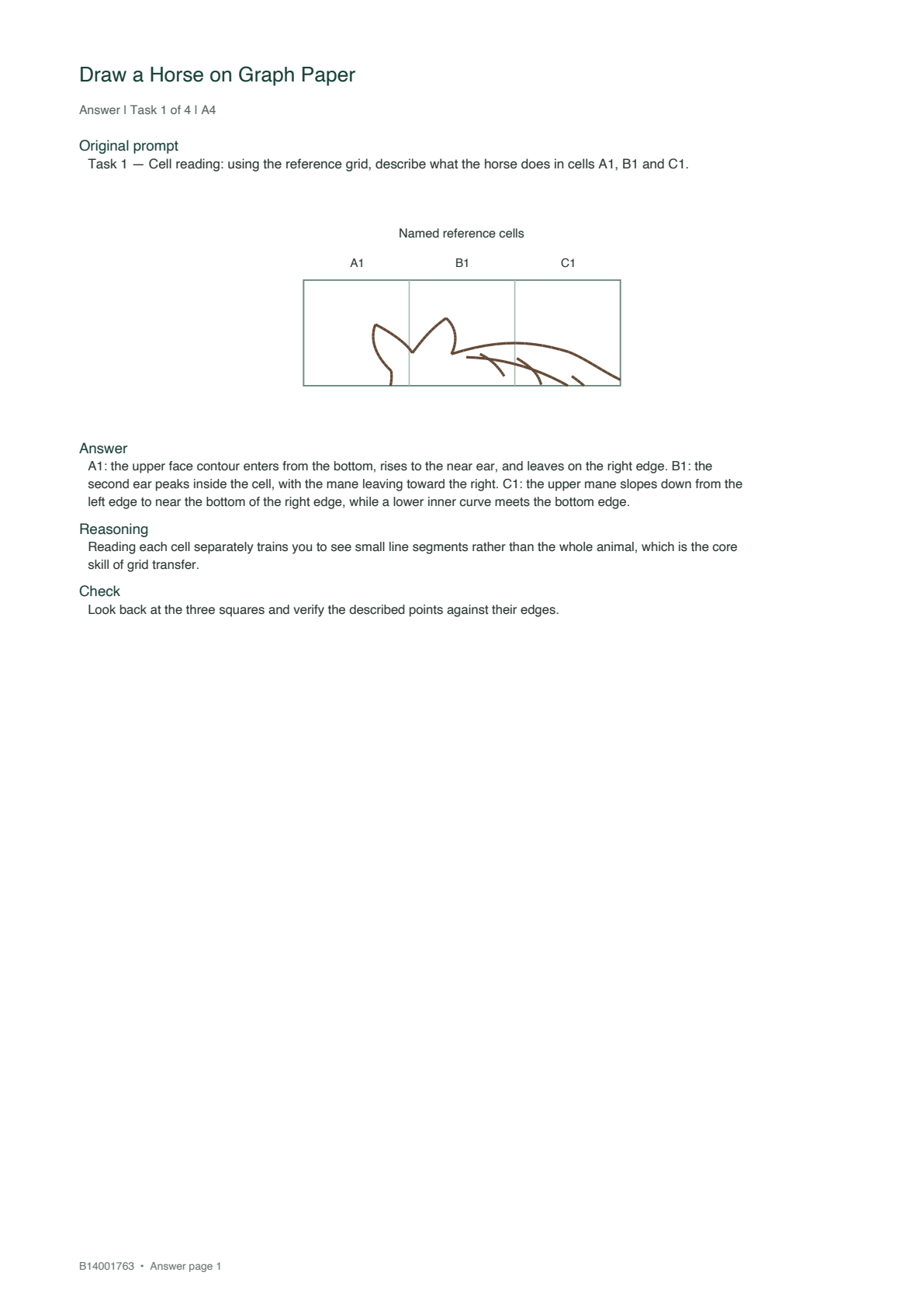
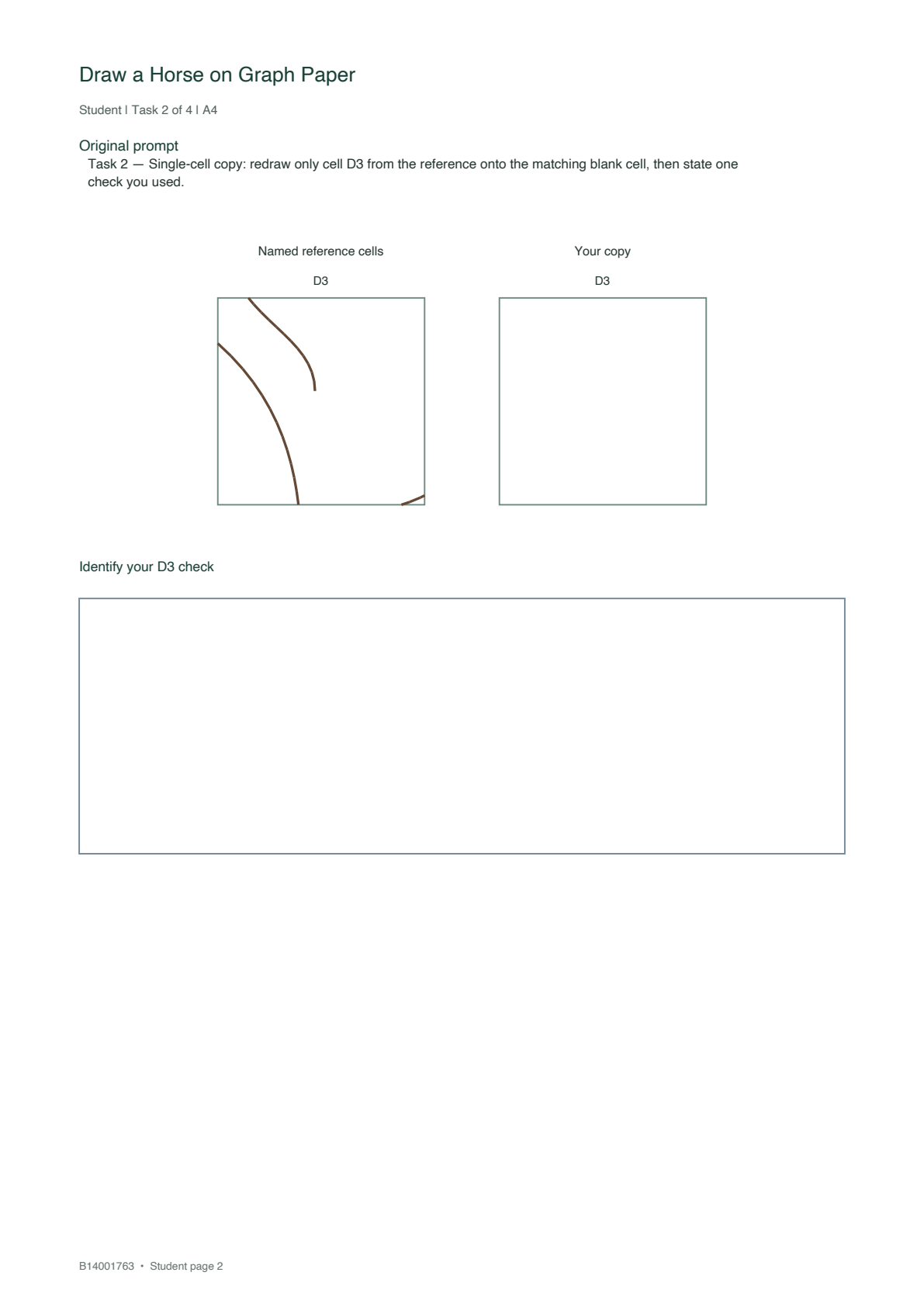
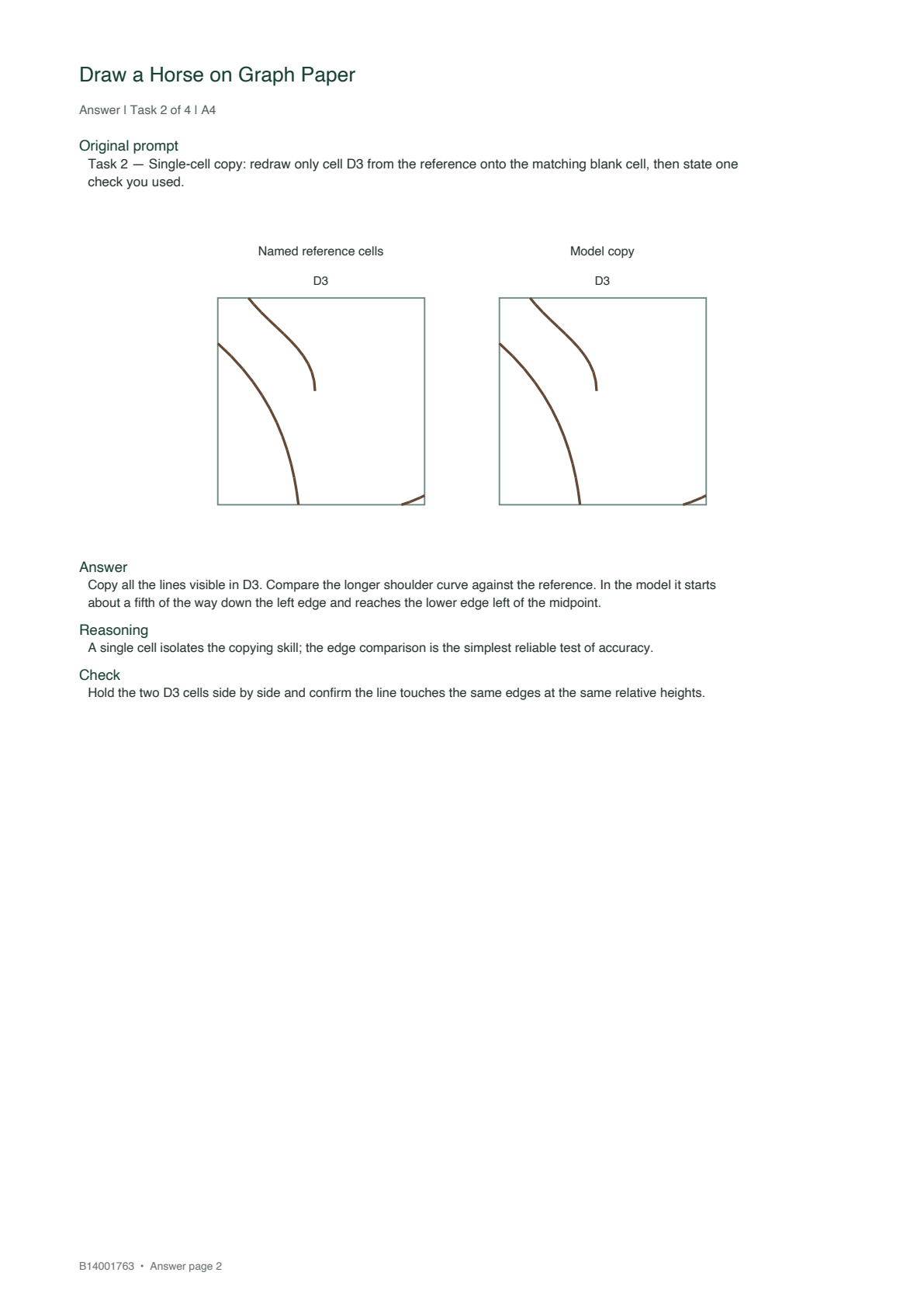
Task 2 — Single-cell copy: redraw only cell D3 from the reference onto the matching blank cell, then state one check you used.
Show answer 2
Copy all the lines visible in D3. Compare the longer shoulder curve against the reference. In the model it starts about a fifth of the way down the left edge and reaches the lower edge left of the midpoint.
A single cell isolates the copying skill; the edge comparison is the simplest reliable test of accuracy.
Check: Hold the two D3 cells side by side and confirm the line touches the same edges at the same relative heights.
Task 3
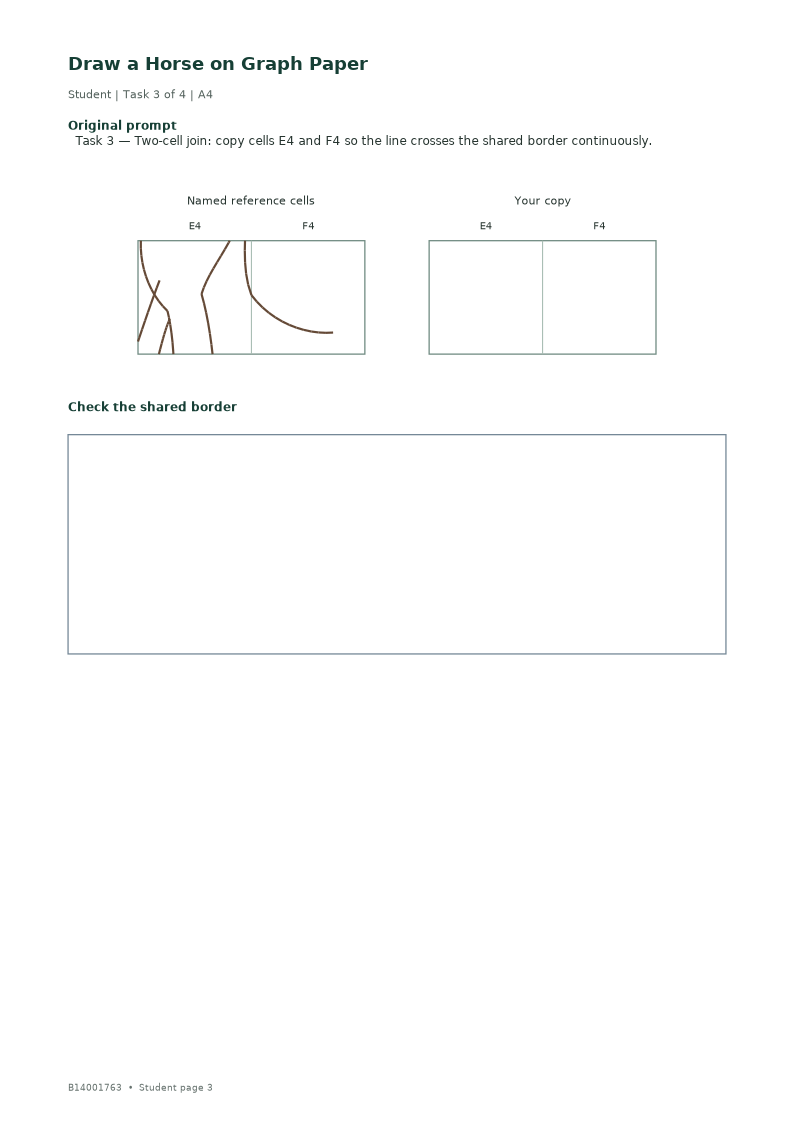
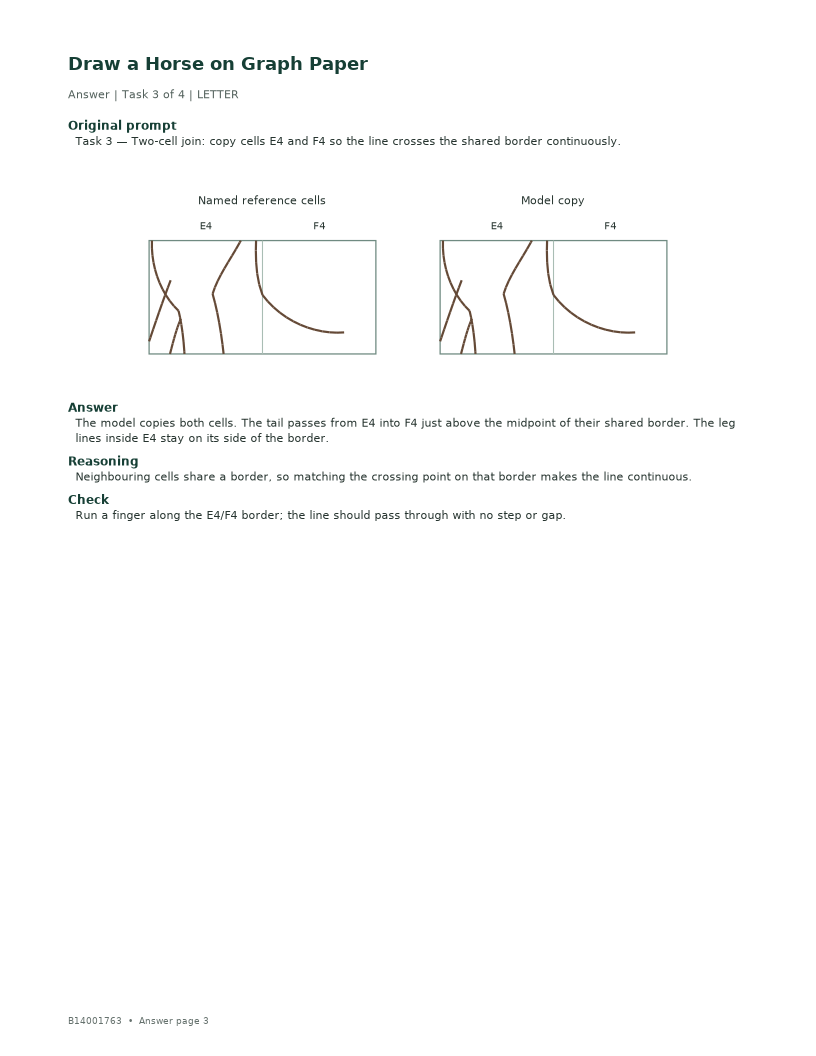
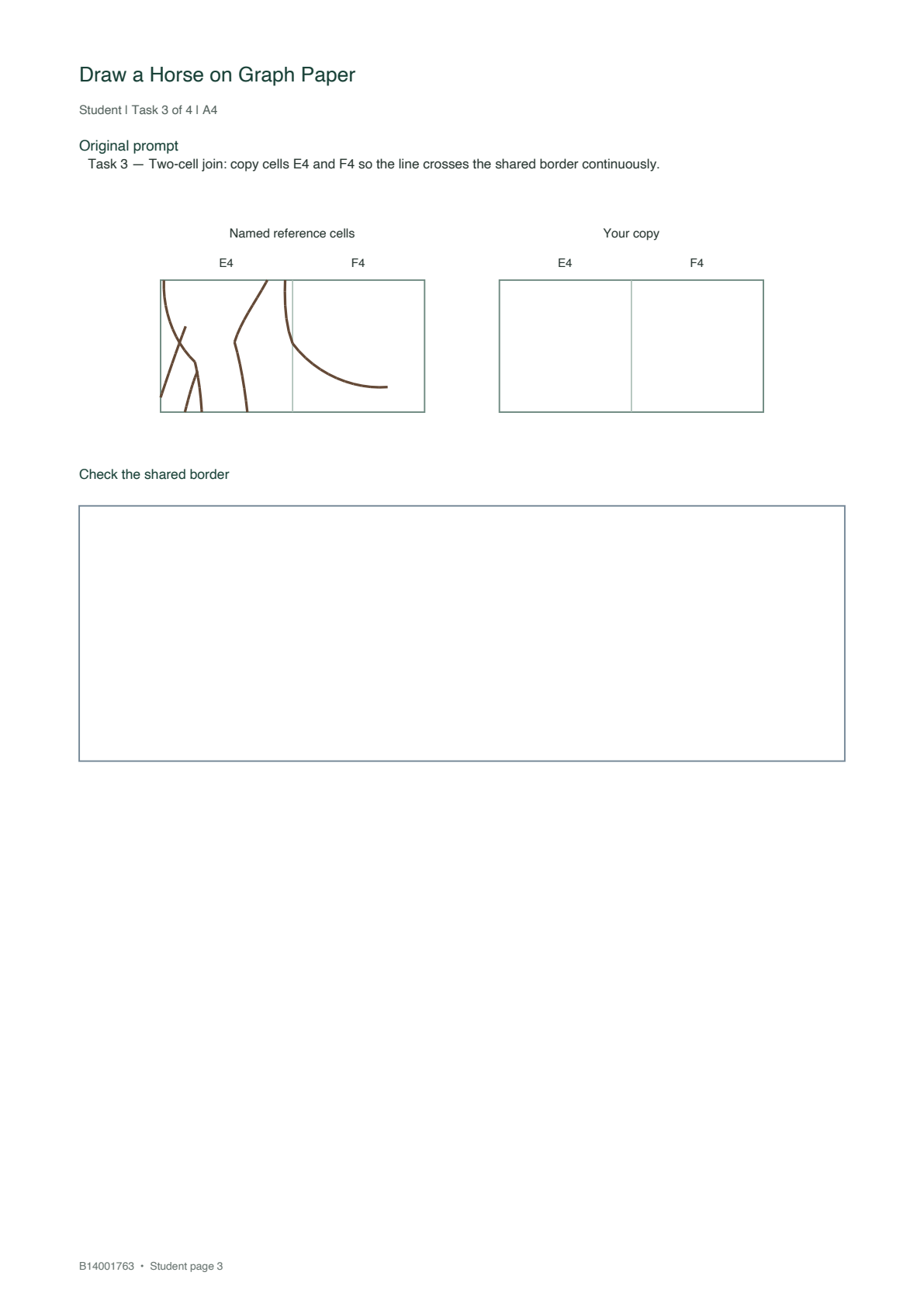
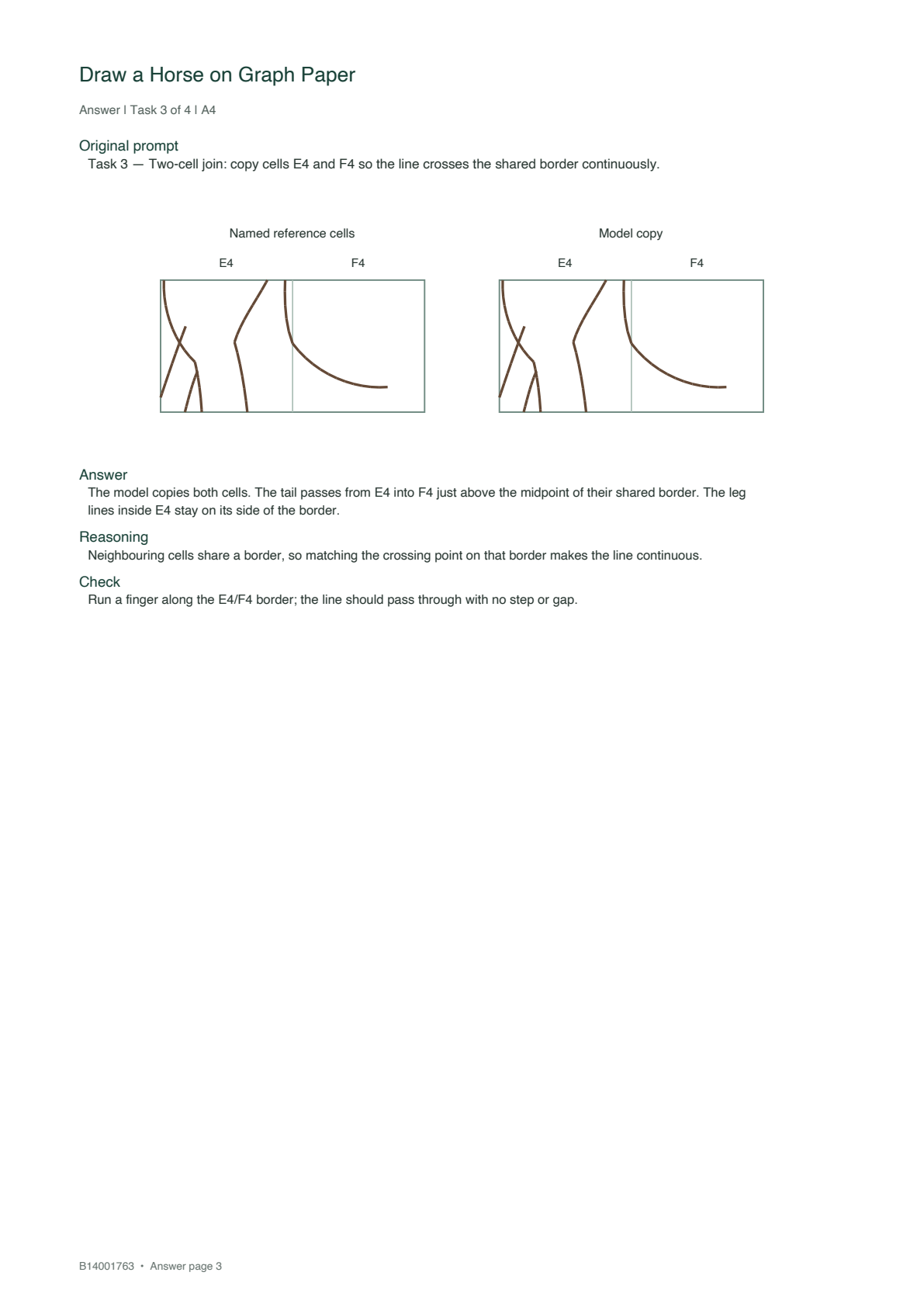
Task 3 — Two-cell join: copy cells E4 and F4 so the line crosses the shared border continuously.
Show answer 3
The model copies both cells. The tail passes from E4 into F4 just above the midpoint of their shared border. The leg lines inside E4 stay on its side of the border.
Neighbouring cells share a border, so matching the crossing point on that border makes the line continuous.
Check: Run a finger along the E4/F4 border; the line should pass through with no step or gap.
Task 4
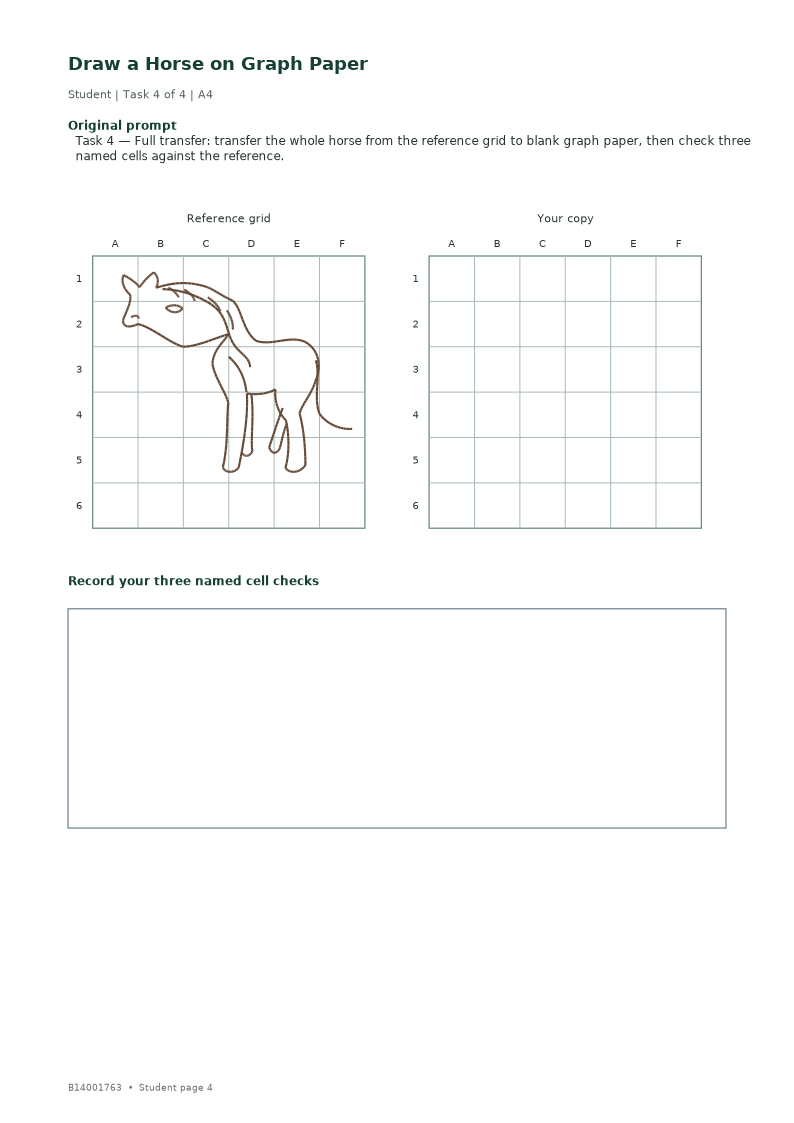
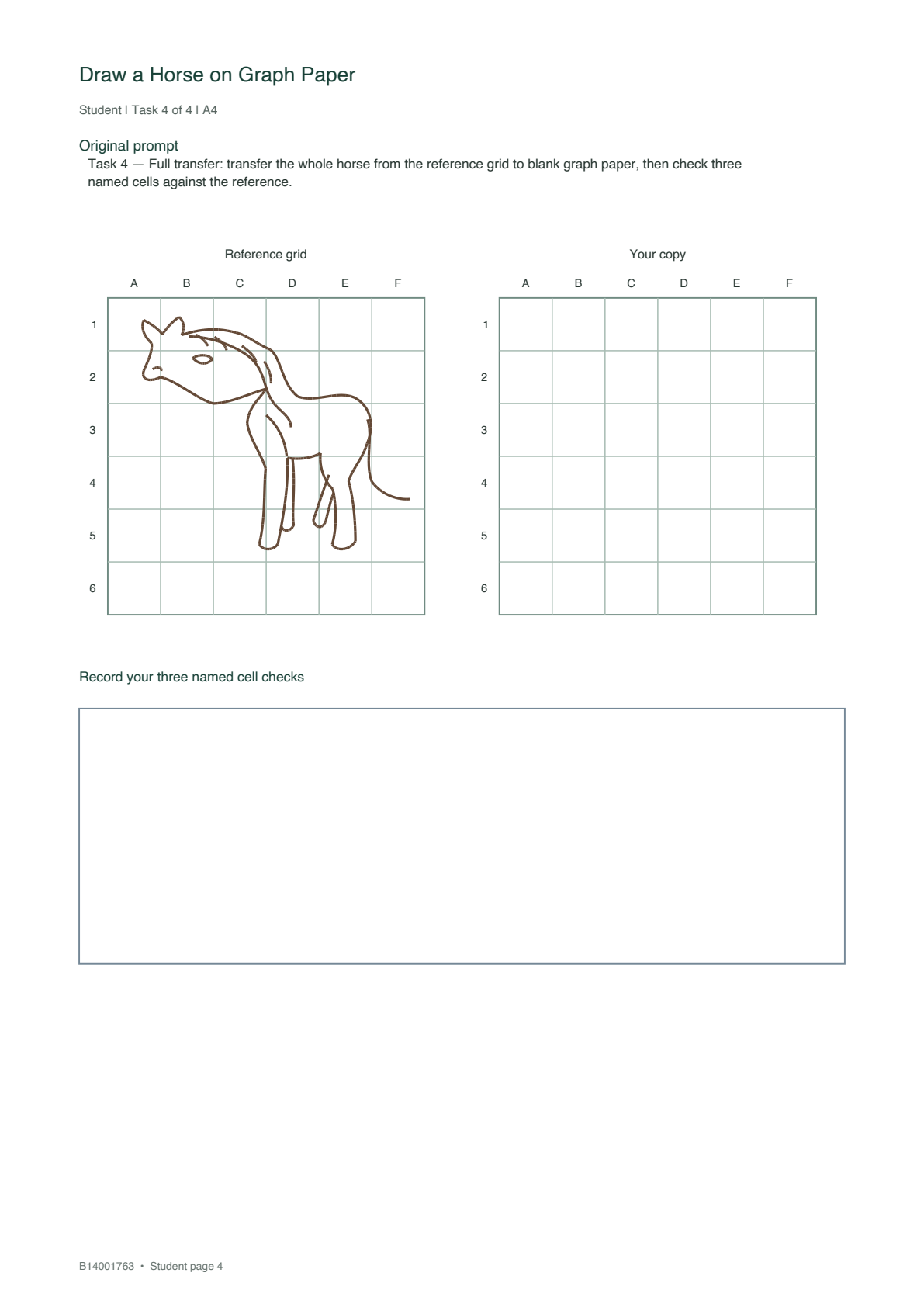
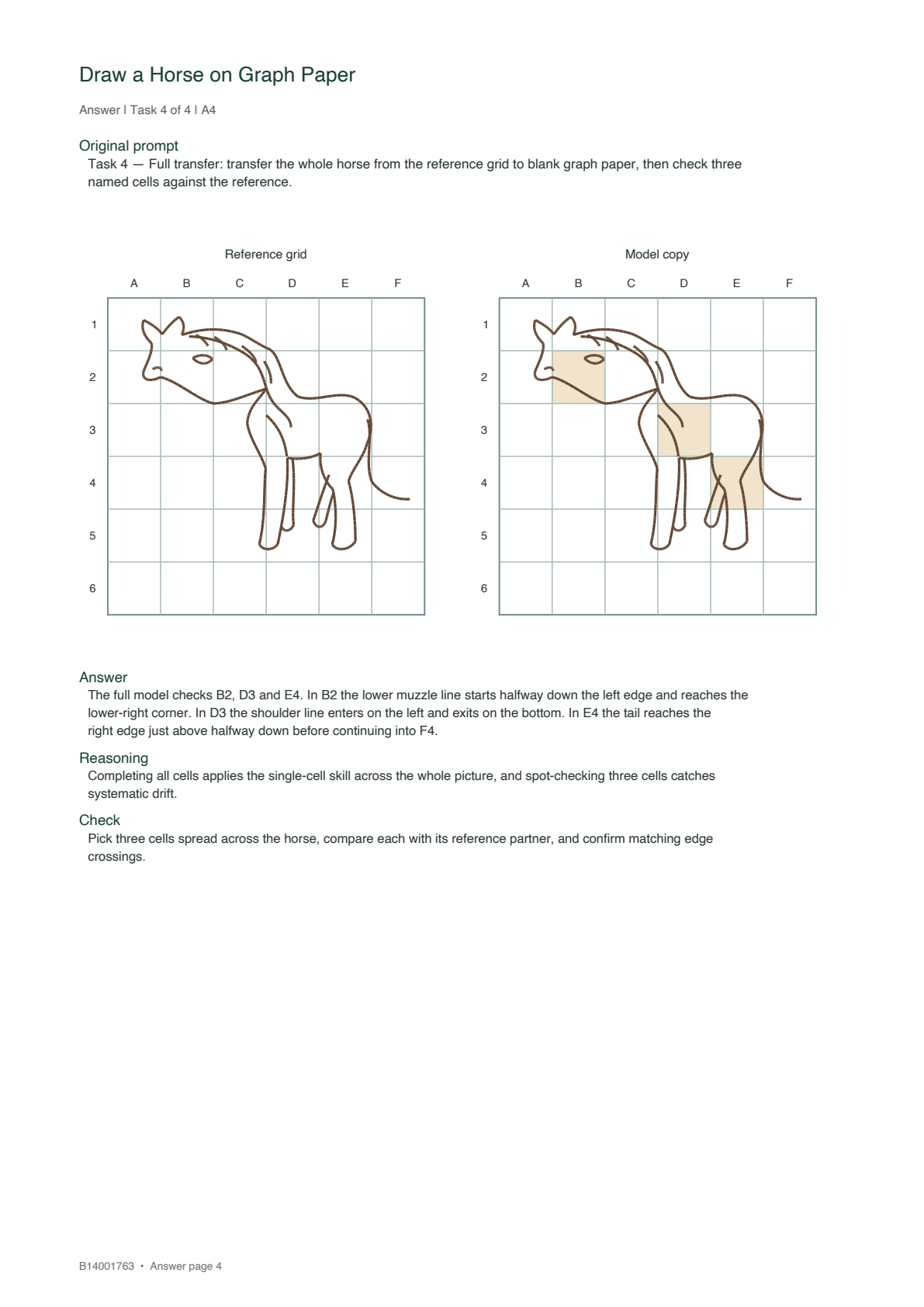
Task 4 — Full transfer: transfer the whole horse from the reference grid to blank graph paper, then check three named cells against the reference.
Show answer 4
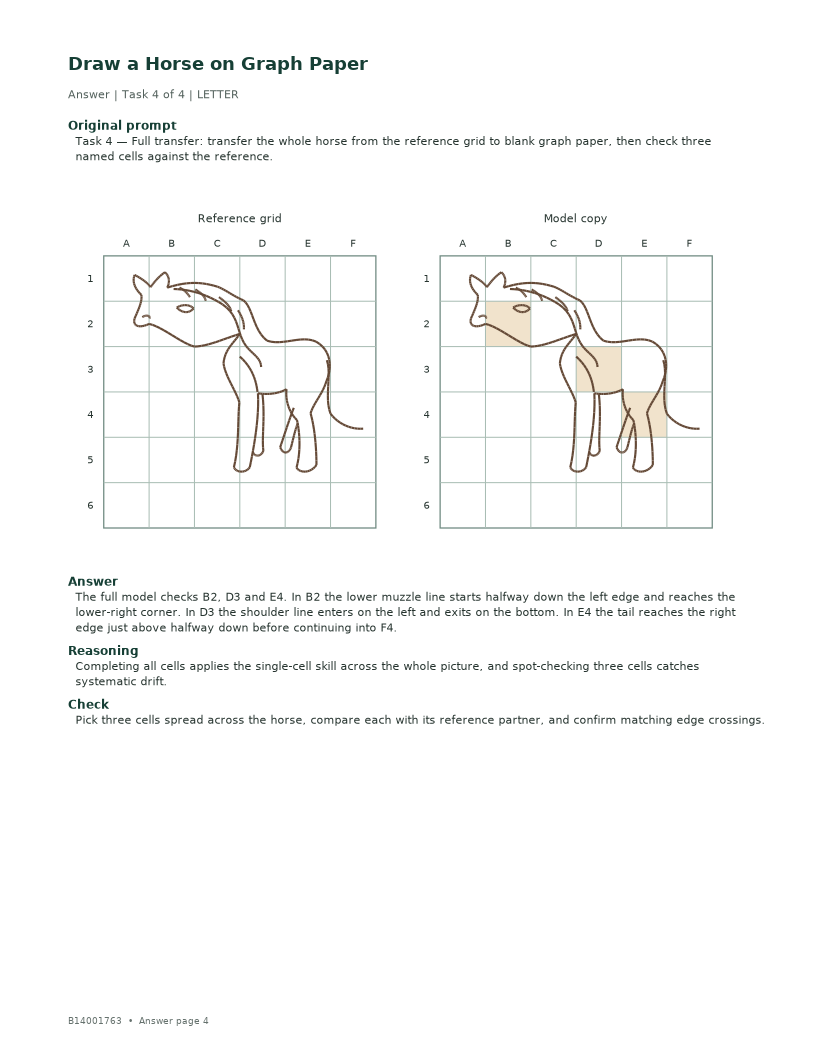
The full model checks B2, D3 and E4. In B2 the lower muzzle line starts halfway down the left edge and reaches the lower-right corner. In D3 the shoulder line enters on the left and exits on the bottom. In E4 the tail reaches the right edge just above halfway down before continuing into F4.
Completing all cells applies the single-cell skill across the whole picture, and spot-checking three cells catches systematic drift.
Check: Pick three cells spread across the horse, compare each with its reference partner, and confirm matching edge crossings.
Useful checks
- Drawing the whole horse outline first and using the grid only as decoration. Work one cell at a time and finish each cell before starting the next.
- Mismatching cell names, such as copying reference C4 into blank D4. Say the letter and number aloud before drawing, and re-check the label on both sheets.
- Ignoring where lines cross cell borders, so the horse breaks into disconnected pieces. For every cell, note the entry and exit points on its edges and match them to the neighbouring cell.
Questions about this resource
Do the reference grid and my blank grid need the same number of squares?
Yes. Matching row and column counts is what makes each cell name point to the same place on both sheets.
Can I draw the horse larger than the reference?
Yes, as long as your blank grid has the same number of squares; each square is simply bigger, and the cell-by-cell method still works.