Free original lessons
Halloween Grid Drawing
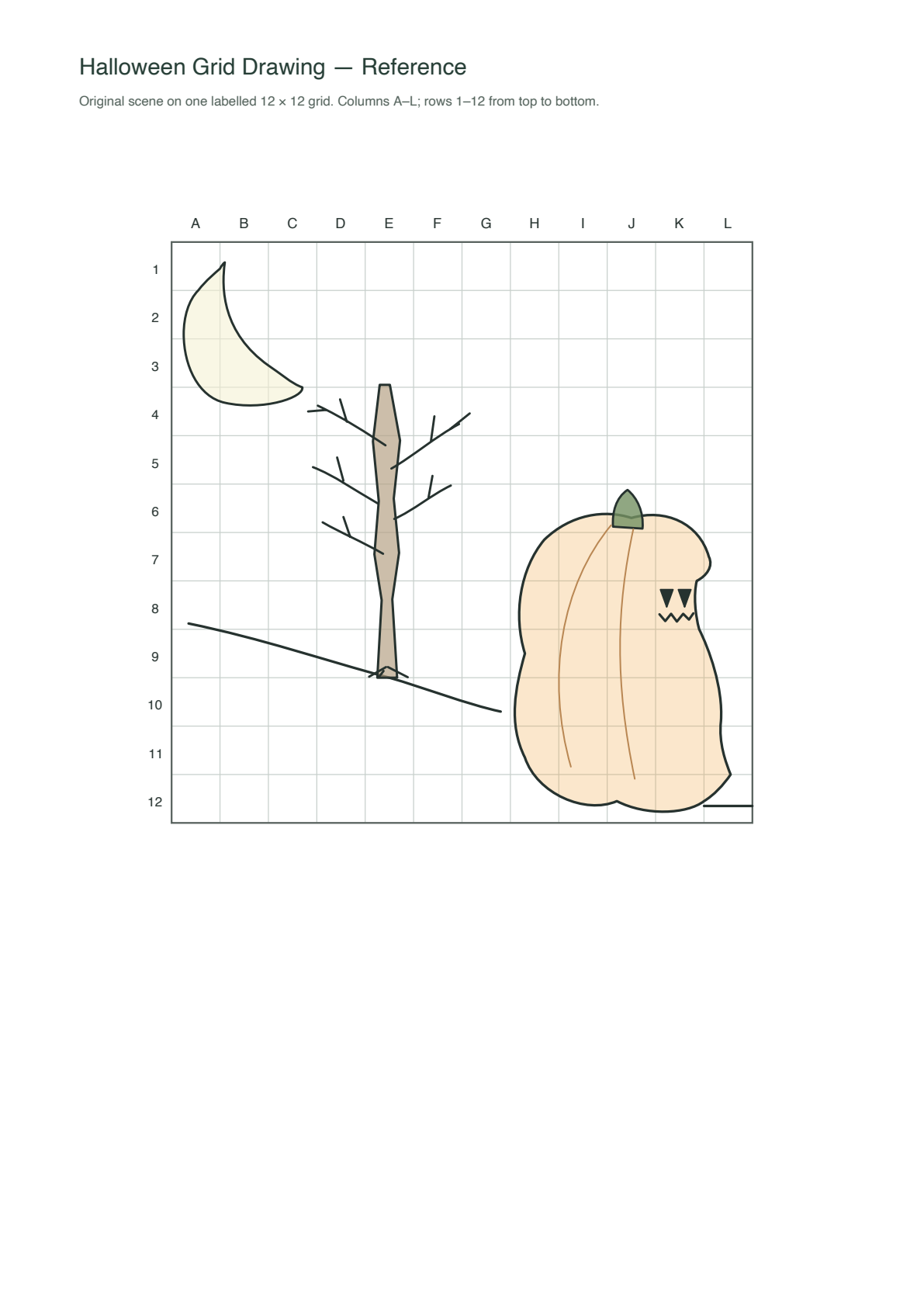
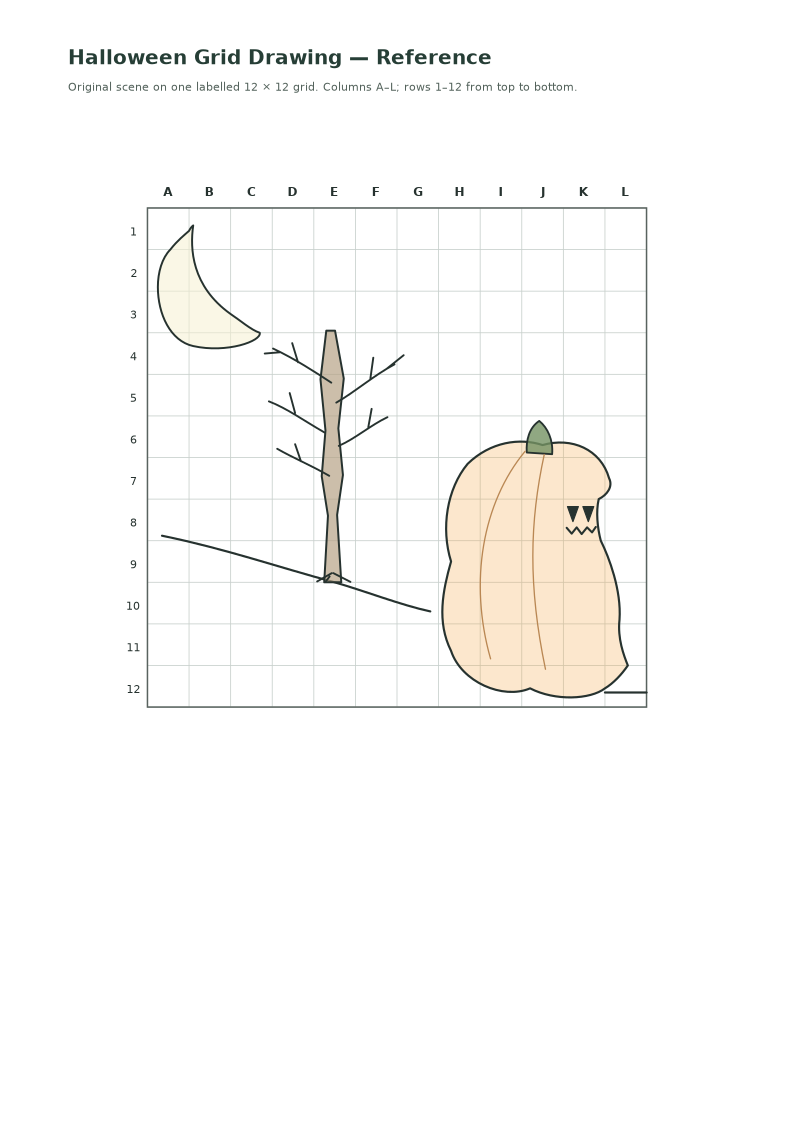
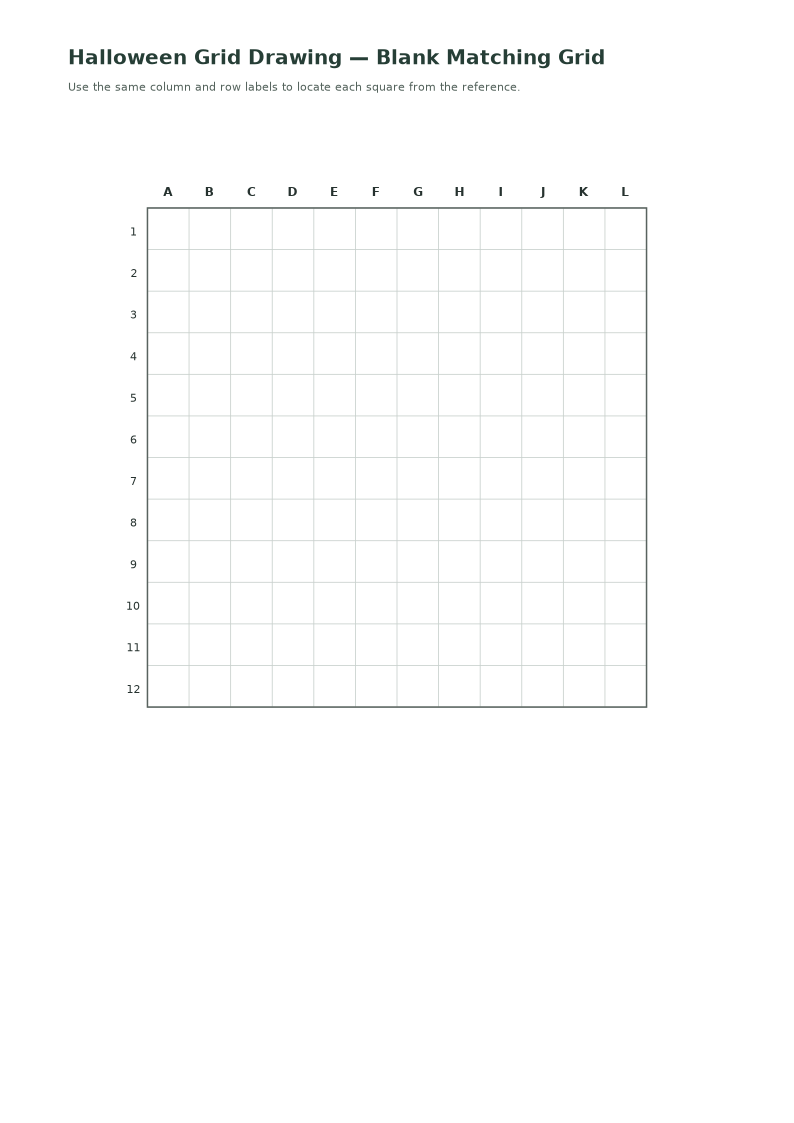
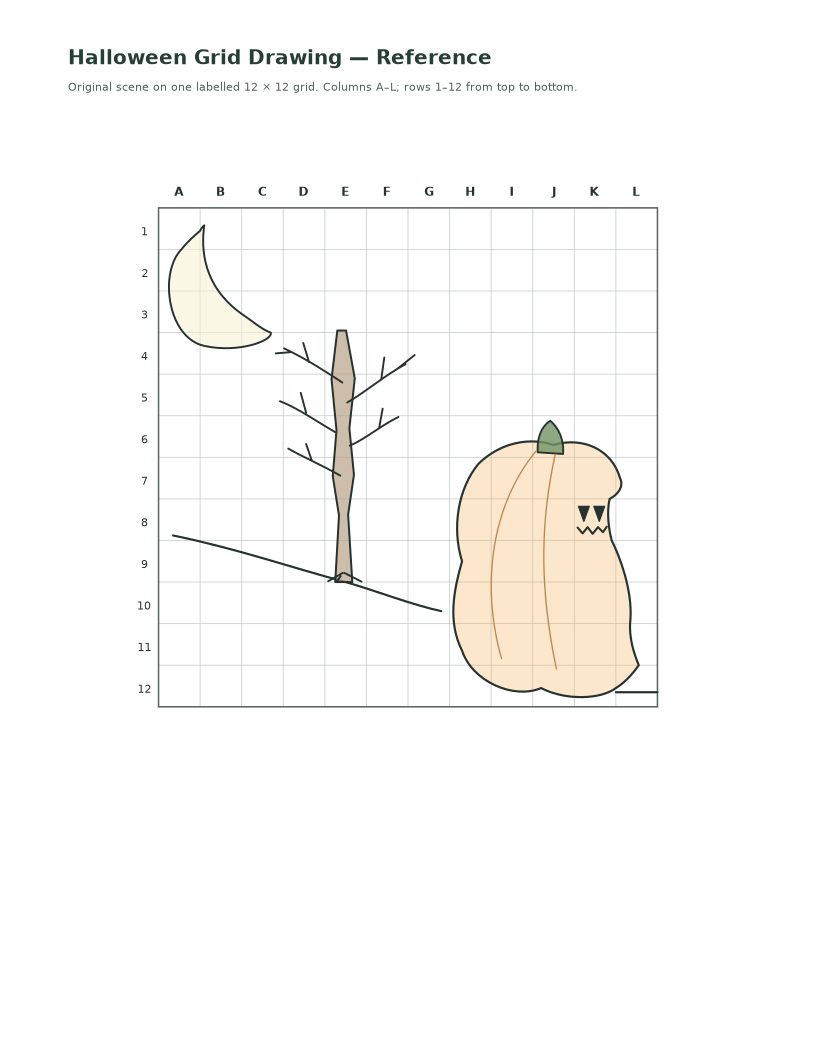
This pack teaches drawing on the grid for All Hallows Eve: you copy a chosen reference plate square by square onto a blank grid of the same size. The reference is a simple, original Halloween scene — a jack-o'-lantern beside a bare tree under a crescent moon — chosen for clear, high-contrast shapes that are easy to locate by grid position. You will learn to read each square's contents, place the matching marks in the blank square, and check your copy against the reference.
Letter & A4
PDF & SVG
What grid-copy drawing is
Grid-copy drawing means dividing a reference picture into equal squares and reproducing each square's shapes in the matching square of a blank grid. The grid turns a whole scene into small, manageable pieces, so you judge position and shape one square at a time instead of guessing the whole layout.
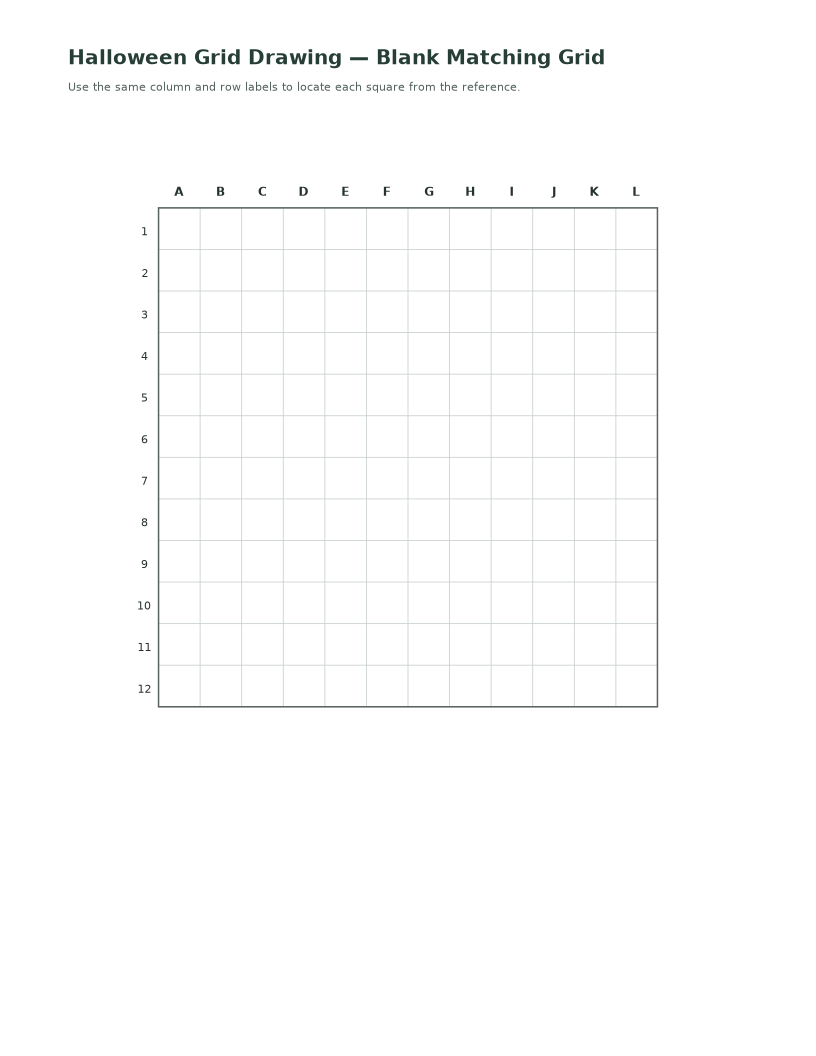
For this All Hallows Eve plate, the reference and the blank grid use the same number of rows and columns. You match square by square: the top-left reference square goes to the top-left blank square, and so on. The grid is a locating tool, not a measurement standard.
Reading a square
Before drawing, look at what each reference square contains: which edges a shape crosses, where a line enters and leaves the square, and how much of the square is filled. Describe it in words first, such as 'the pumpkin's left curve enters at the top edge and exits at the bottom-left corner.'
Then place the same marks in the blank square, keeping the entry and exit points on the matching edges. Work in a consistent order — for example, top row left to right, then the next row — so you do not lose your place.
Checking your copy
After finishing, compare your drawing to the reference square by square. Check that each shape crosses the same edges, that the moon and pumpkin sit in the same relative squares, and that the tree's branches spread into the same regions.
A useful check is to cover the reference and redraw one square from memory, then uncover it and compare. Differences show which squares need another look.
Download the complete resource pack
All individual SVG pages (22)
- A4 reference page 1
- A4 reference page 2
- A4 reference page 3
- A4 student page 1
- A4 student page 2
- A4 student page 3
- A4 student page 4
- A4 answer page 1
- A4 answer page 2
- A4 answer page 3
- A4 answer page 4
- LETTER reference page 1
- LETTER reference page 2
- LETTER reference page 3
- LETTER student page 1
- LETTER student page 2
- LETTER student page 3
- LETTER student page 4
- LETTER answer page 1
- LETTER answer page 2
- LETTER answer page 3
- LETTER answer page 4
Print at 100% / actual size. Use the stated scale on any schematic diagram; physical cutting templates are identified separately. A4 and US Letter are separate files. Free access, no signup; CC BY 4.0.
How to use these pages
- What grid-copy drawing is
- Reading a square
- Checking your copy
Worked example
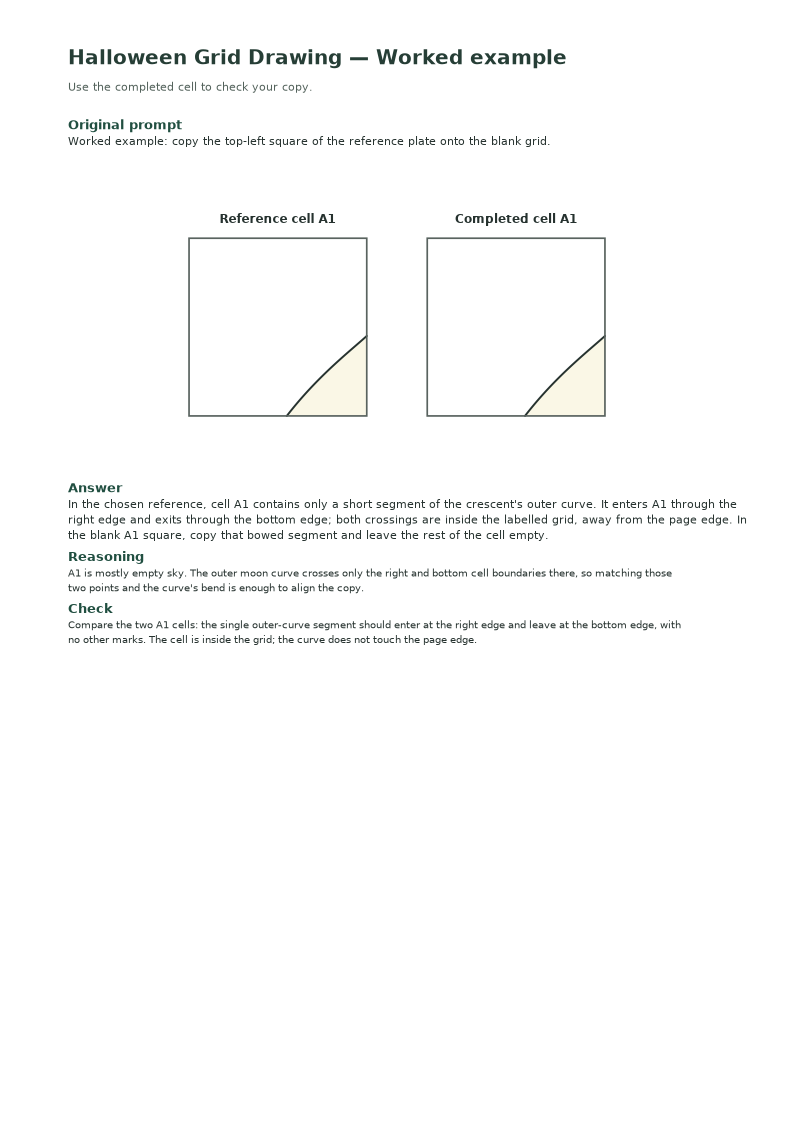
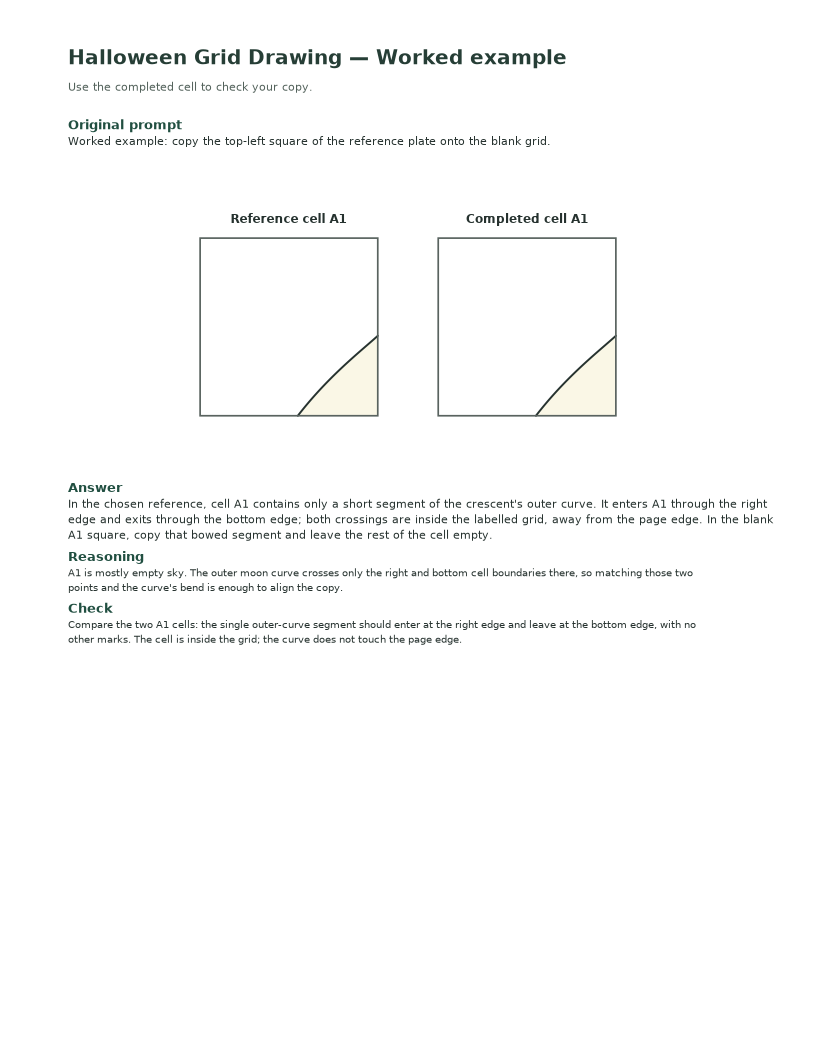
Example: Worked example: copy the top-left square of the reference plate onto the blank grid.
Answer: In the chosen reference, cell A1 contains only a short segment of the crescent's outer curve. It enters A1 through the right edge and exits through the bottom edge; both crossings are inside the labelled grid, away from the page edge. In the blank A1 square, copy that bowed segment and leave the rest of the cell empty.
Reasoning: A1 is mostly empty sky. The outer moon curve crosses only the right and bottom cell boundaries there, so matching those two points and the curve's bend is enough to align the copy.
Check: Compare the two A1 cells: the single outer-curve segment should enter at the right edge and leave at the bottom edge, with no other marks. The cell is inside the grid; the curve does not touch the page edge.
Four practice tasks and complete answers
Task 1
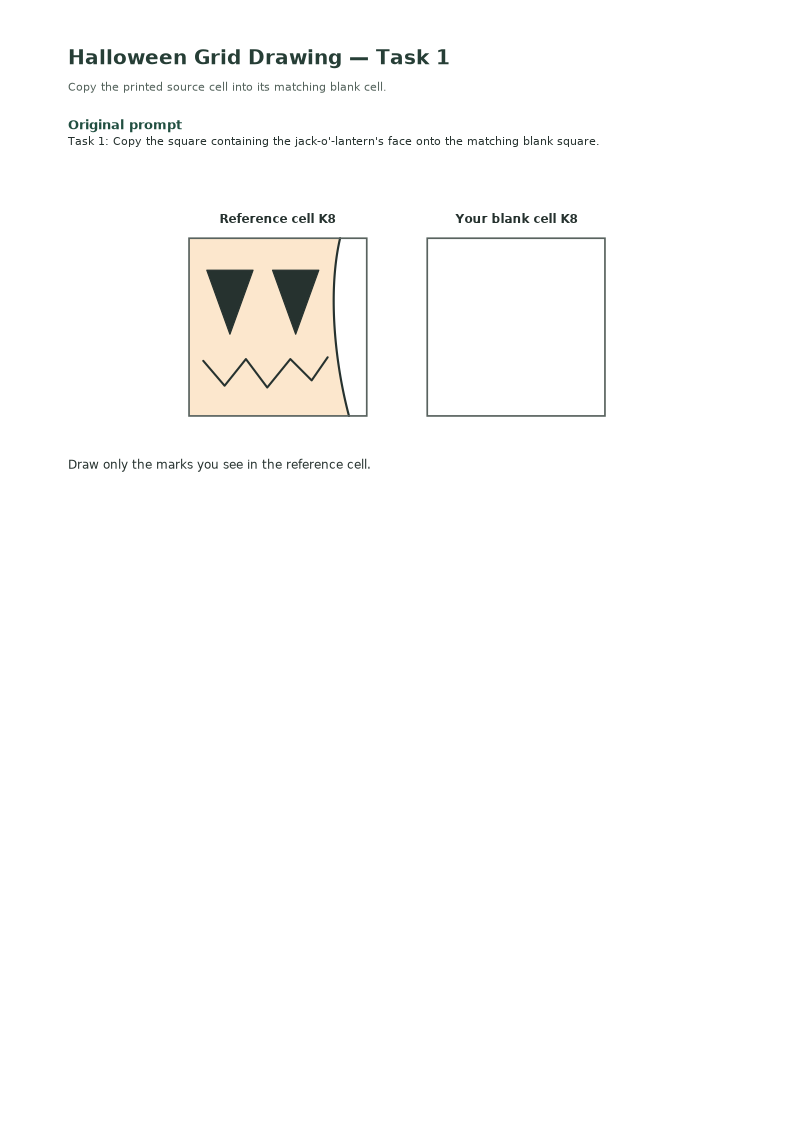
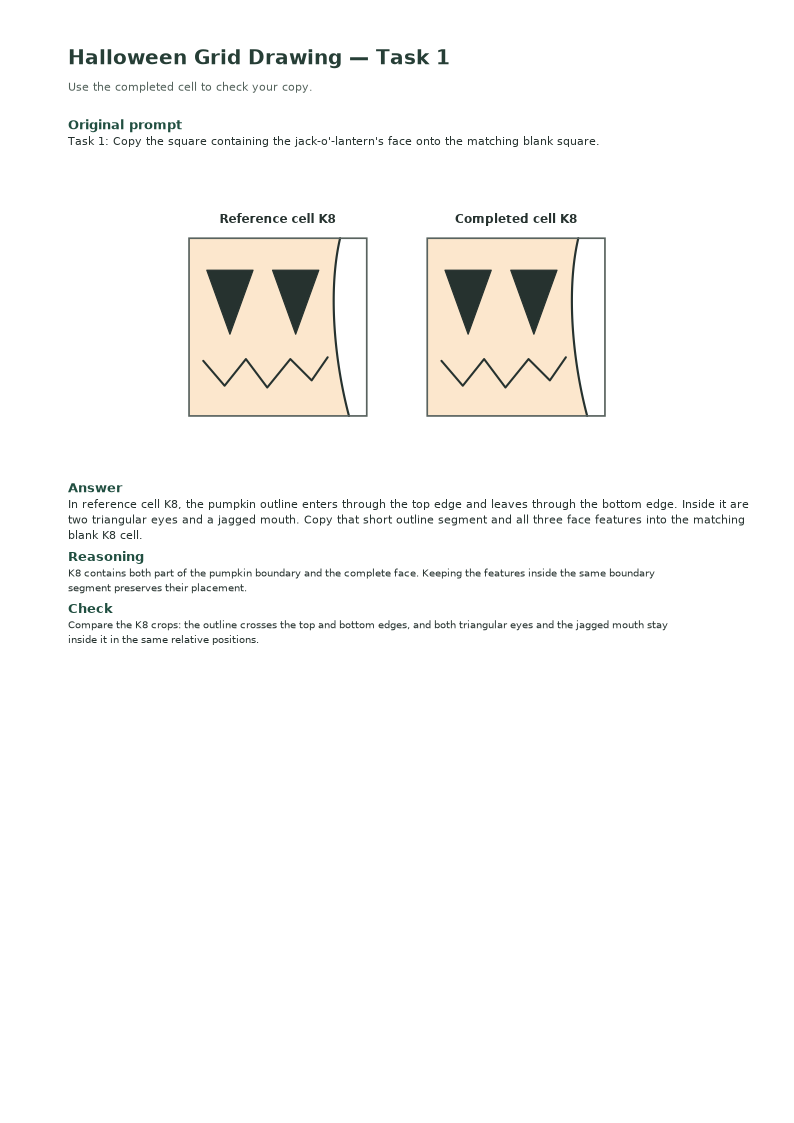
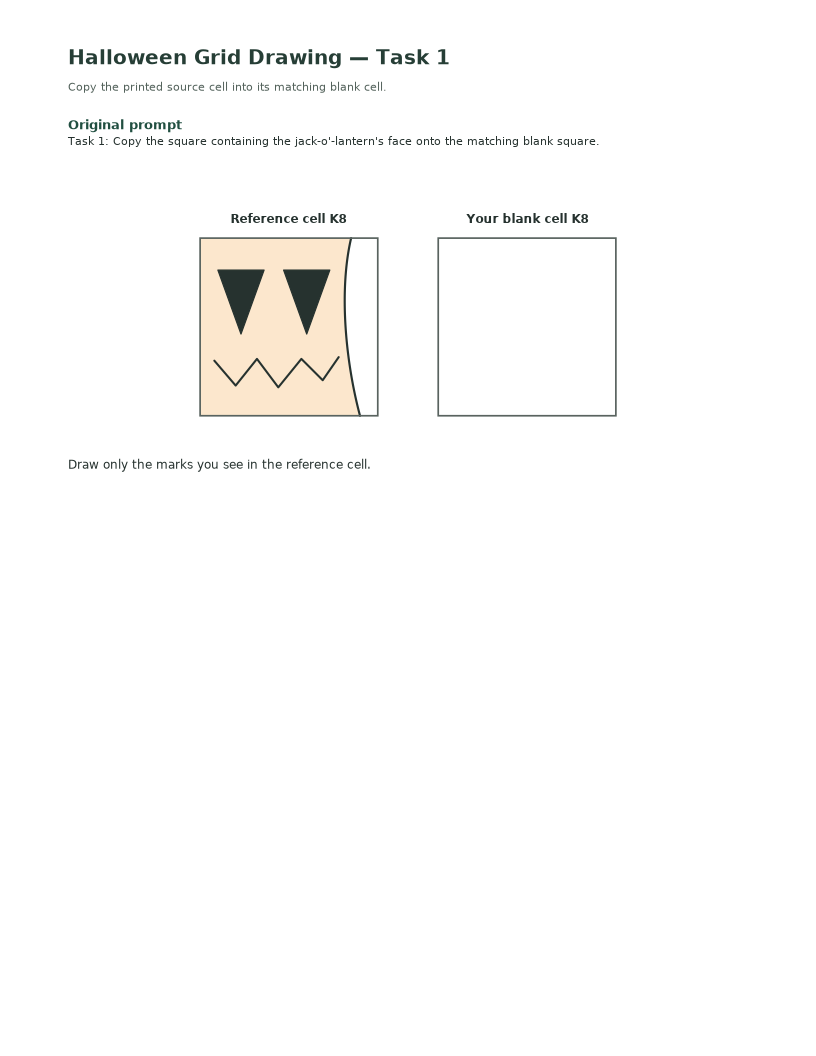
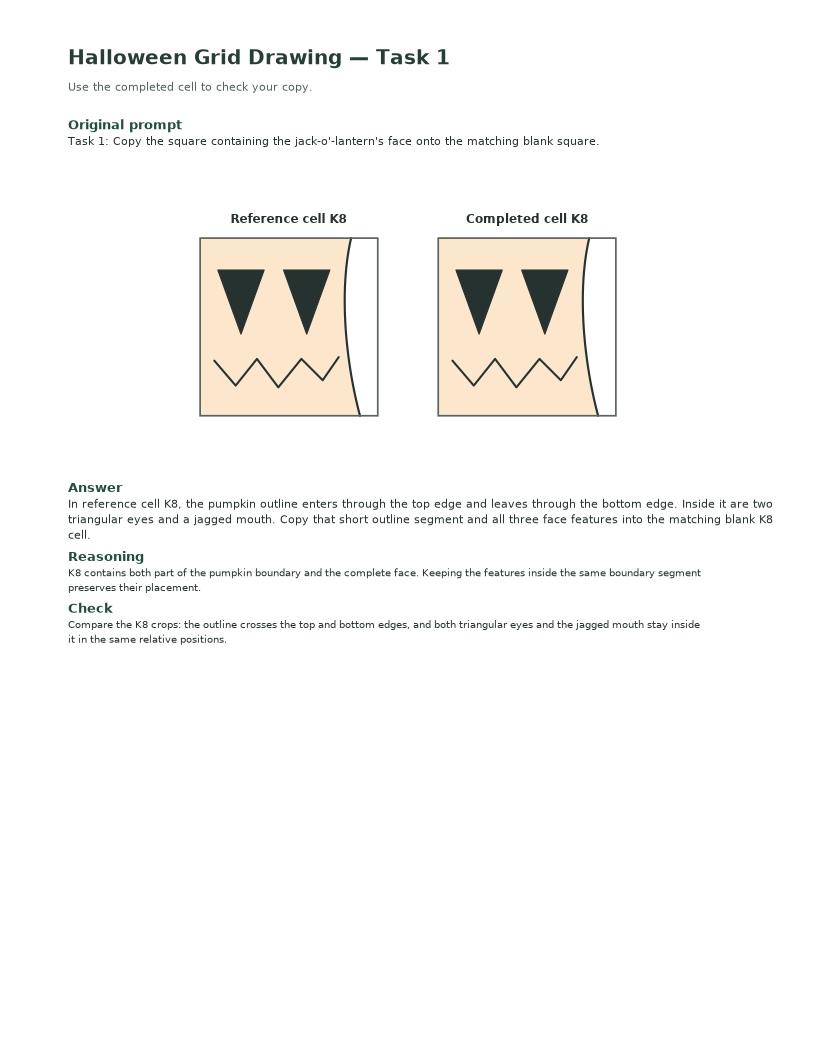
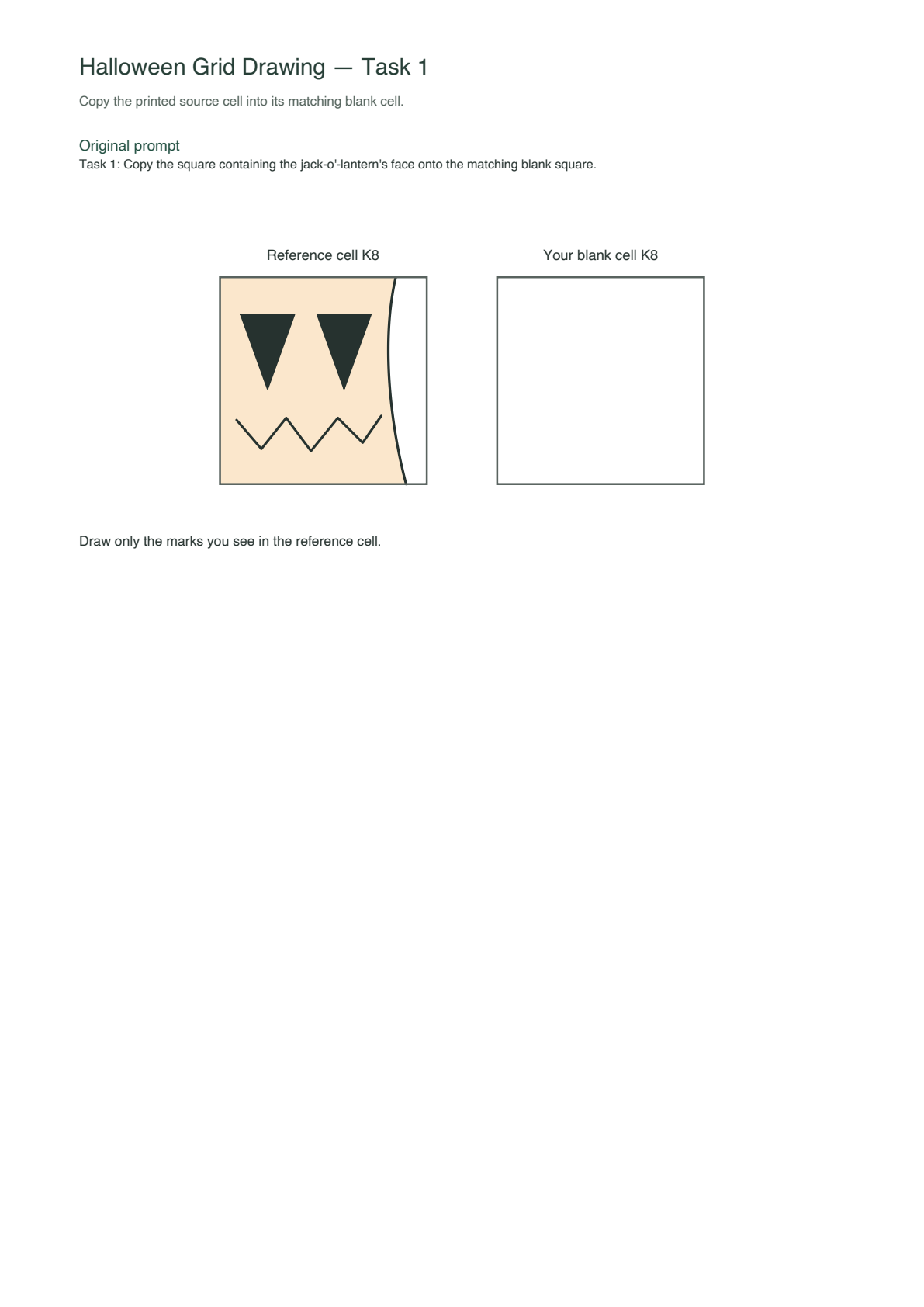
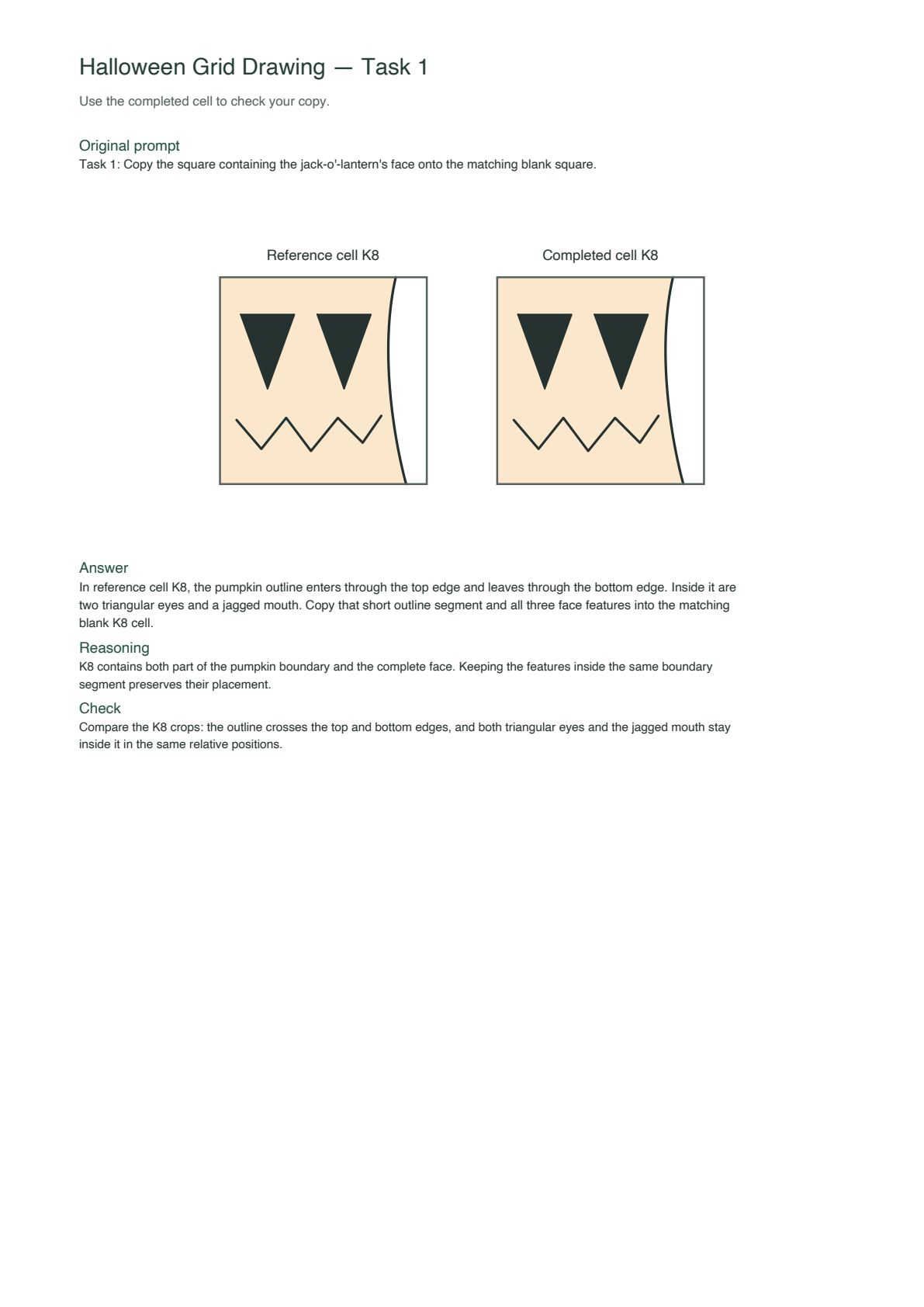
Task 1: Copy the square containing the jack-o'-lantern's face onto the matching blank square.
Show answer 1
In reference cell K8, the pumpkin outline enters through the top edge and leaves through the bottom edge. Inside it are two triangular eyes and a jagged mouth. Copy that short outline segment and all three face features into the matching blank K8 cell.
K8 contains both part of the pumpkin boundary and the complete face. Keeping the features inside the same boundary segment preserves their placement.
Check: Compare the K8 crops: the outline crosses the top and bottom edges, and both triangular eyes and the jagged mouth stay inside it in the same relative positions.
Task 2
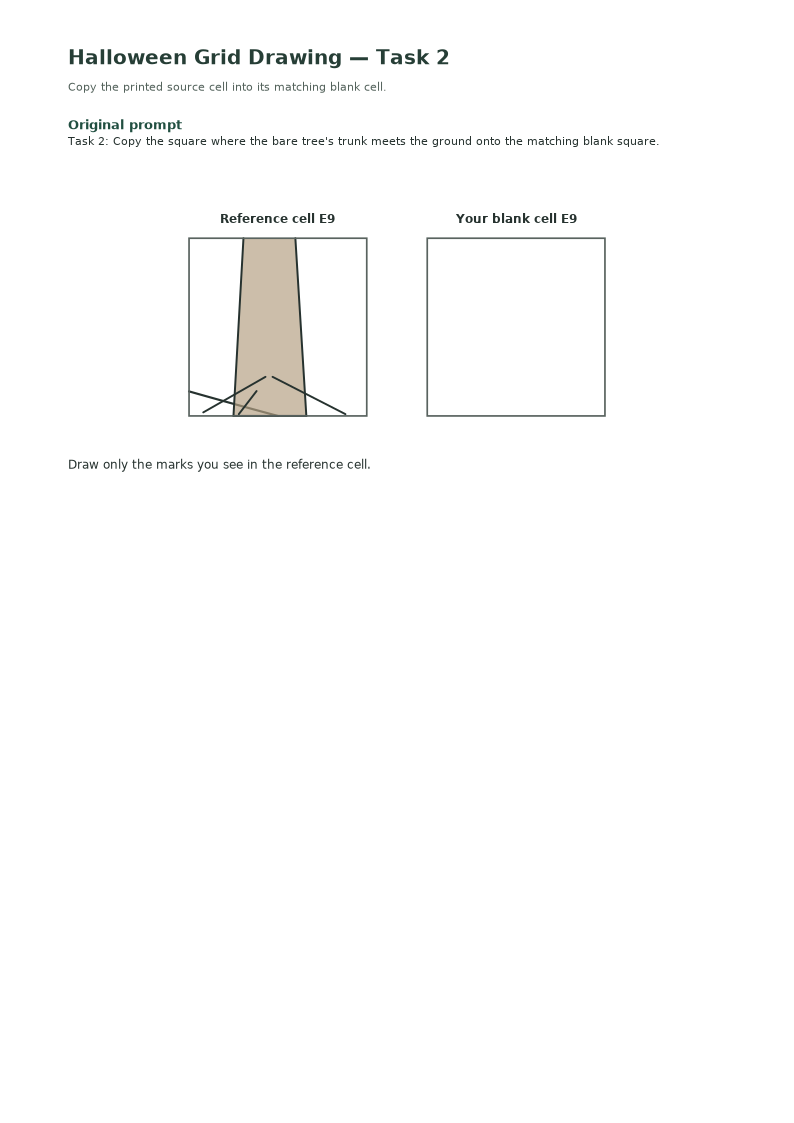
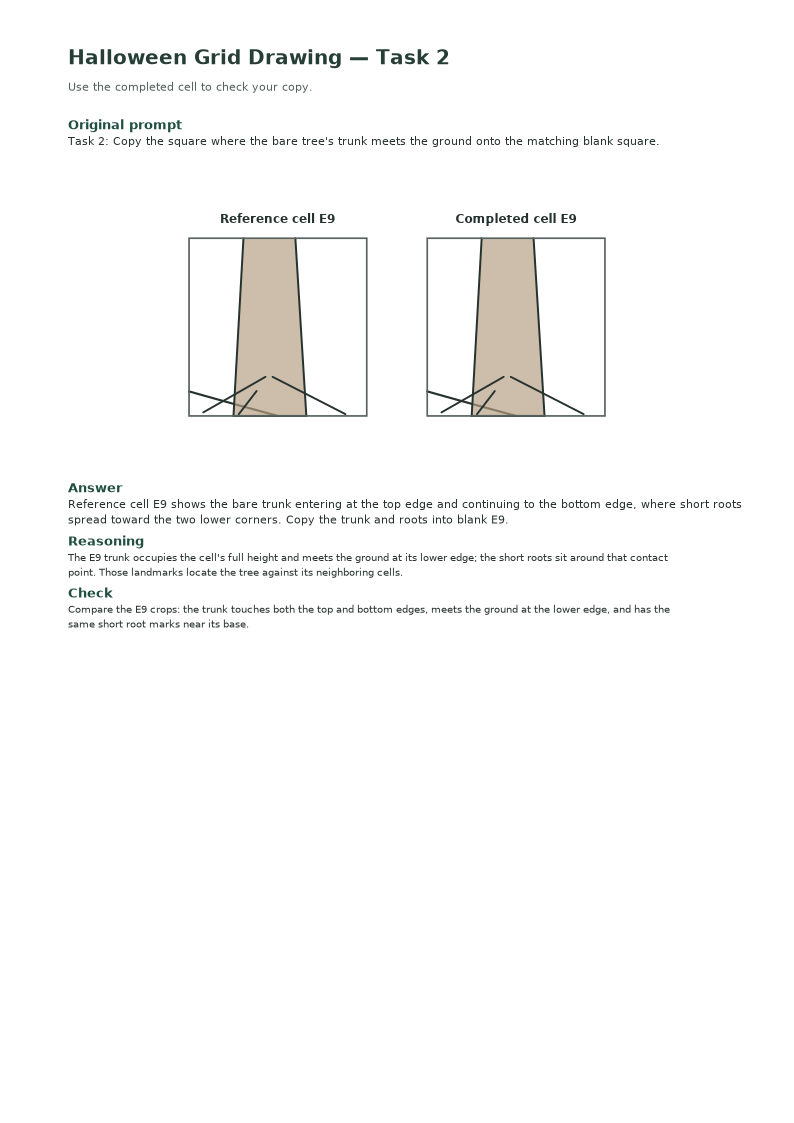
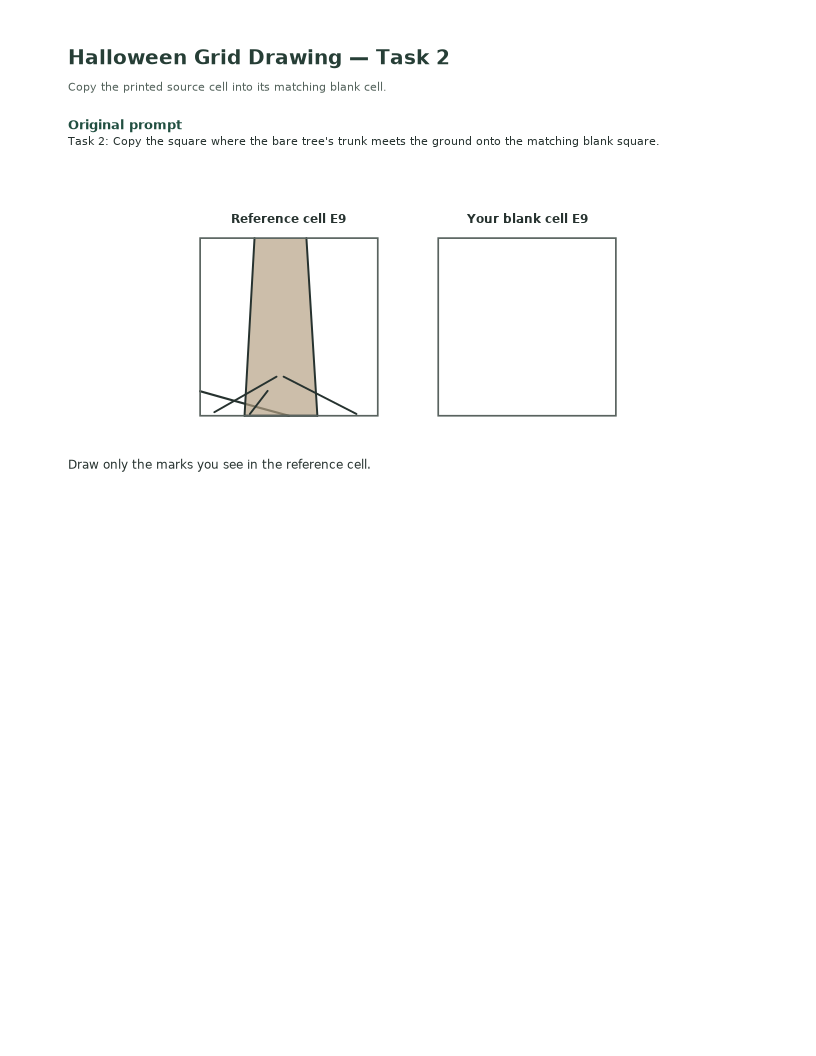
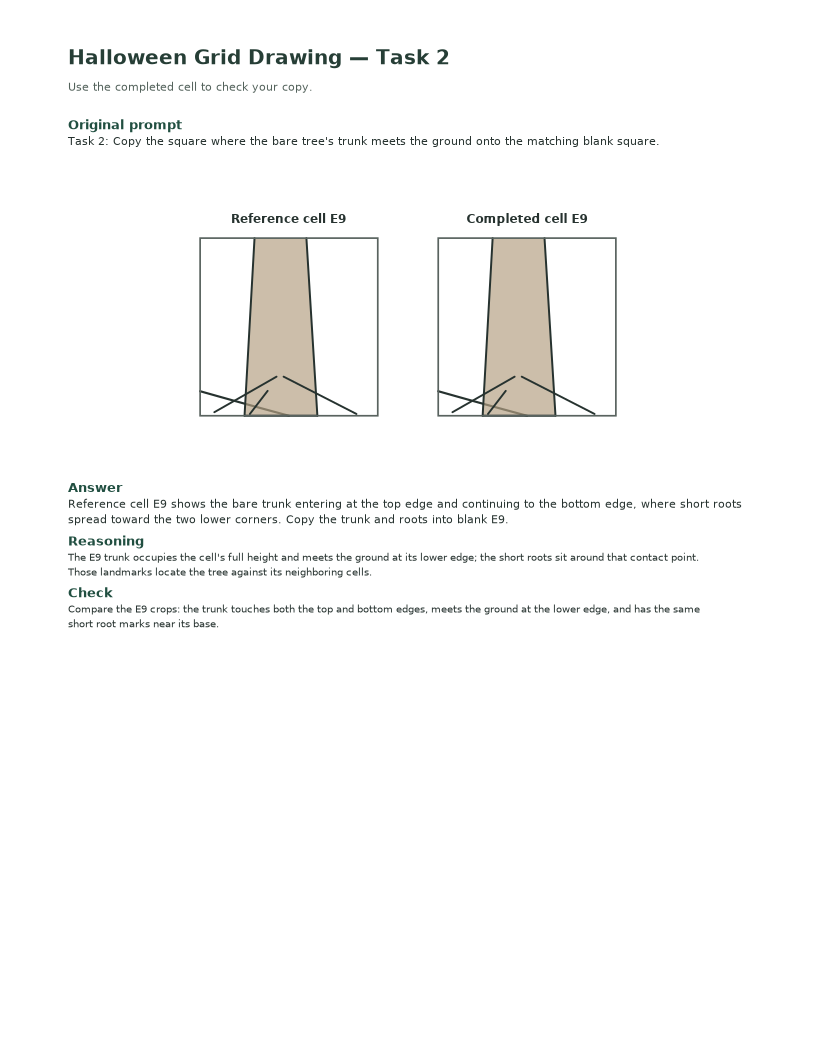
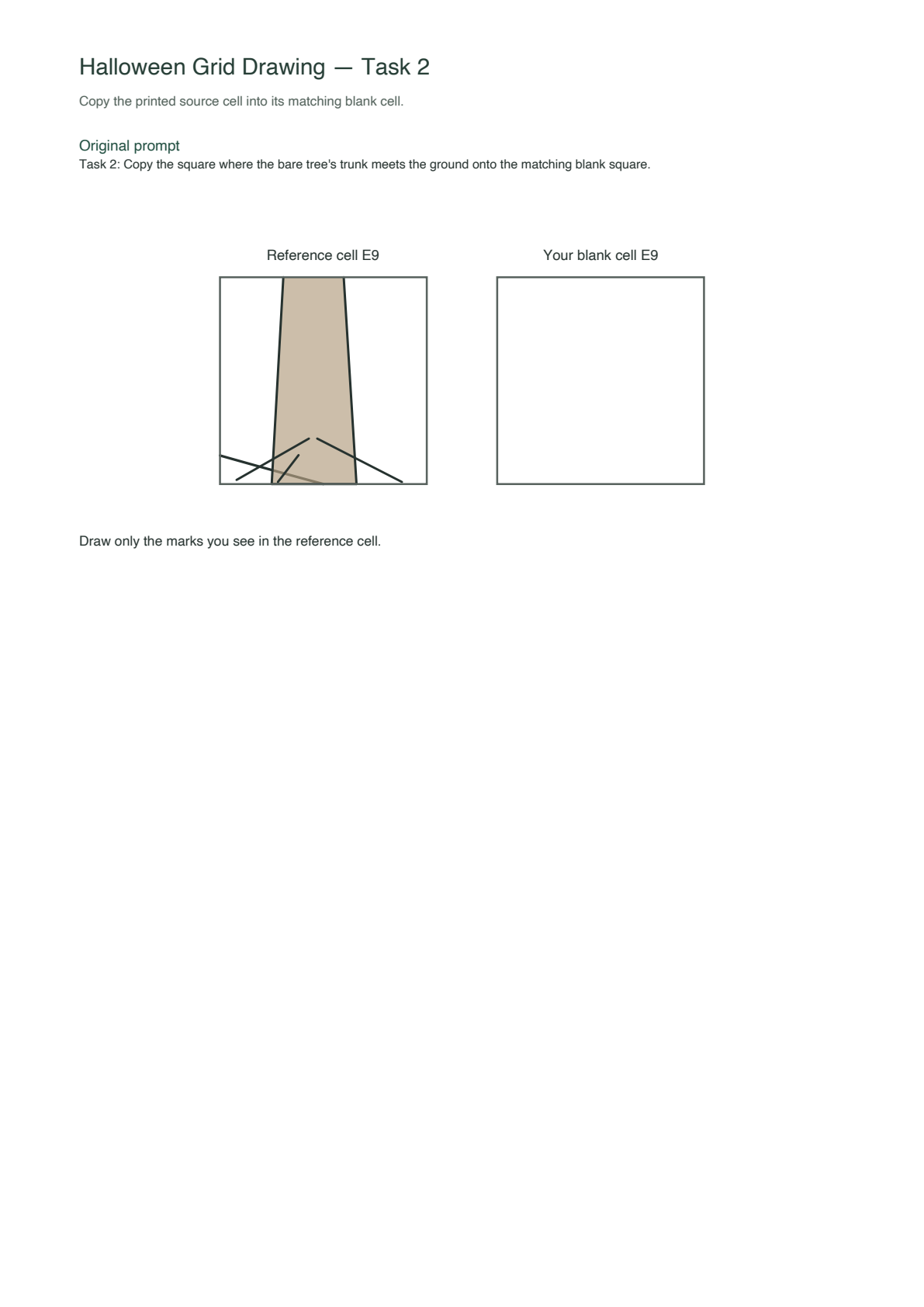
Task 2: Copy the square where the bare tree's trunk meets the ground onto the matching blank square.
Show answer 2
Reference cell E9 shows the bare trunk entering at the top edge and continuing to the bottom edge, where short roots spread toward the two lower corners. Copy the trunk and roots into blank E9.
The E9 trunk occupies the cell's full height and meets the ground at its lower edge; the short roots sit around that contact point. Those landmarks locate the tree against its neighboring cells.
Check: Compare the E9 crops: the trunk touches both the top and bottom edges, meets the ground at the lower edge, and has the same short root marks near its base.
Task 3
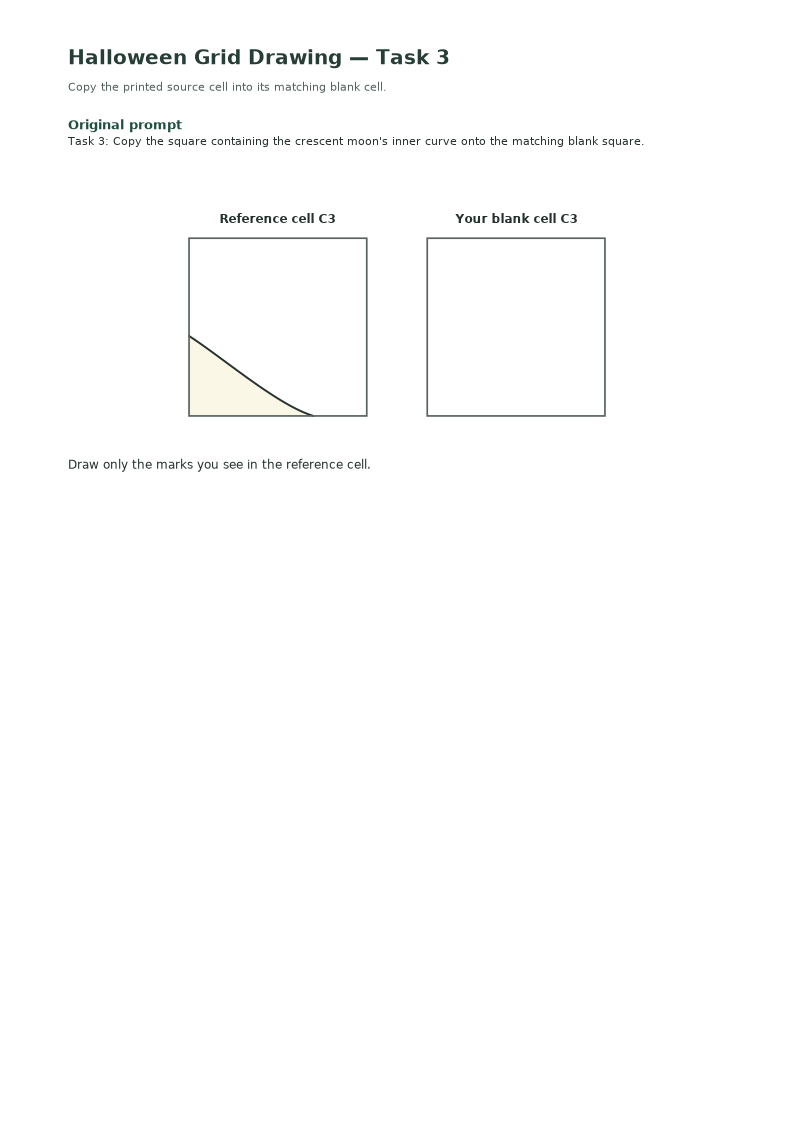
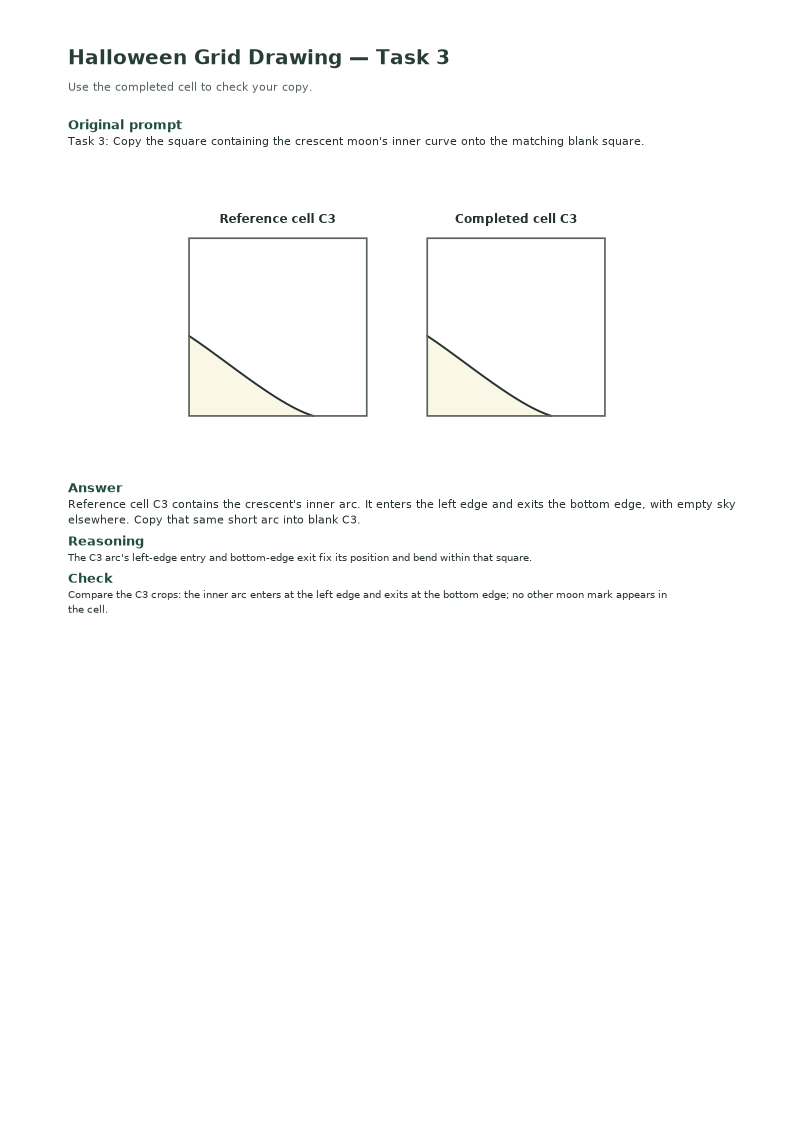
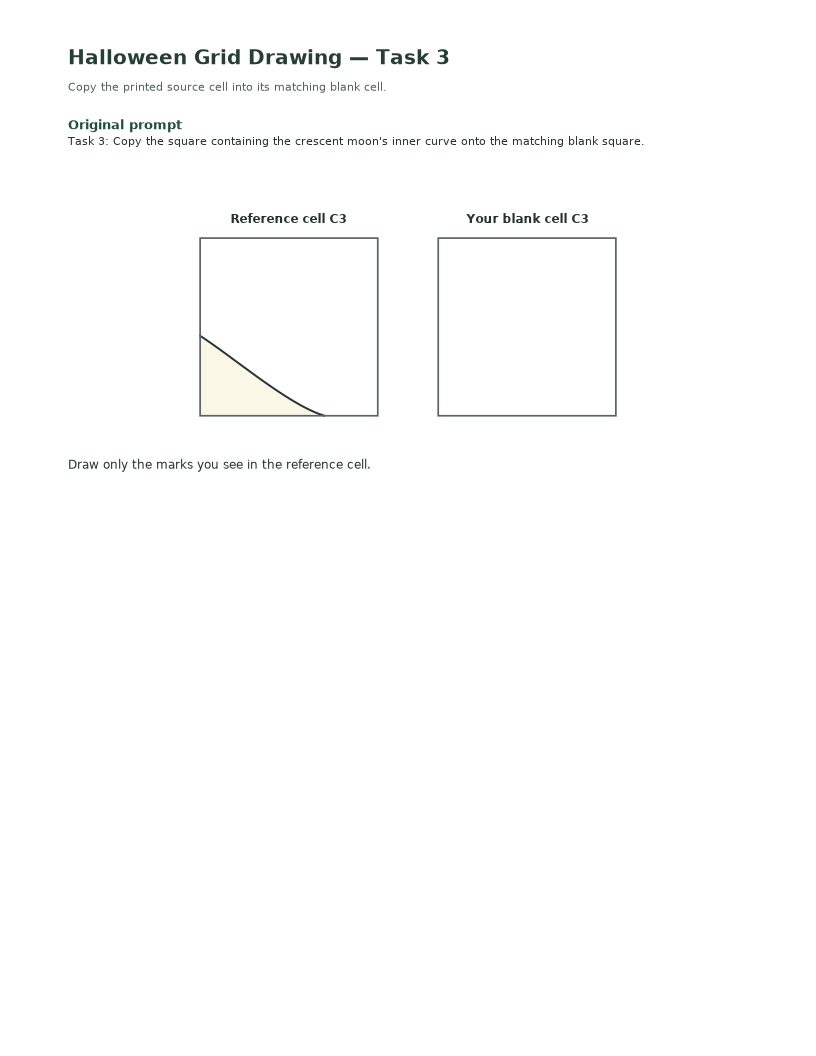
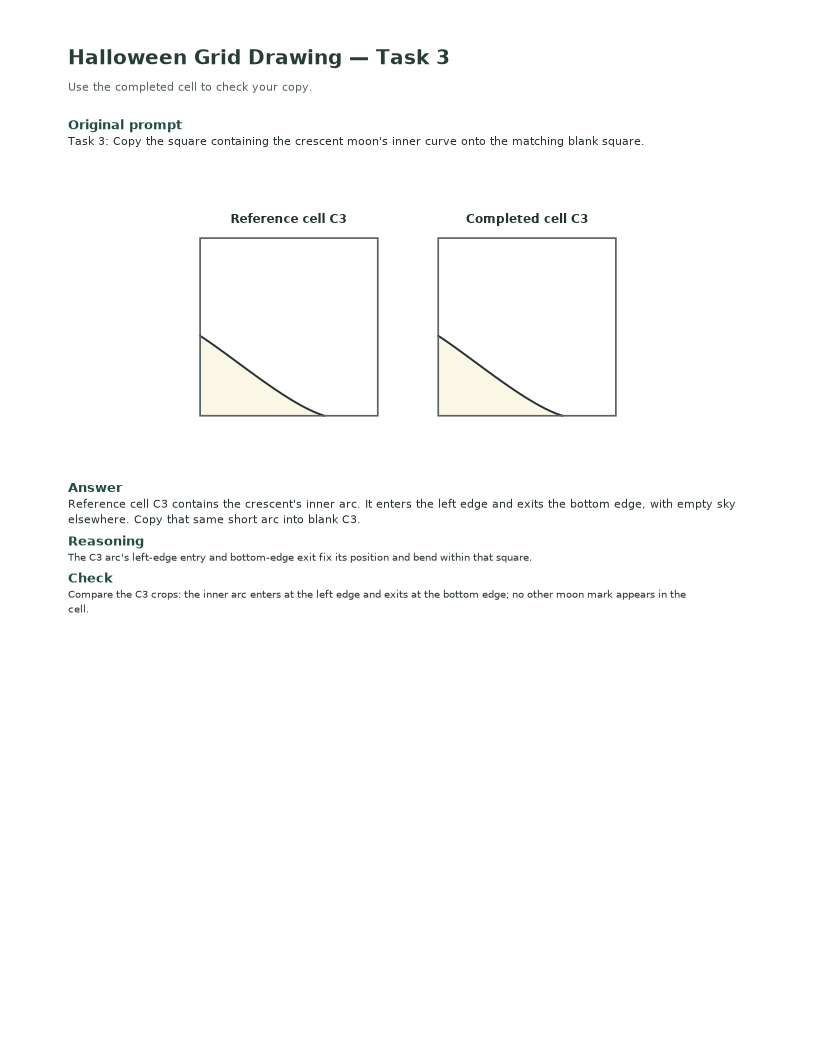
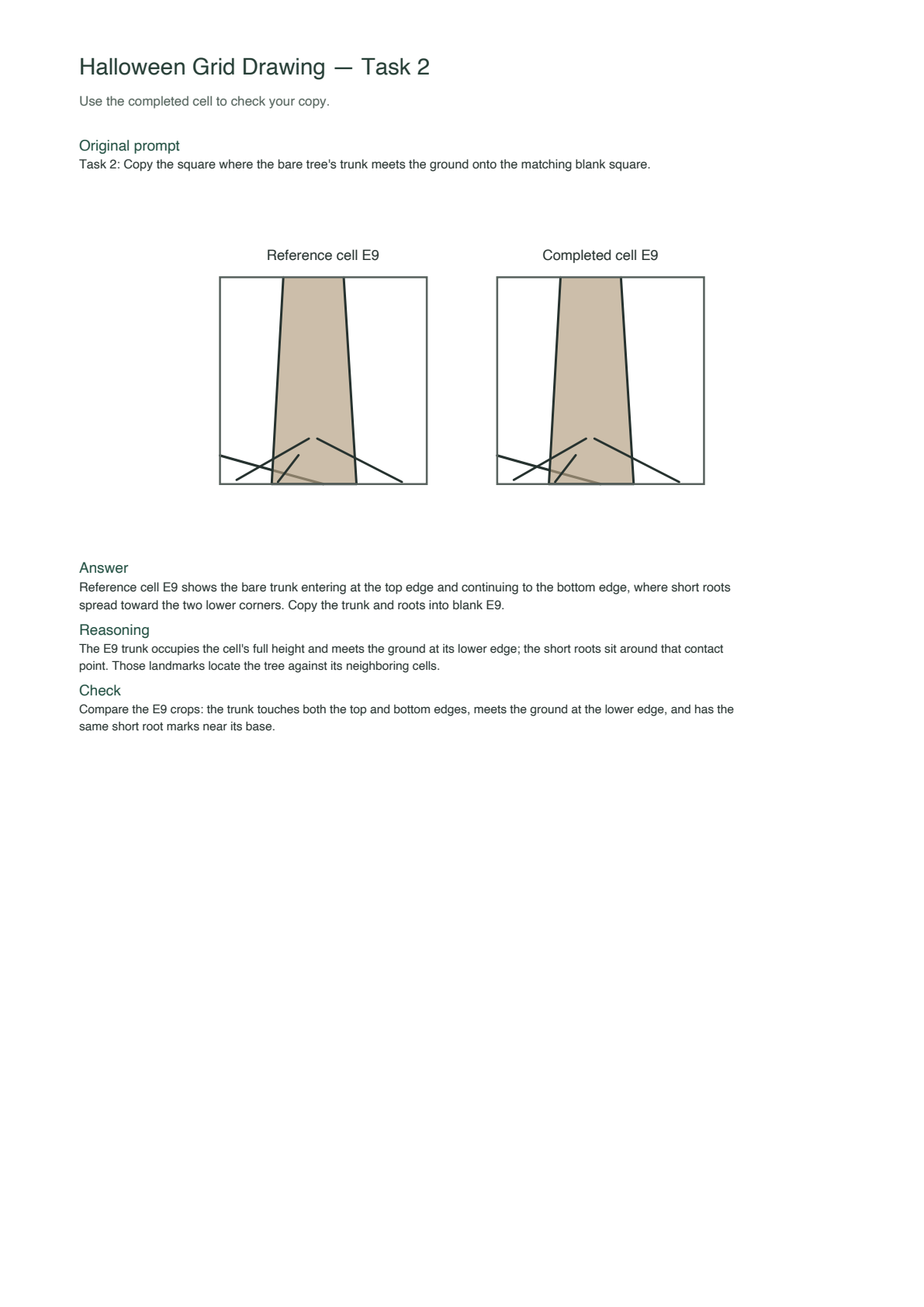
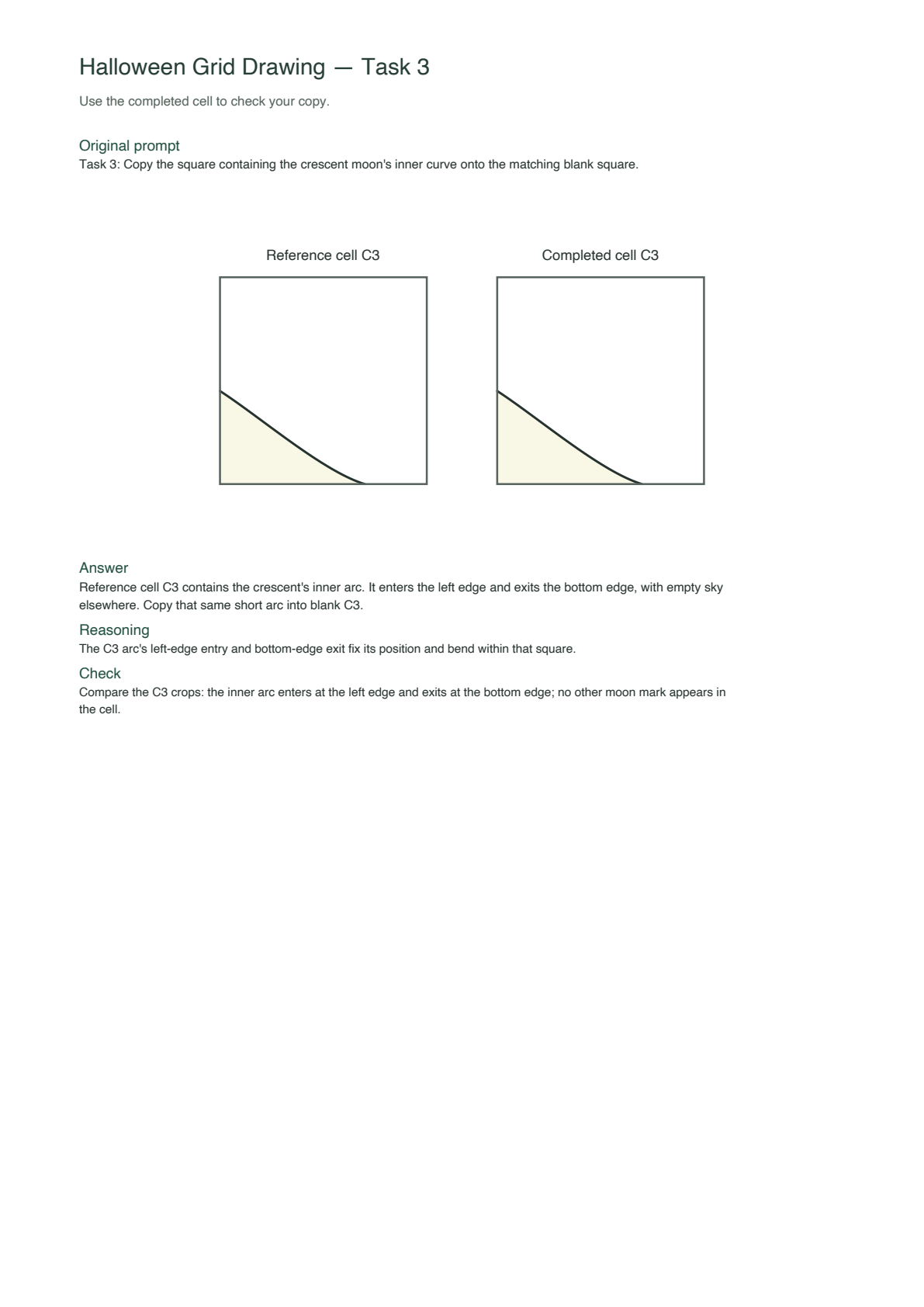
Task 3: Copy the square containing the crescent moon's inner curve onto the matching blank square.
Show answer 3
Reference cell C3 contains the crescent's inner arc. It enters the left edge and exits the bottom edge, with empty sky elsewhere. Copy that same short arc into blank C3.
The C3 arc's left-edge entry and bottom-edge exit fix its position and bend within that square.
Check: Compare the C3 crops: the inner arc enters at the left edge and exits at the bottom edge; no other moon mark appears in the cell.
Task 4
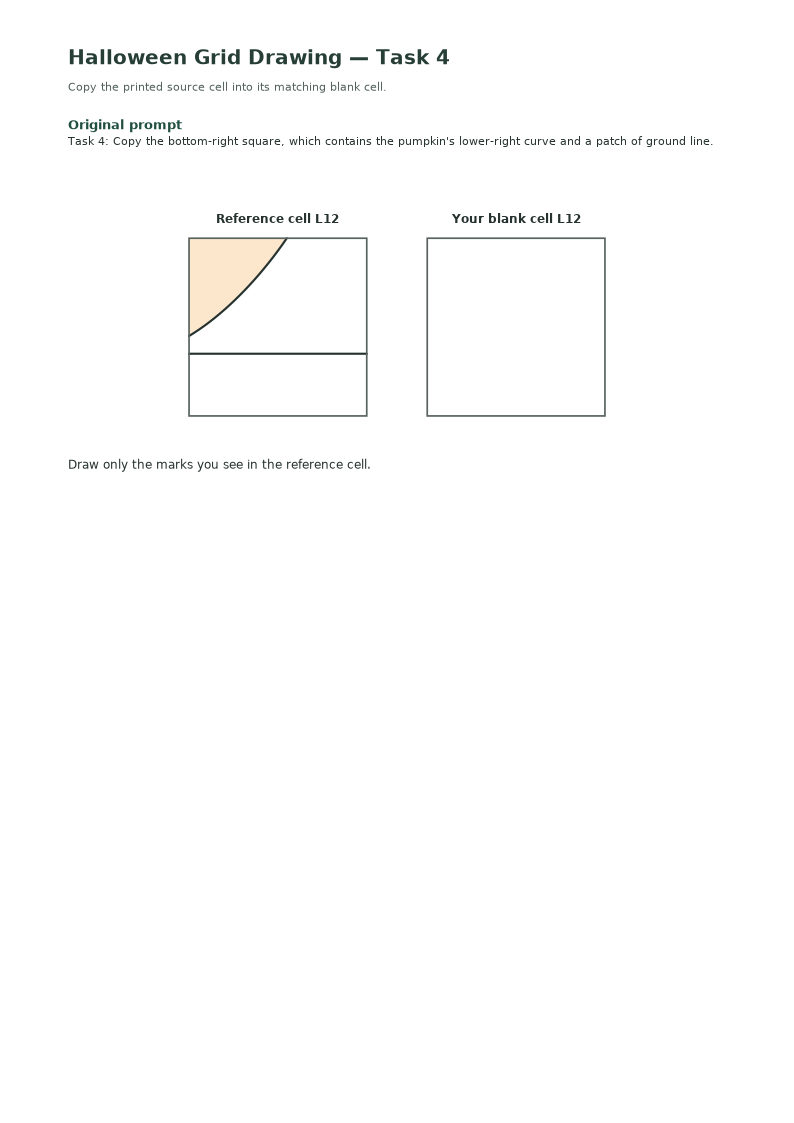
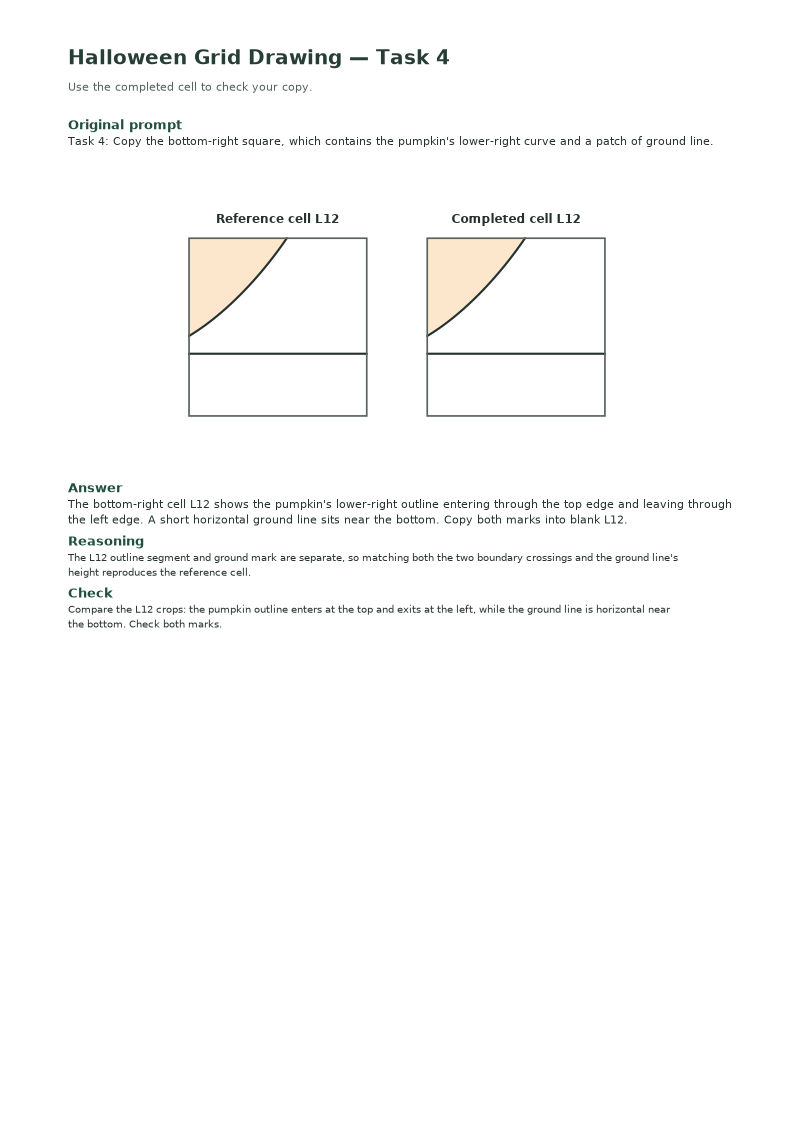
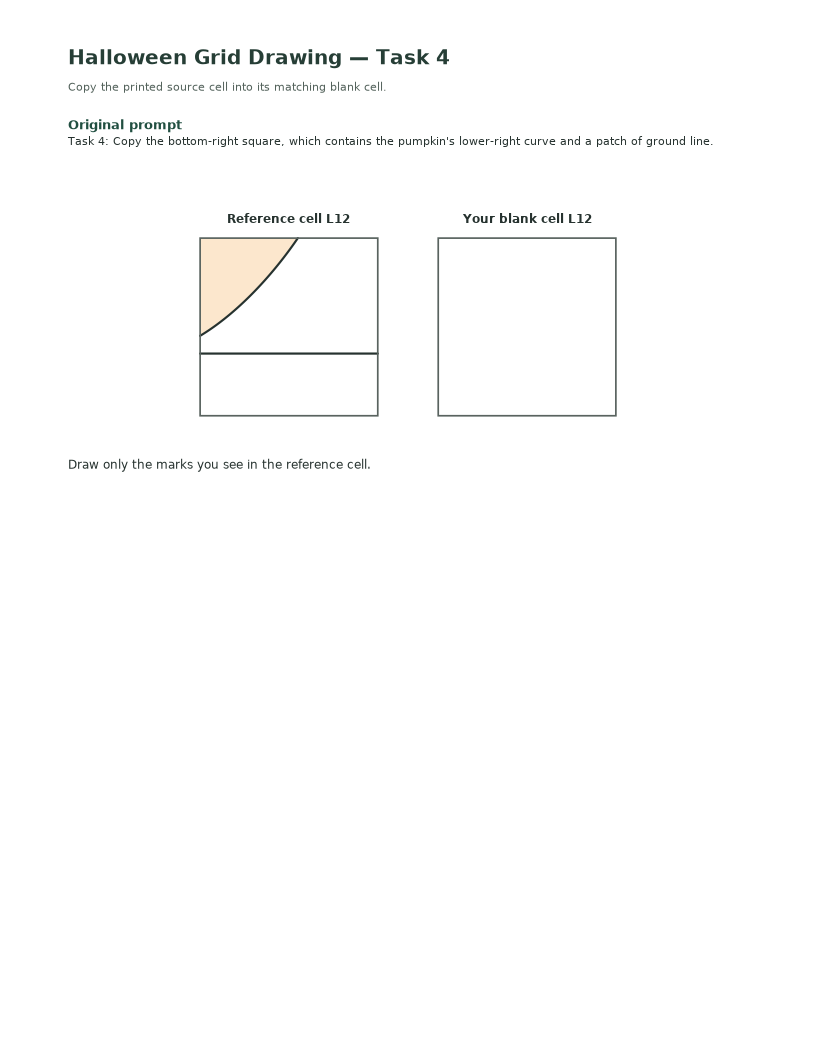
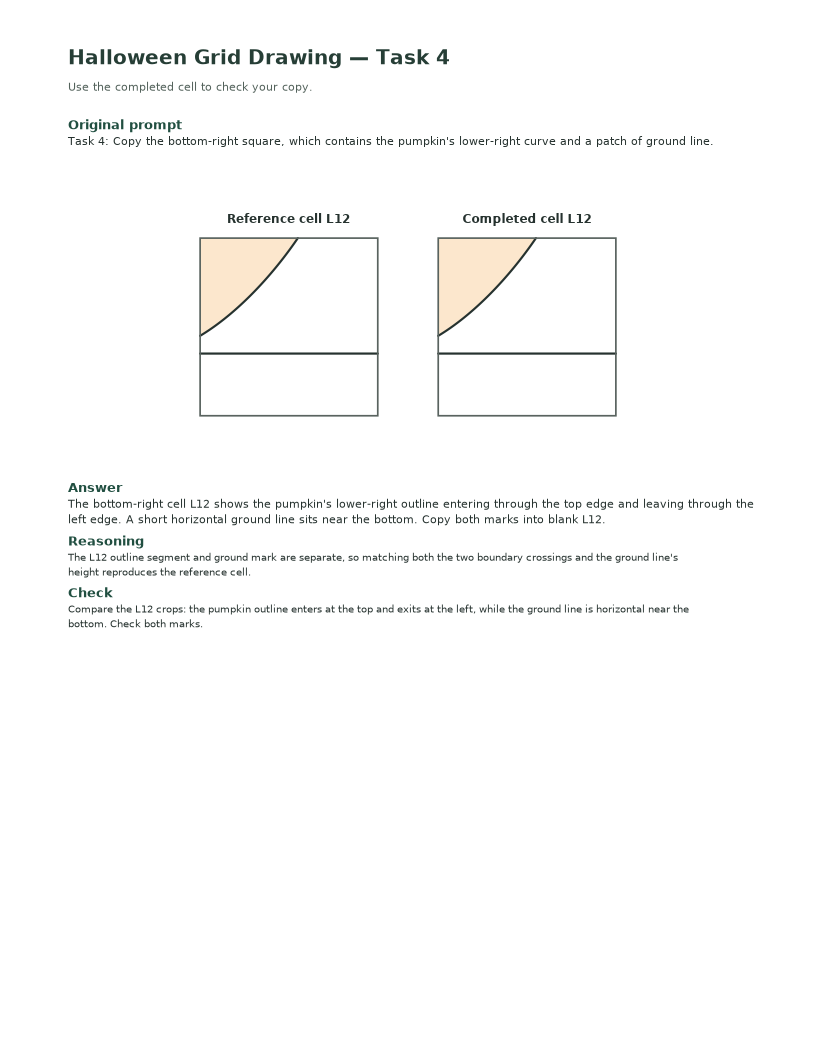
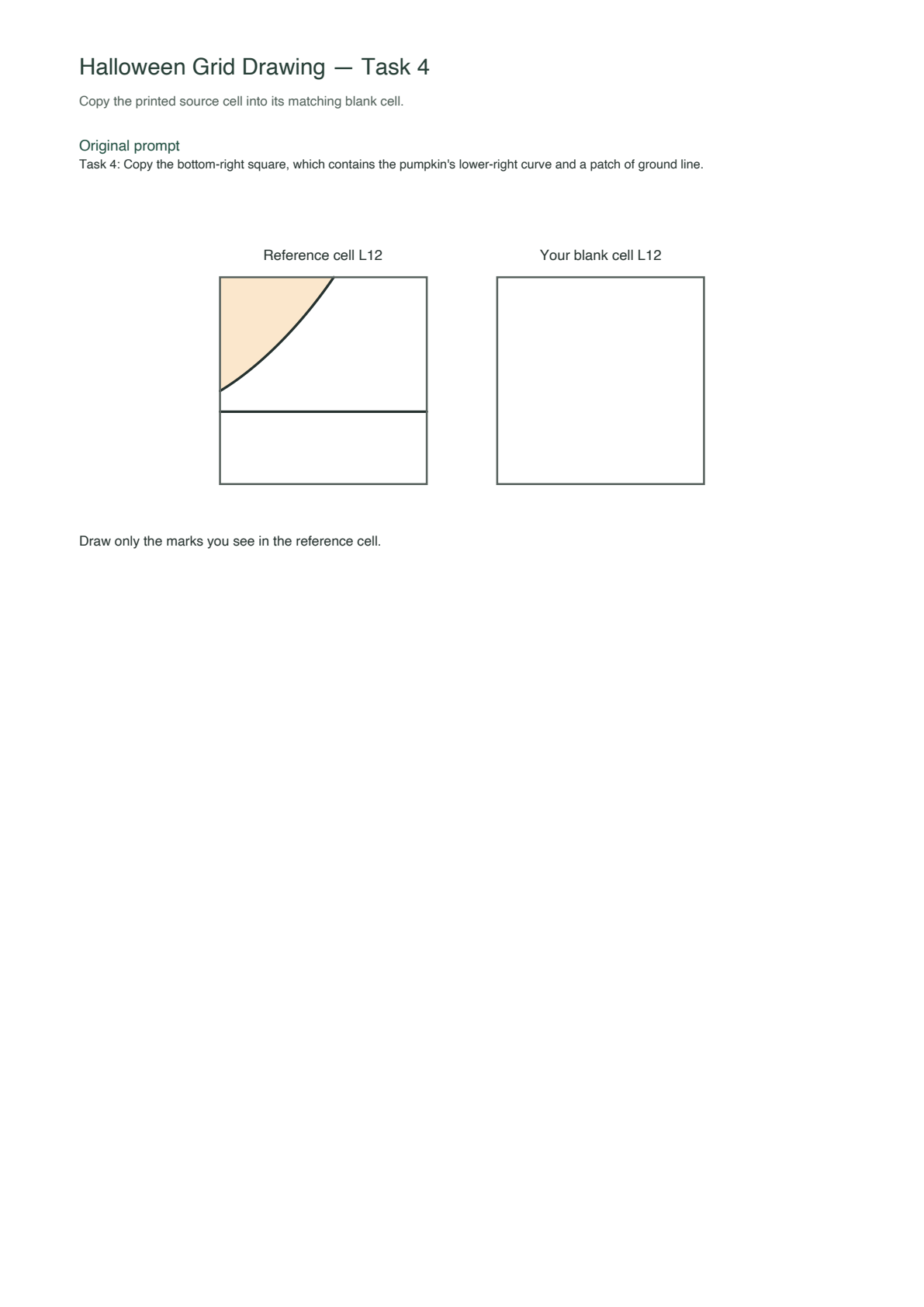
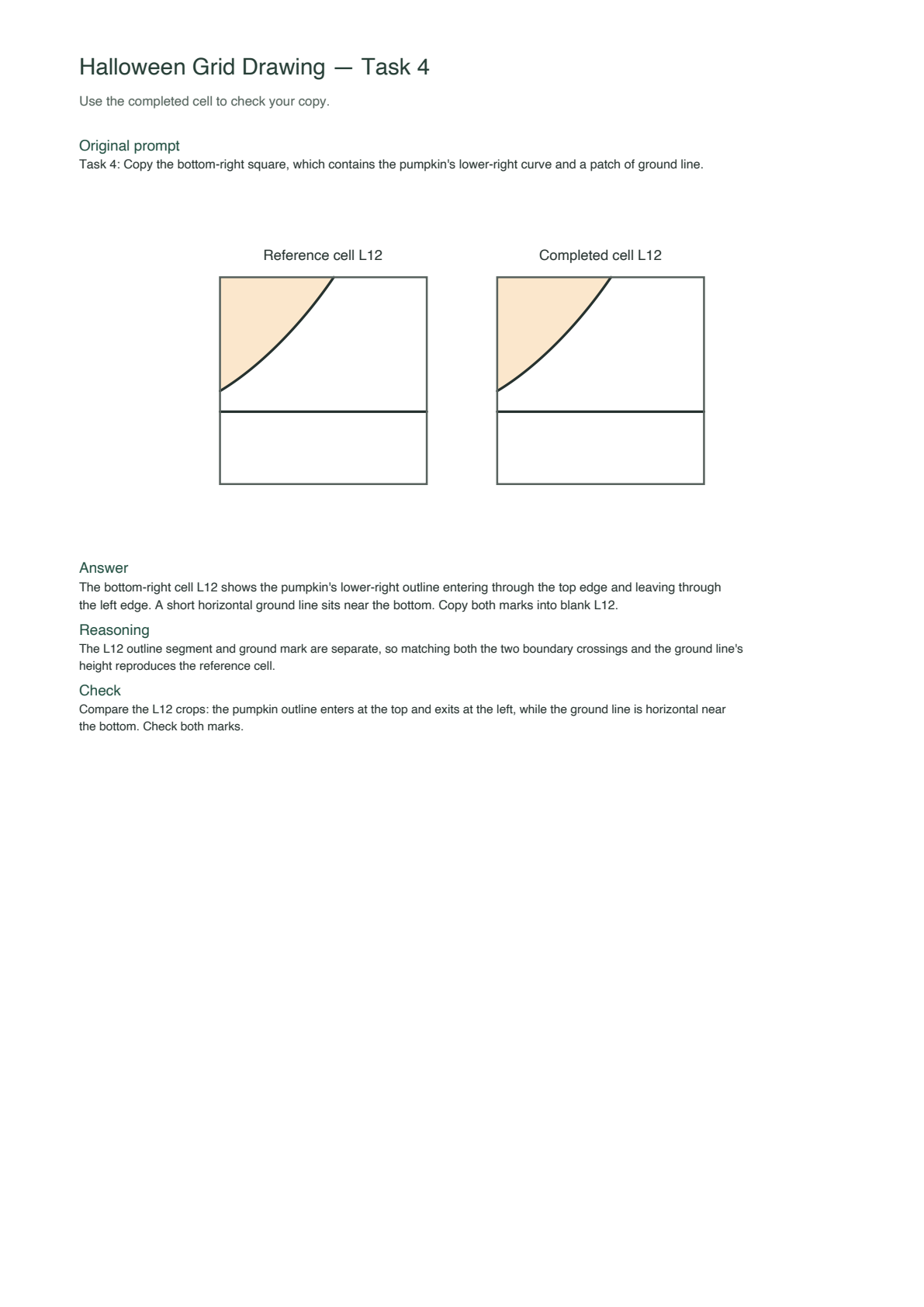
Task 4: Copy the bottom-right square, which contains the pumpkin's lower-right curve and a patch of ground line.
Show answer 4
The bottom-right cell L12 shows the pumpkin's lower-right outline entering through the top edge and leaving through the left edge. A short horizontal ground line sits near the bottom. Copy both marks into blank L12.
The L12 outline segment and ground mark are separate, so matching both the two boundary crossings and the ground line's height reproduces the reference cell.
Check: Compare the L12 crops: the pumpkin outline enters at the top and exits at the left, while the ground line is horizontal near the bottom. Check both marks.
Useful checks
- Drawing a whole shape from memory instead of matching each square's edge crossings. Look at where each line enters and leaves the reference square, and place those same crossings in the blank square first.
- Skipping squares that look empty and losing alignment for later squares. Note empty squares as empty and keep working in a consistent row order so neighbouring shapes stay aligned.
Questions about this resource
Do I need to measure anything?
No. The grid is a locating tool; you match shapes by which edges they cross and where, not by measuring lengths.
What if my copy looks different from the reference?
Compare square by square and check each shape's edge crossings; adjust the squares that differ most.