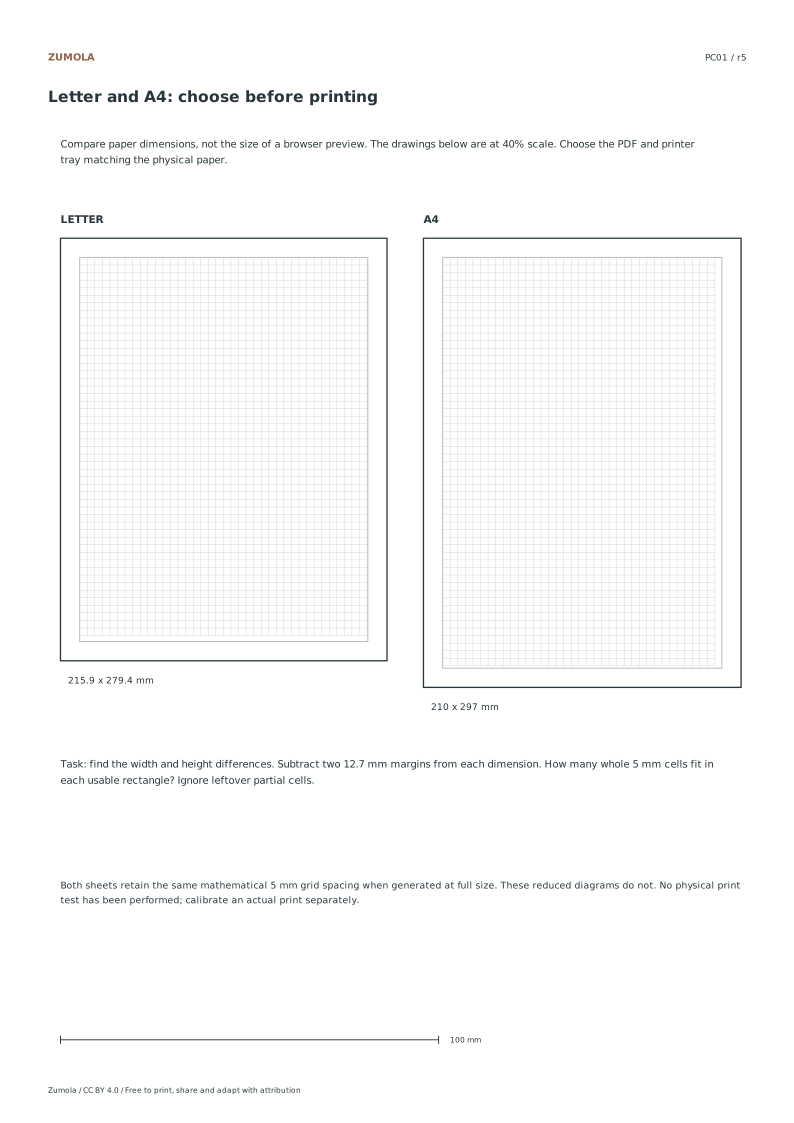
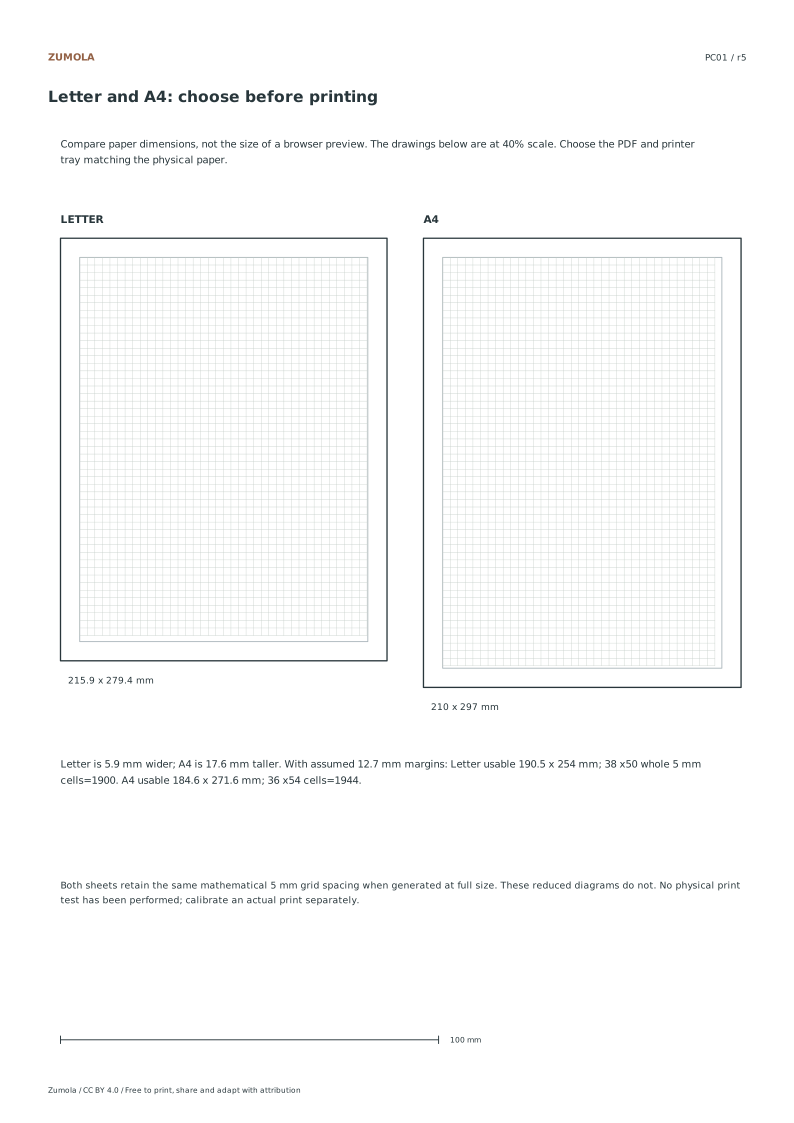
Match the paper in your printer, then compare width, height and usable space. Use reduced diagrams and a separate calibration bar for different jobs.
Choose US Letter or A4 for prepared downloads. Original PDF and SVG files, worksheets and reference answers are free without signup. Collection packs contain the same individual pages in order.
Choose your paper and download
Download paper size
Every worksheet and answer is free. No signup.
The complete collection
Keep practice and answers separate.
Use the student pack first, then compare the reference or answer. Packs are PDFs; individual sheets below also include editable SVG files. The paper choice applies to every download.
The usable-area example assumes 12.7 mm margins on all four sides and no separate title band. It is a geometry exercise, not the layout of every downloadable graph-paper file. The comparison diagrams are reduced to 40%, so their illustrated 5 mm intervals are drawn as 2 mm intervals. The horizontal calibration bar is independently defined as 100 mm in the PDF.
Choose the matching paper file rather than treating A4 and Letter as interchangeable. If a design must be resized, calculate a uniform factor and review the consequences. A drawing fitting one width can still exceed the other sheet’s height. The linked actual-size guide handles print scaling checks; this page handles paper choice and usable-area planning.
Work through the page
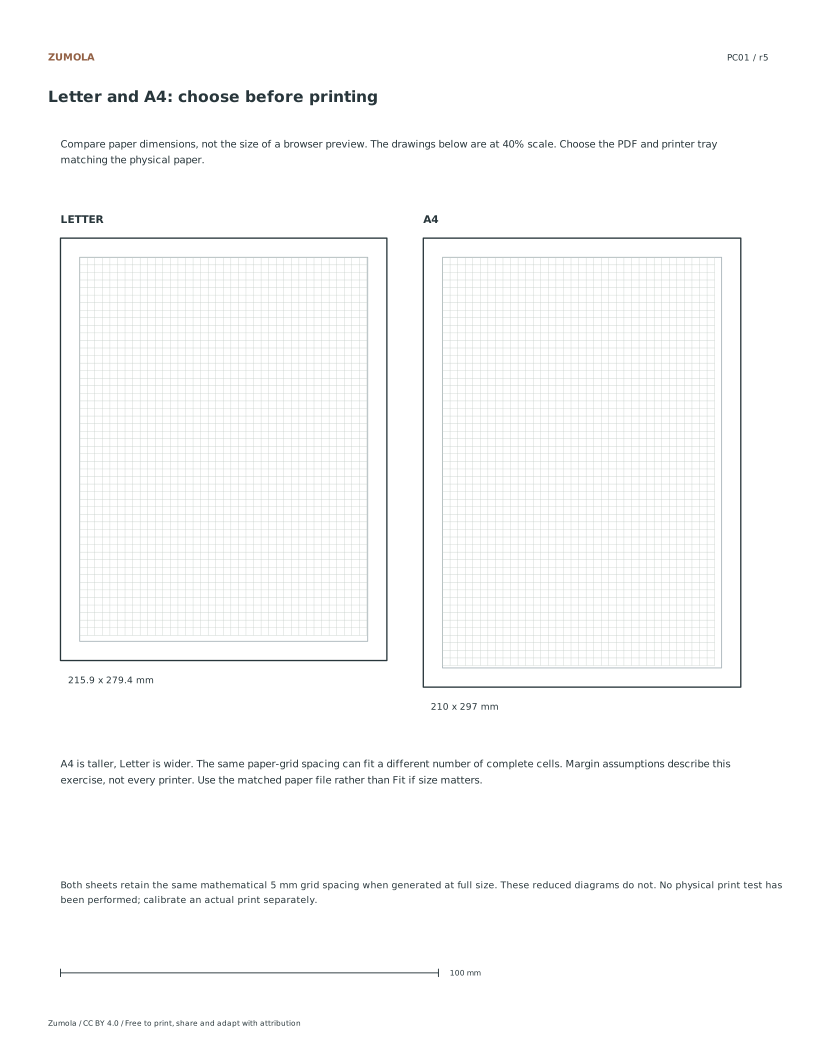
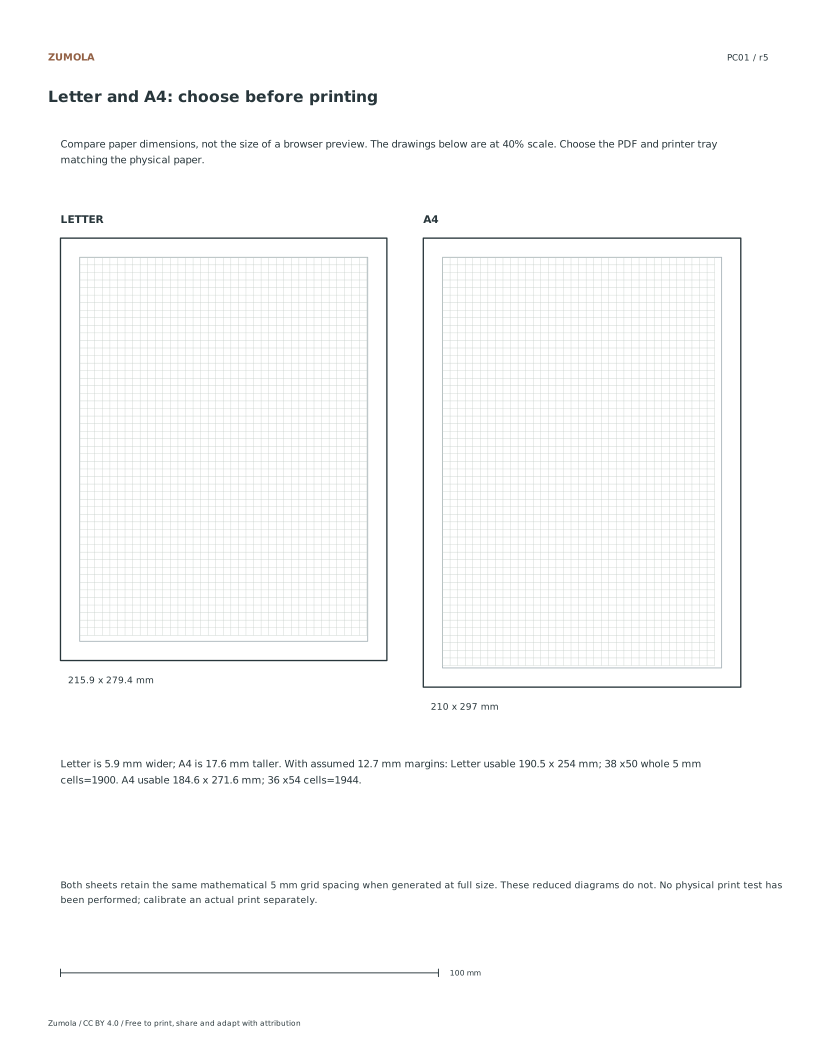
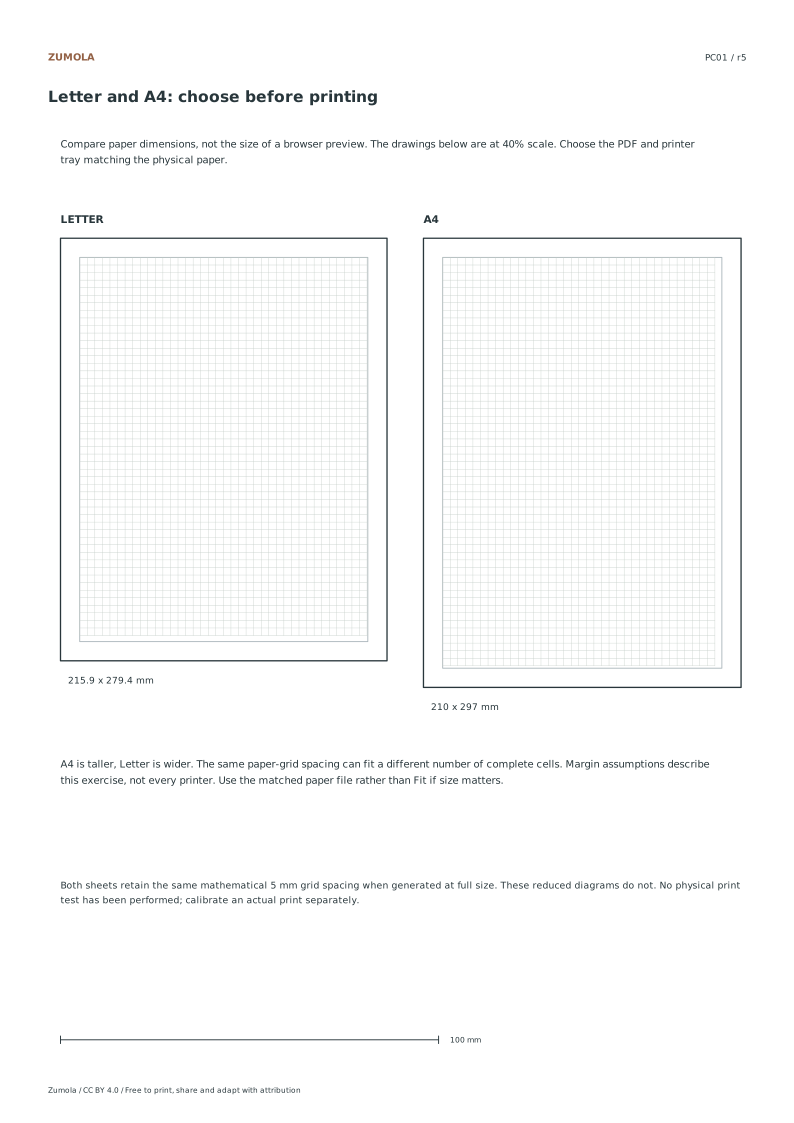
Selecting the Correct Paper Size Read the size of the paper actually loaded in the tray before choosing a file. US Letter is 215.9 × 279.4 mm; A4 is 210 × 297 mm. Letter is 5.9 mm wider, while A4 is 17.6 mm taller. Match the download, PDF page size and printer paper setting. A mismatch may cause scaling or cropping, depending on the print settings. Page dimensions are a property of the PDF page, not a label that can be fixed by changing its title. Selecting the correct file first avoids needing to shrink a layout to rescue its edges.
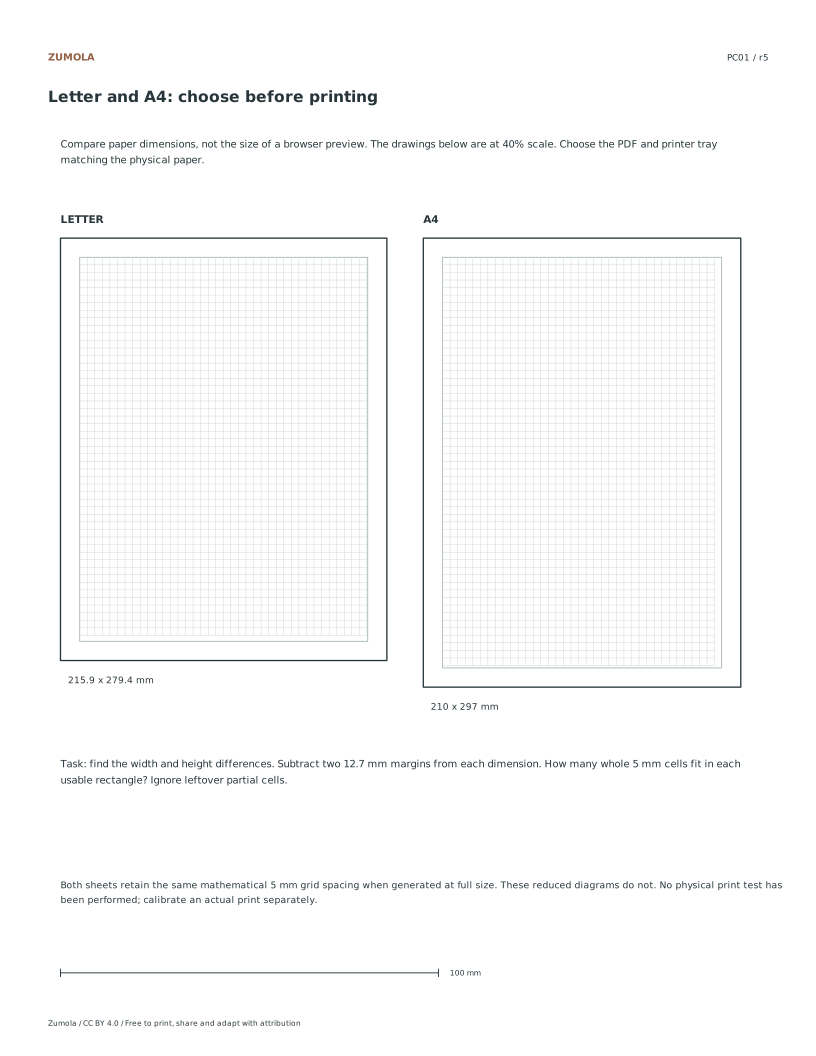
Understanding Usable Print Areas The margin exercise assumes 12.7 mm on all four sides. This is a teaching assumption, not a universal printer margin. Subtract 25.4 mm from width and height: the available rectangles become 190.5 × 254 mm for Letter and 184.6 × 271.6 mm for A4. Divide each dimension by 5 and round down separately to count complete 5 mm cells. The results are 38 × 50 = 1,900 and 36 × 54 = 1,944. These counts describe the hypothetical full-page margin rectangle. Existing Zumola grid files may reserve additional header and calibration space and therefore contain fewer rows.
Verifying Scale with Calibration The two comparison diagrams are reduced to 40% size, including their grid intervals. A line representing a 5 mm interval in either diagram is therefore 2 mm on the PDF page. Do not use these illustrations as full-size graph paper. The separate horizontal calibration bar is defined as 100 mm in the vector file. After printing, compare it with a physical ruler and check a perpendicular span on any measured grid you intend to use. One matching bar is useful evidence of scale along that direction; it does not certify an entire printer or prove the other axis is identical.
Checks that catch common errors
Watch for
Check instead
Using the reference diagrams as a ruler for measurement.
Reference diagrams are 40 percent illustrations. Use the 100 millimeter calibration bar for scale checks instead.
Assuming the printed grid matches theoretical cell counts exactly.
Actual printer margins vary. Theoretical counts are 1900 for Letter and 1944 for A4, but hardware limits apply.
Confusing Letter and A4 dimensions when selecting files.
Letter is 5.9 millimeters wider. A4 is 17.6 millimeters taller. Match file, tray, and PDF size precisely.
Match the file before printing
Print the PDF matching the paper in your printer at Actual size / 100% if you want to retain the millimeter dimensions defined in the file. Turn off Fit and Shrink when those dimensions matter. Uniform resizing preserves relative image proportions and angles but changes physical lengths. Unequal resizing can distort both. SVG editors and browser print dialogs can also change scale, so measure a physical calibration span when the task relies on size.
These files have digital geometry and layout checks. Physical printer testing has not been completed. Complete a student page before comparing the worked answer or reference illustration. A geometric or counting result can be exact, while a hand drawing can vary in its marks and interpretation. The original resources use CC BY 4.0: credit Zumola, link the license and indicate changes.
Useful answers
Why does my printed grid look smaller than expected?
Your printer may be scaling the image to fit the page. Ensure the PDF paper size matches your physical paper and disable fit-to-page options in your print dialog.
Can I use the diagrams to measure my print scale?
The paper diagrams are 40% illustrations. The separate bar is defined as 100 mm in the file; measure it on a physical print. Also check a perpendicular grid span when both dimensions matter. Physical printer testing has not been performed here.
Are the cell counts guaranteed for every printer?
The hypothetical 12.7 mm margin rectangles hold 1,900 or 1,944 complete 5 mm cells. They are not the counts of every Zumola grid file: title and calibration regions can reserve extra space, and printer limits vary.
Are the answers and editable files free too?
Yes. Every linked original worksheet, answer, PDF and SVG is free without signup. Individual SVG sheets stay editable; collection packs are PDF files. Analytics consent is not required to use the resources.
Optional Google Analytics helps us understand which free resources are useful. It is off until you allow it. Drawing tools and downloads work with either choice. Privacy details