Free original resources
Regular Polygon Templates by Side Count and Side Length
Plan an accurate regular polygon from a chosen side count and side length, check the geometry, and prepare a printable template with a calibration check.
Free resources
Letter & A4
PDF & SVG
Letter & A4
PDF & SVG
Make it yours.
Free · no signup · calculated in your browser
Your free printable kit.
Original reference, student practice and separate worked answers. No account or payment.
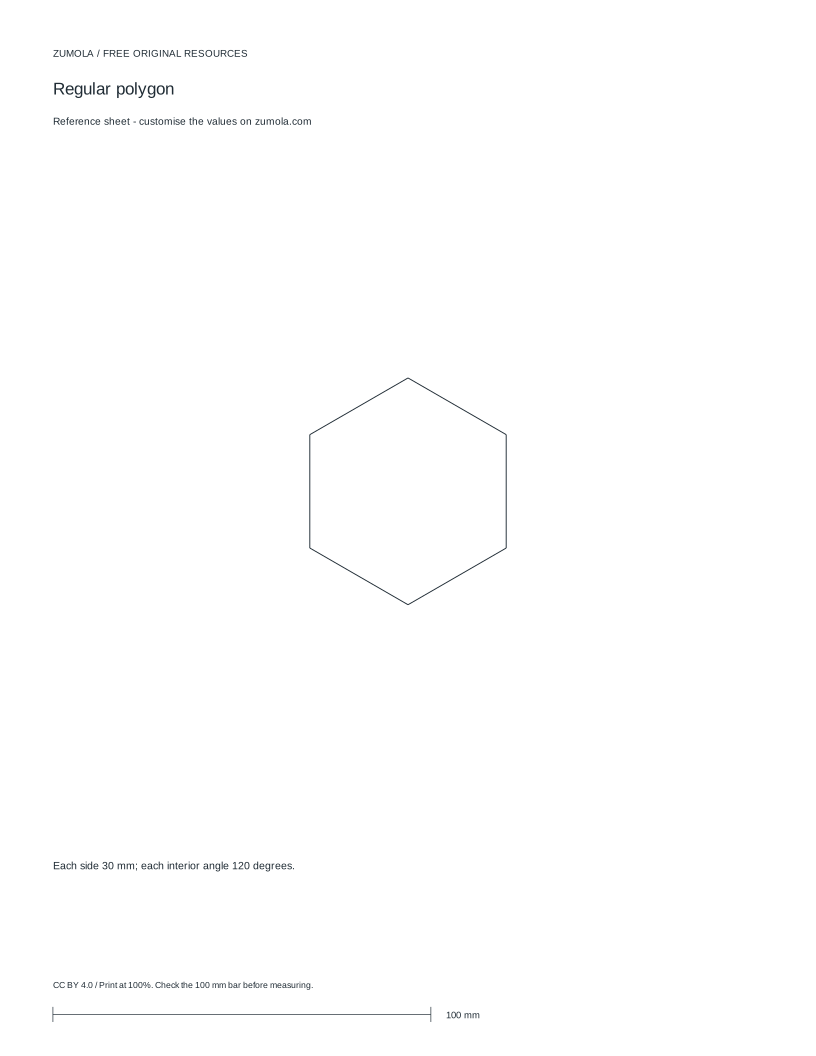
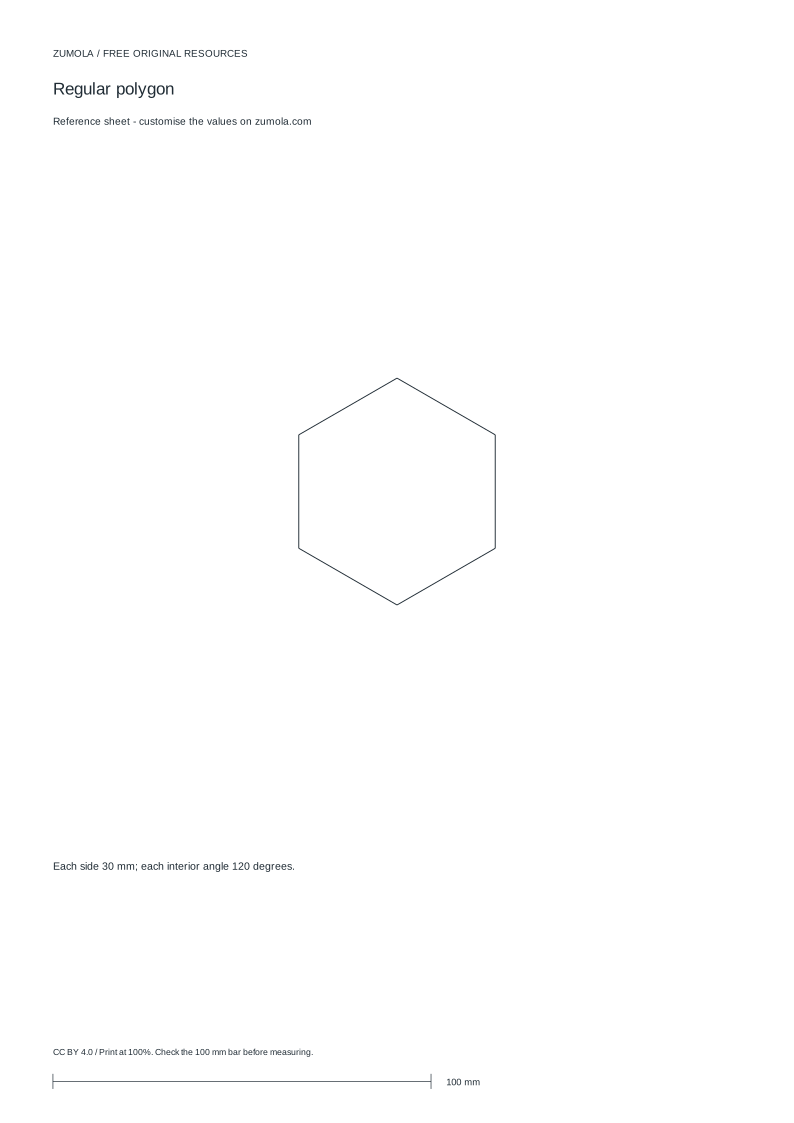
Practice worksheet
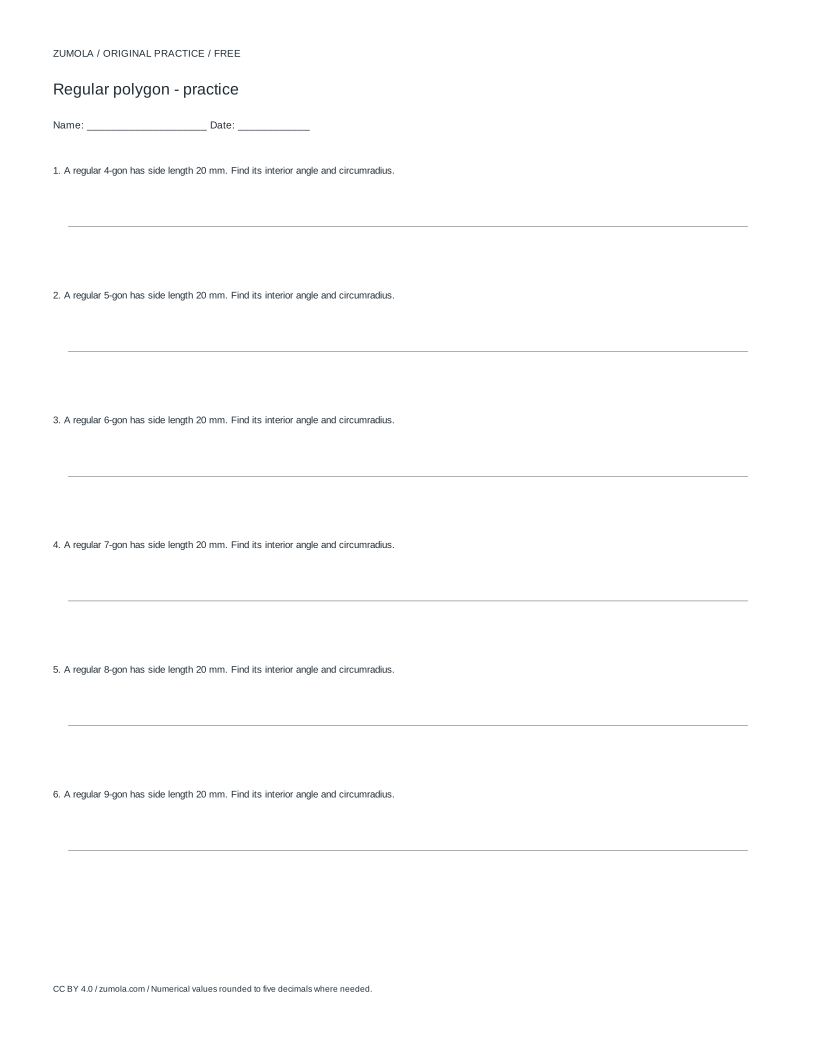
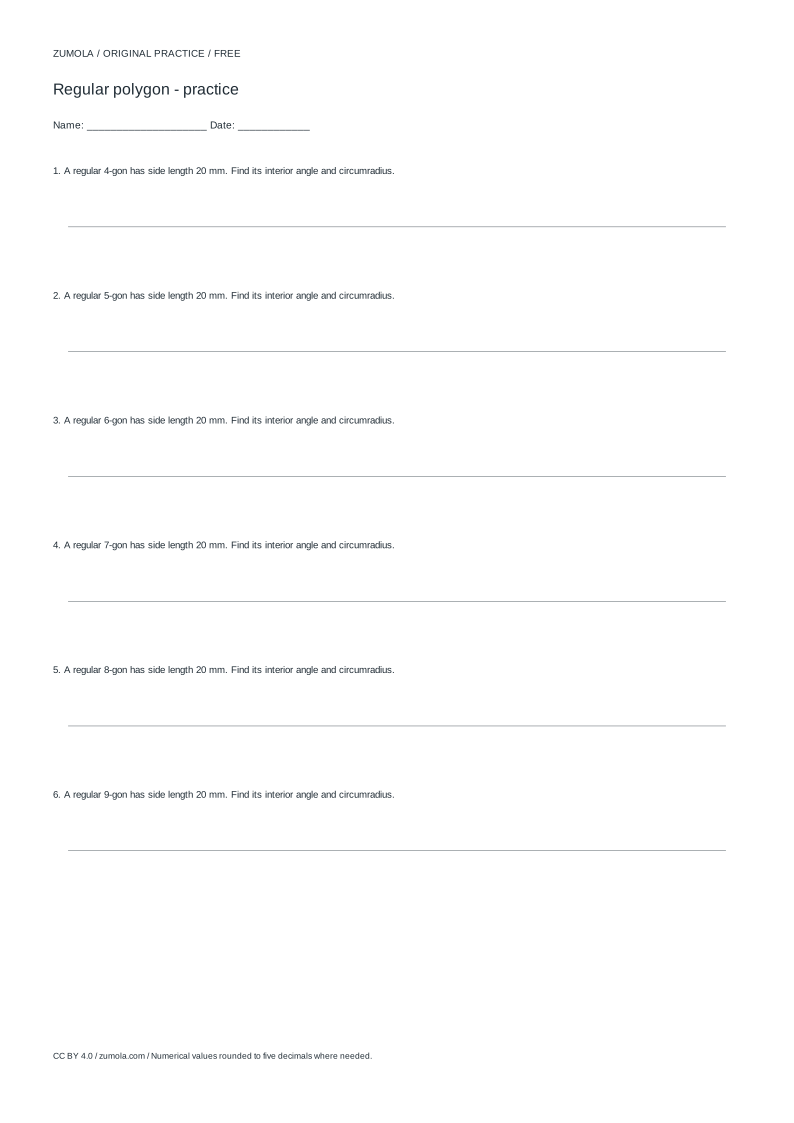
Worked answers / rubric
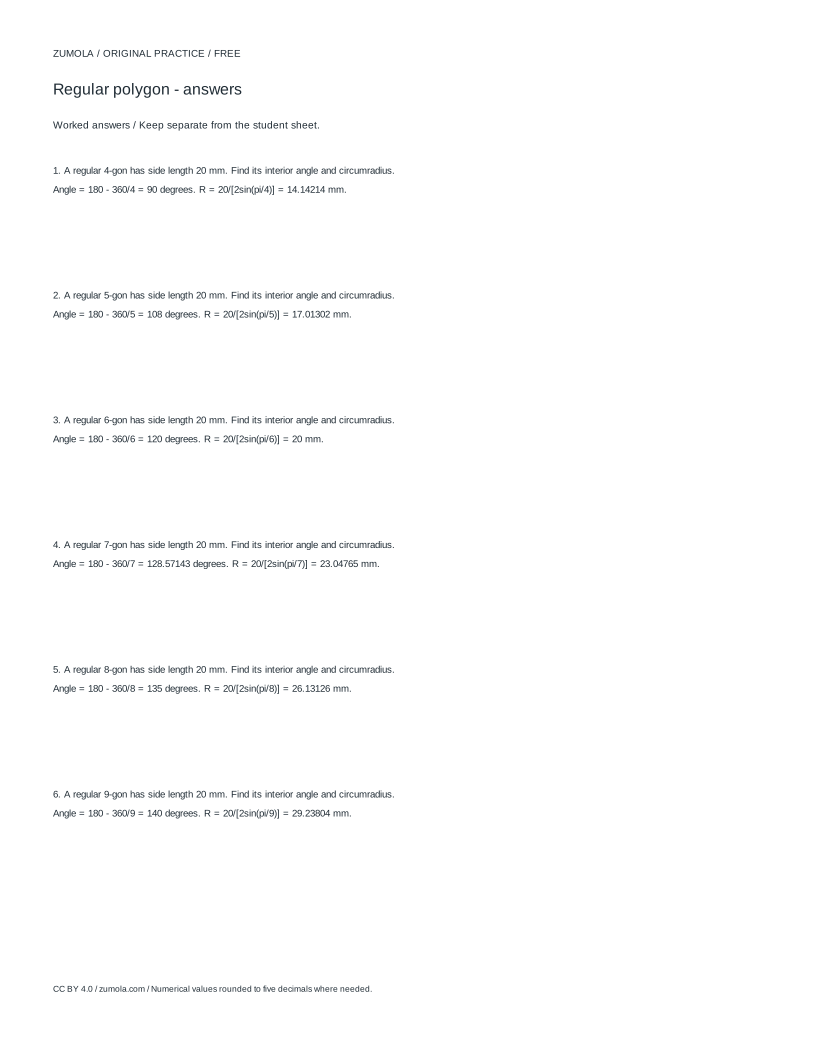
Print at Actual size / 100%. Check the calibration bar before using physical dimensions.
A regular polygon template is only useful if every side is the same length and every corner sits at the correct angle. This page explains how to build one from two inputs: the number of sides and the side length in millimetres. You will see how the circumradius, interior angle, and area follow from those inputs, how to confirm the outline closes, and how to prepare the sheet so the printed size matches your measurement.
The geometry behind a regular polygon
A regular polygon has equal side lengths and equal interior angles. Two numbers define it completely: the side count n and the side length s. From these, the circumradius R (distance from centre to any vertex) is R = s / (2 sin(pi/n)). The interior angle at each vertex is (n - 2) x 180 / n degrees. The area is (n x s^2) / (4 tan(pi/n)).
For a hexagon with n = 6 and s = 30 mm, the circumradius is 30 mm, each interior angle is 120 degrees, and the area is about 2338.27 square millimetres. These values are worth computing before drawing so you can sanity-check the outline: a hexagon whose vertices sit 30 mm from the centre and whose sides measure 30 mm is consistent, because for a regular hexagon the circumradius equals the side length.
- Decide n (at least 3) and s in millimetres.
- Compute the circumradius R = s / (2 sin(pi/n)).
- Compute the interior angle (n - 2) x 180 / n.
- Lay out n vertices on a circle of radius R, spaced 360/n degrees apart.
- Connect consecutive vertices and confirm the first and last edges meet.
Closing the outline and checking the fit
A polygon outline closes when the angular steps sum to 360 degrees and the final vertex returns to the starting point. In practice, rounding each vertex position to a whole millimetre can leave a small gap or overlap. Keep vertex coordinates to at least one decimal place, or draw from the centre with a compass set to R and mark angles with a protractor.
Before printing, confirm the polygon fits the sheet with room for any tabs or seam allowances you plan to add. The bounding width of a regular polygon depends on orientation: a hexagon with s = 30 mm has a flat-to-flat width of about 51.96 mm and a vertex-to-vertex width of 60 mm. Add your tab width to the largest dimension and compare it with the printable area of your paper.
- Sum the angular steps and confirm they equal 360 degrees.
- Check that the last edge length matches s within your drawing precision.
- Measure the widest span of the polygon in both orientations.
- Add any tab or allowance width to the widest span.
- Compare the total with the printable area before printing.
Printing at true size
Print at 100 percent scale, with any fit-to-page or shrink-to-fit option turned off. After printing, measure a known reference on the sheet, such as a calibration bar, with a ruler. If the measured length differs from the stated length, adjust the printer scale and reprint before cutting.
Cut on the outline only after the calibration check passes. If you are using the template for piecing or folding, mark the fold or seam line separately from the cut line so the two are not confused. Art and craft outcomes vary, so judge the finished template against a rubric rather than expecting one exact result.
- Set the print scale to 100 percent.
- Disable fit-to-page or shrink-to-fit settings.
- Print one sheet and measure the calibration bar with a ruler.
- Reprint at an adjusted scale if the measurement is off.
- Cut the outline and mark fold lines separately.
Choosing side count and side length for a task
The side count controls the shape's character: triangles and squares tile simply, hexagons tile without gaps and are common in piecing and honeycomb layouts, and higher counts approach a circle. The side length controls the finished size and the amount of paper each piece uses.
Work backwards from your target. If you need a hexagon that spans 60 mm vertex to vertex, the side length is 30 mm. If you need a flat-to-flat width of 50 mm, the side length is about 28.87 mm, since flat-to-flat width equals s x sqrt(3). State your target dimension and orientation before choosing s so the template matches the space.
- Identify the target dimension and whether it is vertex-to-vertex or flat-to-flat.
- Convert the target to a side length using the polygon formula for that orientation.
- Check the area to estimate paper use per piece.
- Confirm the piece count fits your sheet layout.
Try this example
Build a regular pentagon template with side length 40 mm. Find the circumradius, interior angle, and area, and state the angular step between vertices.
Show the worked explanation
For n = 5 and s = 40 mm: the angular step is 360/5 = 72 degrees. The interior angle is (5 - 2) x 180 / 5 = 108 degrees. The circumradius is 40 / (2 sin(36 degrees)). Since sin(36 degrees) is about 0.5878, R is about 40 / 1.1756, or 34.03 mm. The area is (5 x 1600) / (4 tan(36 degrees)). tan(36 degrees) is about 0.7265, so the area is 8000 / 2.906, or about 2752.8 square millimetres. Lay out five vertices on a circle of radius 34.03 mm at 72-degree steps and connect them; the outline should close with five equal 40 mm sides.
Common mistakes
- Printing with fit-to-page enabled, which silently rescales the polygon. Turn off fit-to-page, print at 100 percent, and measure the calibration bar before cutting.
- Rounding every vertex to a whole millimetre, leaving gaps or overlaps at the closing edge. Keep vertex coordinates to at least one decimal place, or draw from the centre using the circumradius and angular steps.
- Confusing vertex-to-vertex width with flat-to-flat width when sizing a hexagon. State the orientation first; vertex-to-vertex equals 2R, while flat-to-flat equals s x sqrt(3).
Check your work
- Side count and side length are stated explicitly before drawing.
- Circumradius and interior angle are computed and shown.
- Angular steps sum to 360 degrees and the outline closes.
- Widest span plus any tab width is compared with the printable area.
- Print scale is 100 percent and the calibration bar is measured before cutting.
- Cut line and fold or seam line are marked separately.
Questions before you start
How do I find the side length for a hexagon of a given width?
For vertex-to-vertex width, divide by 2 to get the side length, since a regular hexagon's circumradius equals its side. For flat-to-flat width, divide by sqrt(3), about 1.732.
Why does my printed polygon measure smaller than planned?
The printer likely applied a fit-to-page or shrink setting. Reprint at 100 percent scale, disable fit-to-page, and verify with the calibration bar before cutting.
Can I use the same method for any number of sides?
Yes. The circumradius formula R = s / (2 sin(pi/n)) and the interior angle formula work for any n of 3 or more. Only the orientation and bounding width change with n.