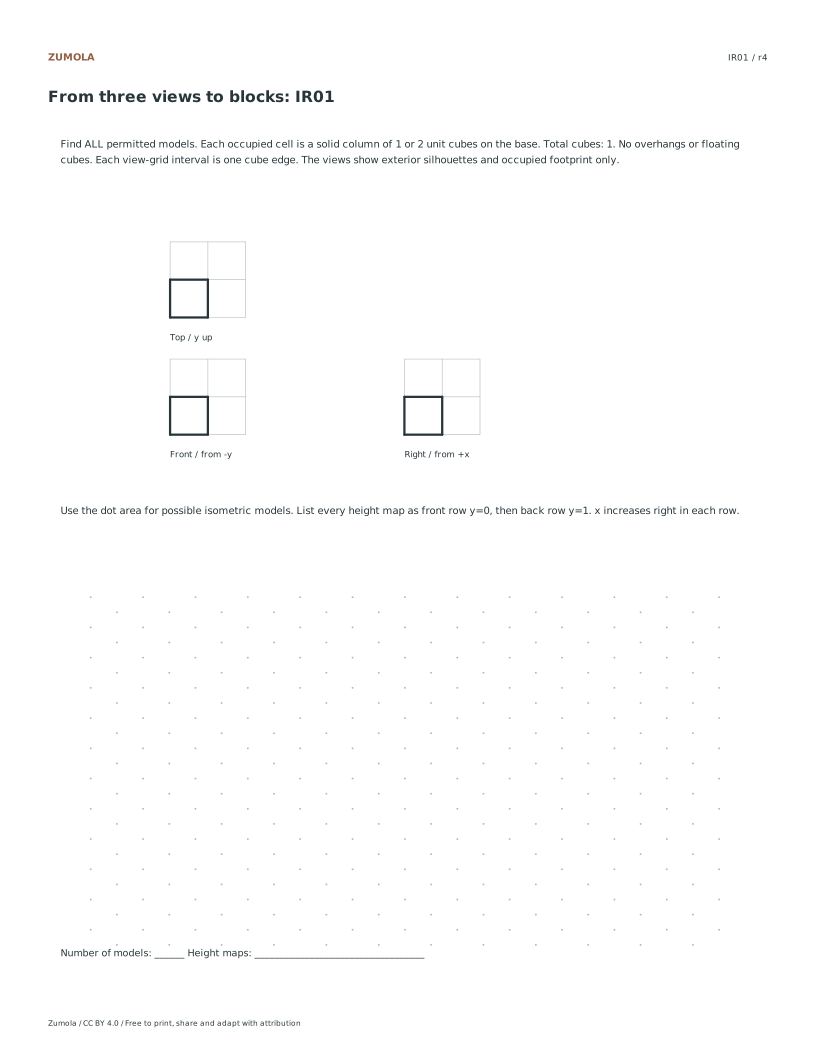
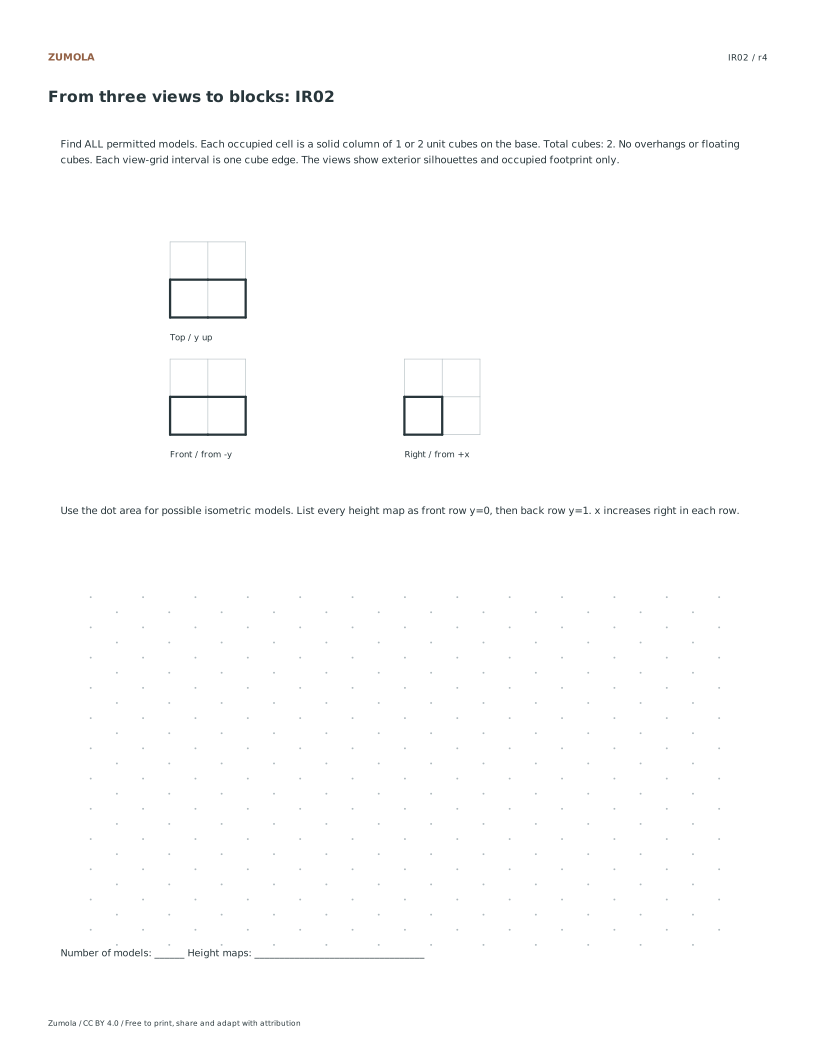
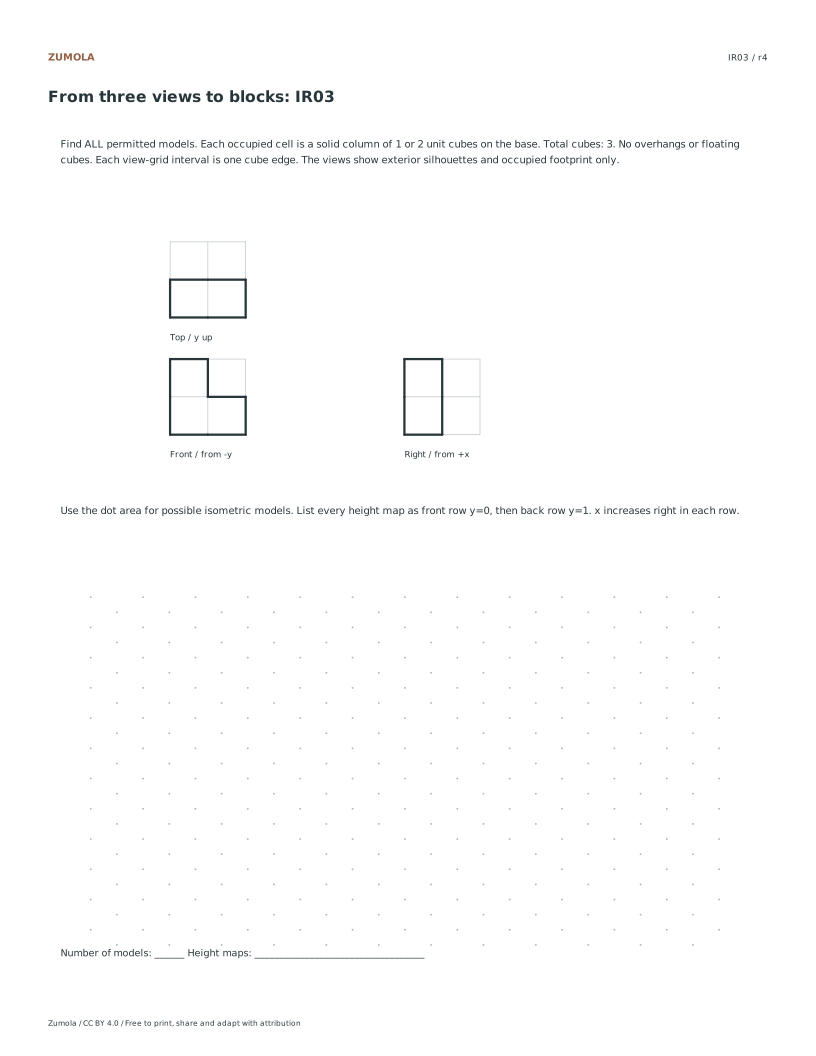
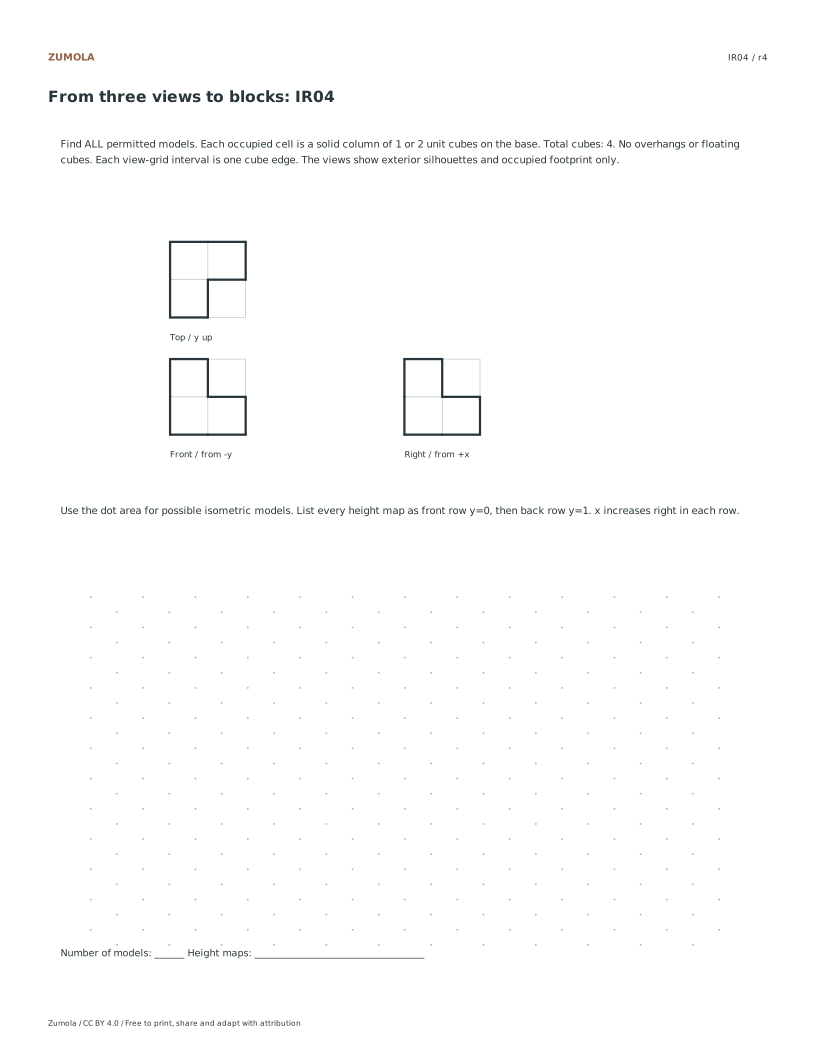
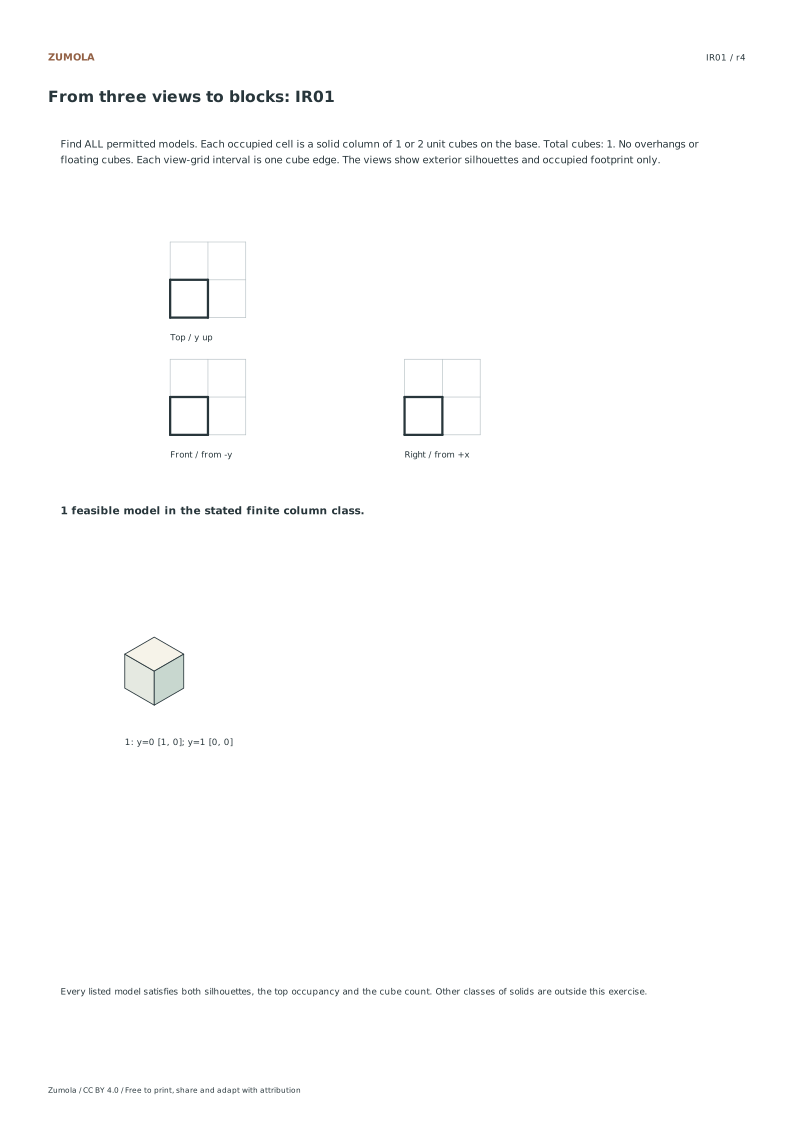
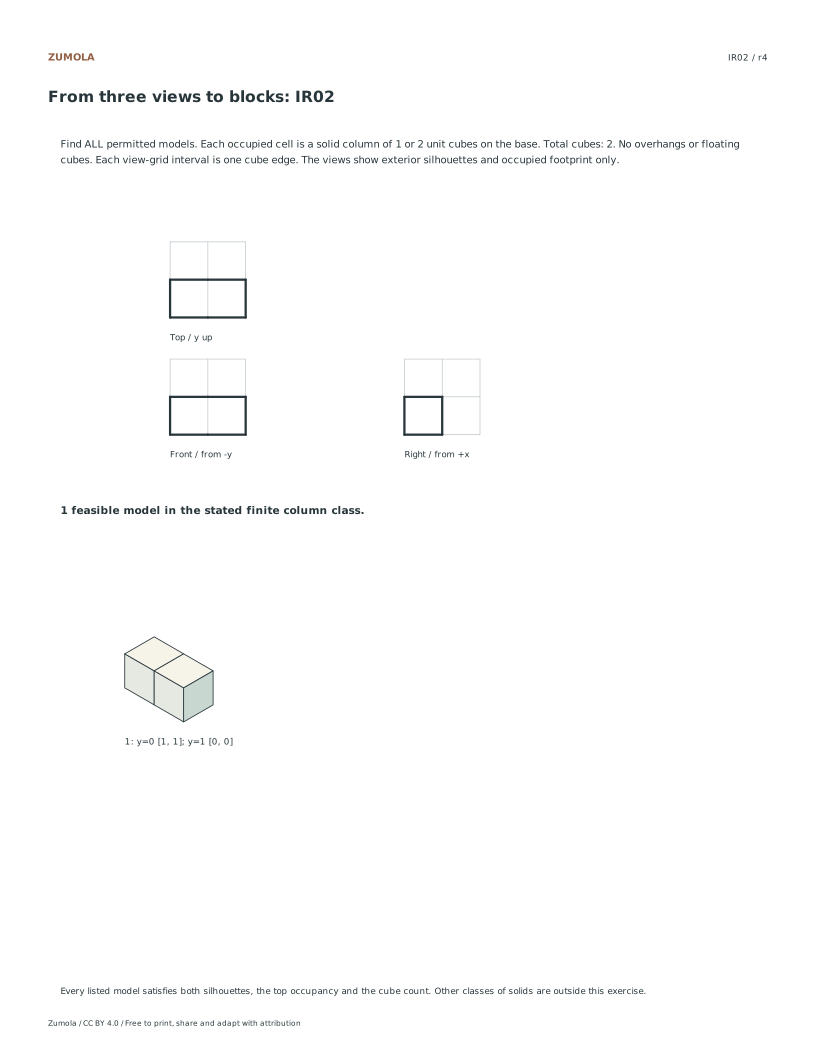
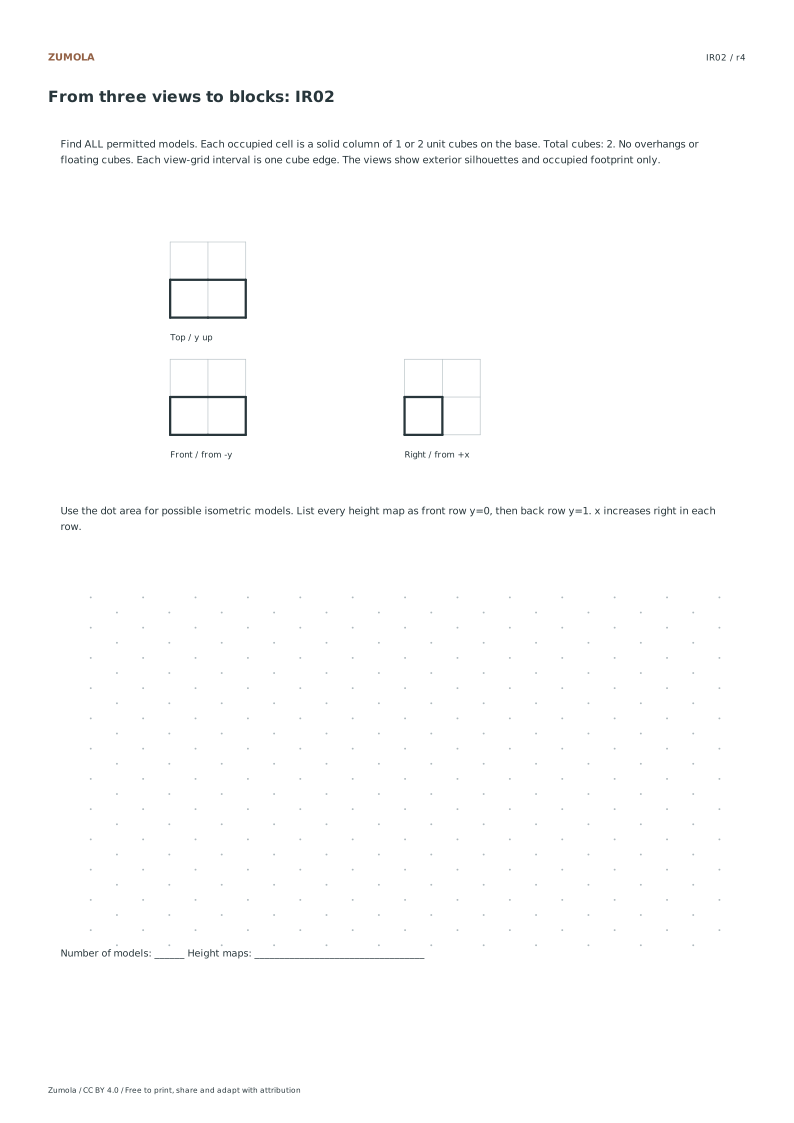
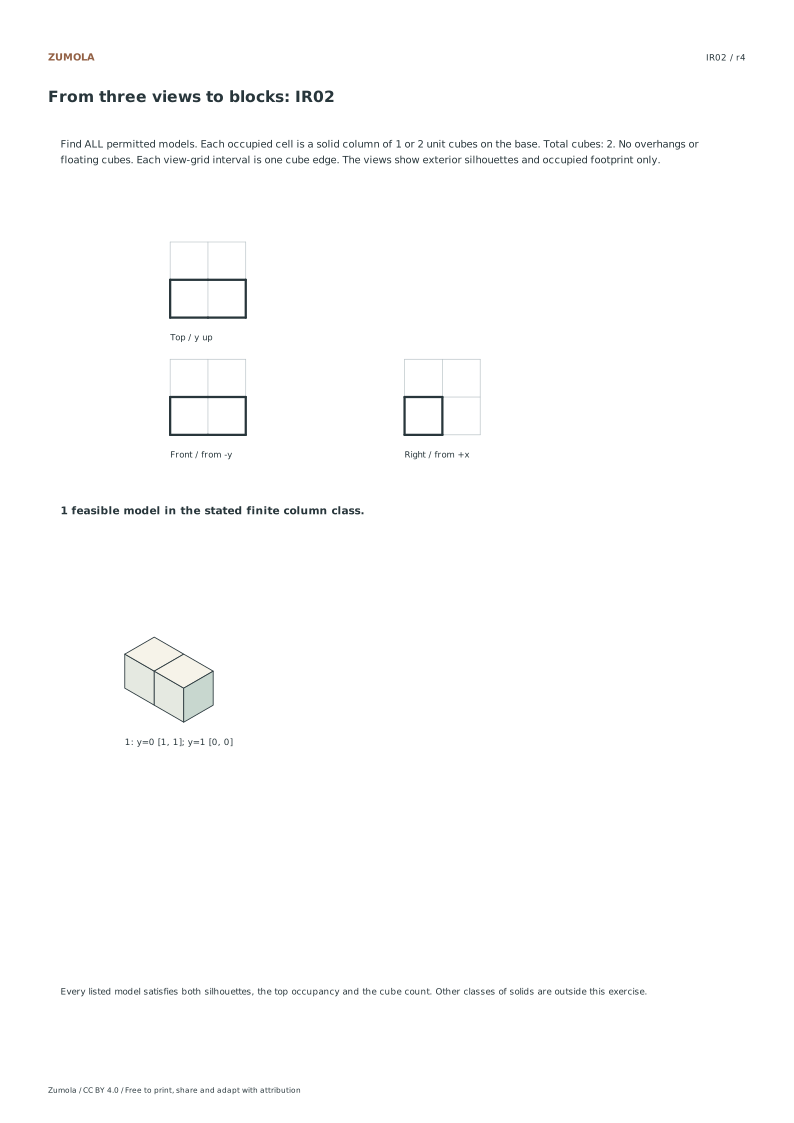
6 finite reconstruction tasks. Every valid solution included.
A task, a reference and a way to check it
Reconstruct solid cube columns from front, top and right views. Check every constraint and learn when more than one model fits.
Choose US Letter or A4, then use the PDF for printing or SVG for editing. Student worksheets and answer or reference files stay separate. Every linked file is free without signup.
Choose your paper and download
Download paper size
Every worksheet and answer is free. No signup.
The complete collection
Keep practice and answers separate.
Use the student pack first, then compare the reference or answer. Packs are PDFs; individual sheets below also include editable SVG files. The paper choice applies to every download.
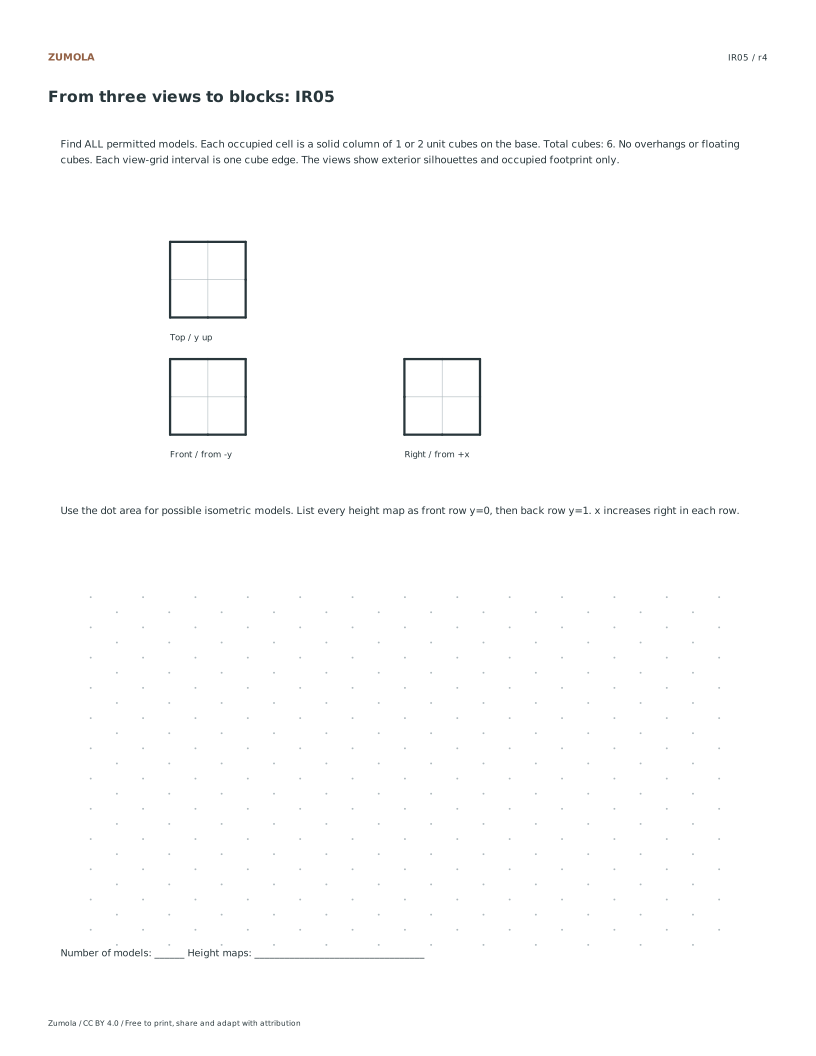
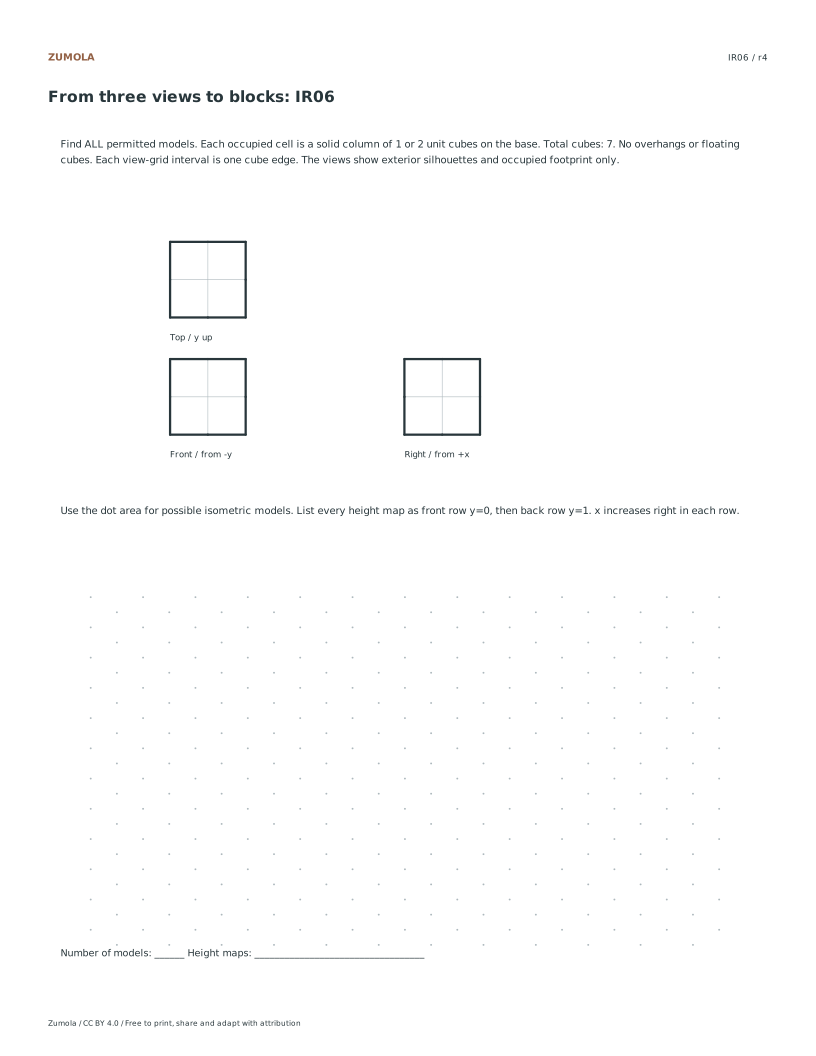
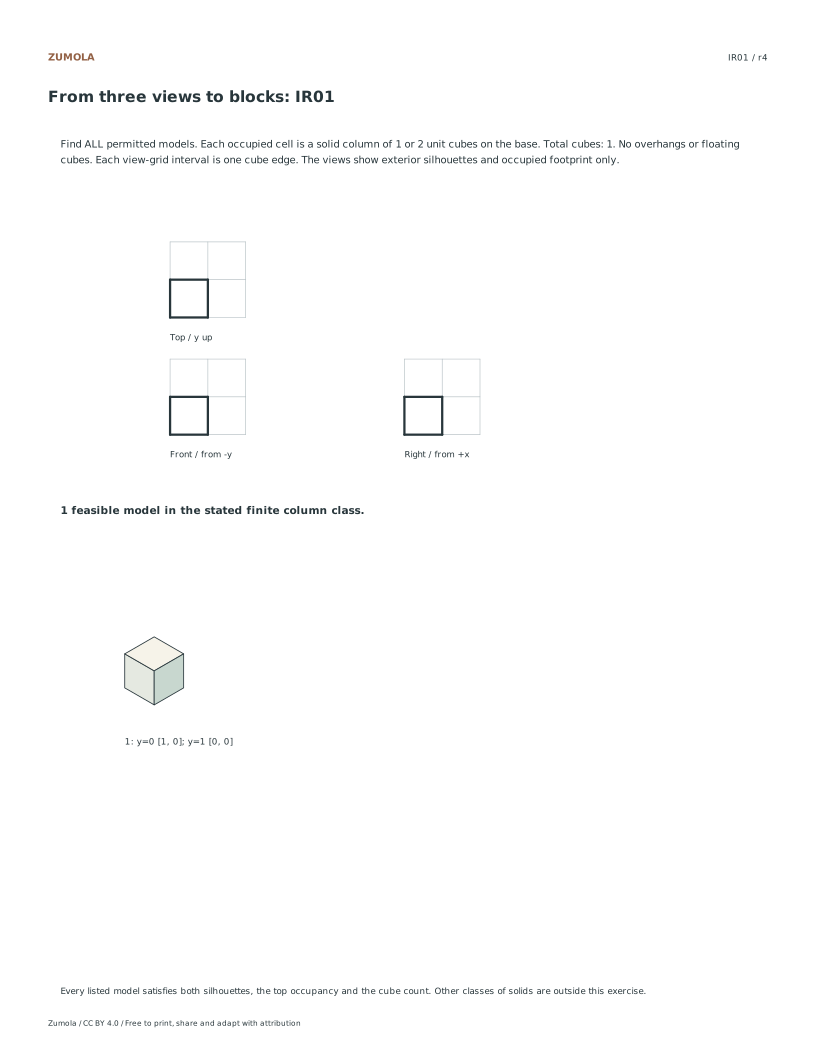
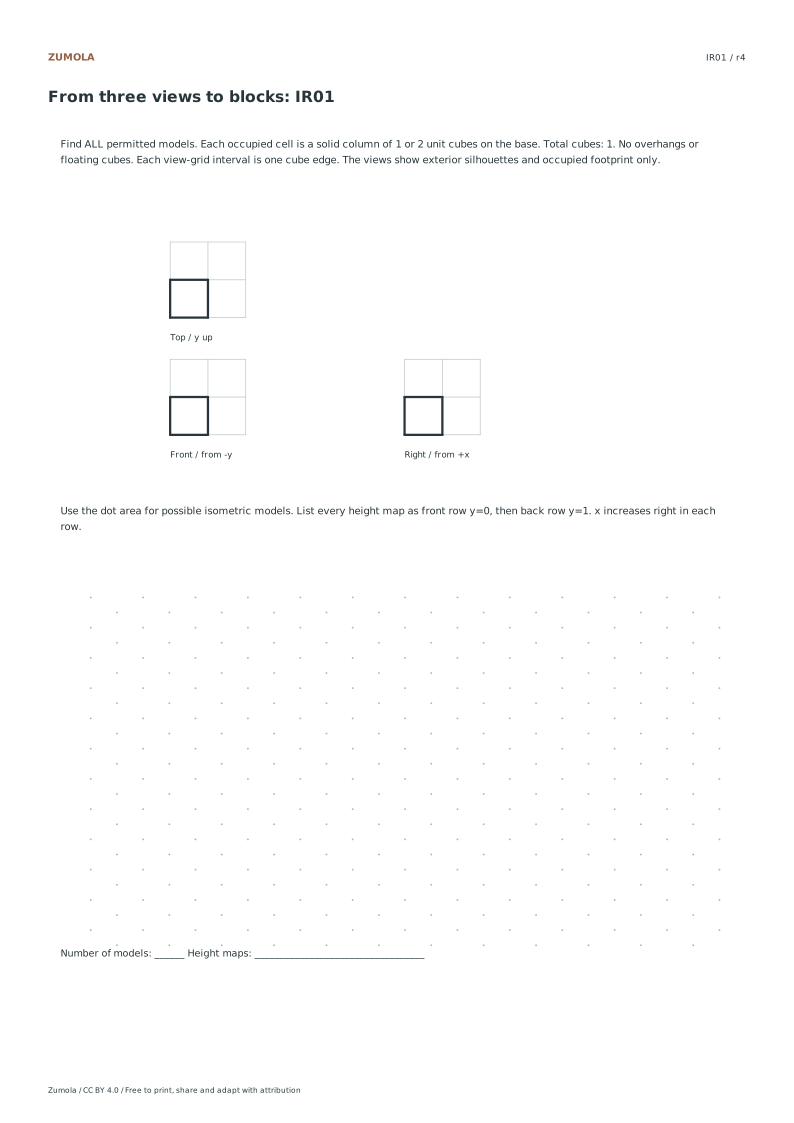
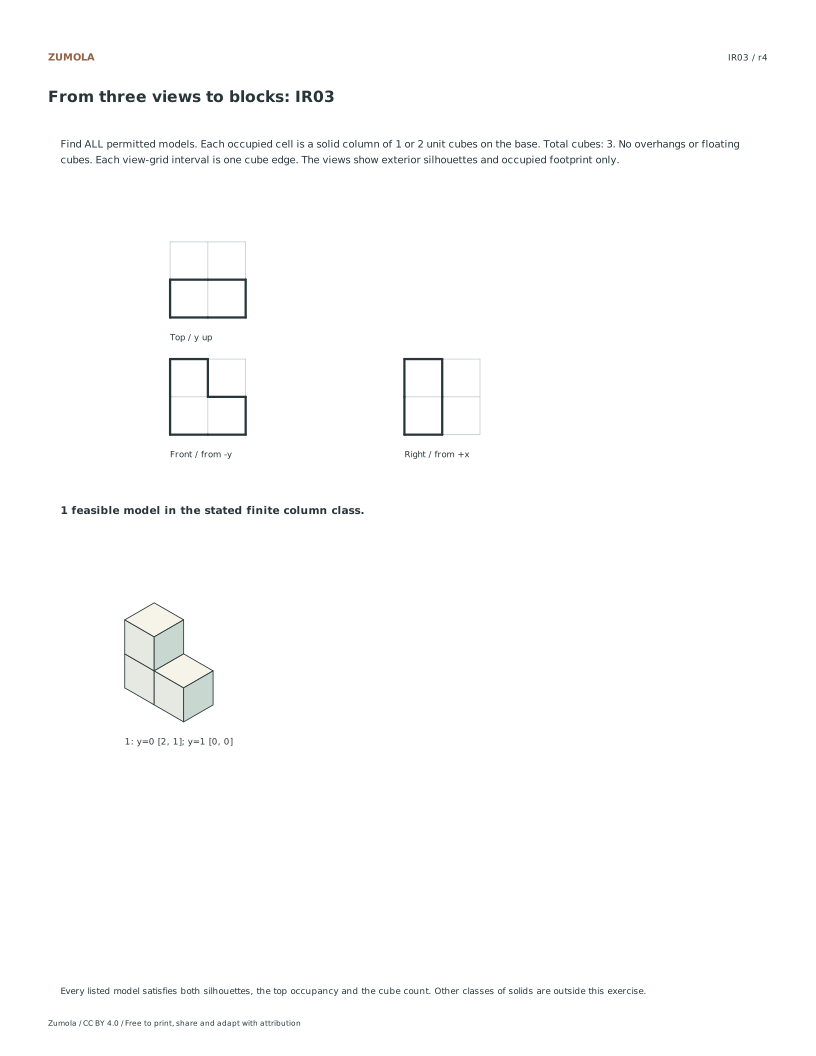
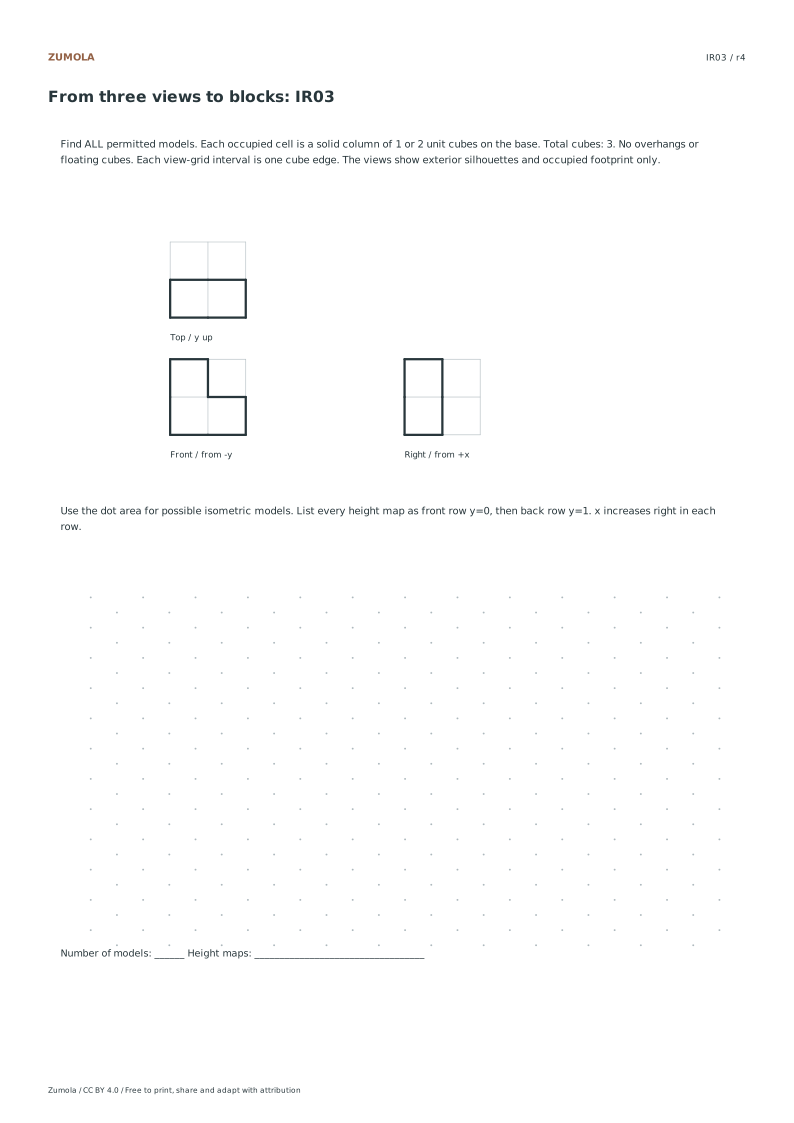
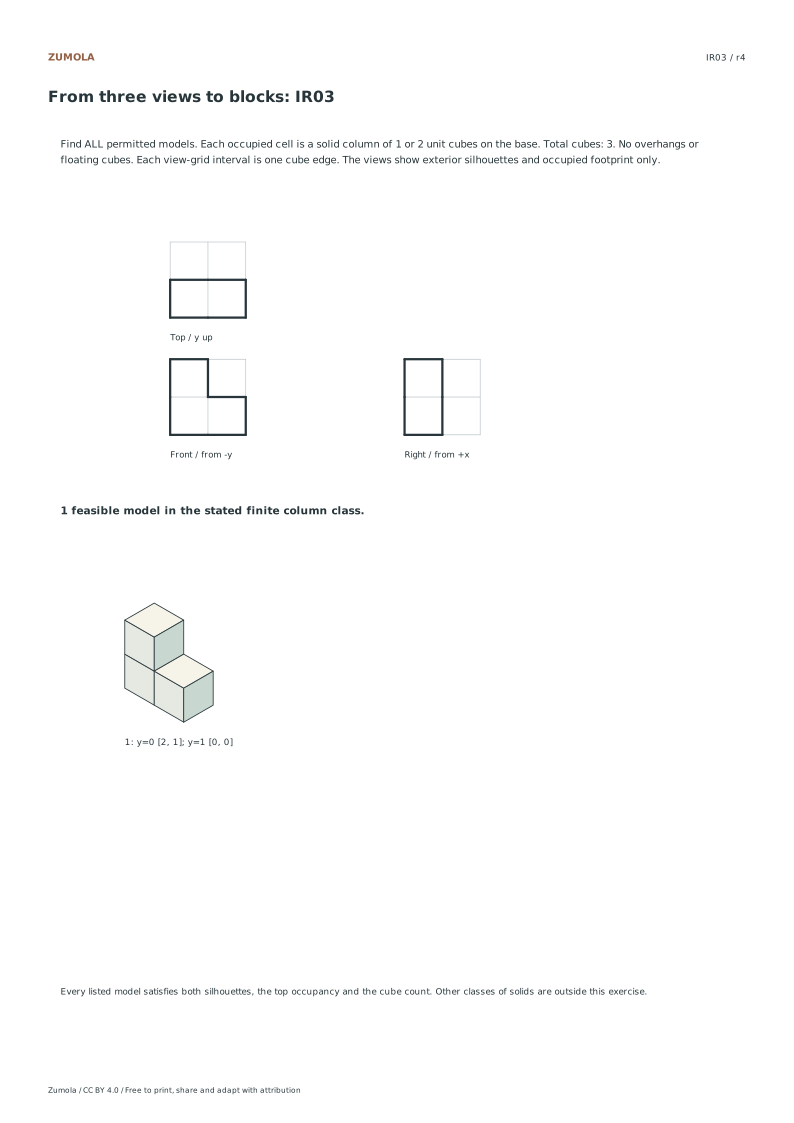
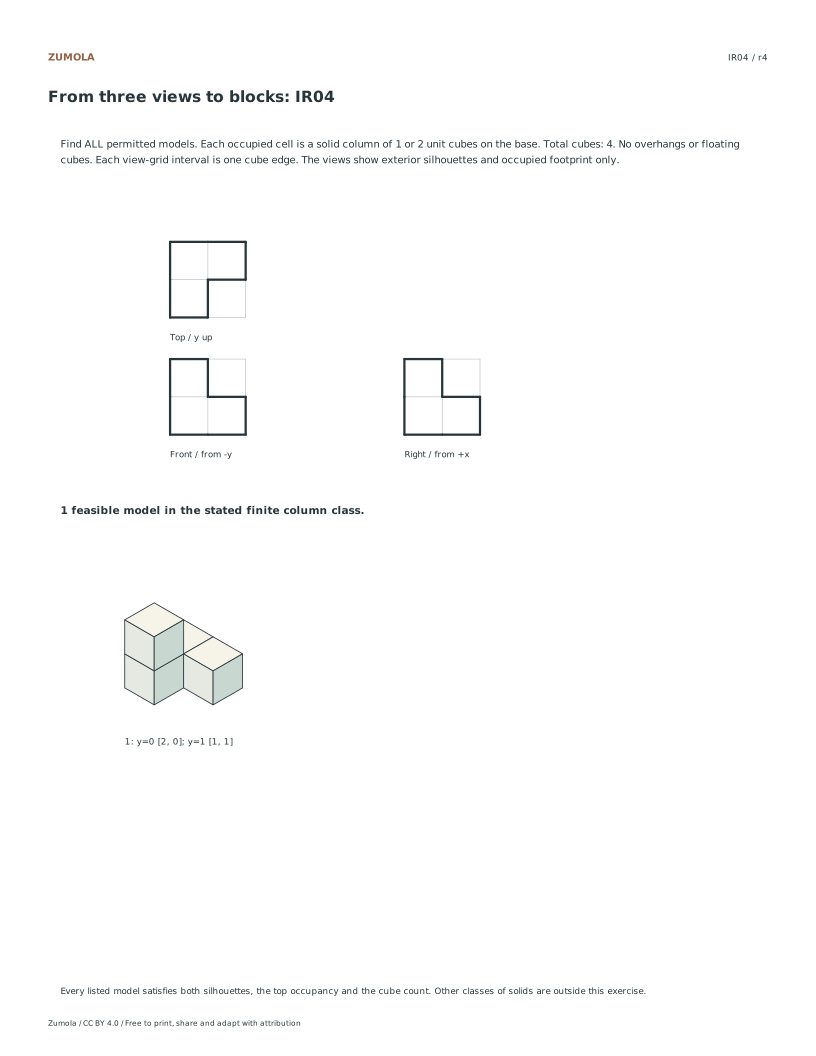
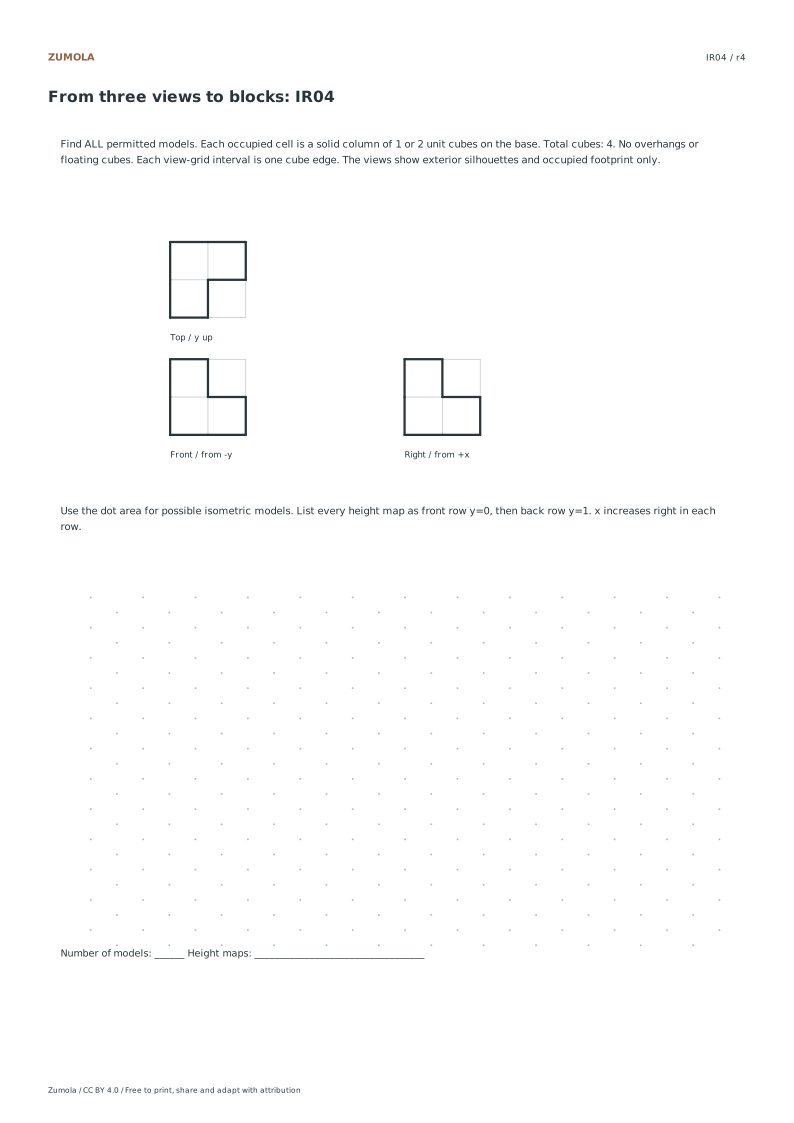
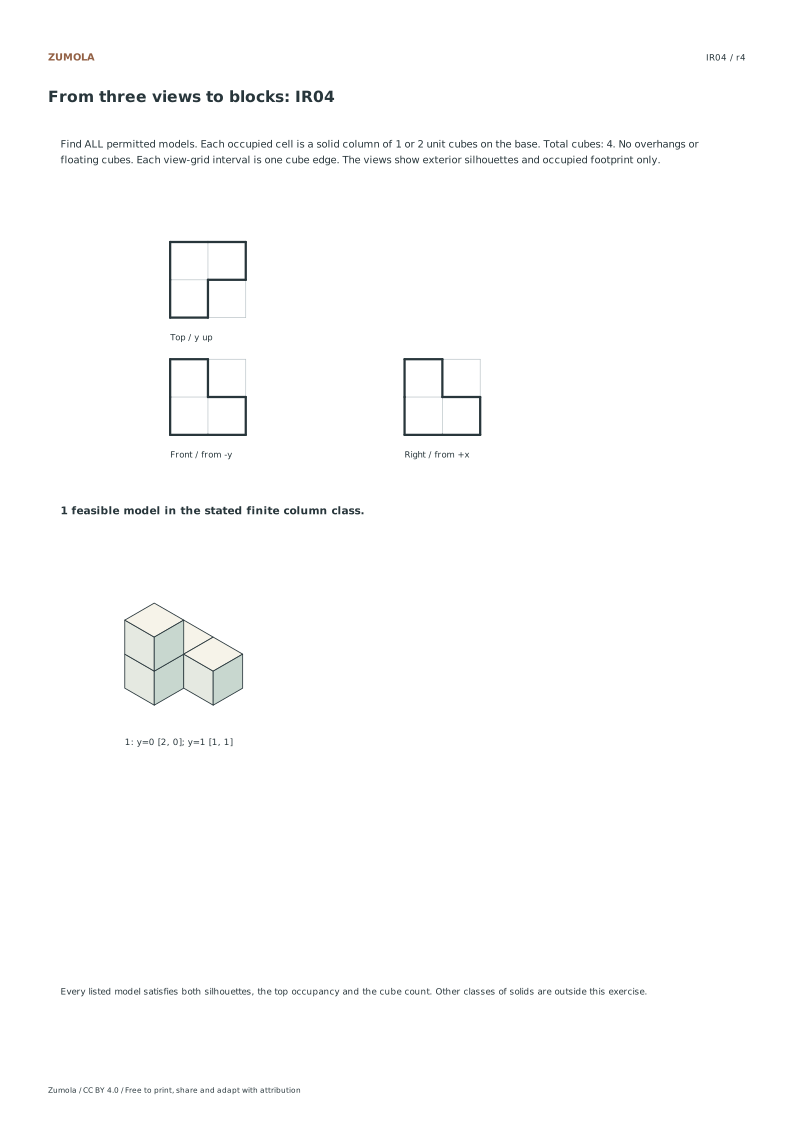
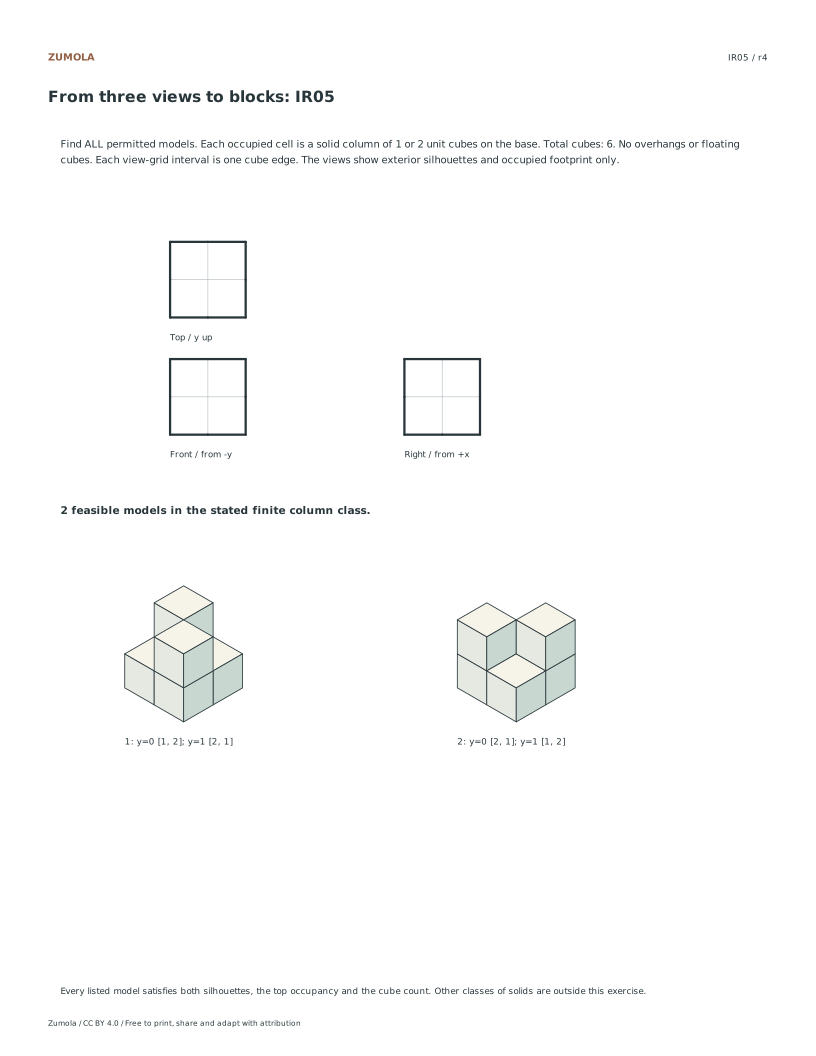
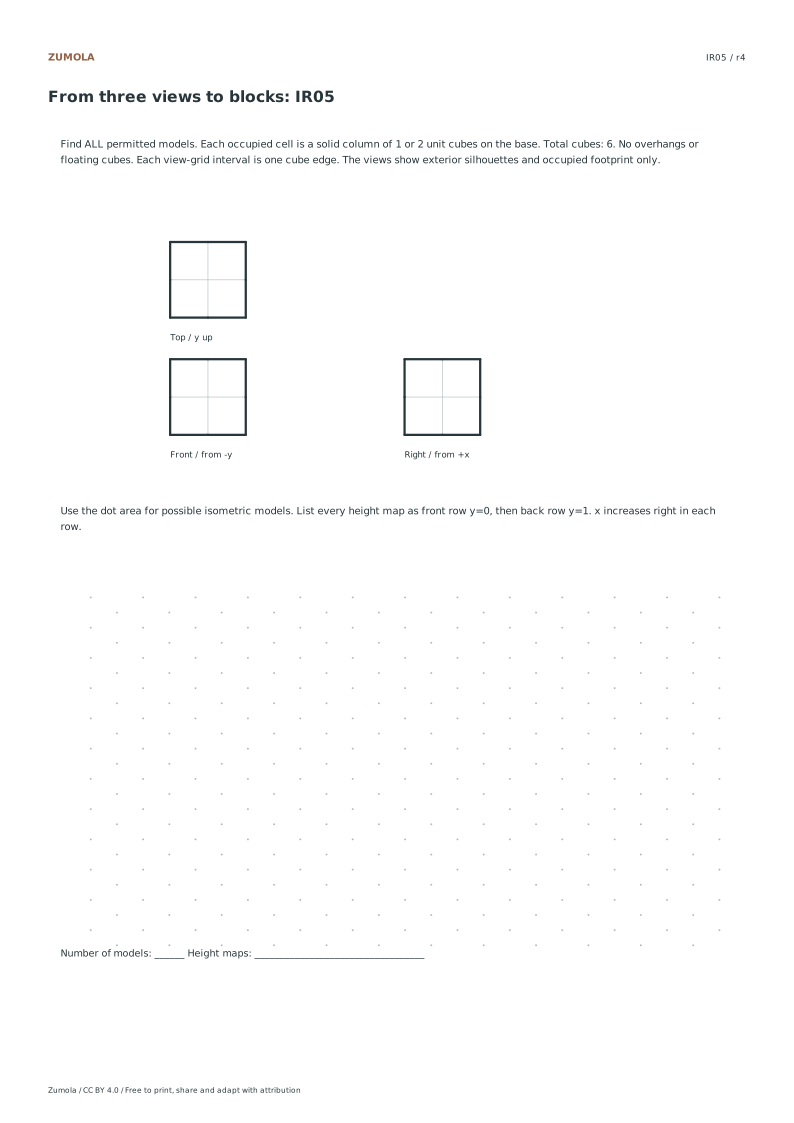
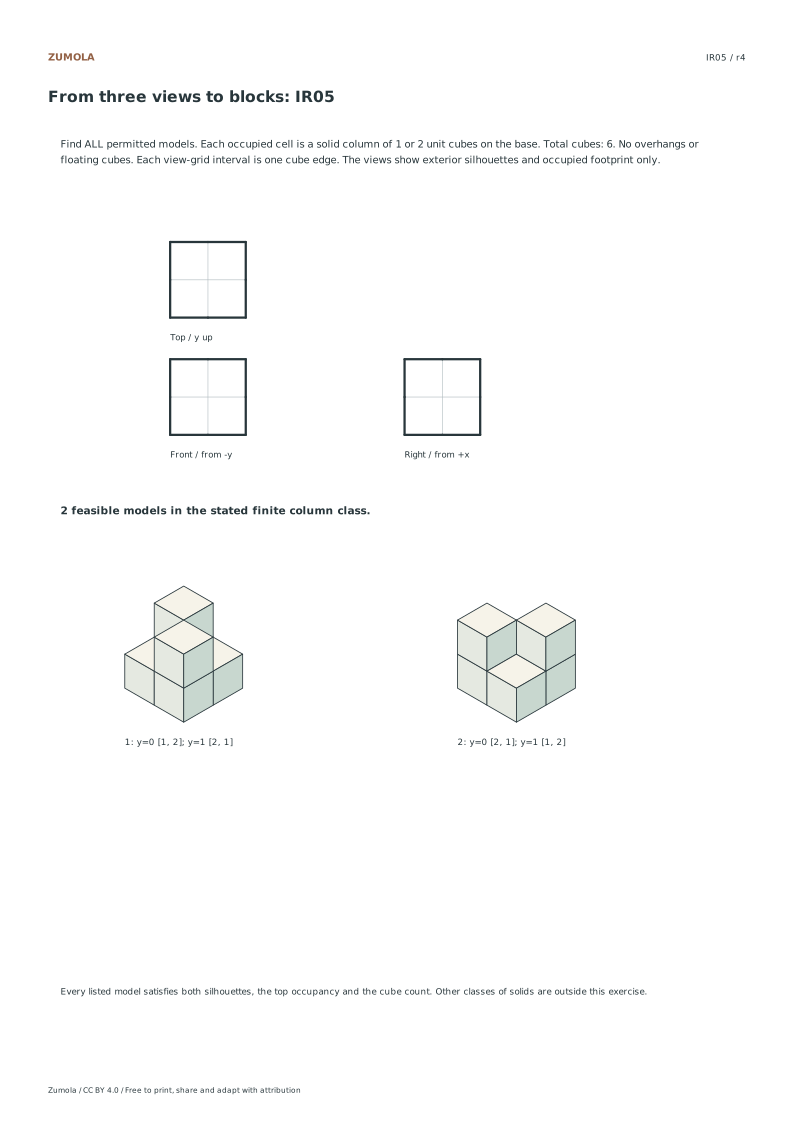
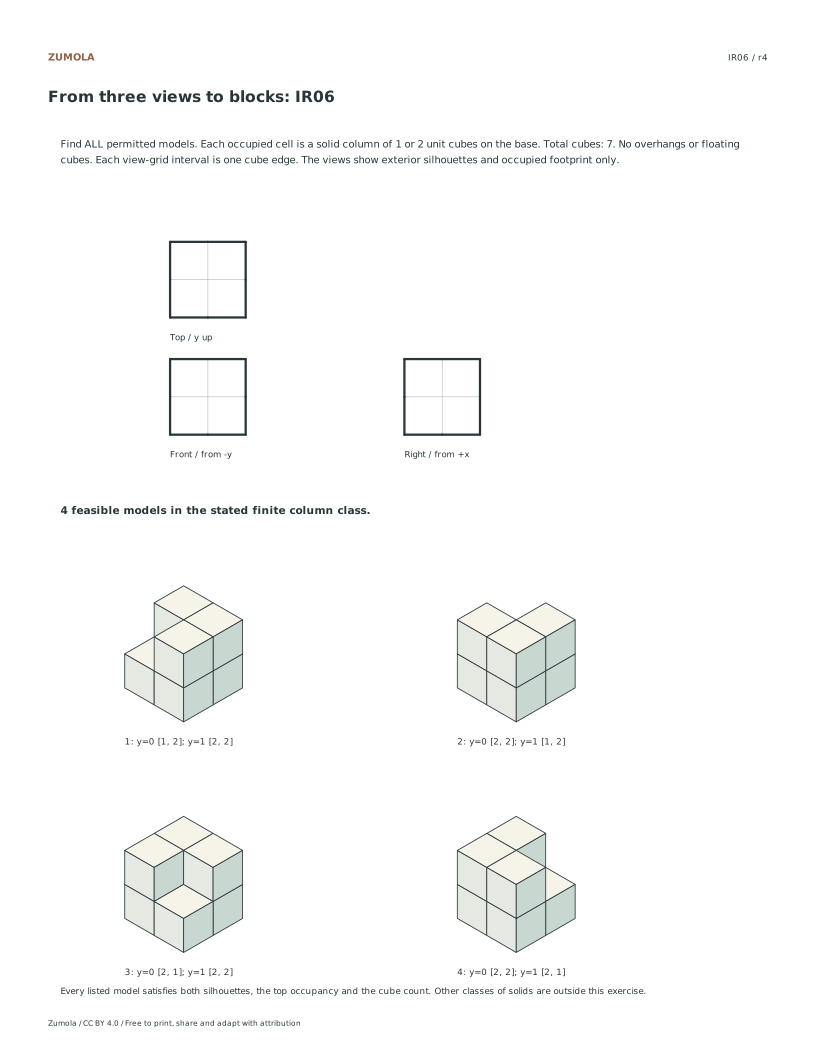
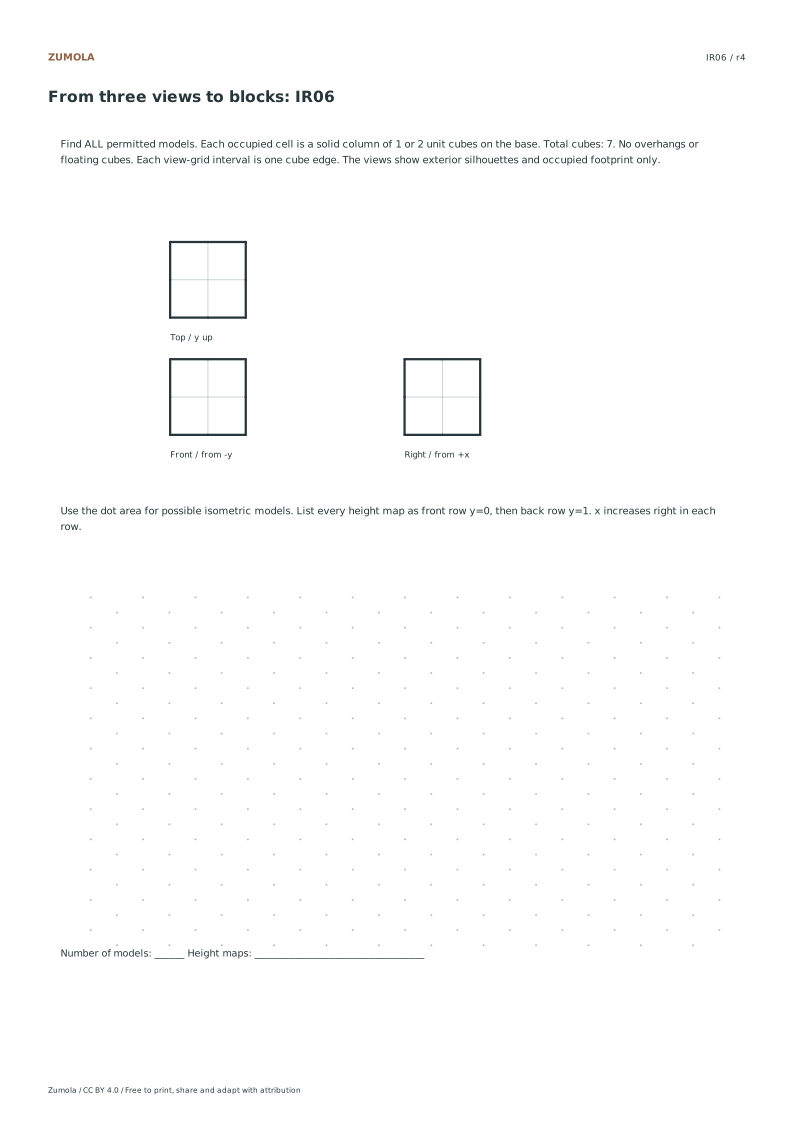
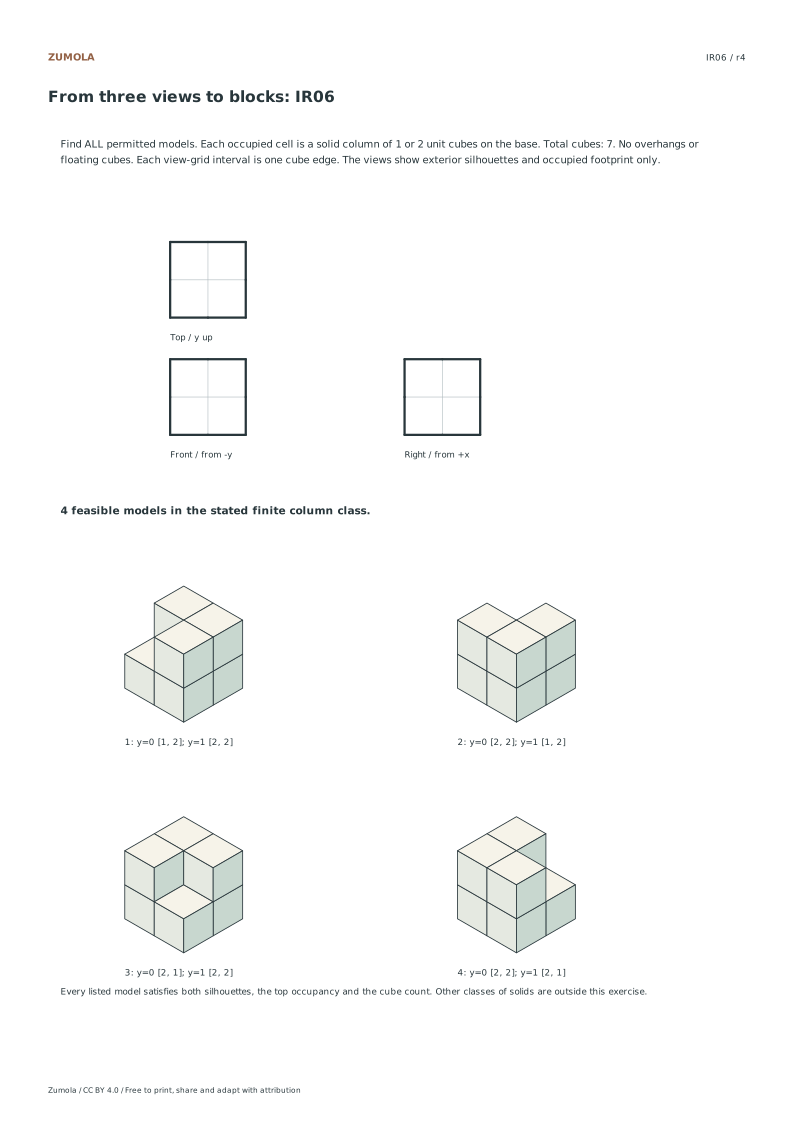
The finite model has a 2 × 2 base. Every occupied cell is a solid column of height 1 or 2; an empty cell has height 0. The top footprint fixes which cells are occupied. The front silhouette gives the maximum height at each x position, while the right silhouette gives the maximum at each y position. Add the heights to check the total cube count.
IR05 candidate
Front row y = 0
Back row y = 1
Total
A
[2, 1]
[1, 2]
6
B
[1, 2]
[2, 1]
6
Both maps produce front [2,2] and right [2,2], fill all four top cells and contain six cubes. They are distinct solutions with the observer directions held fixed. In IR06, three columns have height 2 and one has height 1; choosing the shorter column gives four solutions. The answer includes every height map and its isometric view, not just a plausible reconstruction.
Restricted model class. Completeness is proved for these solid vertical columns with a maximum height of 2. Arbitrary solids, overhangs and unshown internal geometry are outside the task.
Work through the page
Verify Base Occupancy First
Read the top footprint before assigning any heights. An empty top cell means no column there; an occupied cell can hold one or two cubes in this restricted model class. The top view alone does not say which height to choose. IR01 has one occupied cell, but its silhouettes and total count are also needed to fix that column’s height. Use x left-to-right and y front-to-back in the height map. Front row y=0 is listed first in the answer tables, while the top footprint places that front row at the bottom of its picture.
Match Front and Right Silhouettes
After establishing the base footprint, compare the maximum heights in each row and column against the provided front and right silhouettes. The front observer views from negative y, so the front silhouette corresponds to the maximum height in each x-column. The right observer views from positive x, so the right silhouette corresponds to the maximum height in each y-row. For instance, in IR05, both silhouettes show height two, meaning at least one cube in each row and column must reach height two. This constraint narrows down valid height maps significantly before checking the total cube count.
Confirm Total Cube Count
Add the column heights only after checking both silhouettes. With four occupied cells and heights of 1 or 2, there are 16 raw height assignments. In IR05 and IR06, seven satisfy the pair of all-height-2 silhouettes before the total count is applied. A total of six cubes leaves the two diagonal arrangements; a total of seven leaves four arrangements, depending on which single column is only one cube high. List all feasible maps instead of choosing the first attractive picture. The supplied answer enumerates the entire stated finite class.
Checks that catch common errors
Watch for
Check instead
Assuming a unique solution exists for every problem.
Enumerate all feasible height combinations. Problems IR05 and IR06 have multiple valid solutions, so list every height map that satisfies all constraints rather than stopping at the first match.
Ignoring the total cube count constraint.
Always sum the heights of the occupied cells and compare the result to the given total. This step is critical for distinguishing valid solutions in problems like IR05 and IR06 where silhouettes alone allow multiple configurations.
Misaligning observer perspectives with grid axes.
Remember the front observer is at negative y, mapping to x-columns, and the right observer is at positive x, mapping to y-rows. Ensure silhouette values are applied to the correct axes when validating height maps.
Print a test sheet before the full pack
Choose the file matching the paper in your printer. Print the PDF at Actual size / 100%, turning off Fit, Shrink and browser headers. An SVG editor or browser can change its scale even though the file uses millimeter dimensions. Use the supplied calibration bars where present when a task depends on physical size; a screen preview alone does not establish printed size.
The packs contain the same individual pages in collection order. They are a convenient download, not extra different exercises. On coordinate plots, uniform scaling preserves the numerical positions relative to the axes. On image-copy tasks, keep the specified proportions and any stated source-to-target enlargement. Color is optional: labels, line positions and relative lightness also explain the references.
Useful answers
Do the isometric views show internal seams?
The front and right silhouettes omit internal seams and hidden edges. The answer’s isometric drawings show visible unit-cube face edges to make the stacks readable. These are constrained cube puzzles, not complete manufacturing drawings.
Are the answers provided as just numbers?
The answer keys include exact height maps and original isometric views for every valid solution. This allows students to visualize each feasible configuration rather than just checking numerical values against a single expected result.
What file formats are available for printing?
The resources are available in Letter and A4 PDF and SVG formats. These vector and document formats ensure clarity when printed, though physical printer checks have not been performed, so verify scaling on your specific device.
Are the answers and editable files free too?
Yes. Every linked worksheet, PDF, SVG and answer is free without signup. Original Zumola resources use CC BY 4.0: credit Zumola, link the license and indicate changes. Analytics consent is not required to download or use them.
Optional Google Analytics helps us understand which free resources are useful. It is off until you allow it. Drawing tools and downloads work with either choice. Privacy details