Free original resources
Isometric Drawing Tool: Add or Remove Unit Cubes, Read Three Views and Volume
Learn how to add or remove unit cubes on an isometric grid, then derive consistent front, side and top views and compute total volume in cubic units.
Free resources
Letter & A4
PDF & SVG
Letter & A4
PDF & SVG
Make it yours.
Free · no signup · calculated in your browser
Your free printable kit.
Original reference, student practice and separate worked answers. No account or payment.
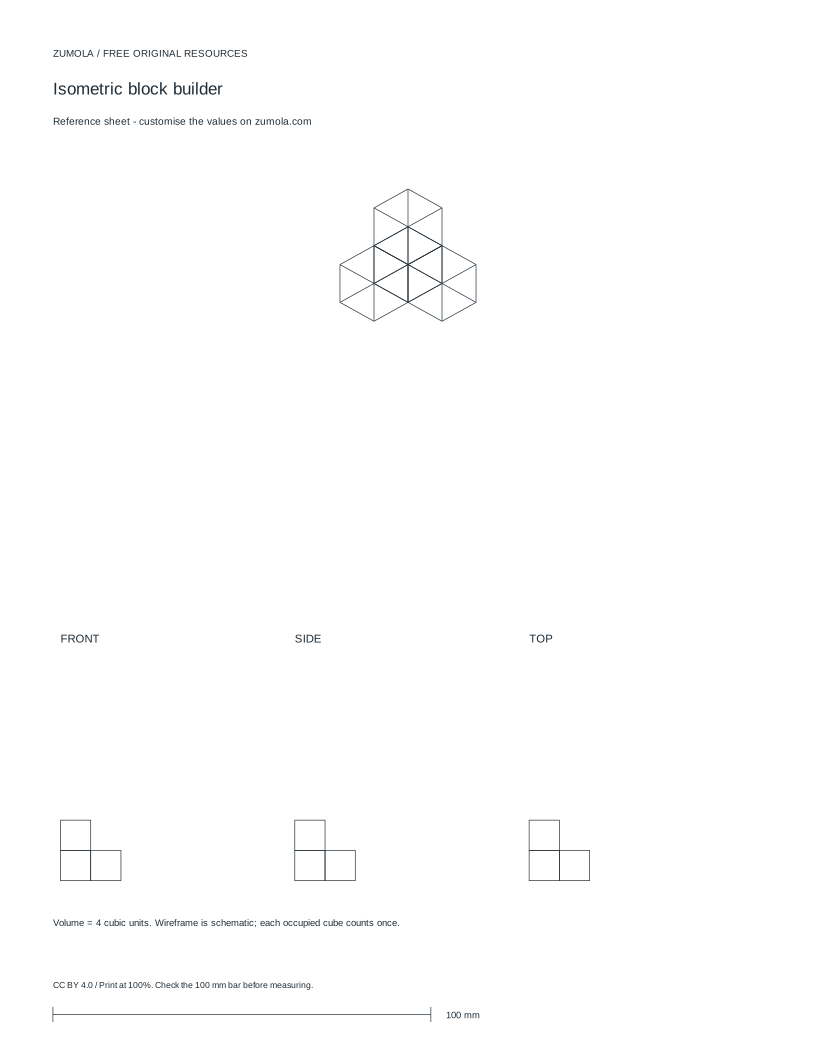
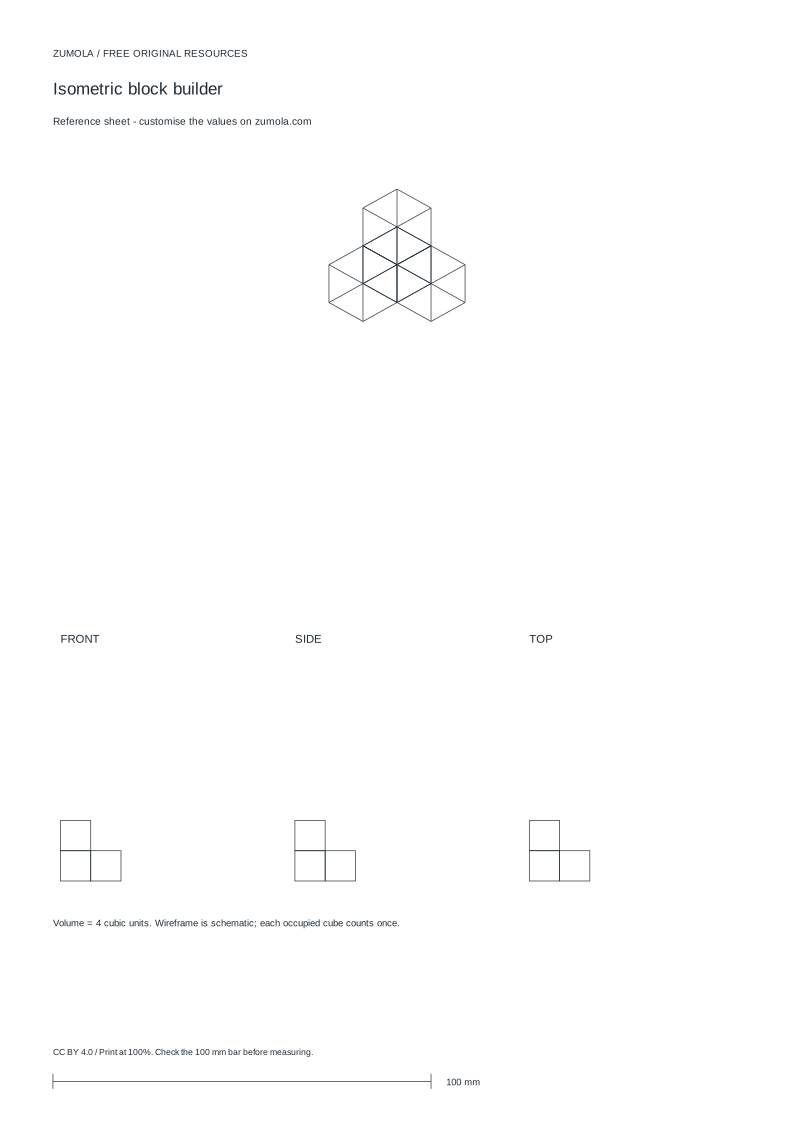
Practice worksheet
Worked answers / rubric
Print at Actual size / 100%. Check the calibration bar before using physical dimensions.
This page explains the method behind an isometric drawing tool that lets you add or remove unit cubes and then read the resulting front, side and top views and volume. Coordinates are abstract unit positions unless millimetres are stated. The goal is geometric consistency: every cube you place must appear in all three projections where it is visible, and the volume must equal the number of cubes. The explanations below describe the conceptual method, not specific interface controls.
How unit cubes map to isometric positions and three views
Treat the model as a set of unit cubes identified by integer coordinates (x, y, z). A common convention is x to the right, y upward, and z toward the viewer, but any fixed convention works if you state it. Adding a cube means inserting one coordinate triple; removing a cube means deleting one. The volume is simply the count of distinct triples, because each cube is one cubic unit.
The three views are orthogonal projections. The front view records visible cubes by their (x, y) positions, collapsing z. The side view records (z, y), collapsing x. The top view records (x, z), collapsing y. A cube at (1, 0, 0) appears in the front view at (1, 0) and in the top view at (1, 0), but not in the side view at that coordinate unless its z and y match a visible position. When cubes overlap in a projection, the view shows the occupied cell once, not once per hidden cube.
Consistency means the same cube set produces all three views. If you add a cube, check whether it creates a new visible cell in each projection or hides behind an existing one. If you remove a cube, check whether a previously hidden cube becomes visible. The projections must be recomputed from the current cube set, not edited independently.
- State the coordinate convention and the unit before placing any cube.
- List each cube as an (x, y, z) triple; keep the list free of duplicates.
- For the front view, collect each distinct (x, y) pair from the cube list.
- For the side view, collect each distinct (z, y) pair.
- For the top view, collect each distinct (x, z) pair.
- Count the triples to get the volume in cubic units.
Adding and removing cubes without breaking the views
Adding a cube changes the volume by exactly one and may add at most one cell to each view. Before adding, predict which views will change. A cube placed directly above another at the same (x, z) shares the top-view cell but adds a new front-view and side-view cell at the higher y. A cube placed behind another at the same (x, y) shares the front-view cell but adds a new side-view and top-view cell.
Removing a cube changes the volume by minus one and may remove a view cell only if no other cube occupies that projected position. This is the most common source of error: deleting a cube that was hidden in one view leaves that view unchanged, while the other views may lose a cell. Always recompute from the remaining triples rather than subtracting a cell from each view.
Keep the model connected if the task requires a single solid. A cube that touches only at an edge or corner is not face-connected; state whether edge contact is allowed. For volume, connectivity does not matter, but for interpreting a solid shape it does.
- Before adding, write the new triple and predict the three view cells it affects.
- After adding, recount the triples and rebuild all three views from the full list.
- Before removing, identify whether the cube is the only occupant of any projected cell.
- After removing, rebuild the views and confirm the volume equals the new triple count.
- If a single connected solid is required, check face adjacency between the new or remaining cubes.
Worked reasoning with a four-cube example
Consider the cube set (0,0,0), (1,0,0), (0,1,0), (0,0,1). The volume is 4 cubic units. The front view collects (x, y): (0,0), (1,0), (0,1). The side view collects (z, y): (0,0), (1,0), (0,1). The top view collects (x, z): (0,0), (1,0), (0,1). All three views have three cells, which is consistent because one cube is hidden in each projection.
Now remove (0,0,1). The remaining triples are (0,0,0), (1,0,0), (0,1,0). The volume becomes 3. The front view is unchanged: (0,0), (1,0), (0,1). The side view loses (1,0) because no remaining cube has z=1 and y=0, leaving (0,0) and (0,1). The top view loses (0,1) because no remaining cube has x=0 and z=1, leaving (0,0) and (1,0). This shows why each view must be recomputed separately.
- Write the four triples and count them: volume 4.
- Build front, side and top cell sets from the triples.
- Remove one triple and recount: volume 3.
- Rebuild each view from the three remaining triples and compare.
Try this example
A cube set contains (0,0,0), (1,0,0), (0,1,0) and (0,0,1). State the volume and the front, side and top view cells using x right, y up, z toward viewer.
Show the worked explanation
Volume is 4 cubic units. Front view (x, y): (0,0), (1,0), (0,1). Side view (z, y): (0,0), (1,0), (0,1). Top view (x, z): (0,0), (1,0), (0,1). Each view has three cells because one cube is hidden in each projection.
Common mistakes
- Editing a view directly after adding or removing a cube instead of recomputing from the cube list. Rebuild all three views from the current set of coordinate triples every time the cube set changes.
- Counting a hidden cube twice in a projection because two cubes share the same projected cell. Collect distinct projected coordinate pairs; each occupied cell appears once regardless of how many cubes project onto it.
- Assuming a removed cube always removes one cell from every view. Check whether another cube occupies the same projected cell; if so, that view is unchanged.
Check your work
- Coordinate convention and unit are stated before any cube is placed.
- Every cube is listed as a distinct (x, y, z) triple with no duplicates.
- Front, side and top views are derived from the same cube set and use distinct projected cells.
- Volume equals the number of distinct triples and is reported in cubic units.
- Adding or removing a cube is followed by a full recomputation of all three views.
Questions before you start
How is volume related to the number of unit cubes?
Each distinct unit cube contributes one cubic unit, so the volume equals the number of coordinate triples in the cube set, provided no duplicate triples are counted.
Why can two different cube sets produce the same three views?
Projections collapse one axis, so cubes hidden behind others can differ while the visible cells stay the same. The views constrain the model but do not always determine it uniquely.
What units should I state?
Use millimetres only when the task specifies physical dimensions. Otherwise treat coordinates as abstract unit positions and report volume in cubic units.