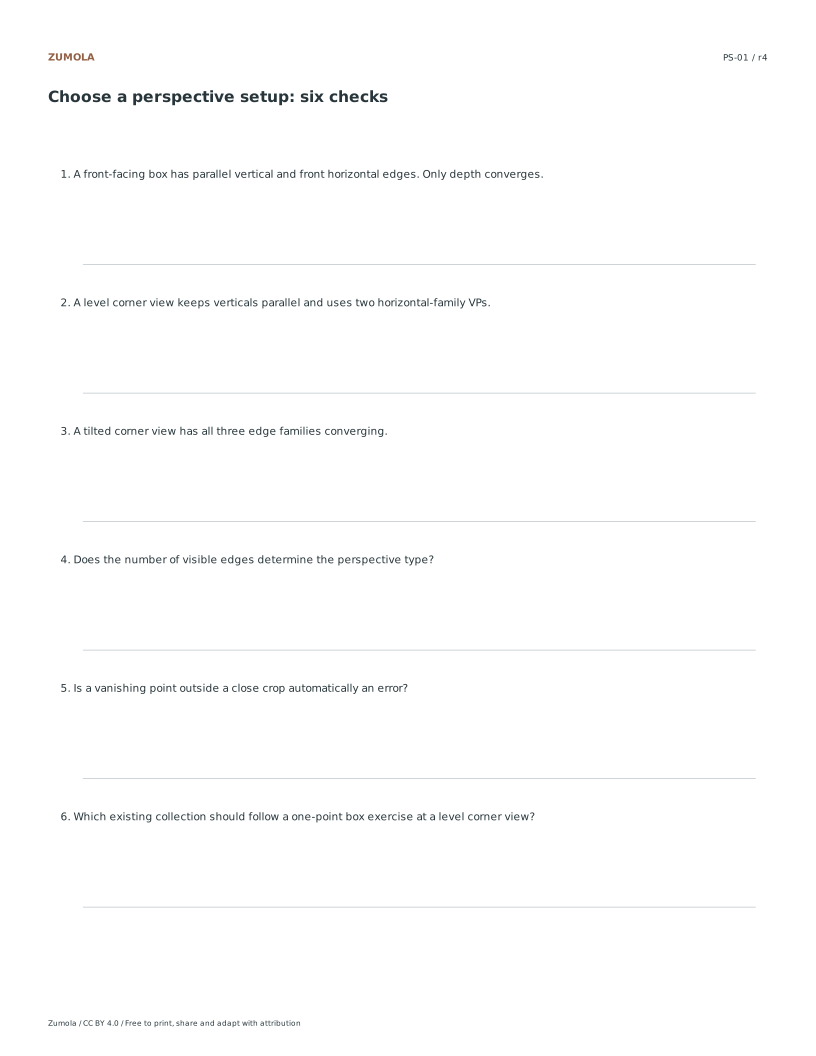
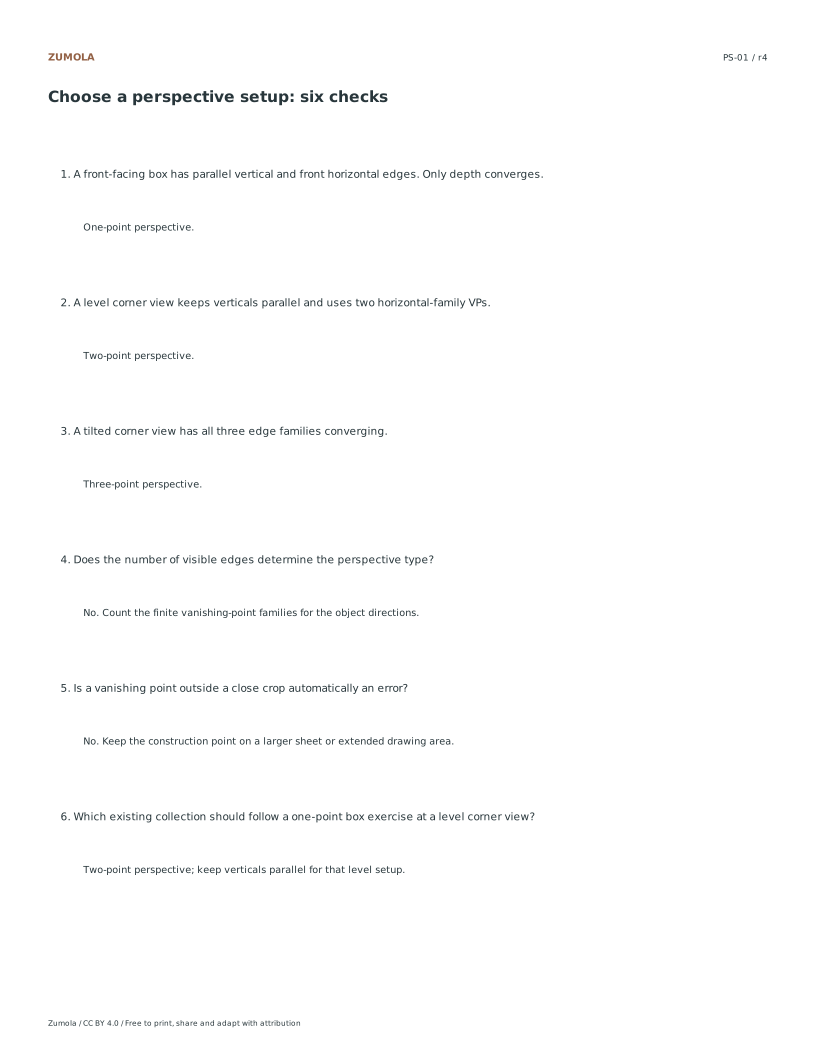
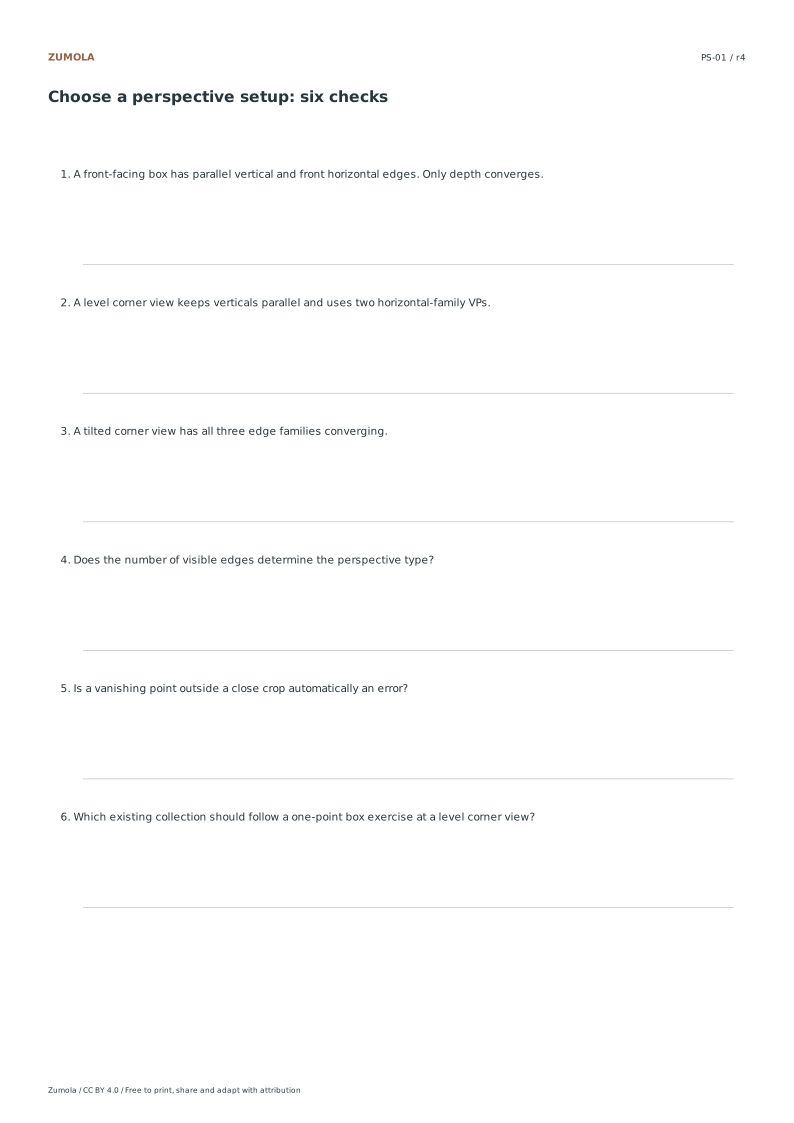
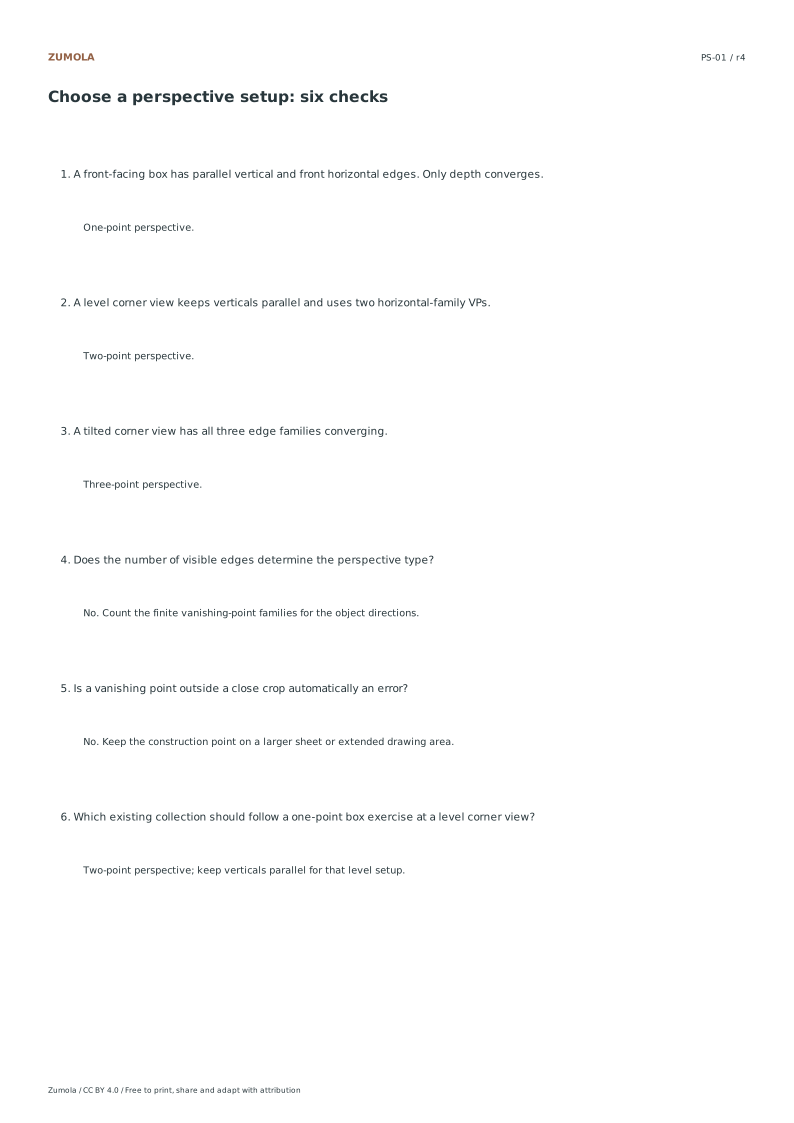
One cube. Three camera poses. 6 selection questions + answers.
A task, a reference and a way to check it
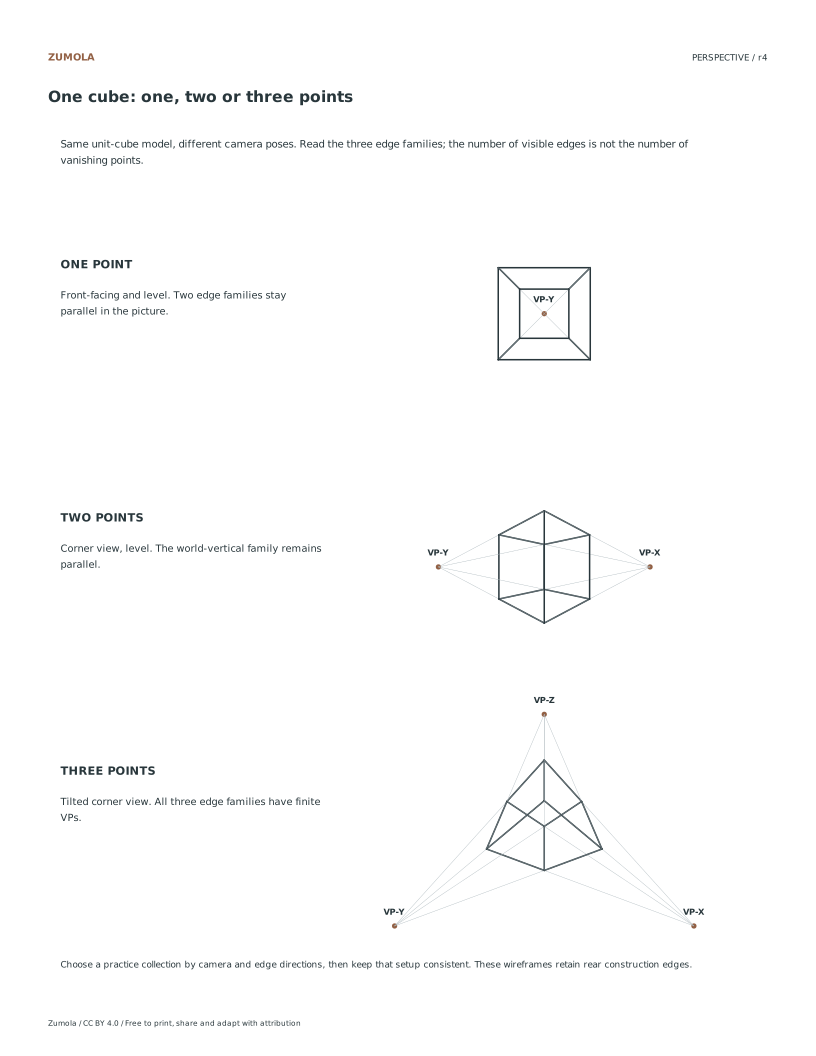
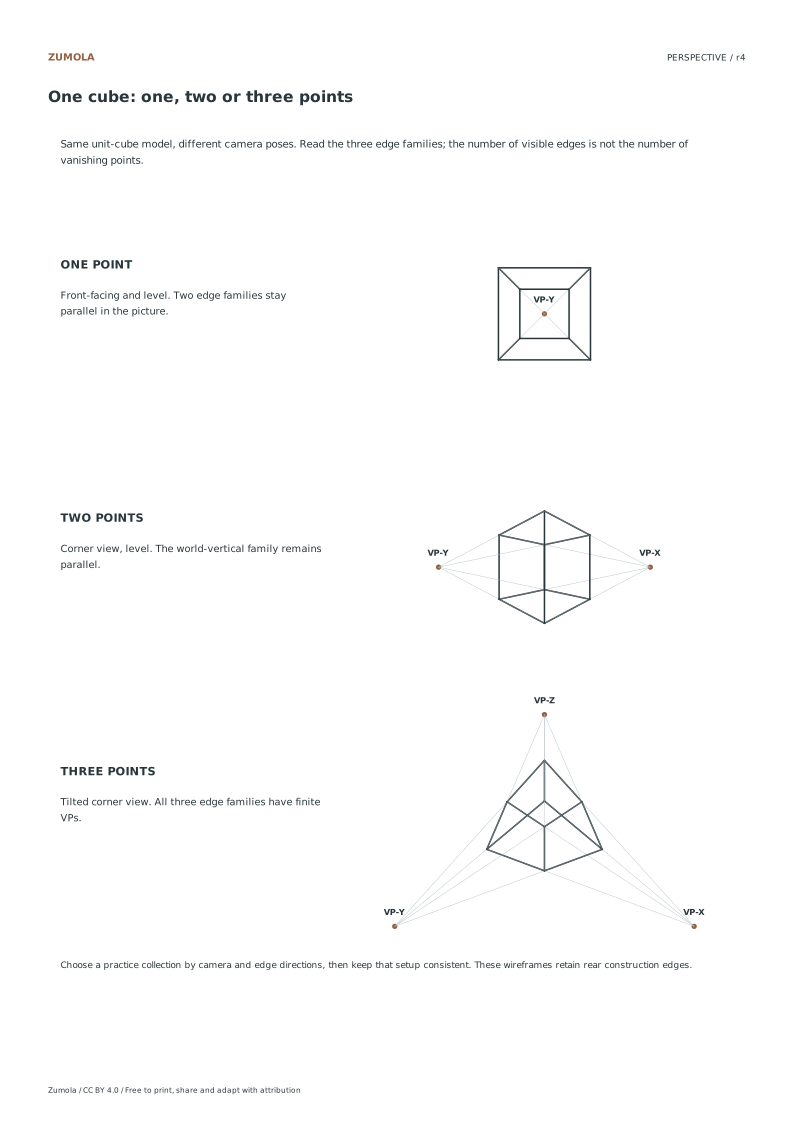
Compare the same cube in one-, two- and three-point setups. Follow its edge families, then choose a focused practice collection.
Choose US Letter or A4, then use the PDF for printing or SVG for editing. Student worksheets and answer or reference files stay separate. Every linked file is free without signup.
Choose your paper and download
Download paper size
Every worksheet and answer is free. No signup.
Free original resourcePS-REF
One cube, three perspective types
Original task with a separate reference answer. Letter or A4.
An edge family is a set of parallel directions in the model, not a count of visible strokes on the paper. A cube has three axis-aligned families even when rear edges are hidden. One-point and two-point are special camera/object alignments in which some families remain parallel in the picture and have no finite vanishing point.
Use the six questions to choose an arrangement and check the answer before drawing a new box. The comparison sheet uses the same unit-cube vertices under three camera poses. It retains rear edges for learning; it does not give the dimensions of a building or certify a technical drawing convention.
Begin with the level front-facing cube. Its horizontal-front and world-vertical edge families are parallel to the picture plane, while its depth family has one finite vanishing point. Parallel edges in one front-facing plane share a scale factor; their drawn lengths are not automatically real-world lengths. The reference retains rear wireframe edges so you can follow all three families. Classify the setup by how those families behave, not by the number of individual lines you can see. Changing the camera or object orientation changes which families recede.
Analyzing Converging Horizontal Axes
Move to the two-point perspective view where the cube is rotated to show a corner. Here, the vertical world edges remain perfectly parallel, maintaining their upright orientation without convergence. However, the two horizontal world edge families now converge toward separate finite vanishing points on the horizon line. This shift demonstrates how rotating the camera pose changes which axes appear to recede. Compare this directly with the previous example to see that while verticals stay parallel, the horizontal dimensions now require two distinct vanishing points to accurately represent the corner view of the same unit cube model.
Observing Three-Point Convergence
In the three-point perspective example, the camera tilt introduces a third vanishing point for the vertical world edges. Unlike the previous two examples, all three world-axis edge families now converge to finite vanishing points. This means the vertical edges no longer remain parallel but instead tilt toward a point above or below the horizon. This configuration accurately reflects a tilted camera pose looking up or down at the cube. Use this view to understand how changing the camera angle affects all three dimensions simultaneously, distinguishing it clearly from the level views in the other collections.
Checks that catch common errors
Watch for
Check instead
Counting visible edges instead of comparing edge families.
Focus on how each family of parallel world edges behaves relative to the image plane and vanishing points.
Assuming vertical edges always remain parallel in every perspective view.
Recognize that in the three-point tilted view, vertical world edges also converge to a finite vanishing point.
Treating the cube as a physically measured building structure.
Understand that the same unit-cube model is simply projected using different camera poses for geometric comparison.
Print a test sheet before the full pack
Choose the file matching the paper in your printer. Print the PDF at Actual size / 100%, turning off Fit, Shrink and browser headers. An SVG editor or browser can change its scale even though the file uses millimeter dimensions. Use the supplied calibration bars where present when a task depends on physical size; a screen preview alone does not establish printed size.
The packs contain the same individual pages in collection order. They are a convenient download, not extra different exercises. On coordinate plots, uniform scaling preserves the numerical positions relative to the axes. On image-copy tasks, keep the specified proportions and any stated source-to-target enlargement. Color is optional: labels, line positions and relative lightness also explain the references.
Useful answers
How is this different from the individual worksheet collections?
This page helps choose a setup by comparing the same cube under three camera poses. It includes a comparison sheet and six selection questions, then links to the fuller one-, two- and three-point practice collections.
What formats are available for download?
The resource is available as a Letter or A4 PDF and SVG file, including six selection questions, an answer key, and a comparison sheet.
Where can I find related perspective collections?
You can route to the already published one-point and two-point collections, as well as the new three-point collection for further practice.
Are the answers and editable files free too?
Yes. Every linked worksheet, PDF, SVG and answer is free without signup. Original Zumola resources use CC BY 4.0: credit Zumola, link the license and indicate changes. Analytics consent is not required to download or use them.
Optional Google Analytics helps us understand which free resources are useful. It is off until you allow it. Drawing tools and downloads work with either choice. Privacy details