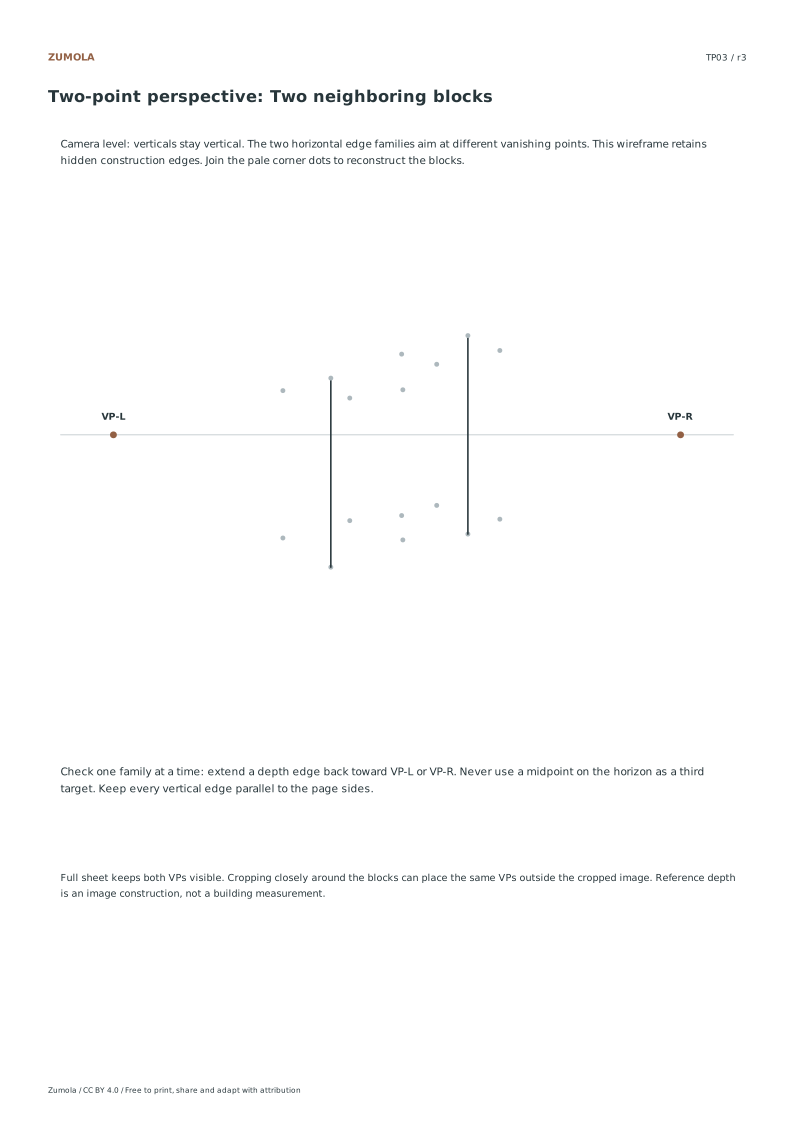
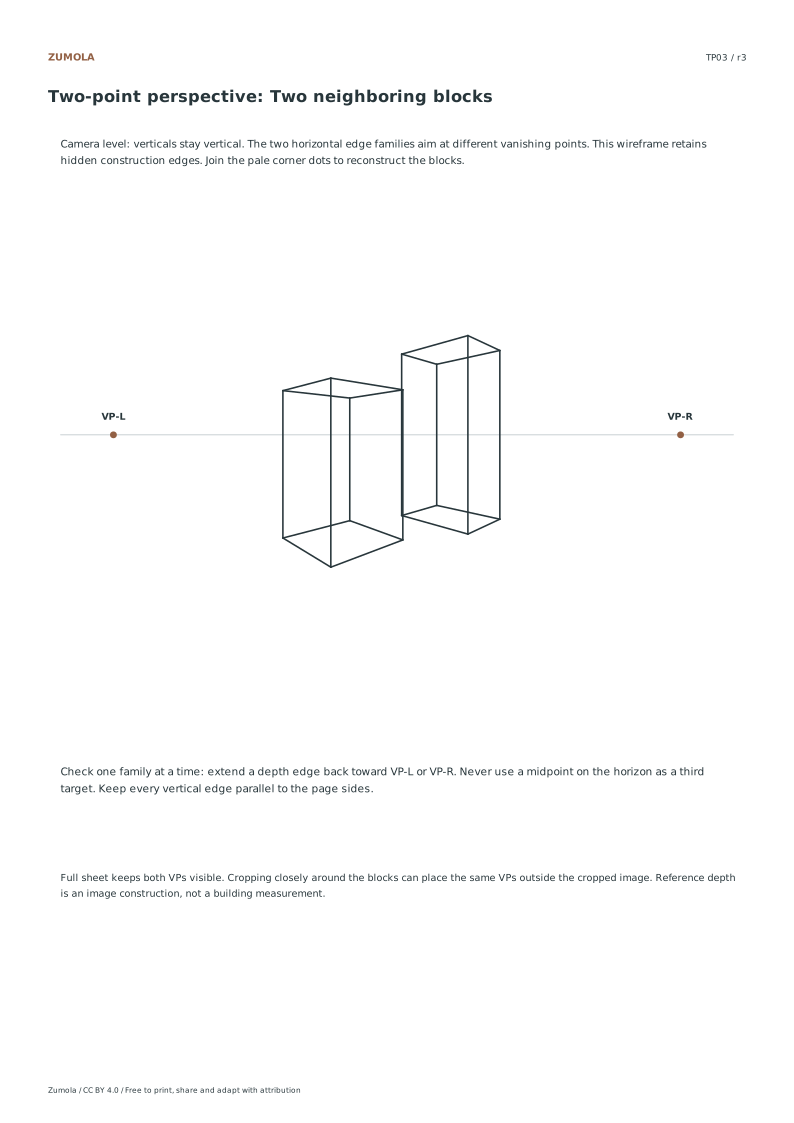
Build a box, a tower and neighboring blocks from two fixed vanishing points. Keep verticals upright and give each horizontal edge family its own destination.
Build a box, a tower and neighboring blocks from two fixed vanishing points. Keep verticals upright and give each horizontal edge family its own destination.
Choose US Letter or A4, then download the PDF for printing or the SVG for editing. Keep the student worksheet separate from its answer or reference completion. All files, including the answers, are free without signup.
Choose your paper and download
Download paper size
Every worksheet and answer is free. No signup.
The complete collection
Keep practice and answers separate.
Use the student pack first, then compare the reference or answer. Packs are PDFs; individual sheets below also include editable SVG files. The paper choice applies to every download.
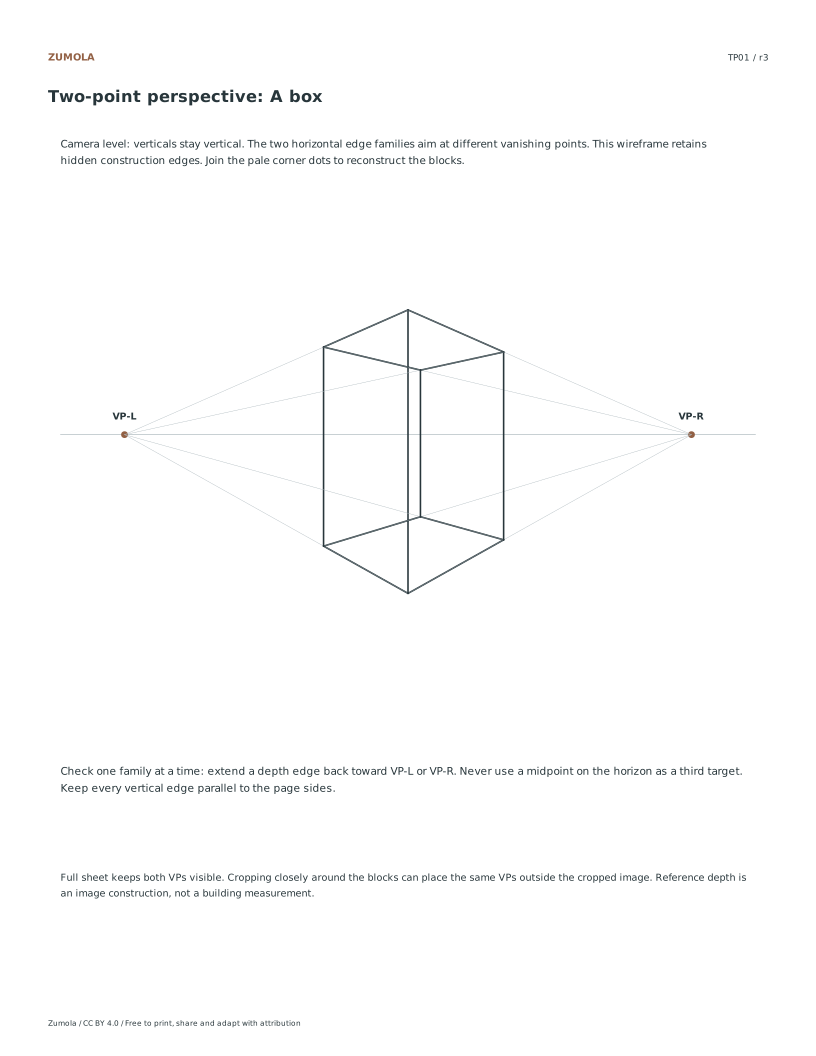
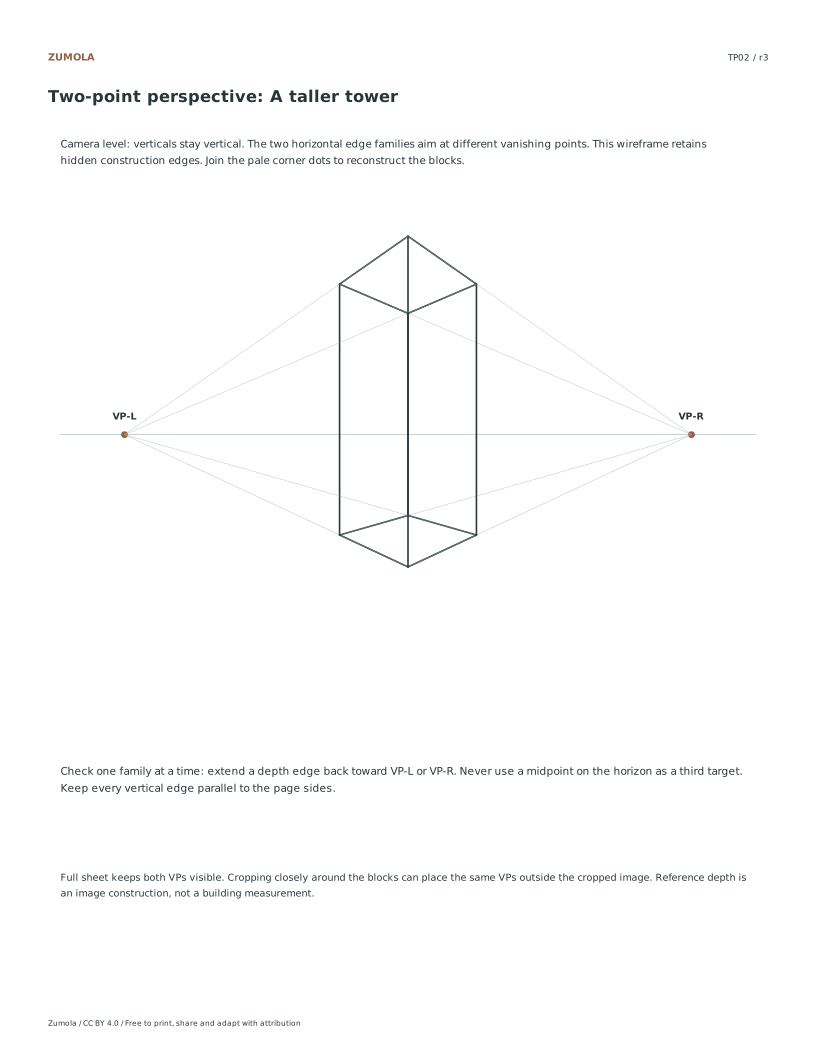
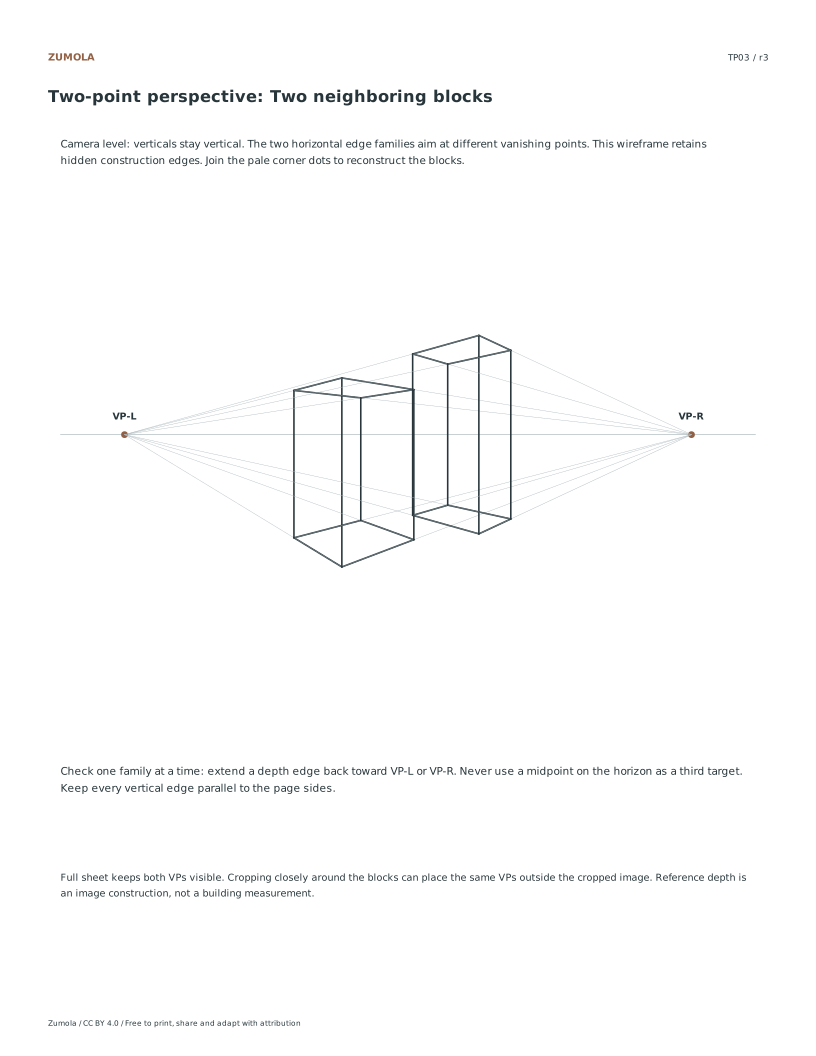
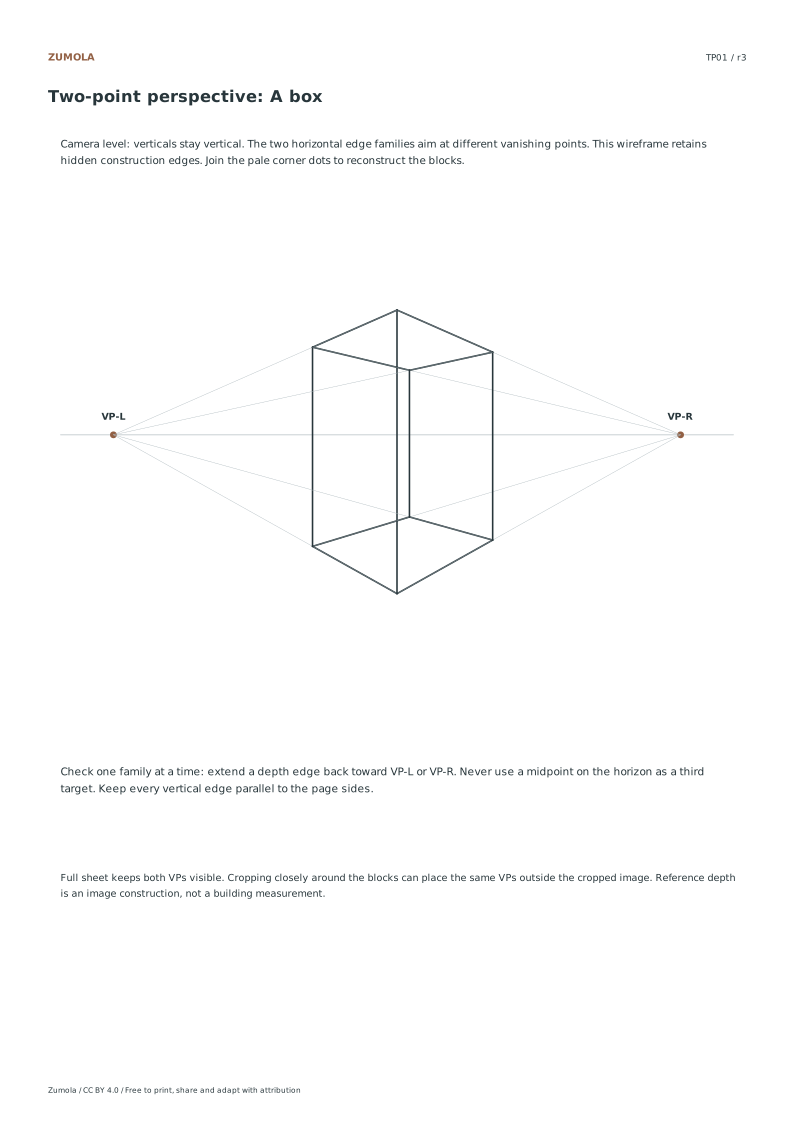
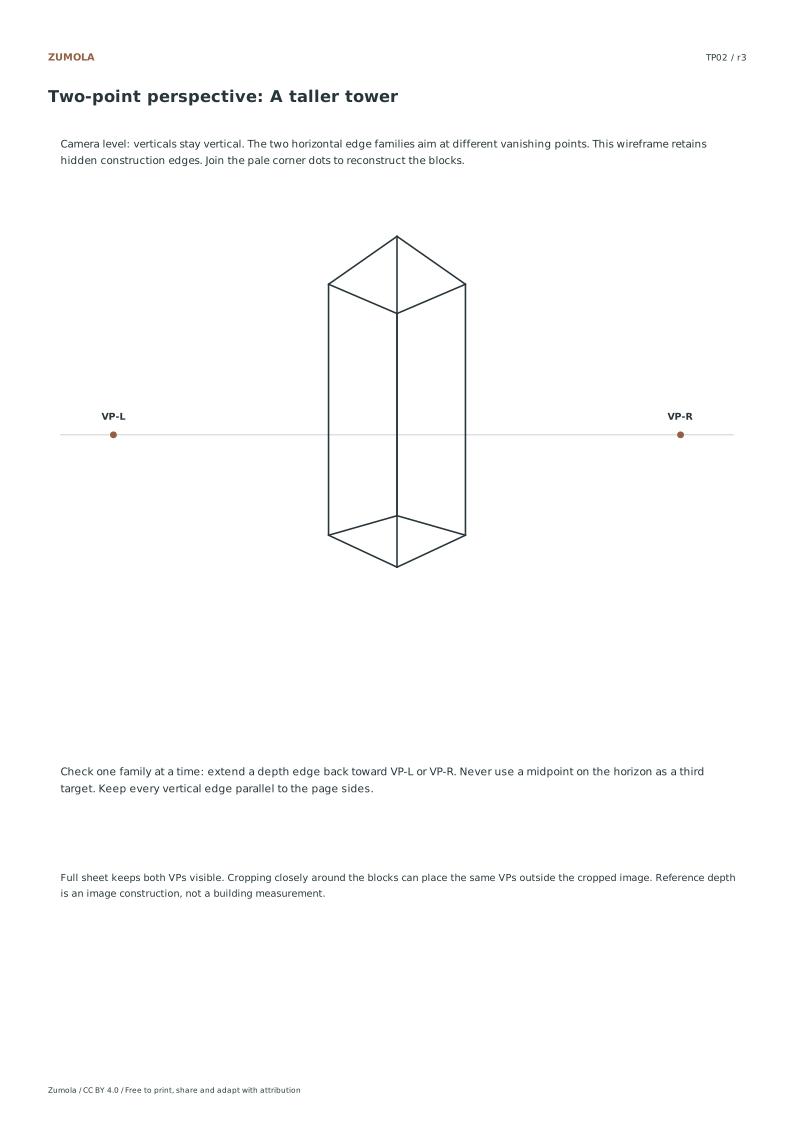
The horizon is 115 mm down from the page top. The vanishing points are 75 mm to either side of the page center. For the reference construction, a 3D point (x, d, z) projects to X = page center + 75x/d and Y = 115 − 75(z − 1.4)/d. Here d is depth from the viewer and all model points have positive depth. This gives a single consistent level view for each study.
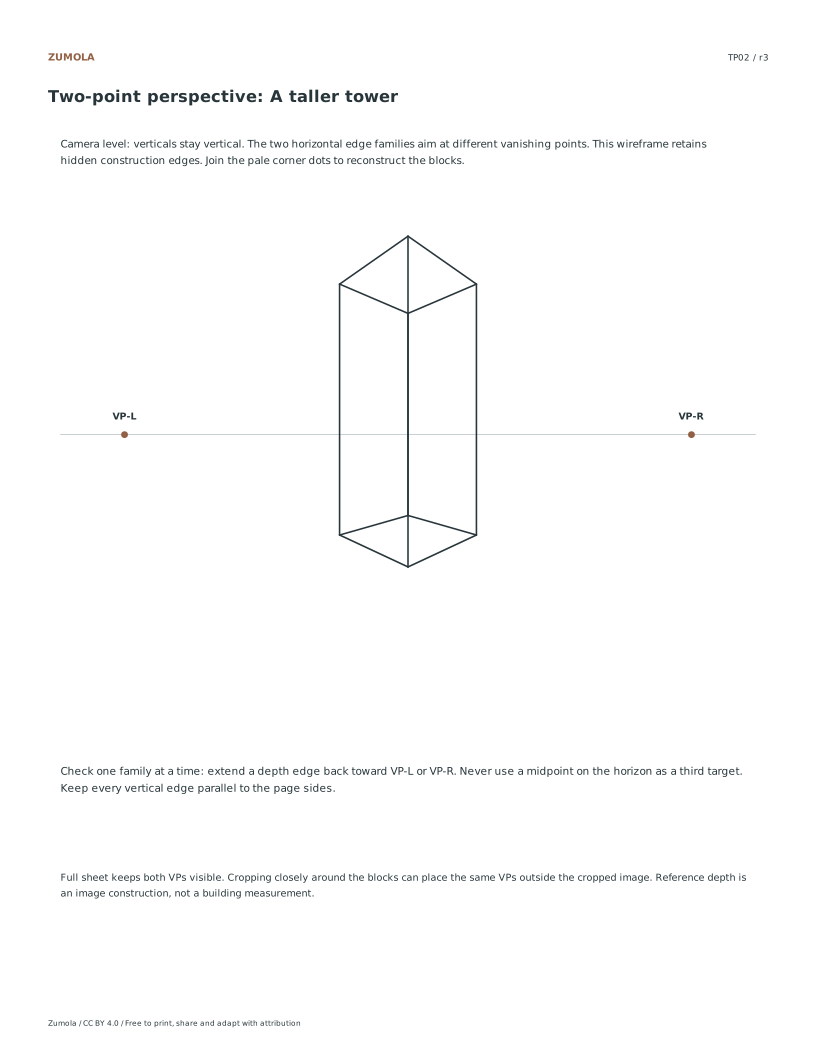
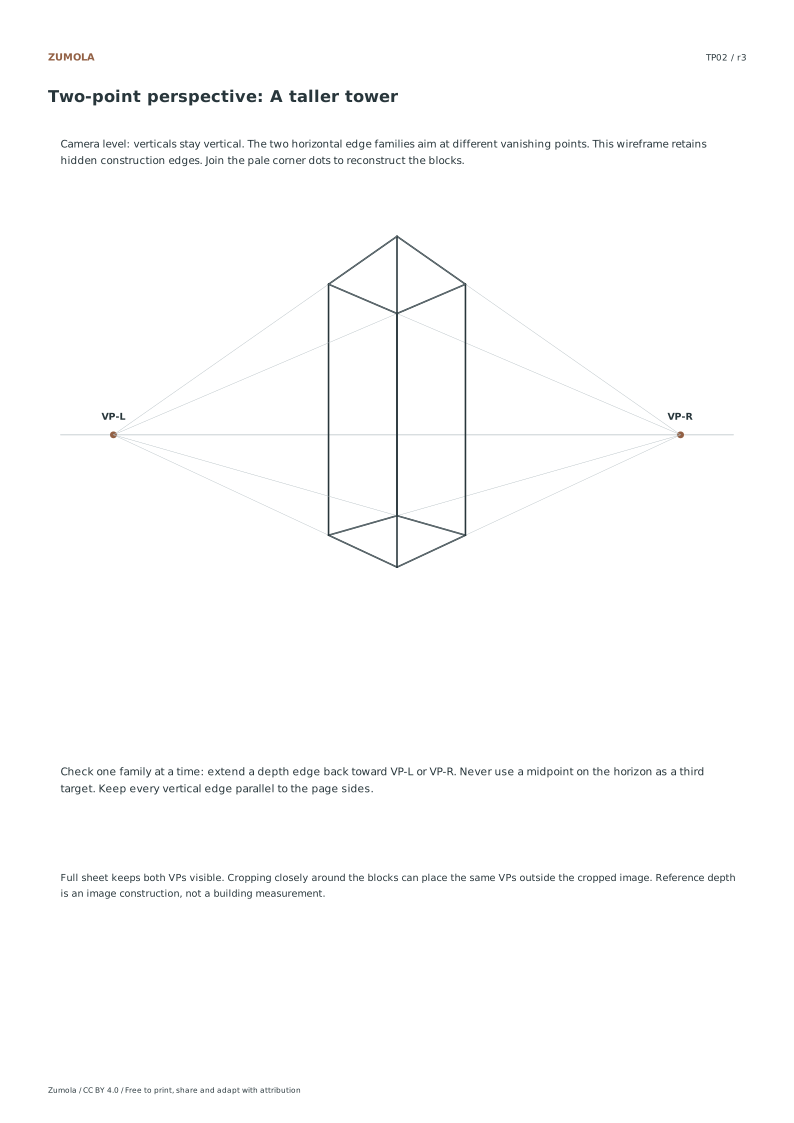
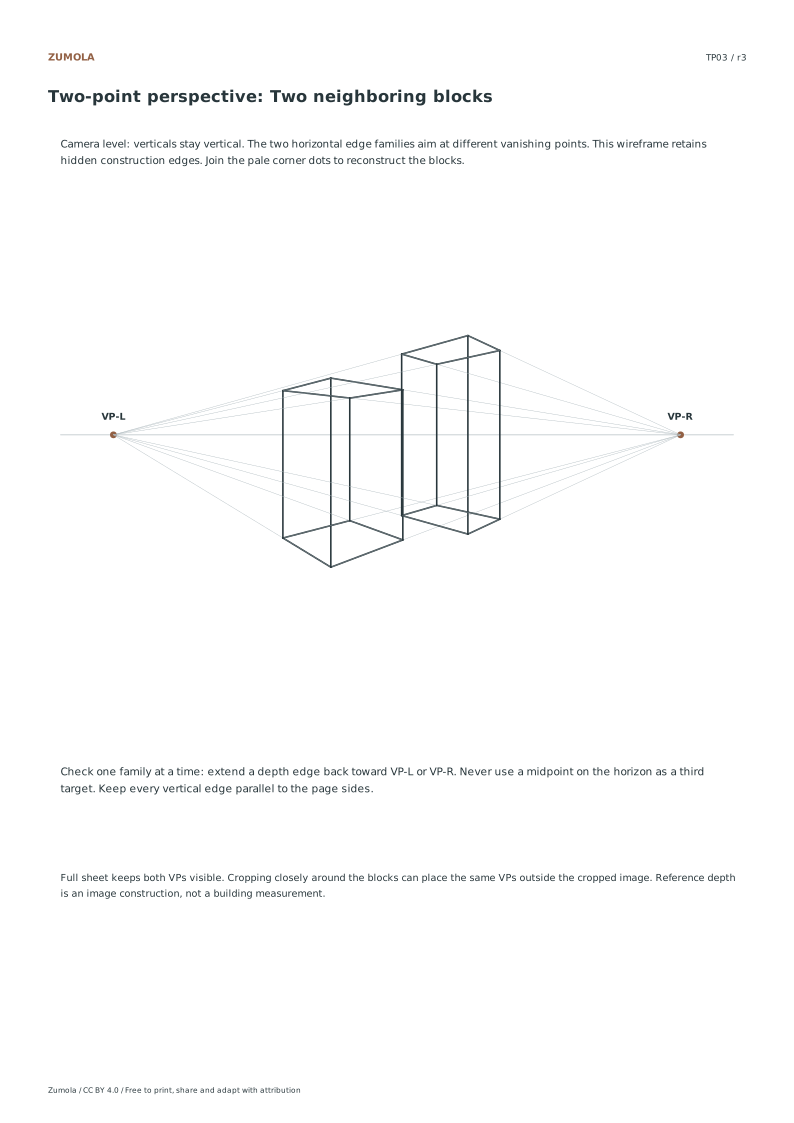
Extend a pair of edges from one horizontal family: they should meet at its marked VP. Test the other family separately. If one line goes to the other point, the block twists. A vertical line should not meet either VP. On a blank sheet, moving the VPs farther apart can make a new drawing less exaggerated, but you must rebuild all edge rays; changing only one ray will break the construction.
Work through the page
Setting Up Your Workspace
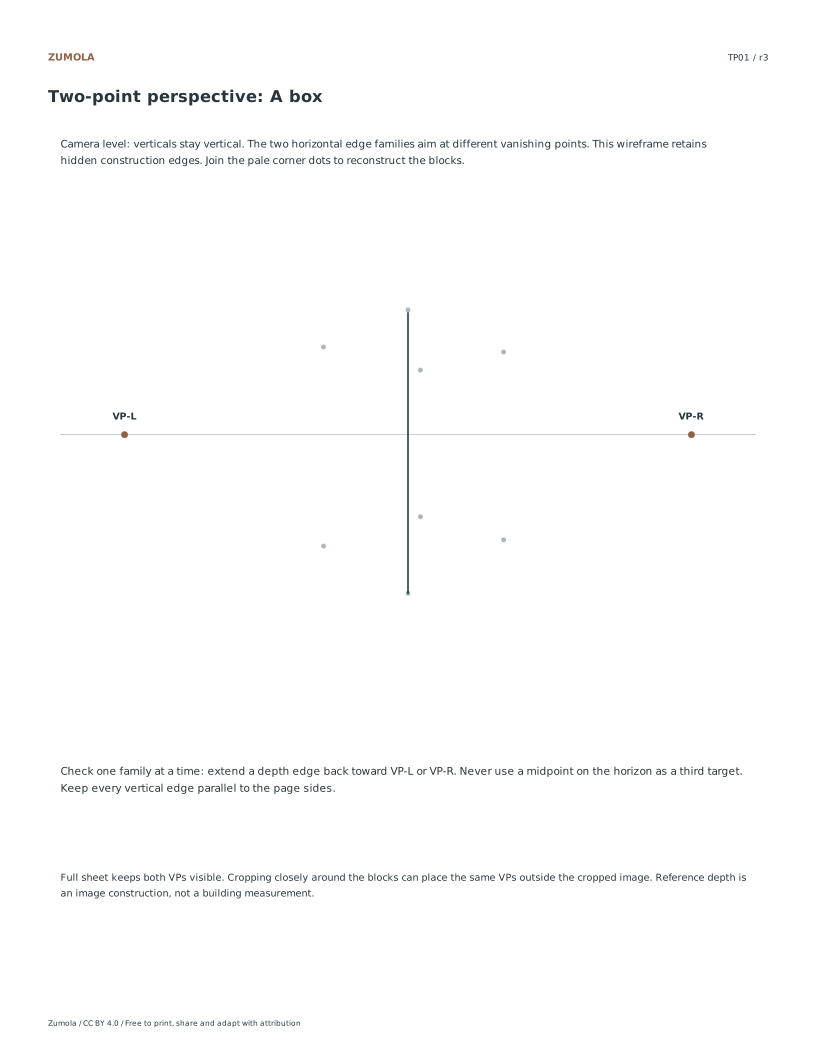
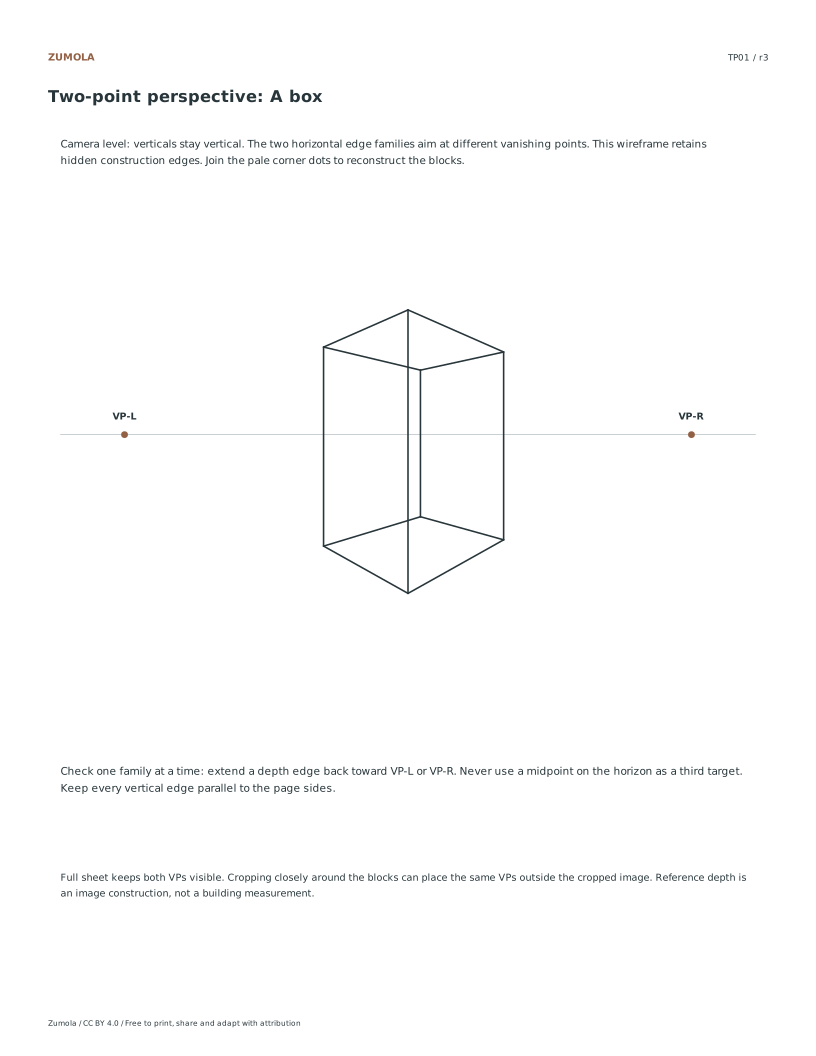
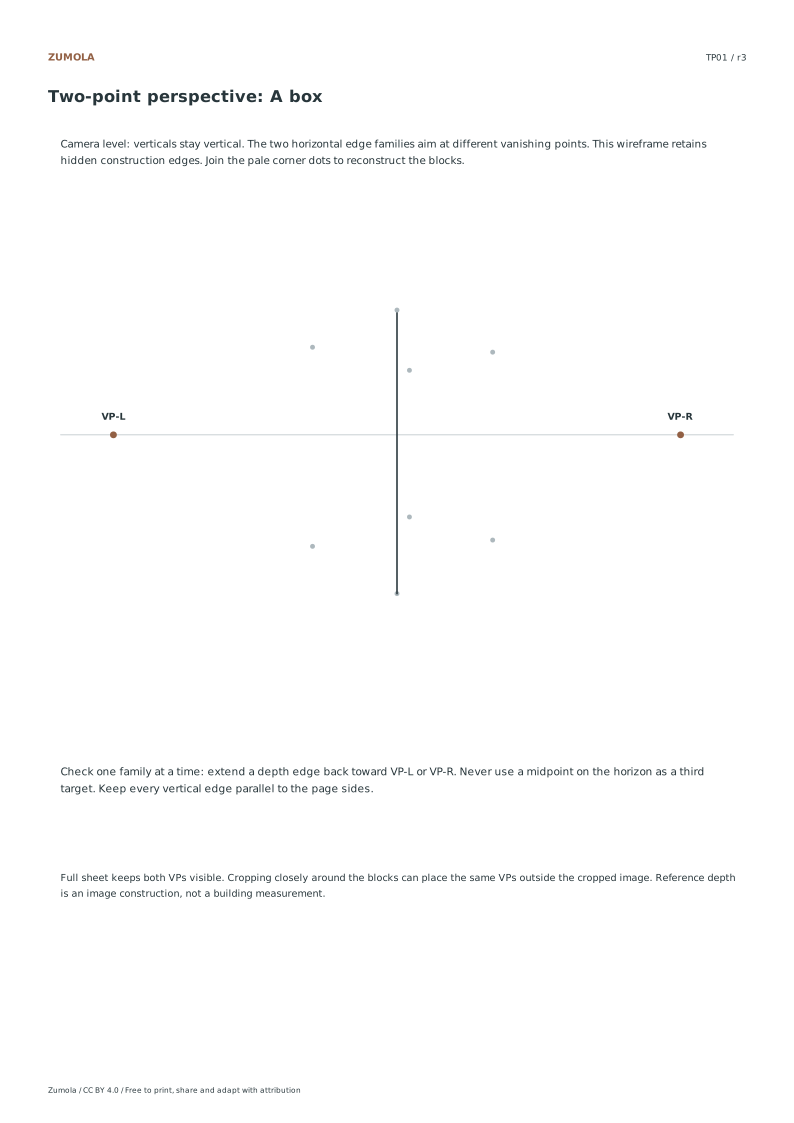
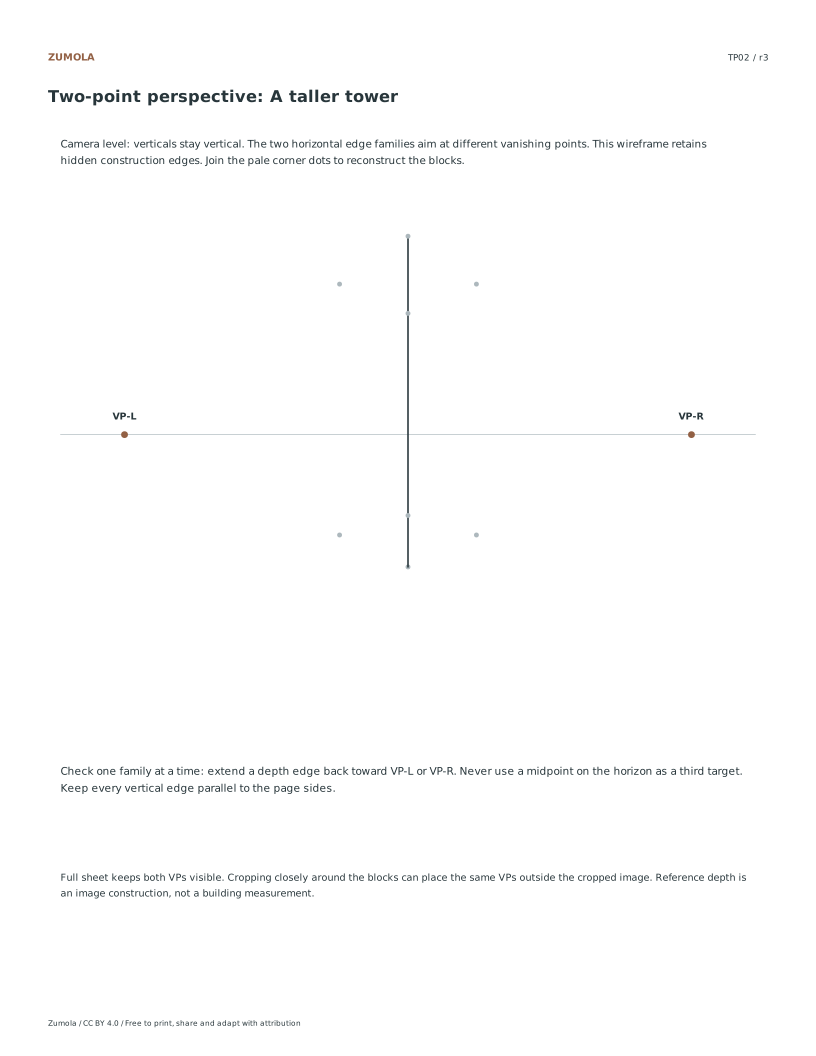
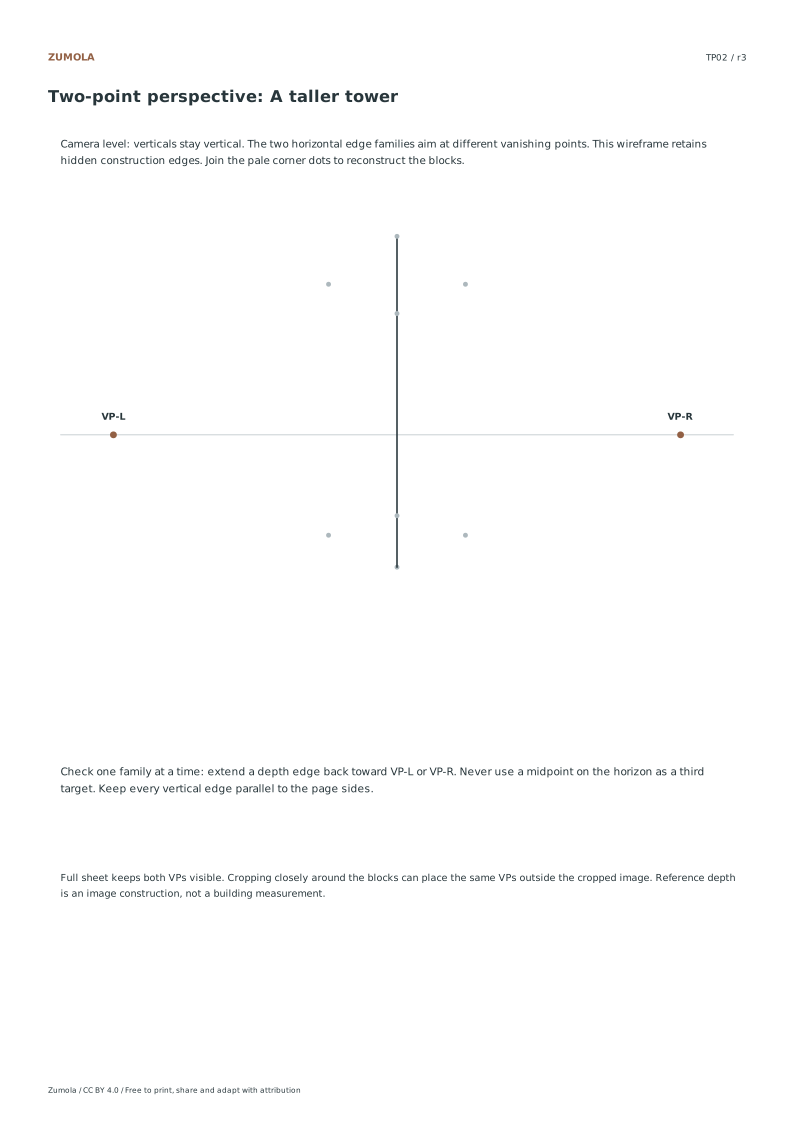
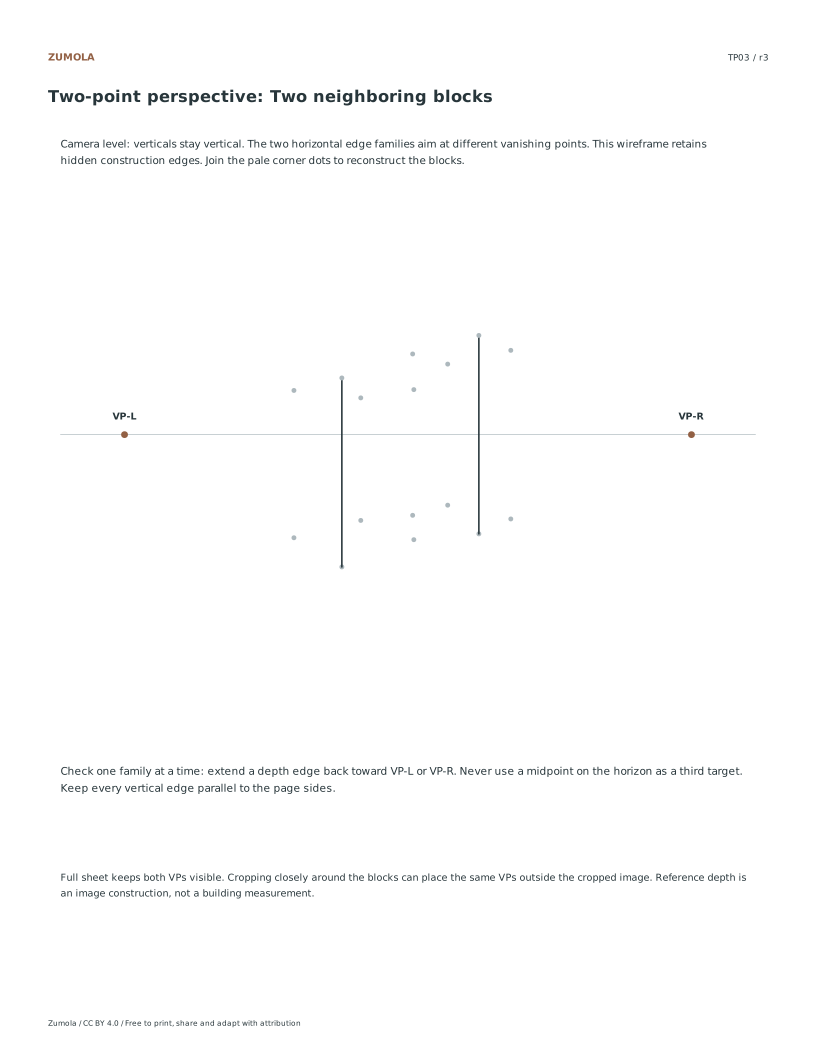
Work on the full printed sheet. Locate the horizontal horizon and the two vanishing points, VP-L and VP-R. The reference assumes a level view, which keeps vertical edges parallel. The vanishing points are printed outside the object but inside the sheet; preserve them while practicing. The student version supplies the front vertical and pale corner dots. Those dots fix this particular box, tower or pair of blocks. Complete that framework before inventing a new object. A straightedge helps separate a line-placement error from an unsteady stroke.
Drawing Vertical Edges
Identify the given front vertical edge and the back corner guide dots provided in the unfinished practice section. Using a straightedge, draw vertical lines upward and downward from these points. Remember that in this two-point perspective system, all vertical edges remain perfectly vertical regardless of their position. Do not tilt these lines toward the vanishing points. This strict adherence to verticality ensures that the box, tower, or neighboring blocks maintain their structural integrity and align correctly with the projected three-dimensional coordinates used to generate the reference images.
Converging Horizontal Lines
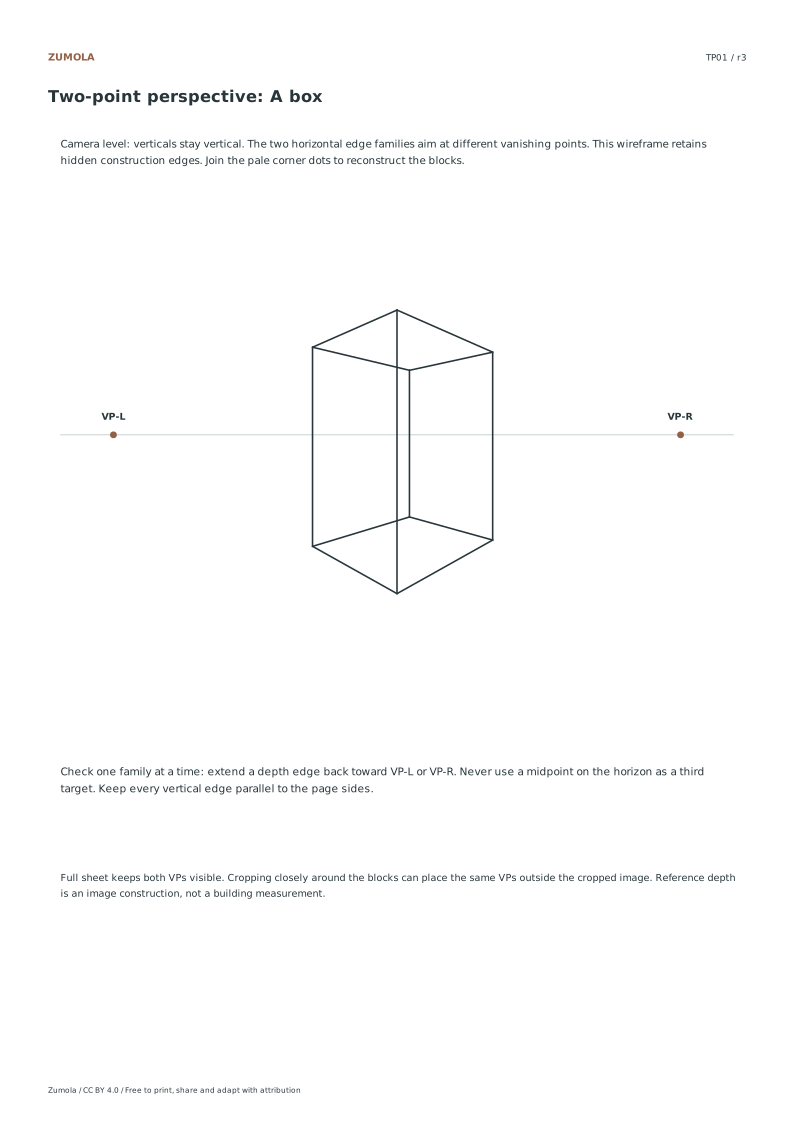
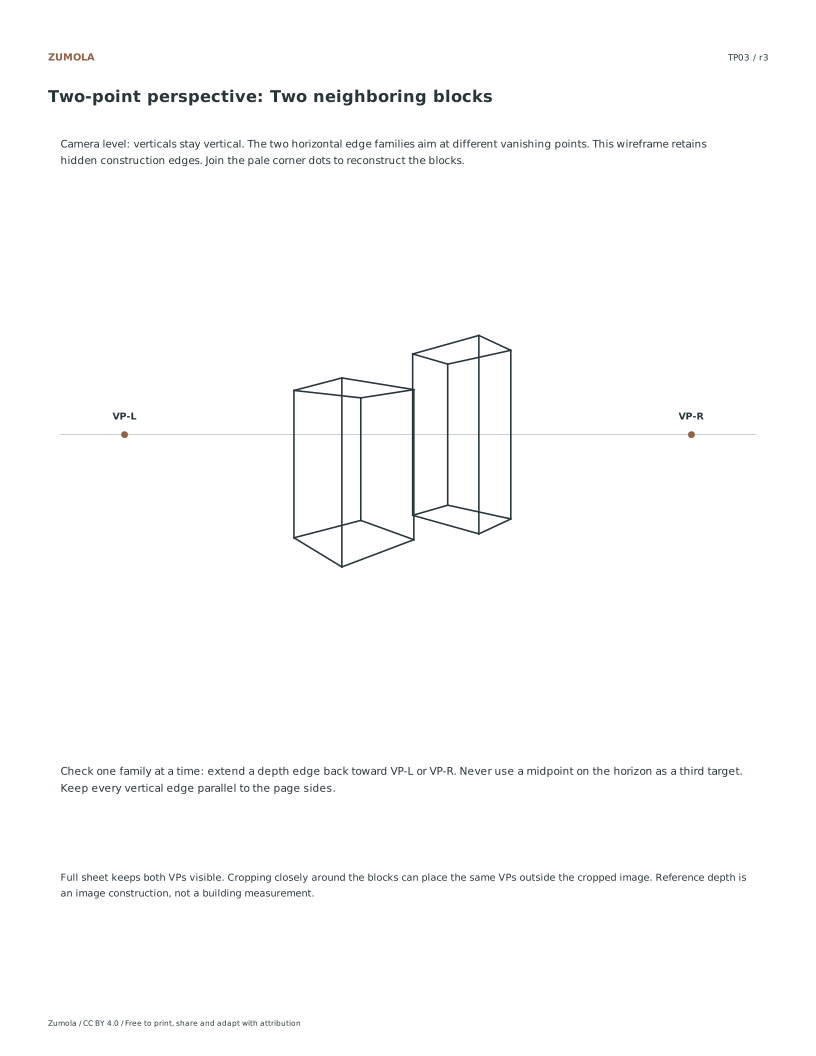
Group edges by their direction in the original block. The two horizontal model axes project toward VP-R and VP-L respectively; their edges keep that assignment throughout each block. Extend a reference edge lightly until it meets the horizon to identify its family. Keep that assignment for every parallel edge of the block. The third family stays vertical. The wireframe includes rear edges for construction practice; an opaque finished drawing can omit hidden edges after its geometry is established. The references show image geometry, not measured building dimensions.
Small checks that catch common errors
Watch for
Check instead
Tilting vertical edges toward the vanishing points.
Keep all vertical edges perfectly straight and perpendicular to the horizon line, as the camera level ensures no vertical convergence occurs in this two-point perspective setup.
Cropping out the vanishing points from the paper.
Retain the vanishing points on the full sheet even if they lie outside the desired crop area, as they are essential for accurately projecting the horizontal edge families.
Omitting hidden construction edges in the wireframe.
Include all hidden construction edges shown in the reference to fully understand the three-dimensional volume and ensure your completed wireframe matches the projected coordinate structure.
Print a test sheet before a full pack
Use the PDF that matches the paper loaded in your printer. Choose Actual size / 100% and turn off Fit, Shrink and browser headers. The SVG keeps millimeter dimensions, but an editor or browser can rescale it; the PDF is the simpler print path. Measure any calibration bars with a separate physical ruler when the exercise depends on printed size. A screen preview does not establish physical scale.
Packs combine the same individual pages; they are not extra different exercises. Print a student copy first and keep references nearby for review. Letter and A4 preserve the stated grid spacing or model definition while their surrounding white space can differ. Color is optional: the references also use line position, text or relative lightness to explain the result.
Useful answers
Do the vanishing points need to be on the visible drawing area?
No, the vanishing points may lie outside your desired crop. You must retain them on the full paper to accurately draw the converging horizontal lines for the box, tower, or neighboring blocks.
Are the reference images based on real building measurements?
No, the wireframes are projected from three-dimensional coordinates rather than measured building designs. The reference answer represents one possible completion based on these mathematical projections.
How do I know which vanishing point to use for a line?
Compare an edge with the guided reference and extend it to the horizon. One horizontal family goes to VP-L and the other to VP-R; repeat that assignment on all parallel block edges. Vertical edges stay vertical.
Are the answers and editable files free too?
Yes. Every linked PDF, SVG, worksheet and answer is free without signup. The original Zumola resources use CC BY 4.0: credit Zumola, link the license and indicate changes. Analytics consent is not required to download or use them.
Optional Google Analytics helps us understand which free resources are useful. It is off until you allow it. Drawing tools and downloads work with either choice. Privacy details